Release Notes December 2025

Dear Educators,


We’re pleased to share the NextOS December release updates.

We’re continuously working to make NextOS better—so you can accomplish tasks more easily, make smarter decisions, and breeze through your daily work.

These release notes will keep you informed, help you explore new features, and ensure you’re getting the most out of what’s new.

16+ Features are added

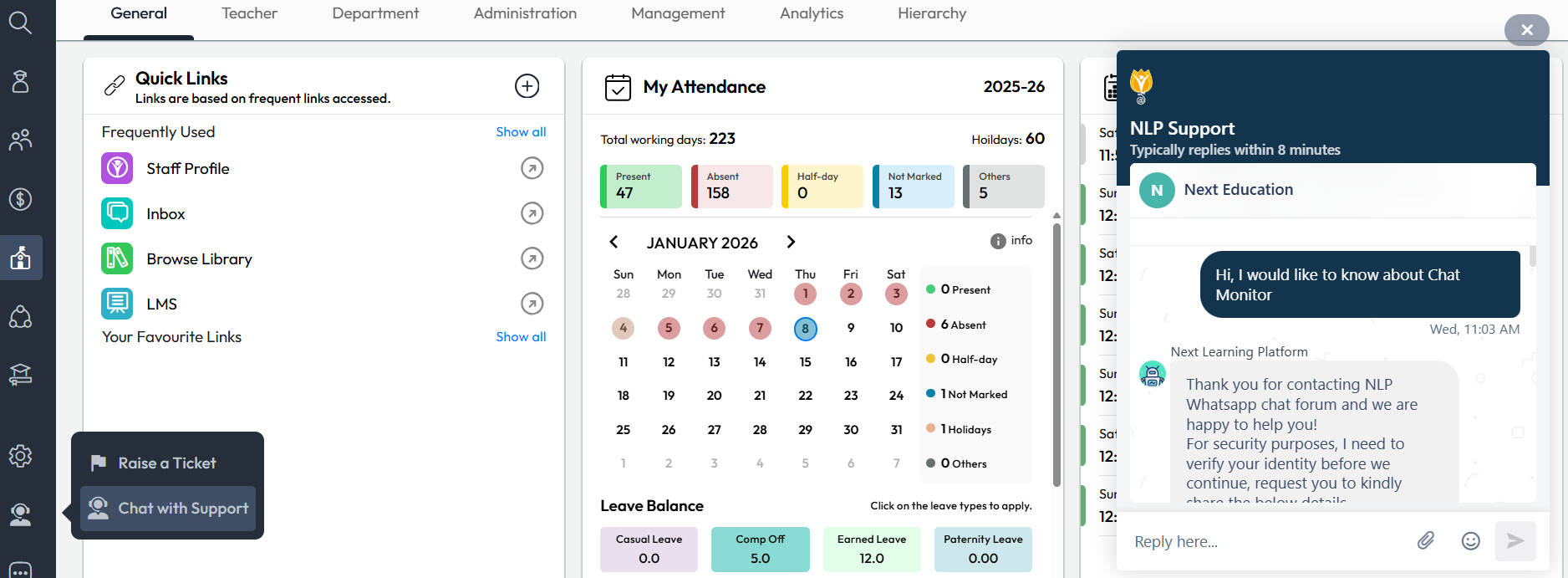
Chat with Support

What’s New : The Chat with Support option is now enabled for school admins on the web interface. Admins can directly engage in a two-way chat for faster resolution of NextOS-related queries.

When a chat is initiated, the system automatically shares the user name, school name, and current page URL with the support team for quicker context.

Chat Support is available Monday to Saturday, 8:00 AM to 6:00 PM

Benefit : Allows admins to raise queries directly to support agents, with most issues being resolved in under 2 minutes.

Path : Communication > Support Icon > Chat with Support 

Chat Monitor

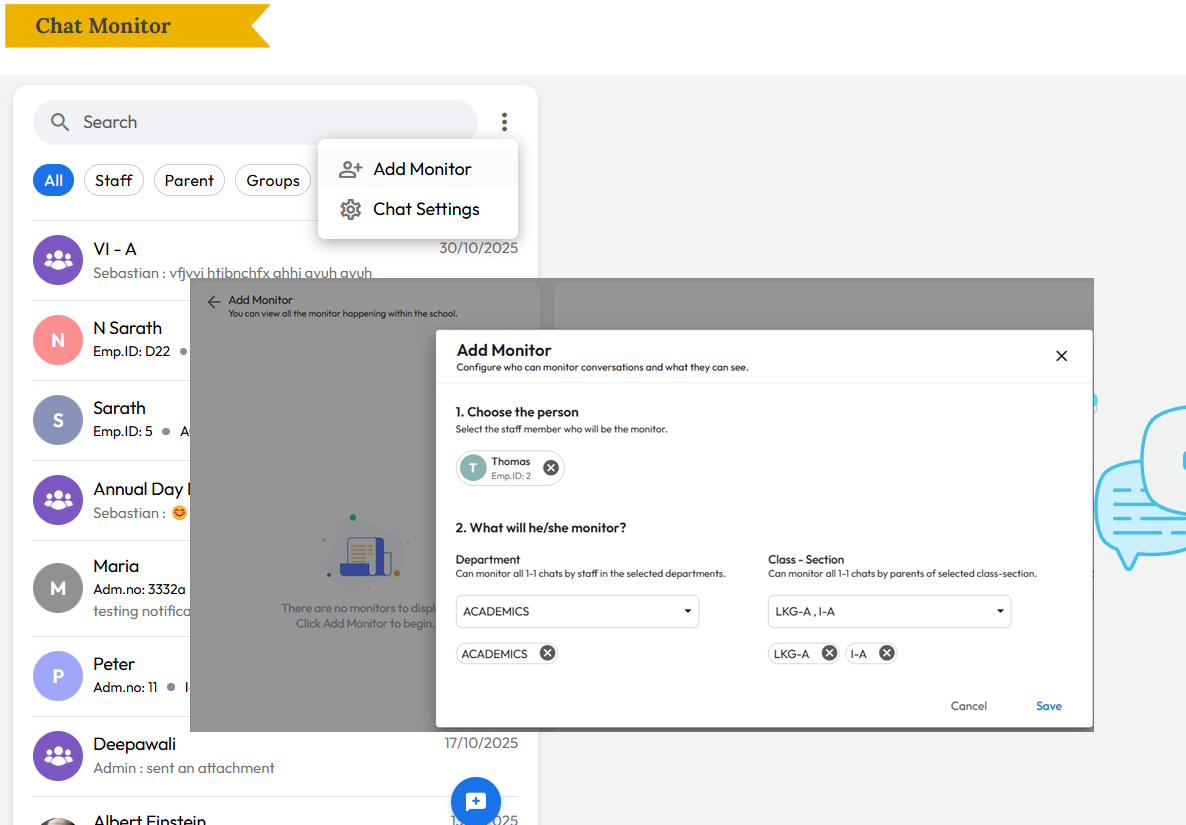
What’s New : All chat conversations can now be monitored by Admins, Principals, and assigned Chat Managers. In addition:

  • Group Managers or Chat Managers can add specific monitors to a group.
  • Admins can assign staff as monitors for all one-to-one conversations within a class or department.

Note: This feature is currently available on the web and will be available on the mobile app soon.

Benefit : Helps schools maintain oversight and quality control by allowing additional staff—beyond admin or principal roles—to monitor assigned conversations and keep a bird’s-eye view where needed.

Path : Communication > Chat > Click Three Dots > Add Monitor > Select Department or Class-Section to monitor 


Parent Activation Guide

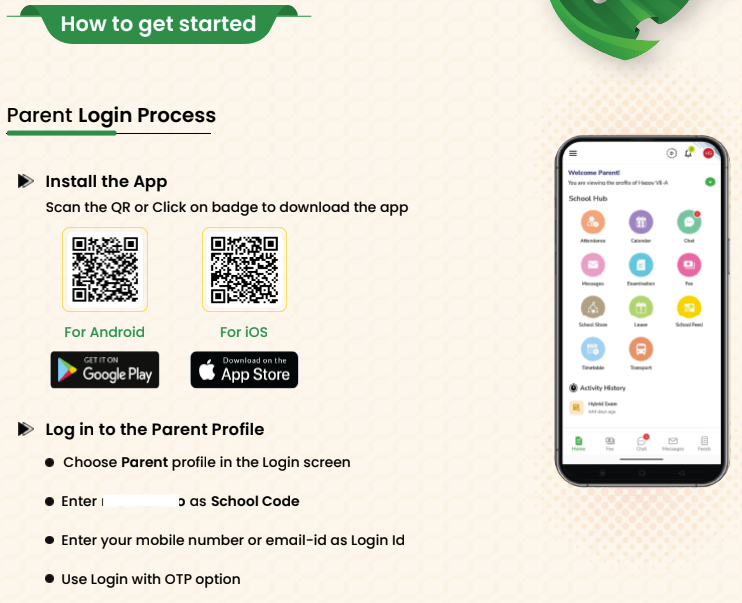
What’s New : Schools can now download a Parent Activation Guide (PDF) from the User Account Management page. This is a dynamic, school-specific document that automatically includes the school’s name, logo, app download QR code, and school code (where applicable).

The guide also features a short introduction from the school and two simple sections: Why get the app and How to get started. Schools can easily share this PDF with parents.

Benefit : Makes parent onboarding simple and effective, helping parents understand the value of the NextOS mobile app and start using it quickly.

Path : Settings > Administration > School Setup > User Account Management > Parents > Download Parent Guide Note

Exam Setup Guide

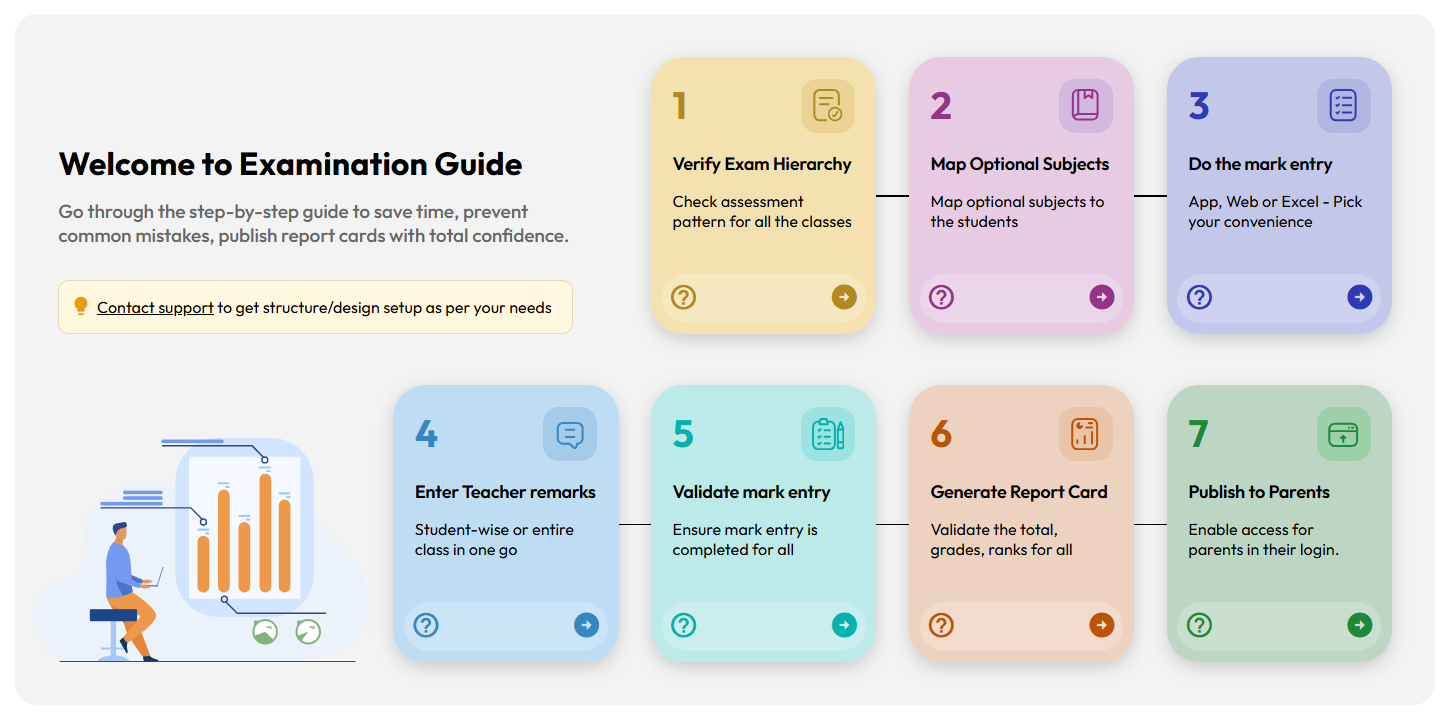
What’s New : A new Exam Setup Guide page has been introduced to help teachers and exam coordinators follow the correct steps for Report Card publishing. Each step includes direct links to the relevant transaction pages along with a help icon that opens the related help-center article.

Benefit : Improves understanding of the examination workflow after exam structure setup and helps exam coordinators publish report cards smoothly and confidently, especially during exam season. Step-wise help articles guide users on how to use each transaction page correctly.

Path : Student > Examination > Exam Setup Guide > Note:

Daily Collection Report – Enhancement

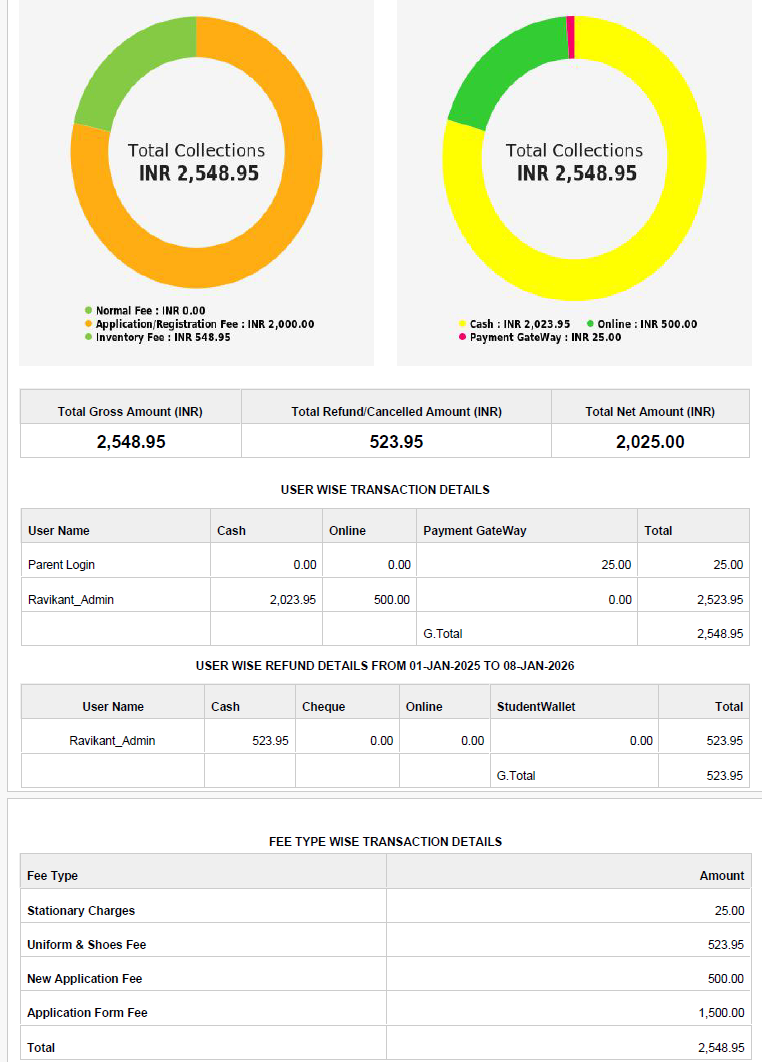
Improvement : The Daily Collection Report now displays Application Fee and Registration Fee separately under the Fee Type–wise transaction details table

Benefit : Makes it easier for accountants to quickly identify and analyze the total amounts collected for application and registration fees.

Locate : Finance > Fee > Fee Reports > 1.7 Daily Collection Report