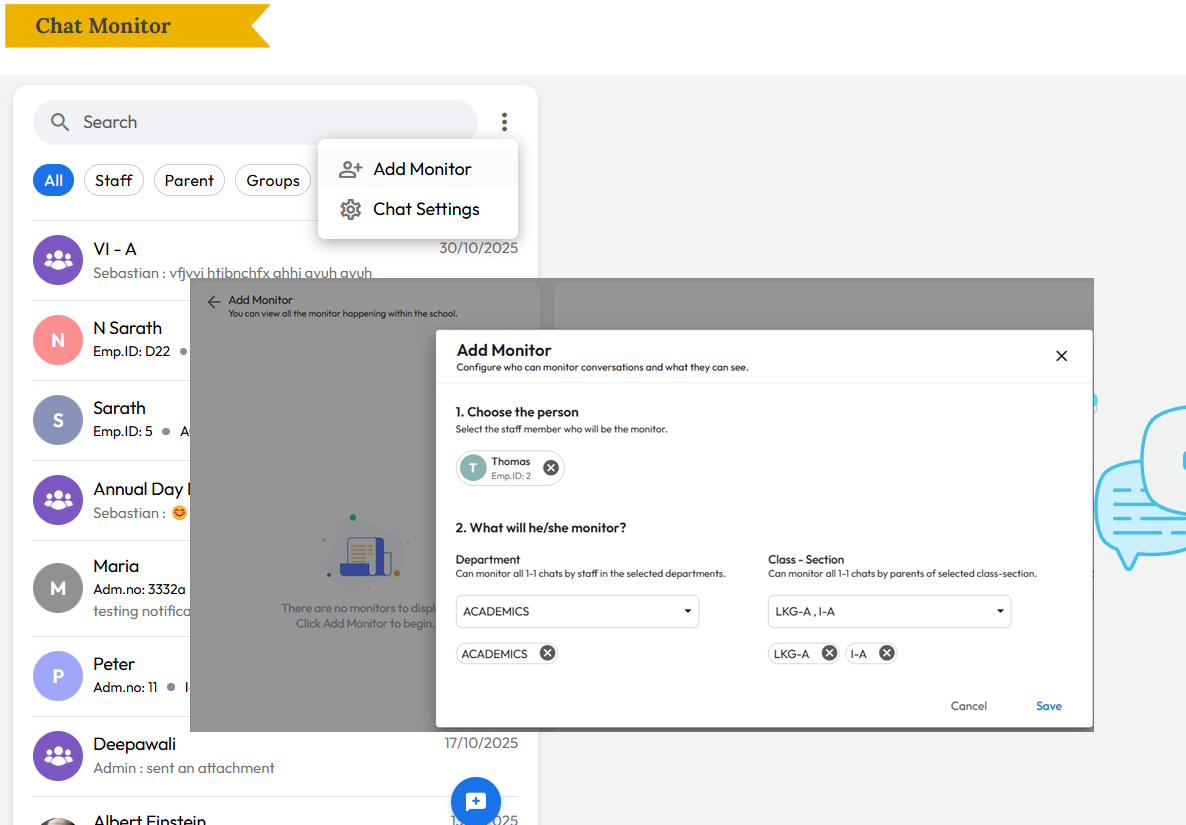
What’s New : All chat conversations can now be monitored by Admins, Principals, and assigned Chat Managers. In addition:
- Group Managers or Chat Managers can add specific monitors to a group.
- Admins can assign staff as monitors for all one-to-one conversations within a class or department.
Note: This feature is currently available on the web and will be available on the mobile app soon.
Benefit : Helps schools maintain oversight and quality control by allowing additional staff—beyond admin or principal roles—to monitor assigned conversations and keep a bird’s-eye view where needed.
Path : Communication > Chat > Click Three Dots > Add Monitor > Select Department or Class-Section to monitor