Updates
September 2026
Release Notes September 2026
Dear Educators,
We’re pleased to share the NextOS September release updates.
We’re continuously working to make NextOS better—so you can accomplish tasks more easily, make smarter decisions, and breeze through your daily work.
These release notes will keep you informed, help you explore new features, and ensure you’re getting the most out of what’s new.
19+ Features are added

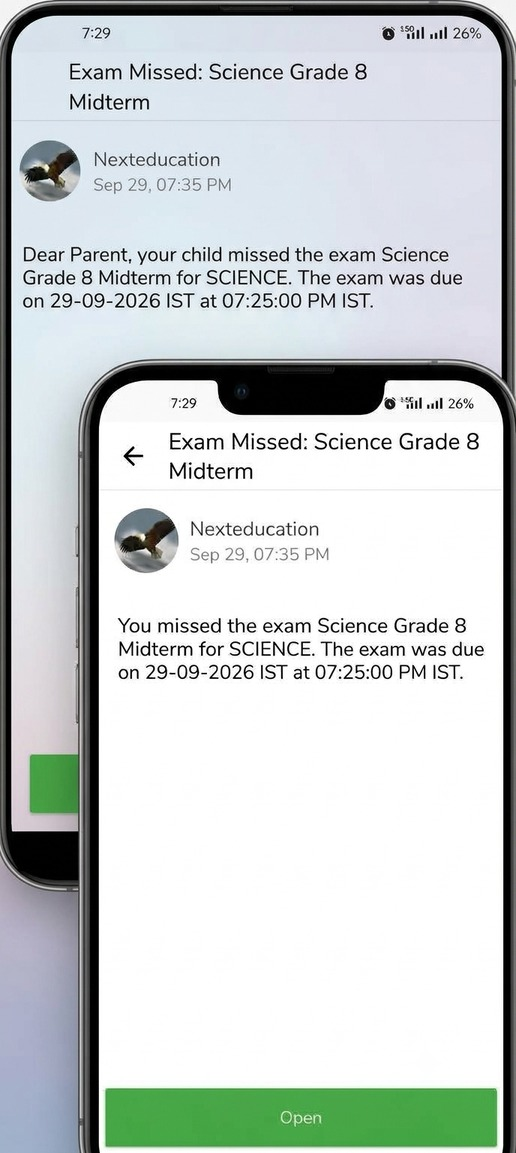
Missed E-Assessment Alerts
What's New : When a student misses a published e-assessment, the student and the parent automatically receive an Exam Missed notification 10 minutes after it ends, with the assessment name, subject and due time.
Benefit : Parents know the same day, and schools no longer inform them one by one over WhatsApp or chat.
Path : Automatic, on the student and parent app
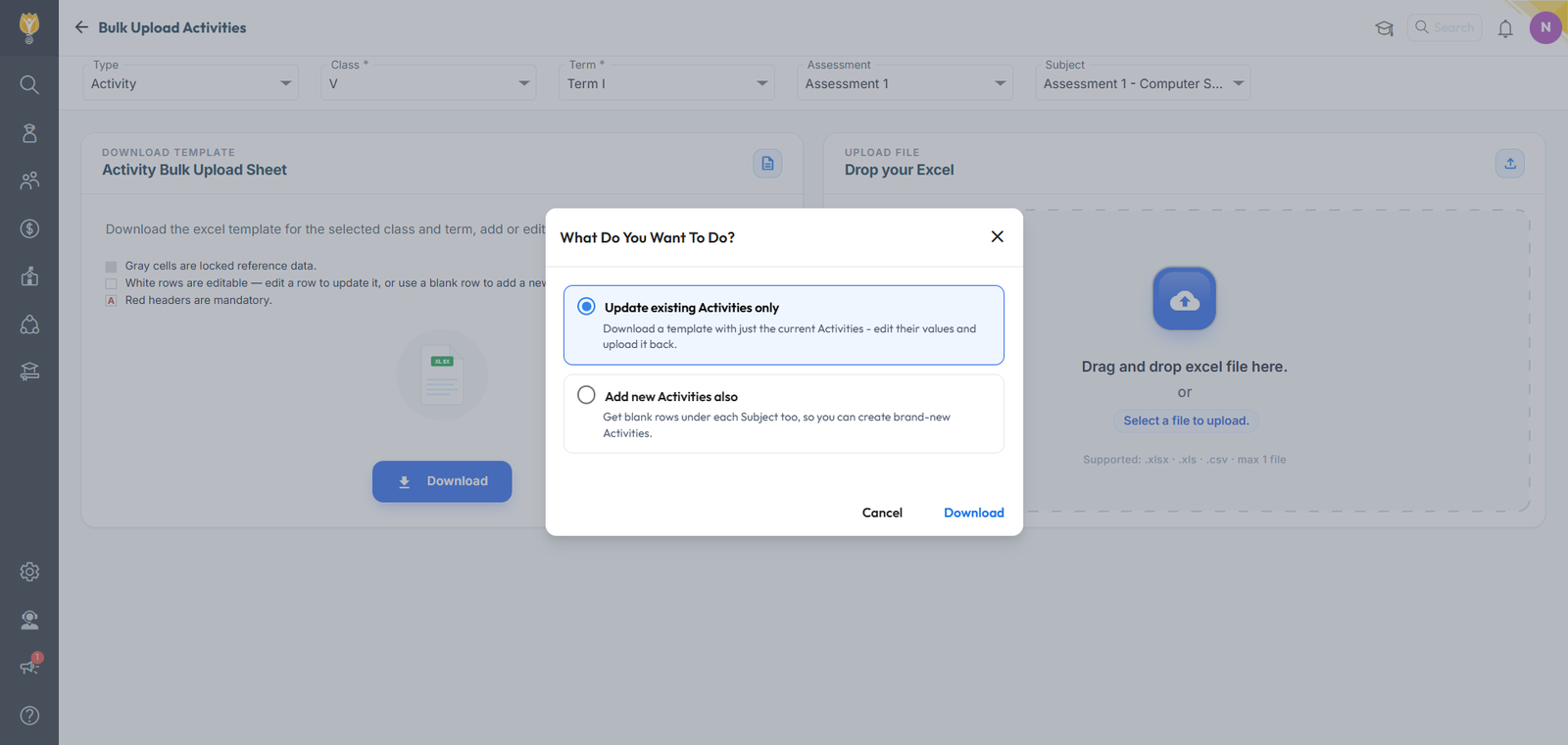
Bulk Upload Activities & Rubrics
What's New : A new Bulk Upload Activities page. Select the type, class, term, assessment and subject, then download an Excel template, either to update existing Activities or to add new Activities in blank rows under each subject. It works for both Activity and Rubric levels. The uploaded file is checked first, with duplicate names and sequence gaps flagged, and a preview shows new, updated and invalid rows before anything is saved.
Benefit : Set up a class's exam hierarchy in one upload instead of one entry at a time.
Path : Settings > Student > Examination > Bulk Upload Activities
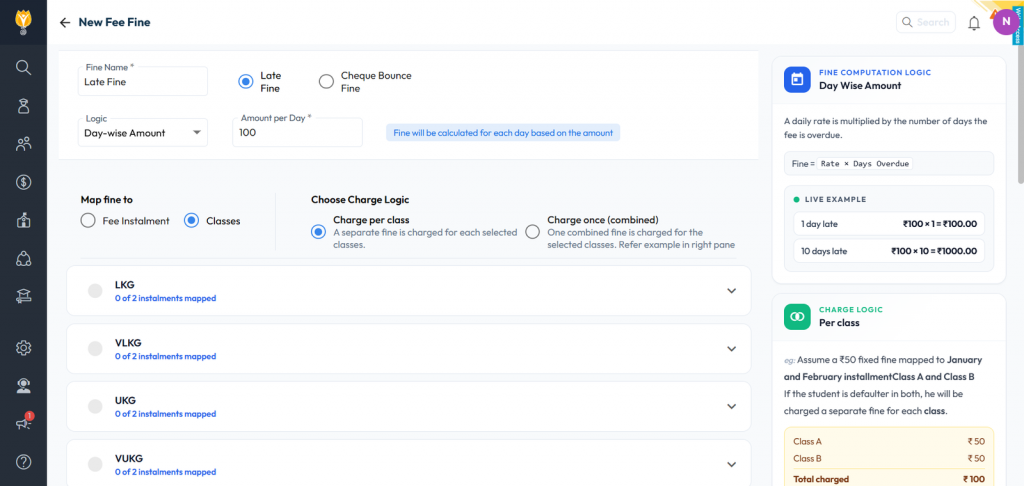
Flexible Fine Setup
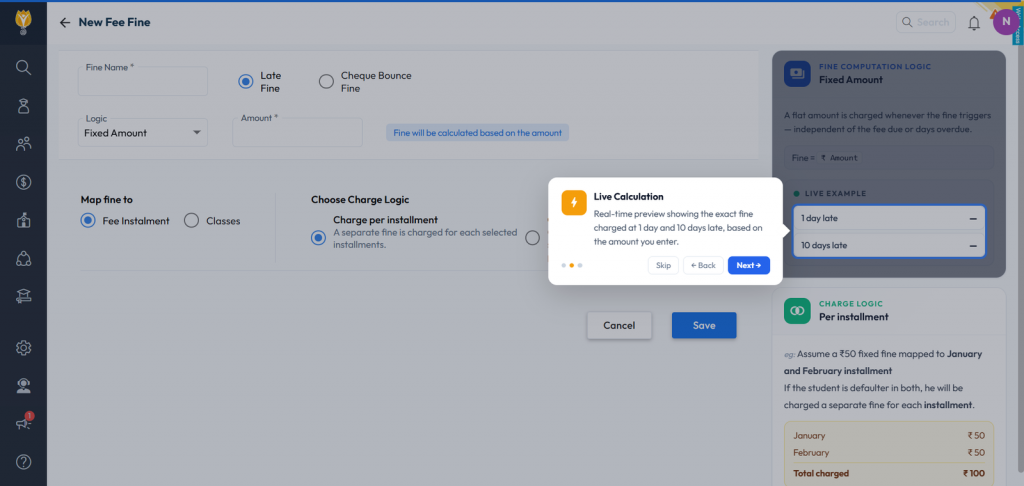
What's New : Fines can now be set for exact combinations of fee type, instalment and class. When creating a fine, map it to Fee Instalments or to Classes and pick the instalments under each class, then choose whether it is charged separately for each instalment or class, or once (combined). A panel alongside explains the fine logic with a live example of what is charged at 1 day and 10 days late.
Benefit : Charge fines only where your policy applies, and see exactly what a late payer will pay before you save.
Path : Fee > Fine Configuration
Support Tickets Page
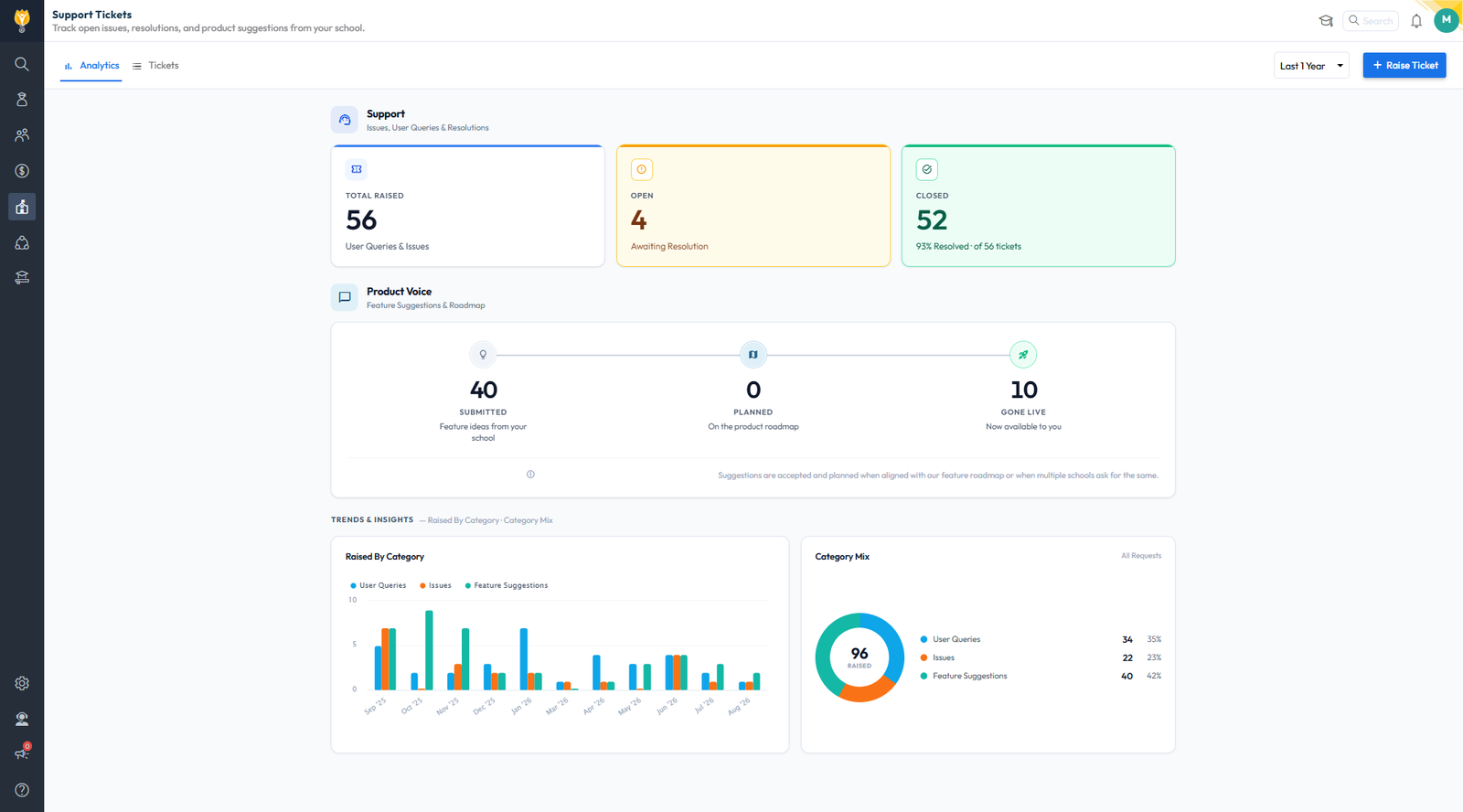
What's New : A new View Tickets Raised option in the left menu, for Admin and Support users, opens the Support Tickets page. Analytics shows tickets raised, open and closed with the resolution %, a Product Voice tracker for feature suggestions (Submitted, Planned, Gone Live) and trends by category. Tickets lists every ticket with its status, dates and days to resolve, with a Raise Ticket button.
Benefit : Your full support history, and what happened to your feedback, without calling support.
Path : Left Menu > View Tickets Raised
Multi-Level Purchase Order Approval
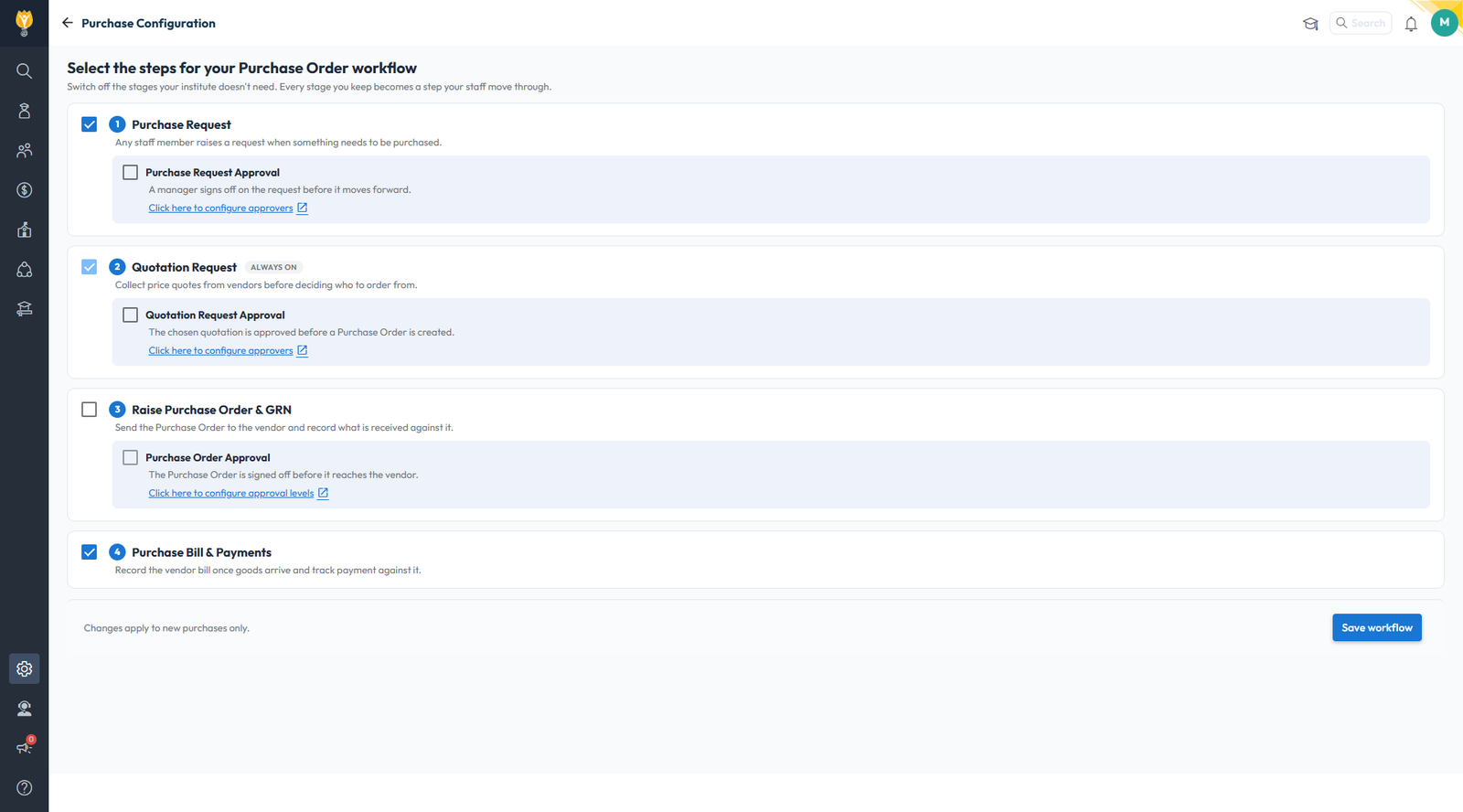
What's New : Purchase Orders can now go through an approval workflow before they reach the vendor. Each approval level is assigned to a person or a role, and a new PO starts as PO Approval Pending. The approver at the current level can Approve or Reject with remarks, and the PO moves on only after that level approves. Approvers are alerted when a PO reaches them, and once every level approves, the PO is emailed to the staff member who raised it and to the vendor. A rejected PO is locked and has to be raised again.
Benefit : Financial sign-off on every purchase, with a clear record of who approved what.
Path : Settings > Purchase Configuration > Purchase Order Approval
August 2026
Release Notes August 2026
Dear Educators,
We’re pleased to share the NextOS August release updates.
We’re continuously working to make NextOS better—so you can accomplish tasks more easily, make smarter decisions, and breeze through your daily work.
These release notes will keep you informed, help you explore new features, and ensure you’re getting the most out of what’s new.
18+ Features are added
Chat Summary Report
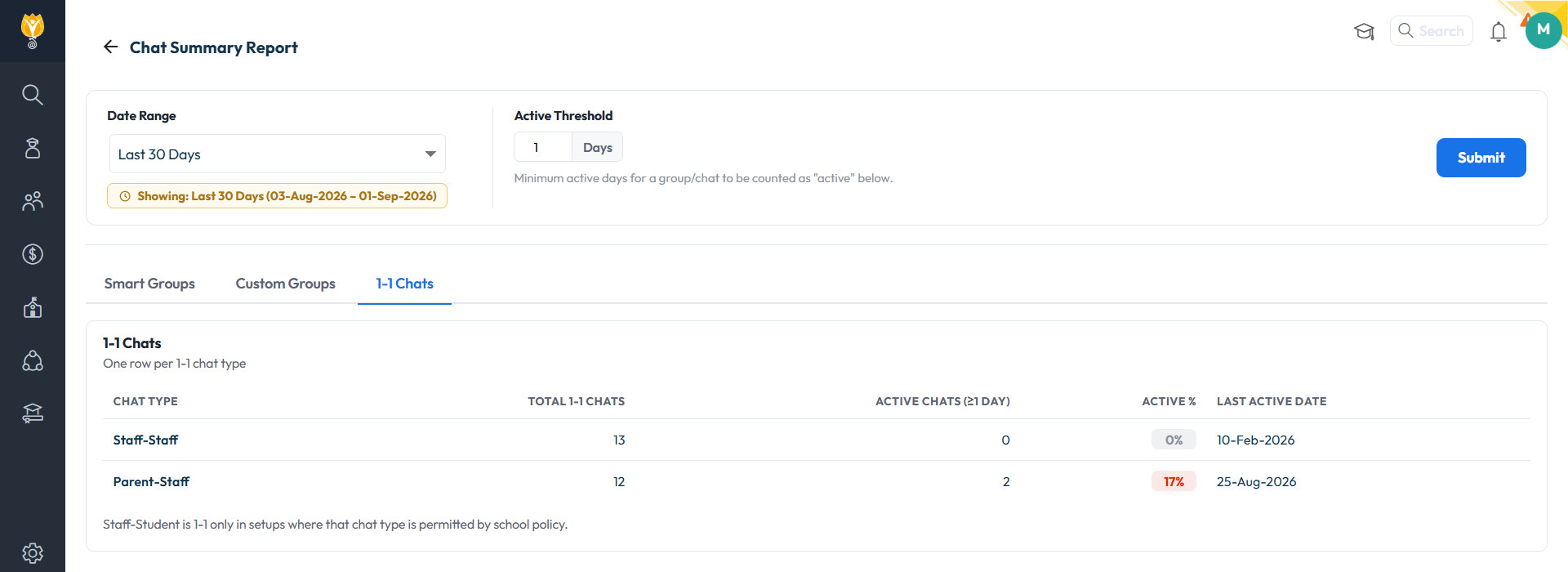
What's New : A new Chat Summary Report covering Smart Groups, Custom Groups and 1-to-1 chats, with Date Range and Active-Threshold filters. Shows Active Count, Active Status, Active % and Last Active Date per group, class-wise or teacher-wise.
Benefit : Measure whether Chat is being used, by class and by teacher, instead of assuming it.
Path : Communication > Reports > Chat Summary Report
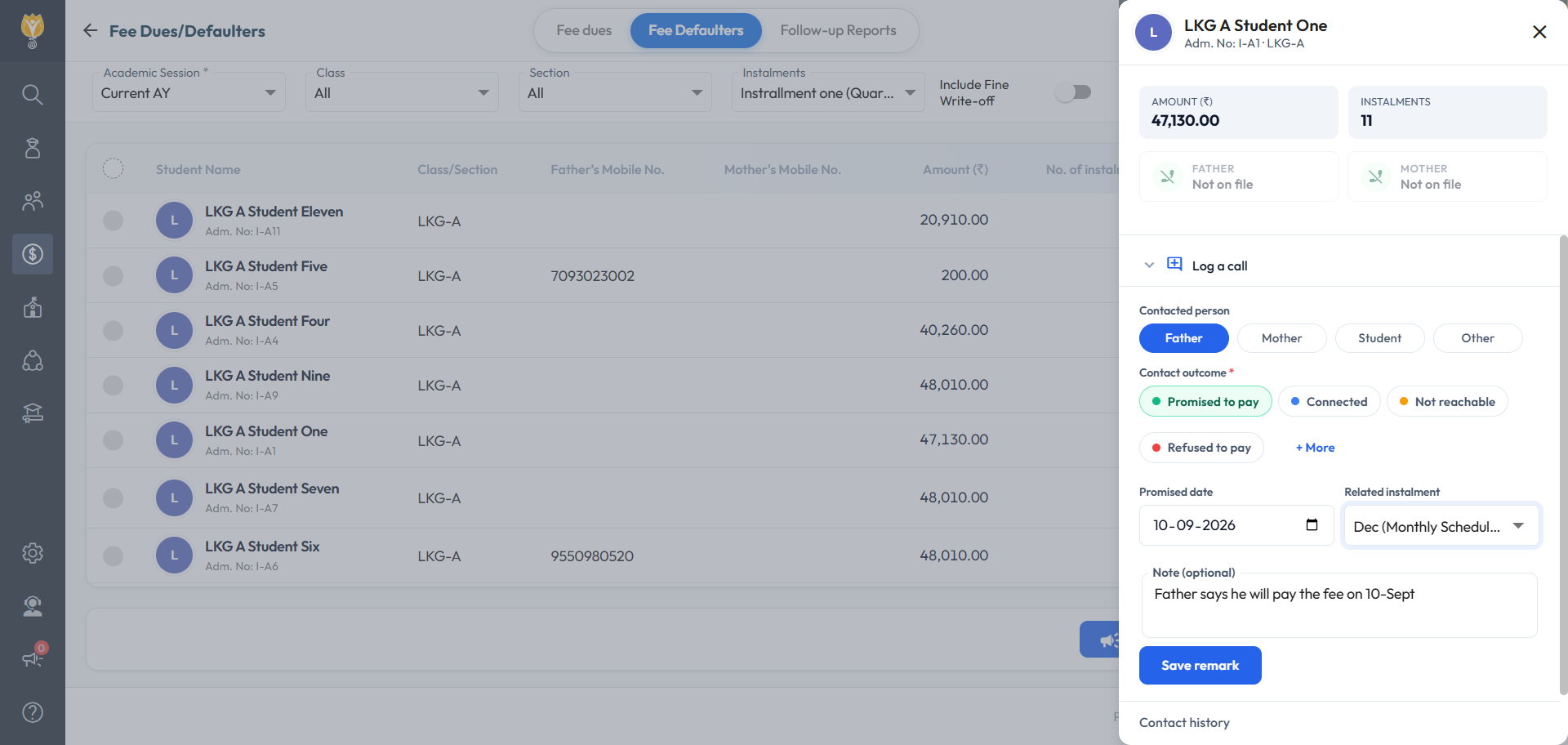
Fee Dues & Defaulter — Call Logging & Follow-Up Remarks
What's New : Log a call against a student from the Fee Dues and Fee Defaulter screens: who was contacted, the outcome, the promised date, the instalment and a note. A "Promised to pay" outcome feeds the Promise-to-Pay Tracker.
Benefit : Every collection call recorded against the student it belongs to, with promised dates tracked for you.
Path : Fee > Fee Dues / Fee Defaulters - Tracker: Fee > Follow Up Reports
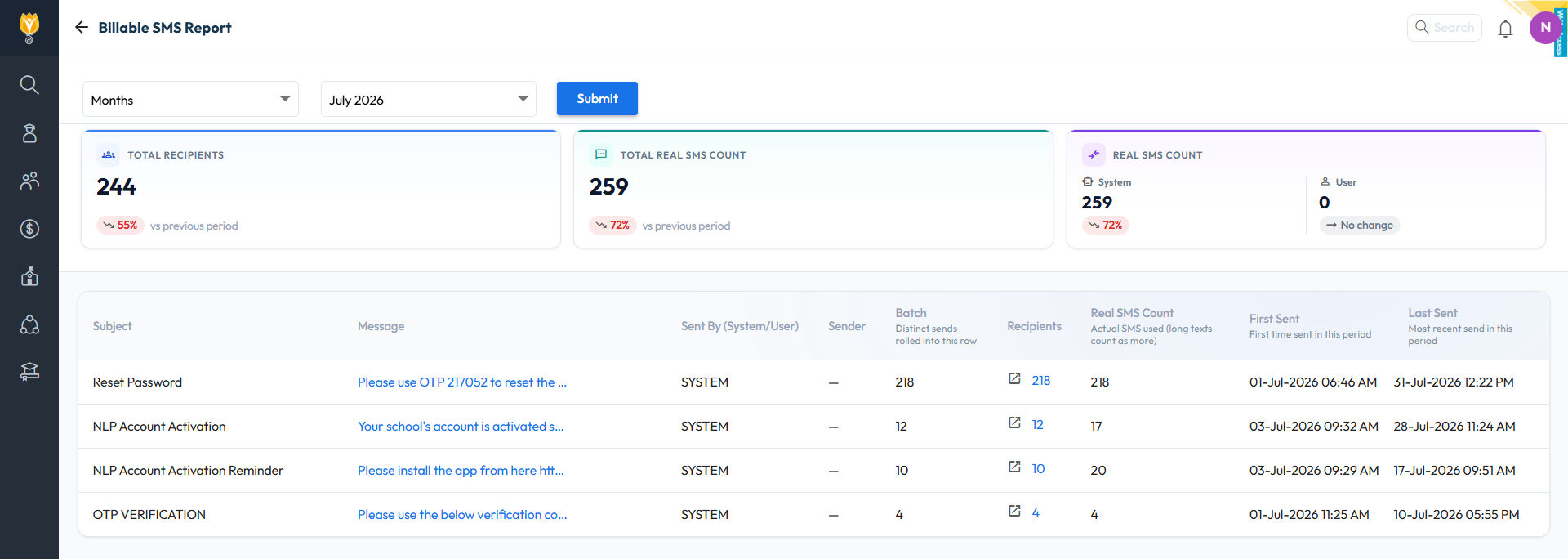
Billable SMS Report
What's New : A new Billable SMS Report under Communication Reports shows the actual SMS count for a month or a custom date range — templates used with their counts, total batches, and drill-down to each send.
Benefit : Reconcile the SMS bill inside NextOS and see which templates consume the quota.
Path : Communication > Reports > Billable SMS Report
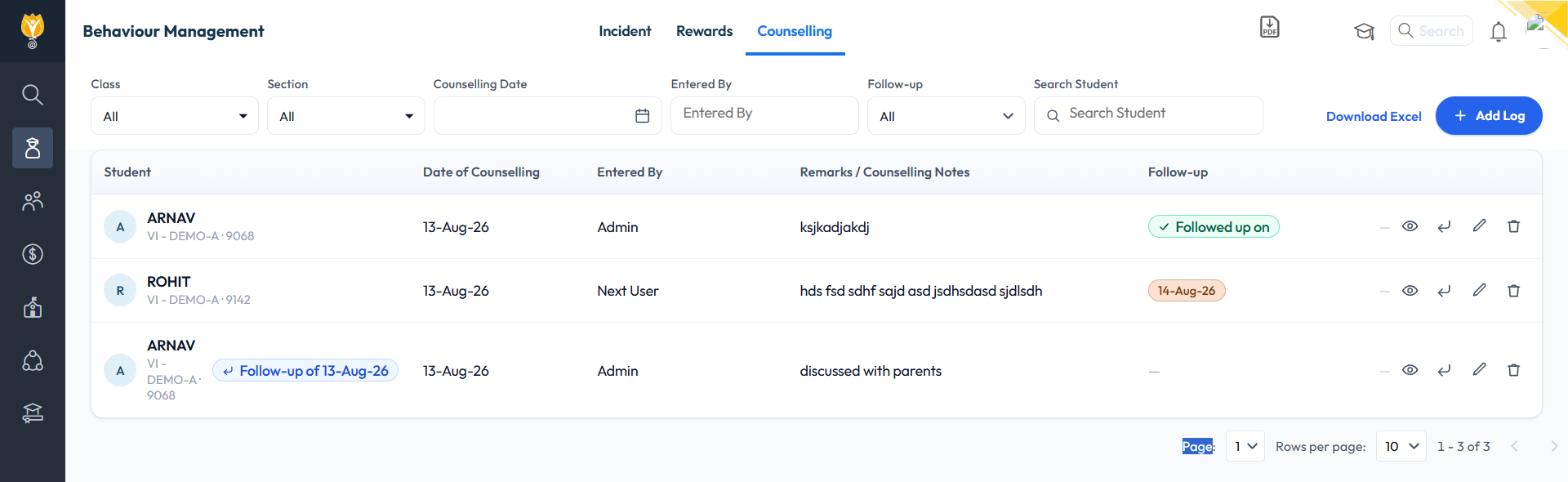
Student Counselling Module
What's New : A new Counselling tab on the Student Behaviour page, along with a newly added Counsellor role — only the designated counsellor can add a counselling record. Each entry records the date, remarks, action required, an optional follow-up date and attachments. View access and parent visibility are configurable per role.
Benefit : A complete counselling record inside the student's file, with follow-up reminders and access limited to the roles the school chooses.
Path : Student > Student Behaviour > Counselling
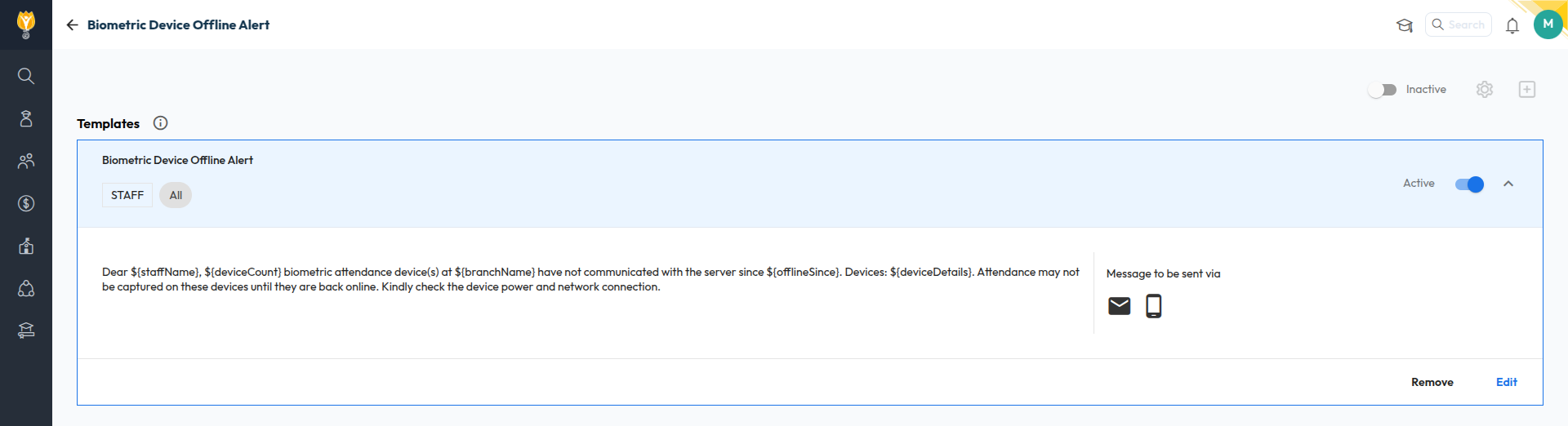
Biometric Device Offline Alert
What's New : Alerts the school when a biometric device goes offline — only after 48 hours, when the last two days were working days for the mapped department and the device was in use in the last 7–10 days. Sent by email or SMS.
Benefit : Catch a dead device before attendance gaps appear, without false alarms over holidays.
Path : Settings > Alerts > Biometric Device Offline
July 2026
Release Notes July 2026
Dear Educators,
We’re pleased to share the NextOS July release updates.
We’re continuously working to make NextOS better—so you can accomplish tasks more easily, make smarter decisions, and breeze through your daily work.
These release notes will keep you informed, help you explore new features, and ensure you’re getting the most out of what’s new.
17+ Features are added
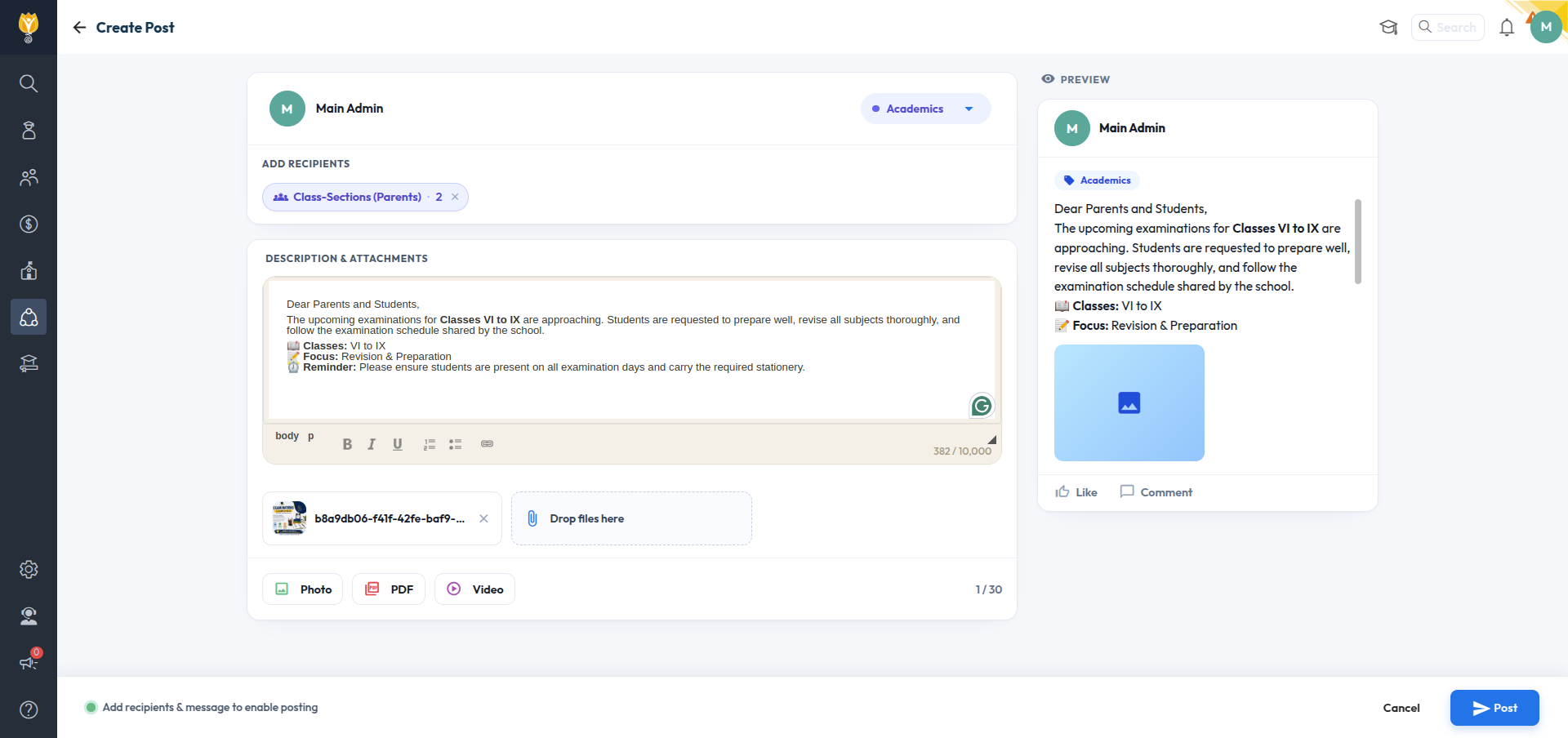
SchoolFeed — New “Add Recipients” UI
A new Add Recipients screen replaces the old post targeting. Choose Parents/Students by All, ClassSections, or Specific Students — or Staff by All, Departments, Roles, or Selected Staff — with live recipient counts before you send.
Path : Collaboration > SchoolFeed > Create Post > Add Recipients
Student Biometric Attendance — Shift-Aware Auto-Update & Manual Sync
Improvement : Yesterday's student attendance now updates automatically. For today or any older date, teachers can tap "Sync now" to update it manually.
Impact : Attendance stays accurate with no extra work for yesterday, and just one tap to refresh today or any older date.
Path : Student > Attendance > (day view, when branch has biometric devices registered)
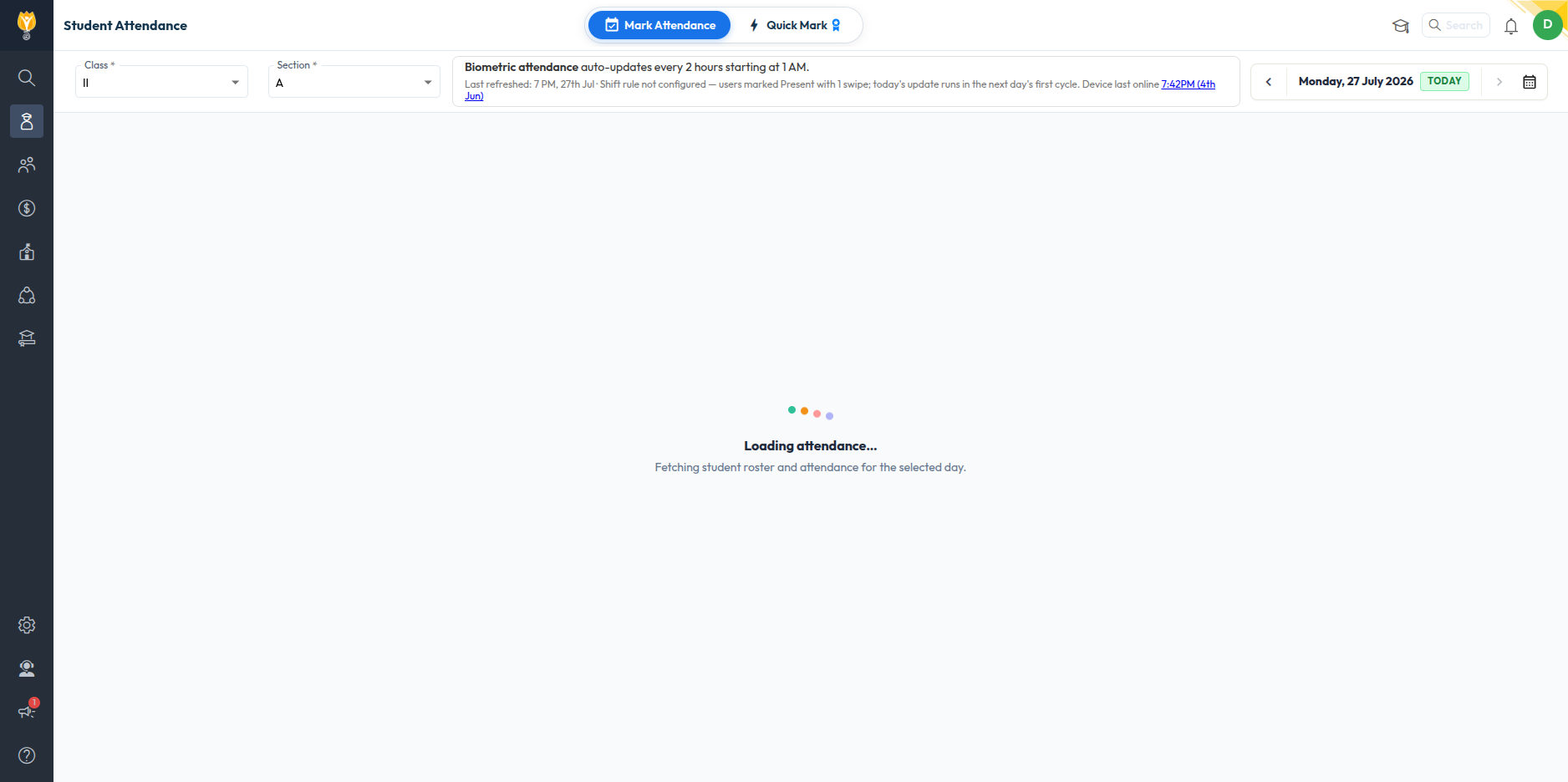
Bulk TC Download from Student Exit
Improvement : A "Select [X] Students" option below the exited-students list lets admins select all students at once, enabling a "Bulk TC Download" button to download all generated Transfer Certificates together — removing the earlier per-batch download limit.
Impact : Download all Transfer Certificates in one click instead of downloading them one batch at a time.
Path : Student > Student Exit > Exited tab > Select All Students > Bulk TC Download
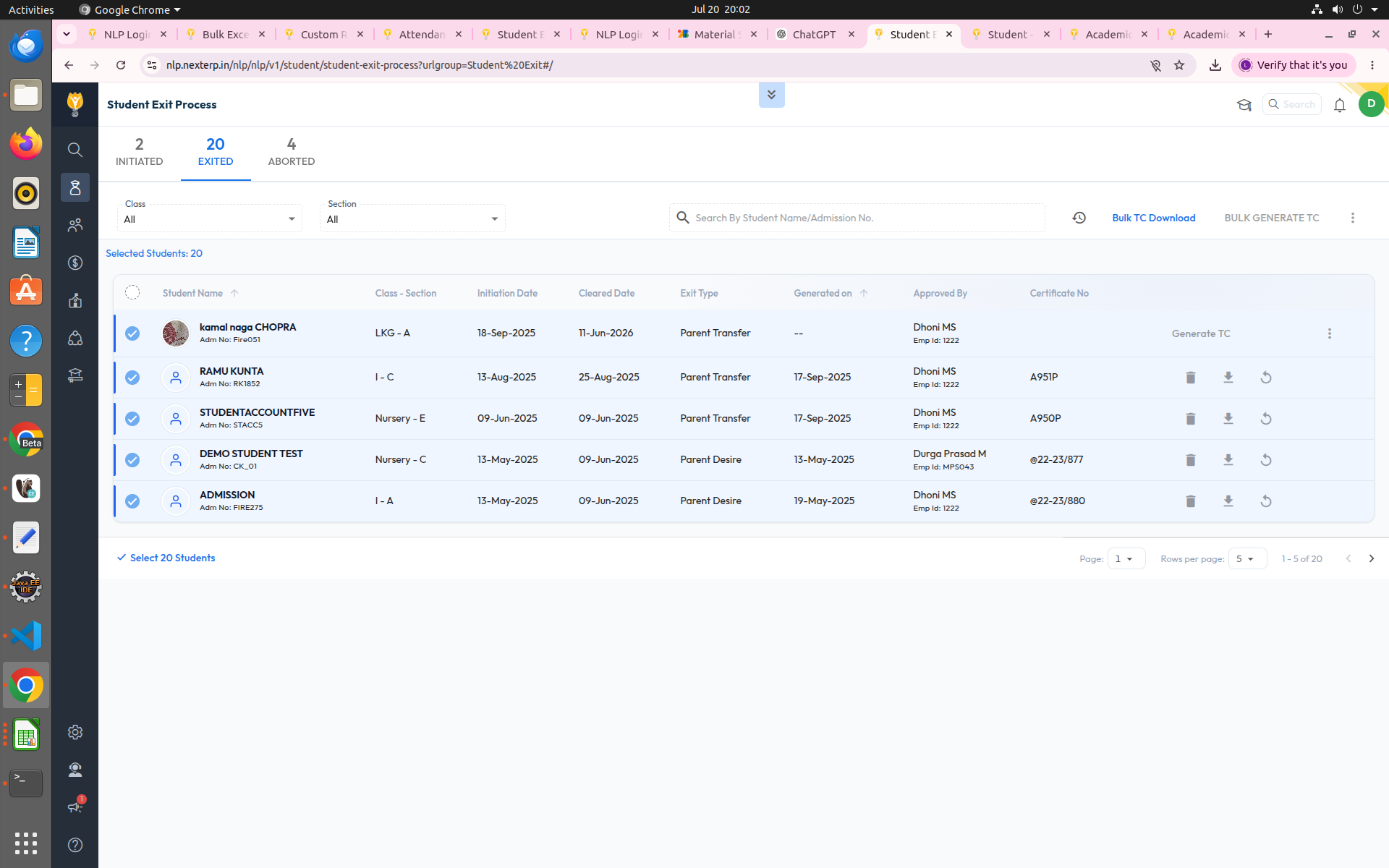
Roles & Permissions — Granular Screen& Access-Level Control
Improvement : Roles & Permissions has been overhauled for more precise control: (1) every screen is now marked as Common, Staff Only, Parent Only, Student Only, or Parent & Student, so role-specific screens (Fee Collection, Bank Reconciliation, Exam Mark Entry, Accounting Settings, etc.) don't appear where they don't apply; and (2) Readonly access is now supported for Student List, Staff List, and Student Behaviour, so a role can be granted view-only access to these.
Impact : Cleaner, role-appropriate permission lists with no clutter from irrelevant screens, plus the ability to give a role visibility into records without allowing edits.
Path : Settings > Roles & Permissions
Multi-Month Installment Selection— Parent PaymentView
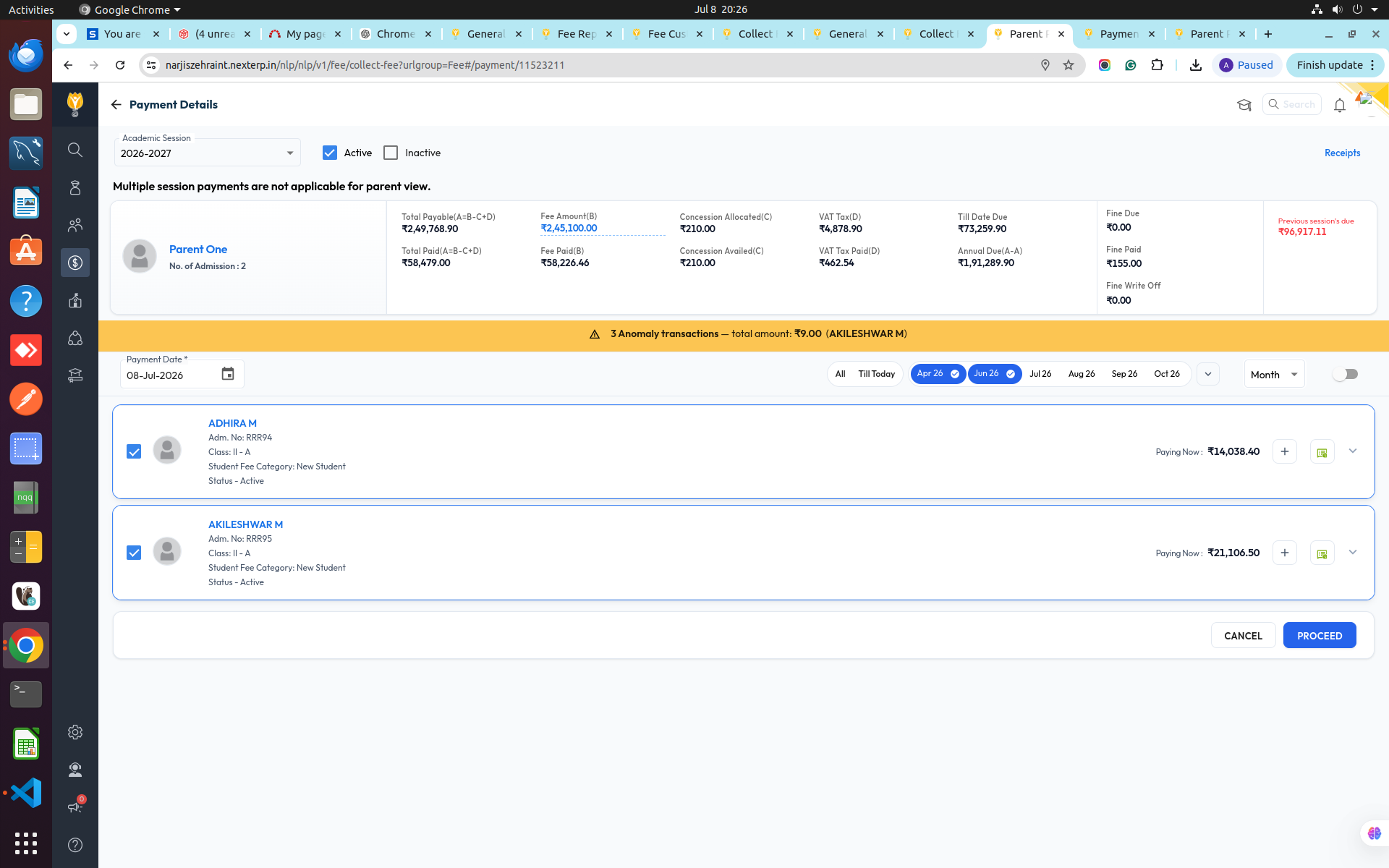
Improvement : The Parent payment view now shows month toggle chips (e.g. Apr 26, Jun 26, Jul 26...) so parents can select or deselect installment months in any order, not just sequentially — across multiple children in one screen.
Impact : Pay for multiple months — and multiple siblings — in a single transaction, in whatever order suits the parent, instead of paying one installment at a time.
Path : Fee > Collect Fee > Payment Details (Parent View)
June 2026
Release Notes June 2026
Dear Educators,
We’re pleased to share the NextOS June release updates.
We’re continuously working to make NextOS better—so you can accomplish tasks more easily, make smarter decisions, and breeze through your daily work.
These release notes will keep you informed, help you explore new features, and ensure you’re getting the most out of what’s new.
23+ Features are added
Chat & SchoolFeed Analytics in Communication Dashboard
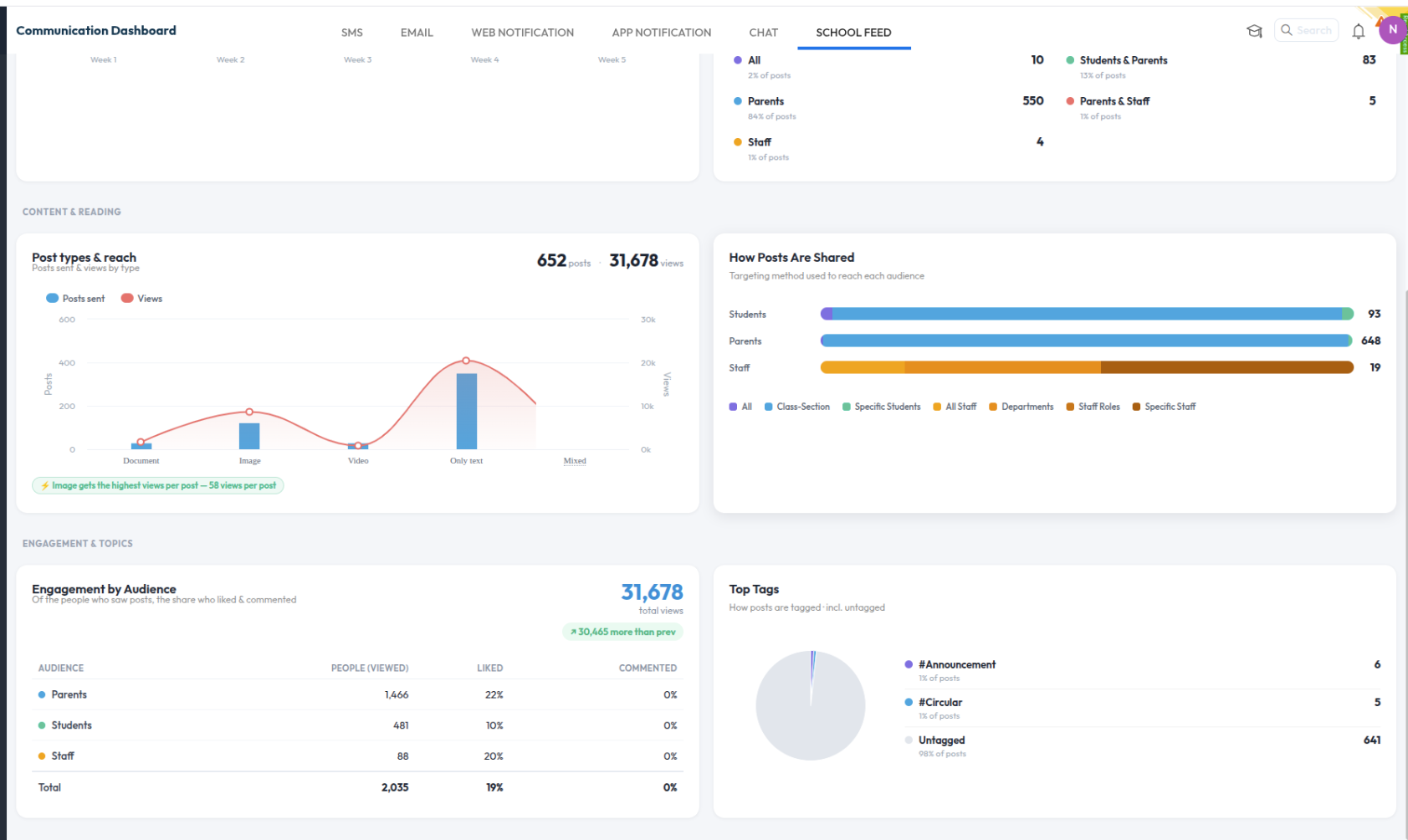
What’s New : Two new dashboards — Chat and School Feed — added to the Communication Dashboard, with date-range filters and previous-period comparison. Chat covers growth, activity, and group types; School Feed covers posts, audience reach, engagement, and top tags.
Benefit : A single, detailed view of engagement across Chat and SchoolFeed alongside existing channels.
Path : Collaboration > Communication > Communication Dashboard > Chat / School Feed tabs
Student Edit History
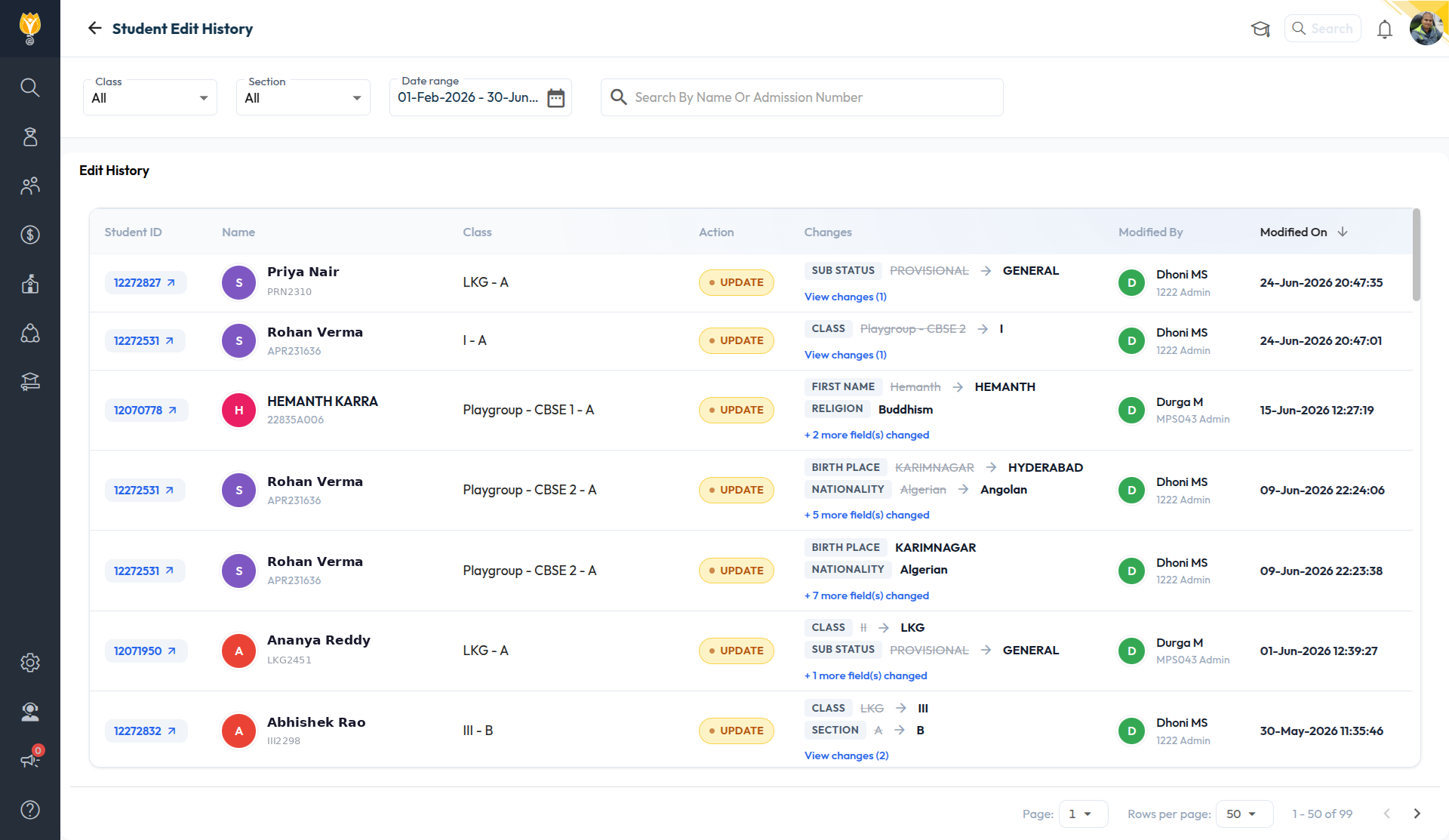
What’s New : A new Edit History section (accessible from Student List and Student 360) shows a filterable log — Timestamp, Action Type, Student ID/Name/Class, Changed Fields (old → new), and who made the change. A "+X more field(s) changed" link expands entries with several changes.
Benefit : Complete, filterable audit trail of student record changes in one place.
Path : Student > Student List / Student 360 > Edit History
Higher File Size Support in Email Compose
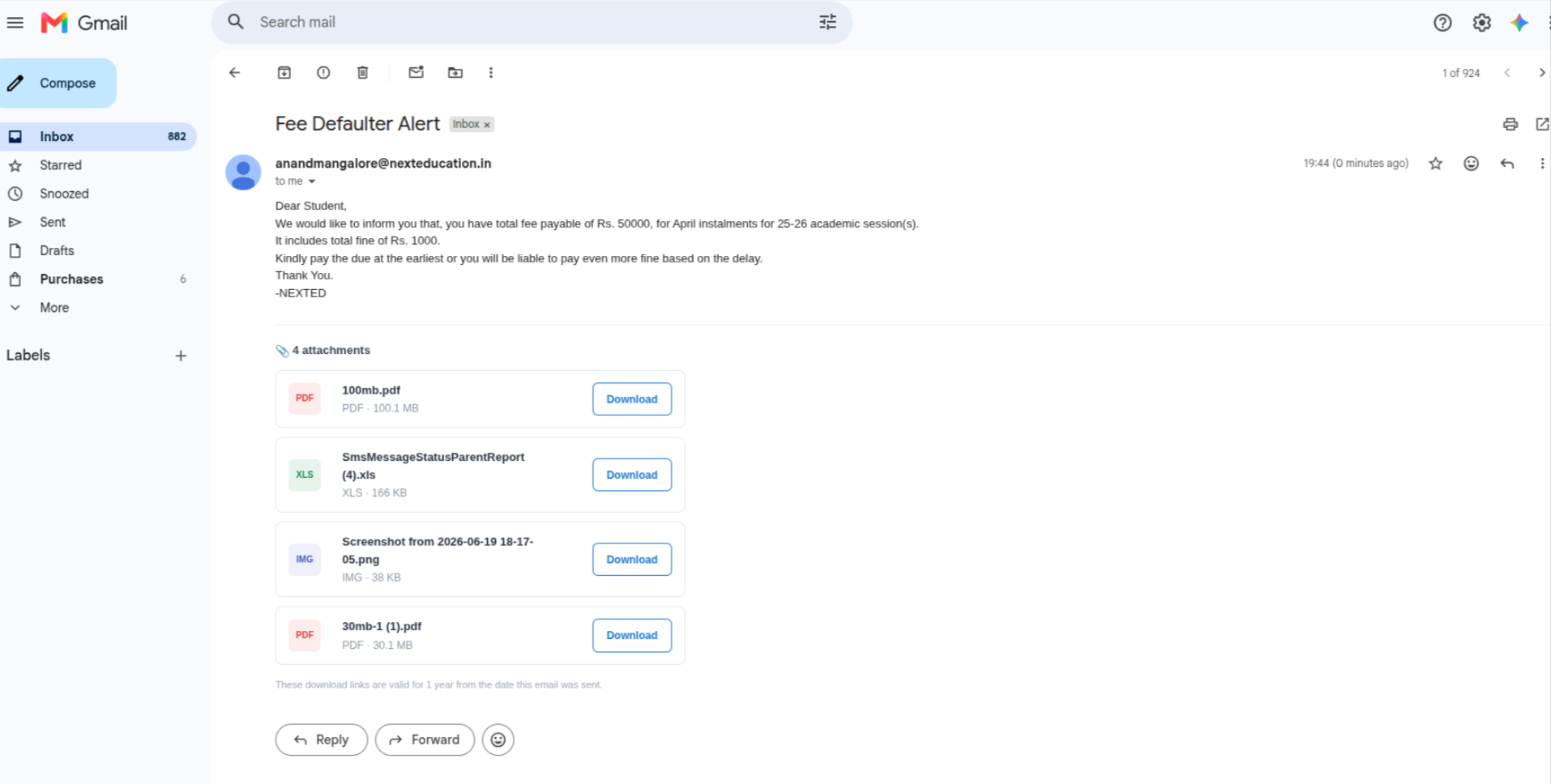
What’s New : Attachments over 7MB are now sent as download links (1-year validity) with no cap on file count.
Benefit : Send circulars or announcements with larger or more attachments without hitting size limits.
Path : Communication > Mailbox > Compose
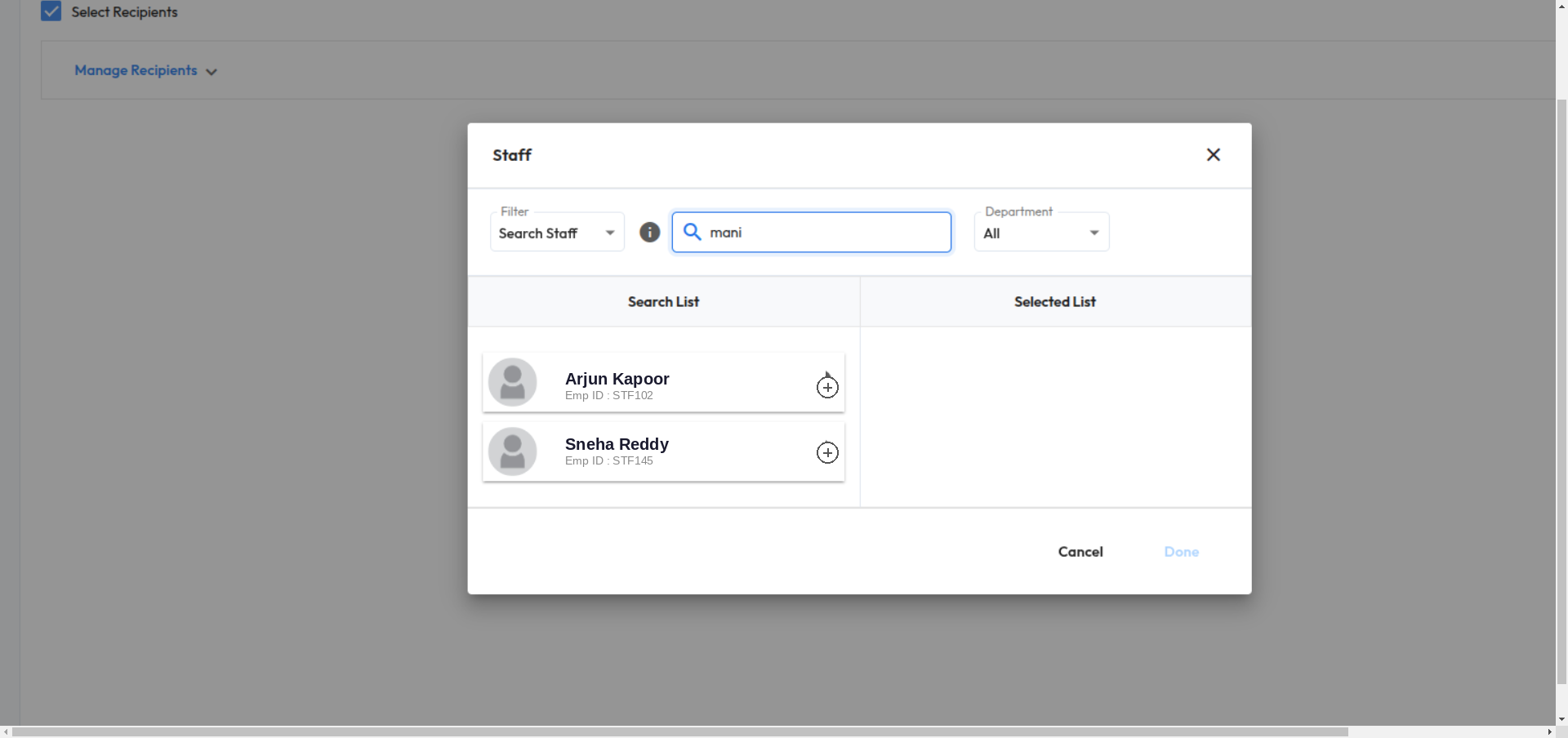
Staff Module Integration in Forms
What’s New : Forms can now integrate with the Staff module to automate data collection. Admins build a form, add fields (including custom Text Fields like Father/Mother Name if needed), link it to Staff under Integration, and share it with selected staff or departments. Staff fill it out via Messages → Forms on the mobile app, and responses sync automatically to the Staff List..
Benefit : Avoid the double work, Collect Staff 360 details directly from Staff.
Path : Staff > Forms > Select Recipients
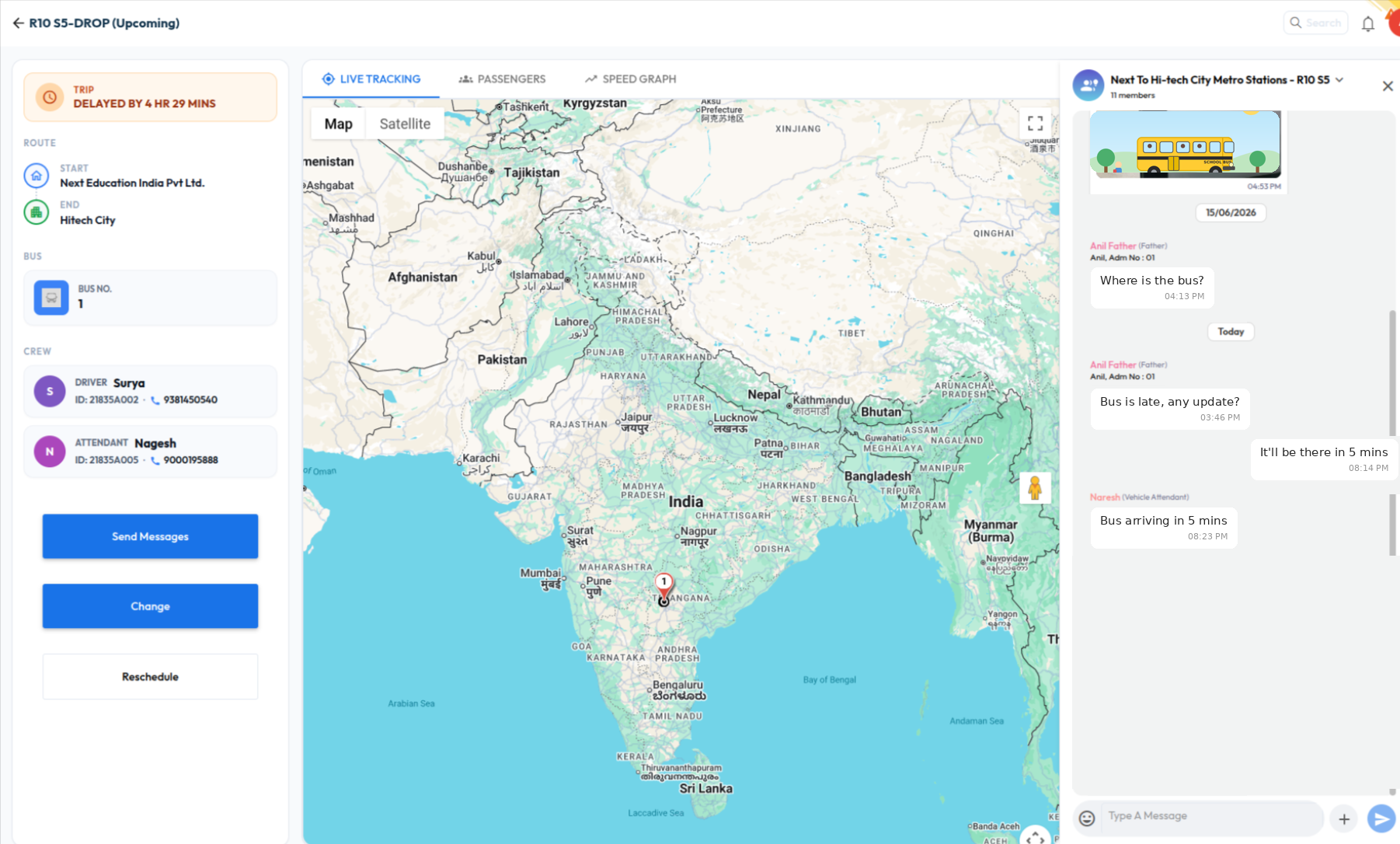
Smart Group for Transport Routes
What’s New : A new "Route – Service" Smart Group type auto-creates a chat group with all parents of mapped students, the driver, attendant, and transport in-charge for that route. Membership refreshes daily.
Benefit : Ready-made, always up-to-date communication group per transport route for trip updates.
Path : Communication > Chat > Smart Group > Route – Service
May 2026
Release Notes May 2026
Dear Educators,
We’re pleased to share the NextOS May release updates.
We’re continuously working to make NextOS better—so you can accomplish tasks more easily, make smarter decisions, and breeze through your daily work.
These release notes will keep you informed, help you explore new features, and ensure you’re getting the most out of what’s new.
22+ Features are added
UI Enhancements
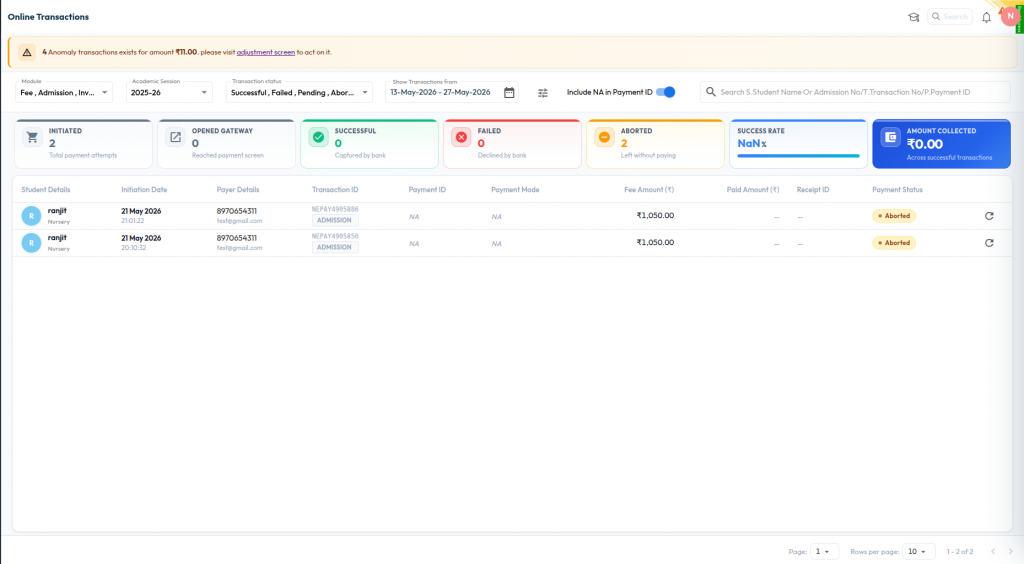
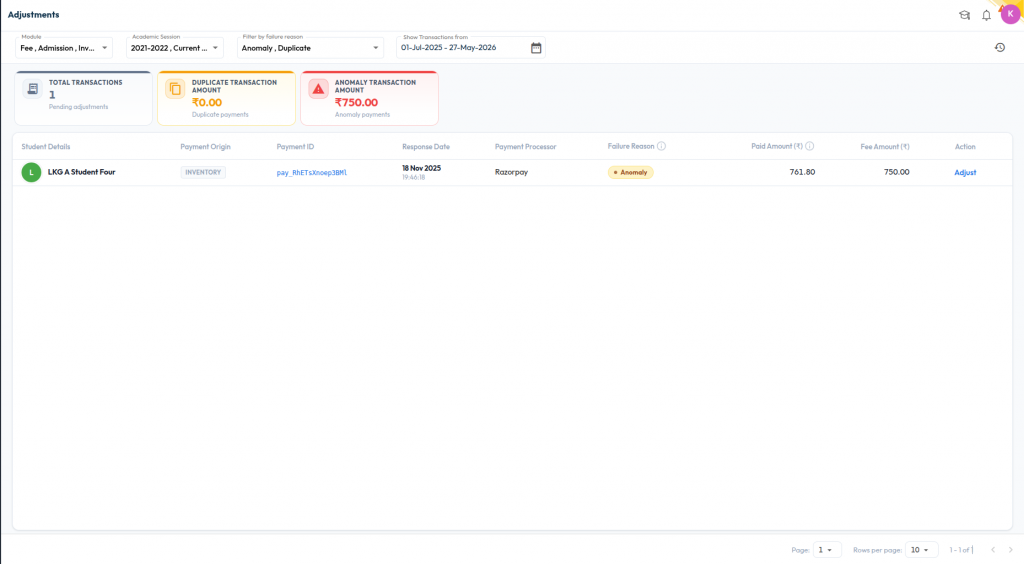
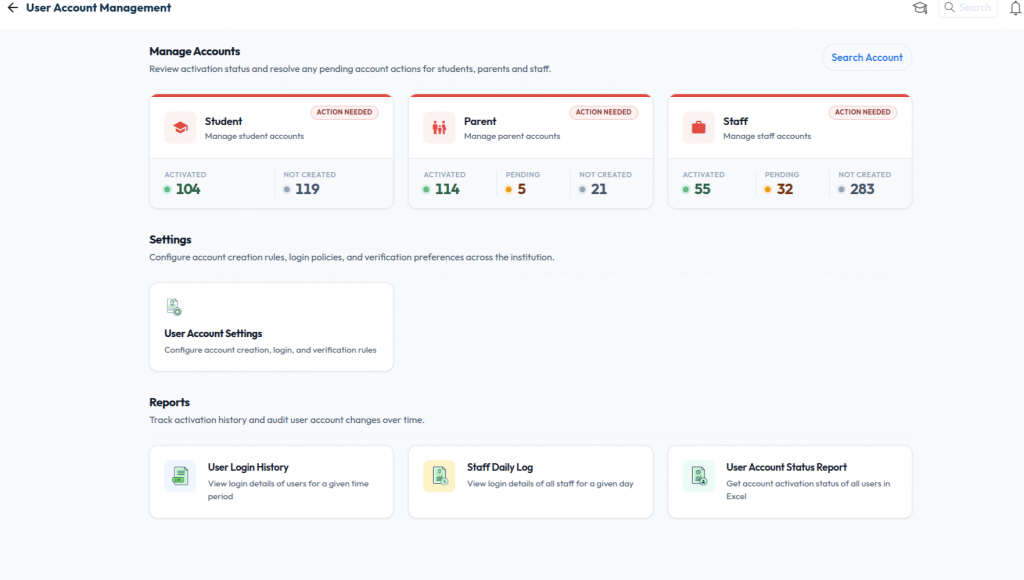
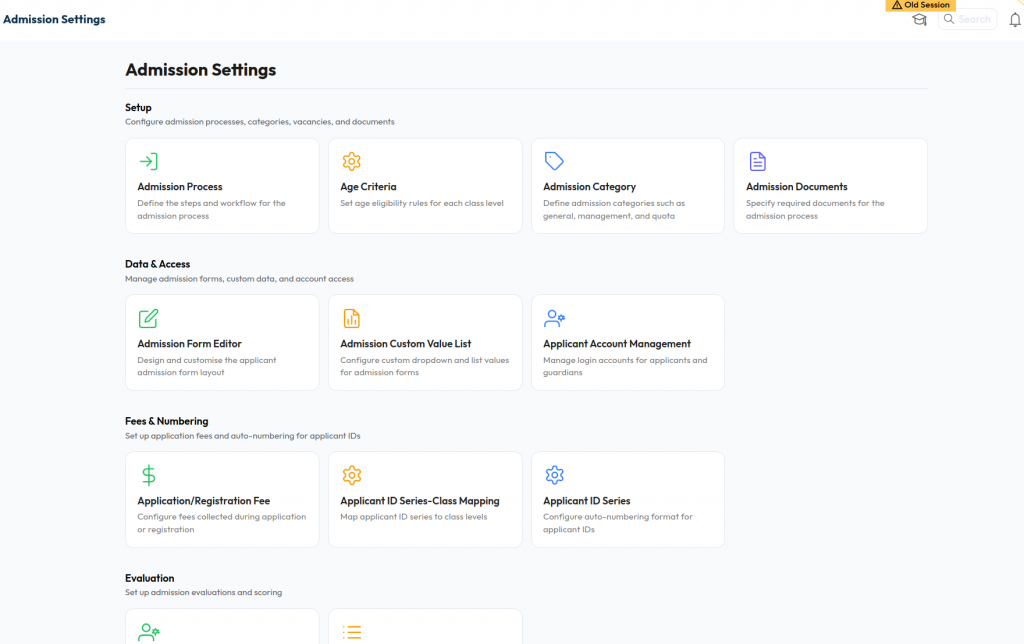
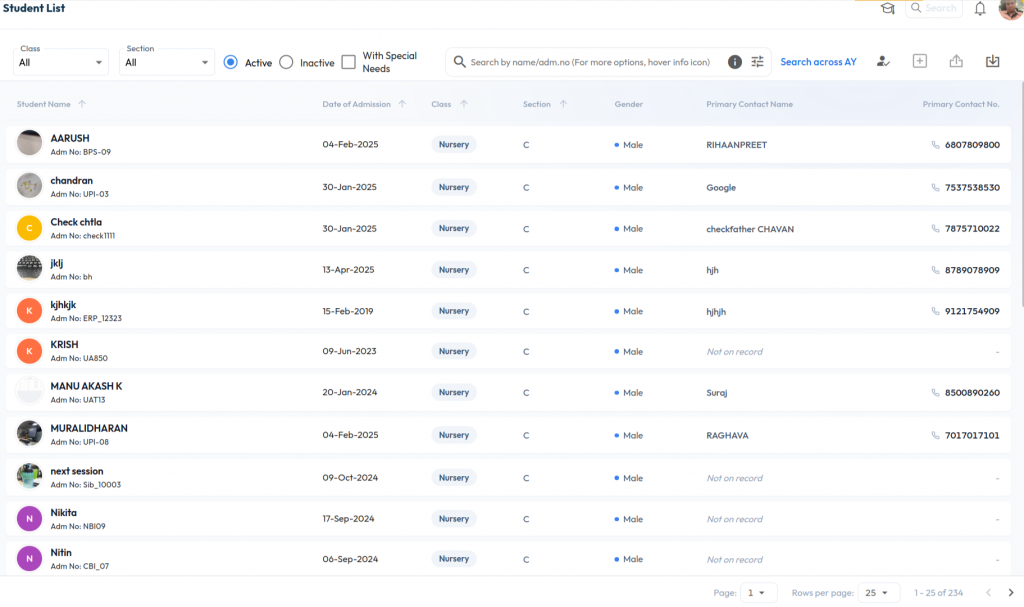
We've introduced targeted improvements across Student Promotion, Online Transactions, Fee Adjustments, Refund Processing, and User Account Management to simplify day-to-day administrative tasks.
What’s New :
UI Upgrade Across Key Modules
In this release, we have rolled out updated interfaces for Online Transactions, Payment Adjustments, Cancel/Refund Payment, User Account Management, List Views, Forms, and Settings, creating a more streamlined and consistent experience across the platform.
Why it Matters :
These improvements reduce the number of screens administrators need to navigate, provide better visibility into key operational processes, and make common tasks such as student promotion, payment monitoring, refund processing, and account management faster and easier to complete.
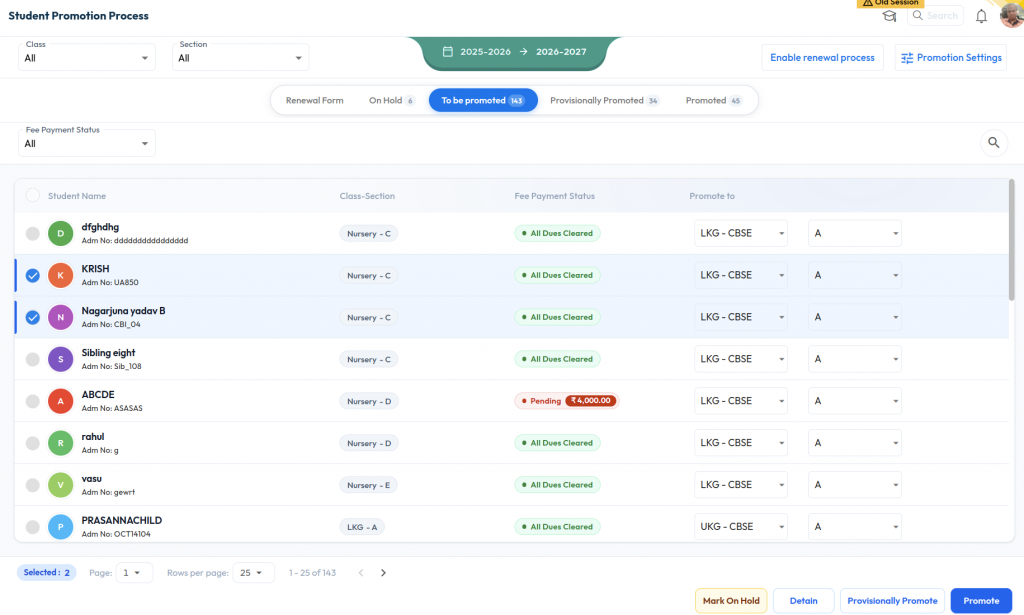
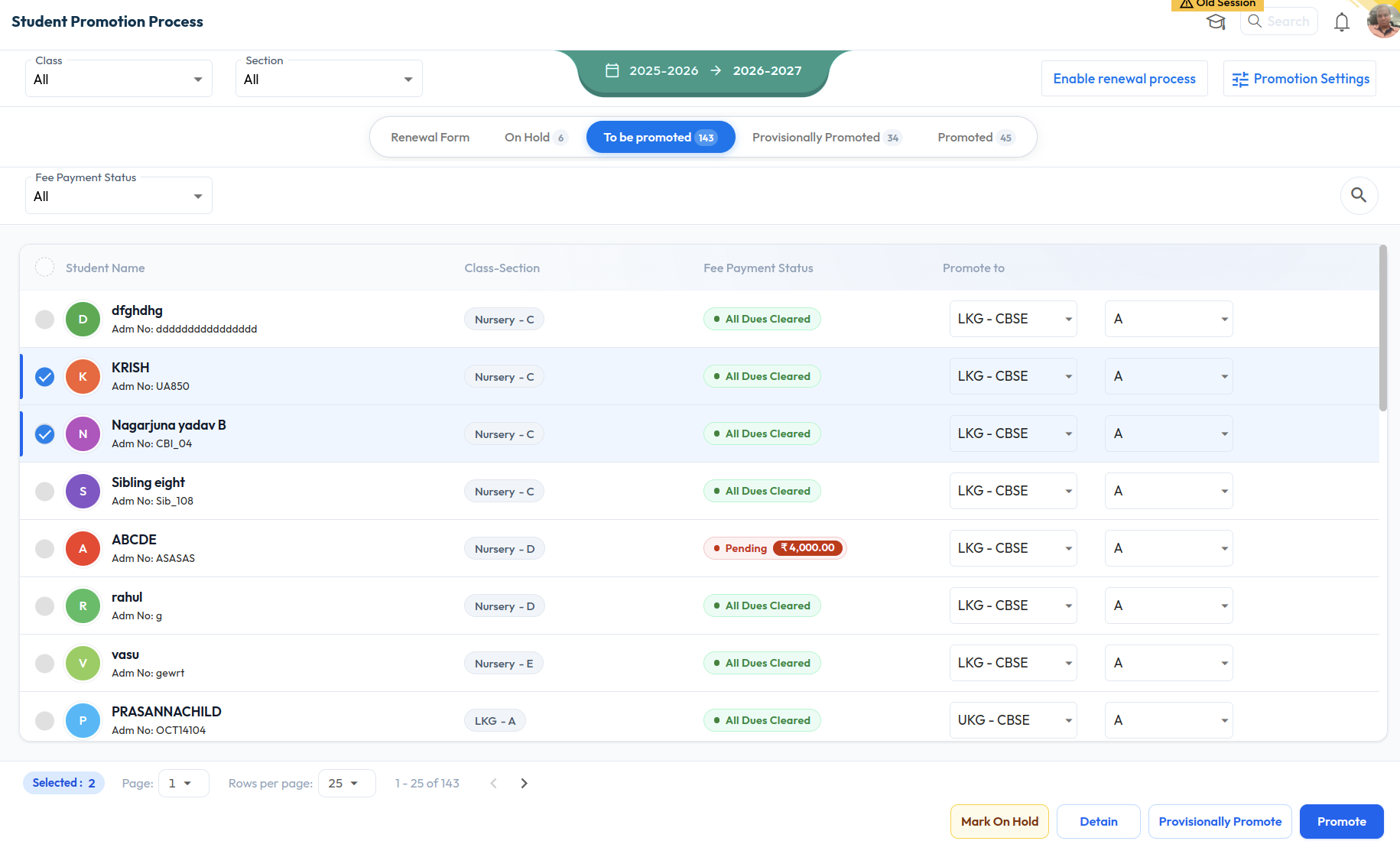
Student Promotion Process
What’s New : The Student Promotion workflow has been consolidated into a single interface. Provisional Promotion is now available as a dedicated tab within the promotion process, eliminating the need to switch between separate screens.
Key highlights:
- Promotion counts are displayed for On Hold, To Be Promoted, and Promoted stages.
- Academic Session information is shown clearly throughout the process
- Class and Section are automatically selected in promotion stages.
- Promotion, Detention, and Hold actions are available directly within the workflow.
Fine Logic Enhancement
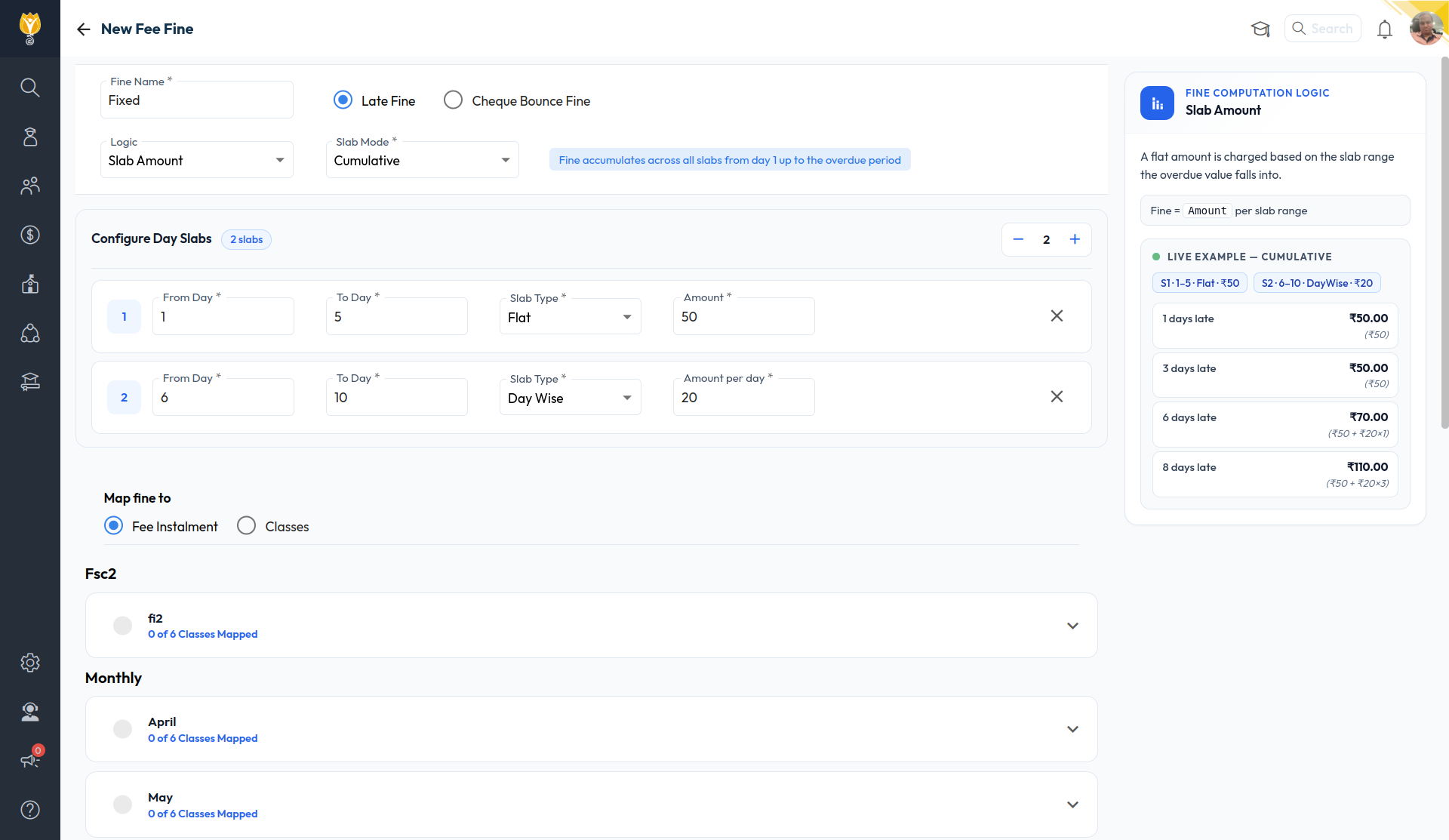
What’s New : A new Slab Mode has been introduced with Applicable Slab and Cumulative Slab options to control how fines are calculated. Schools can tag each slab as either Flat or Day Wise. A new Live Example section and Fine Computation Logic panel provide instant visibility into how the configured fine will be applied.
Benefit : Gives schools more flexibility and clarity in configuring fines, applied accurately based on overdue days.
Path : Settings > Finance > Fee > Fine
Optional Subject Mark Entry Across Sections
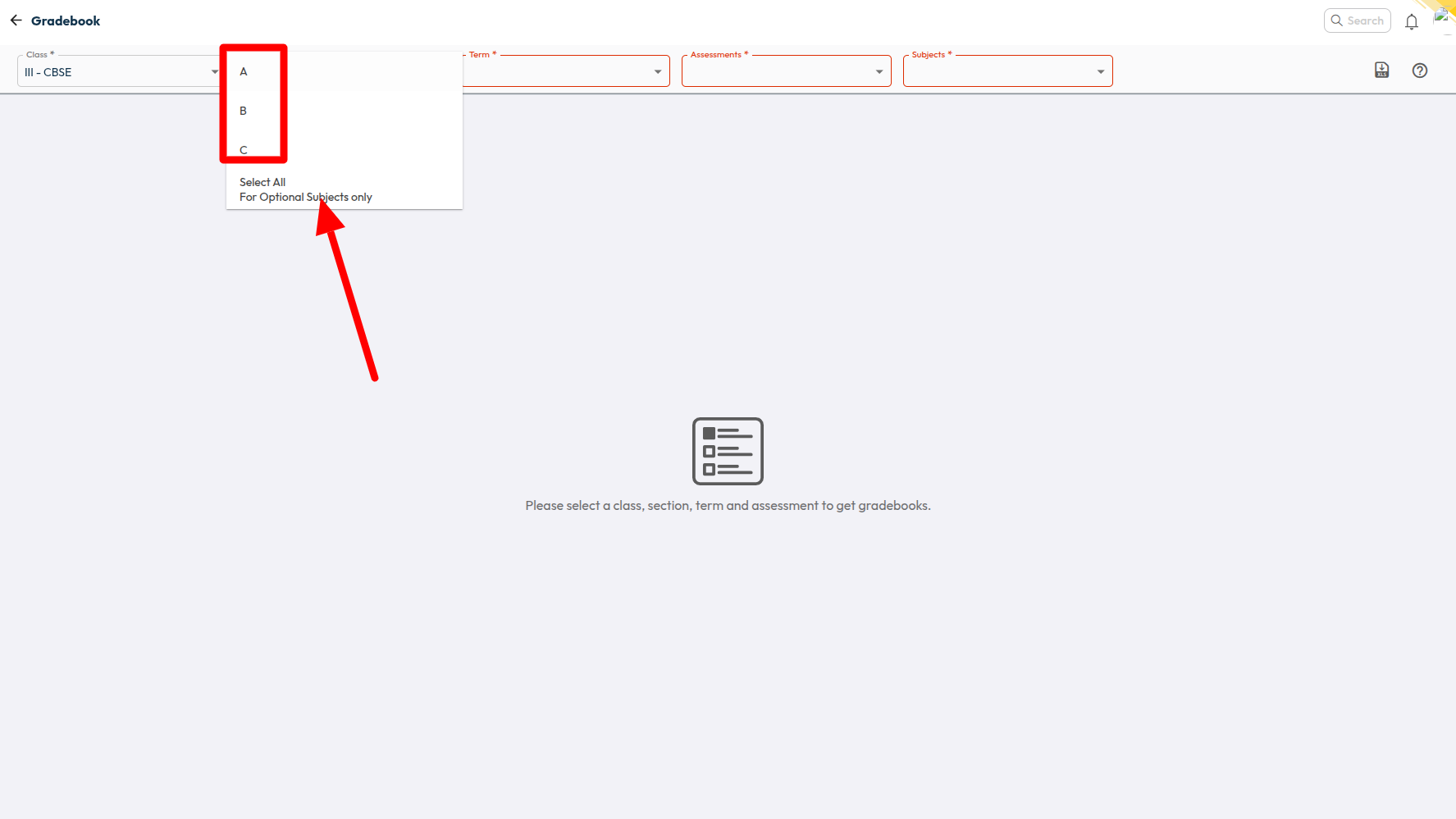
What’s New : A new Slab Mode has been introduced with Applicable Slab and Cumulative Slab options to control how fines are calculated. Schools can tag each slab as either Flat or Day Wise. A new Live Example section and Fine Computation Logic panel provide instant visibility into how the configured fine will be applied.
Benefit : Saves time for optional subject teachers by allowing mark entry across sections in a single step.
Path : Student > Examination > Marks Entry
Balanced Teacher Substitution
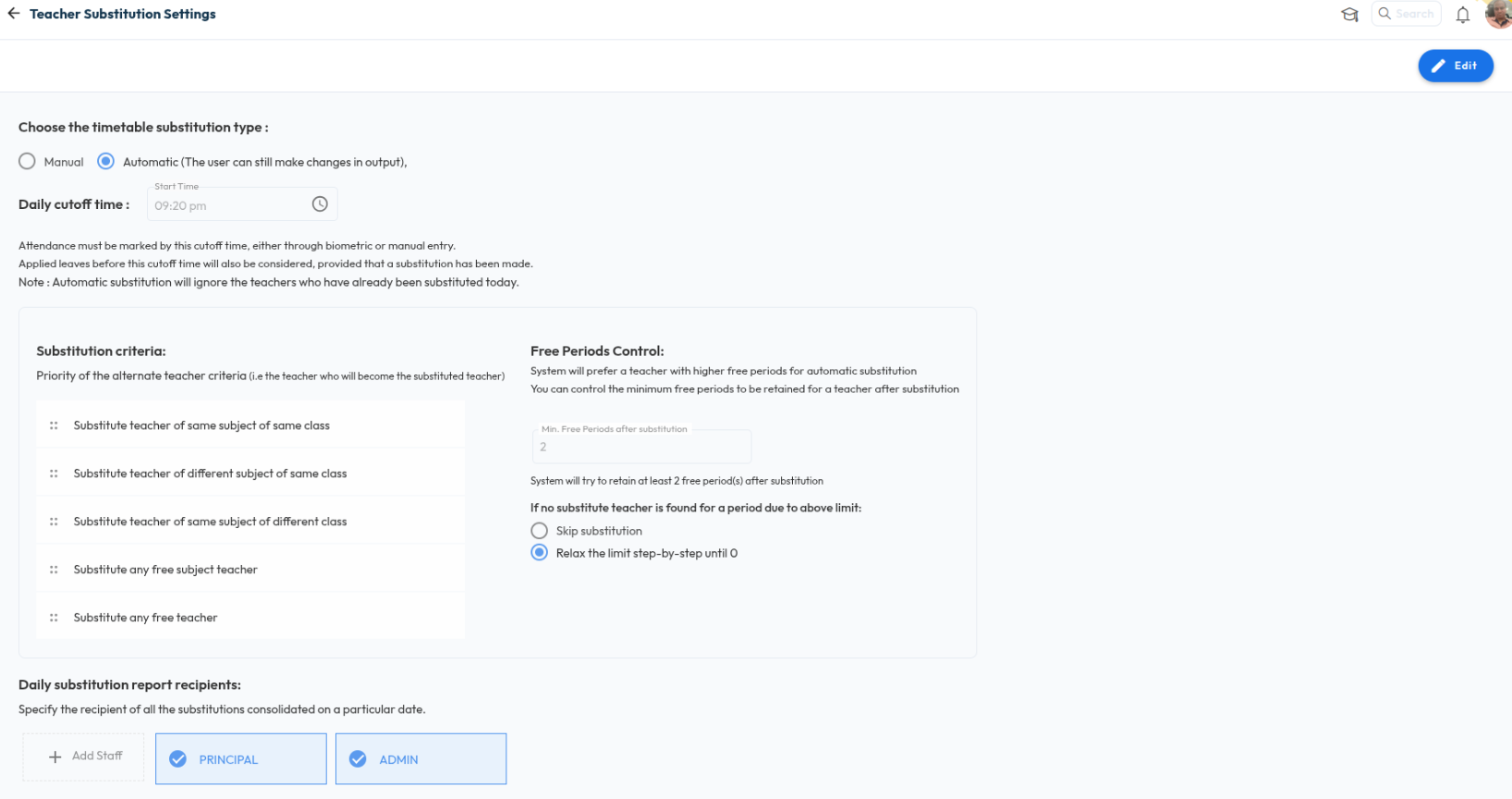
What’s New : Under Automatic substitution mode, the system prefers teachers with more free periods and lets you set the minimum free periods to retain after substitution. If none is available within the limit, the system can skip the substitution or relax the limit step-by-step until a substitute is found.
Benefit : Keeps substitutions balanced so teachers are not overloaded.
Path : Settings > Staff > Timetable > Teacher Substitution Settings
April 2026
Release Notes April 2026
Dear Educators,
We’re pleased to share the NextOS April release updates.
We’re continuously working to make NextOS better—so you can accomplish tasks more easily, make smarter decisions, and breeze through your daily work.
These release notes will keep you informed, help you explore new features, and ensure you’re getting the most out of what’s new.
15+ Features are added
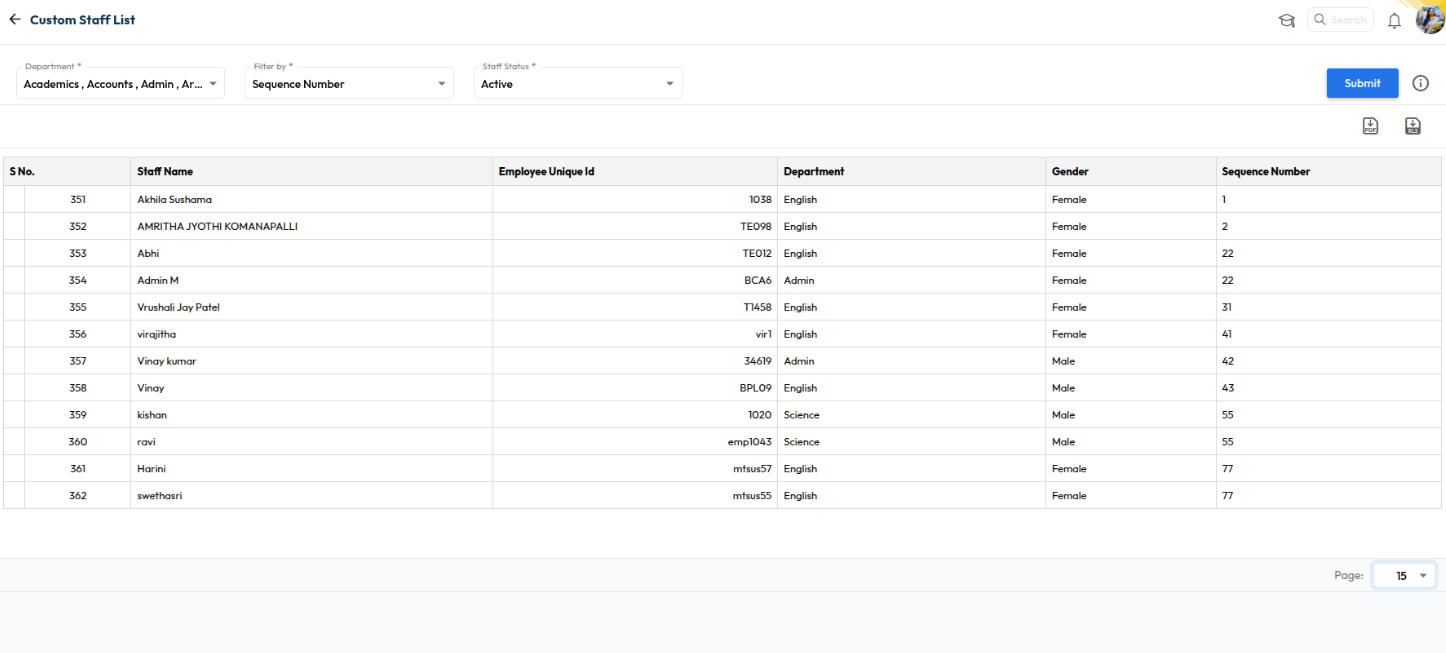
Staff Sequence Number
What’s New : Schools can now assign Sequence Numbers to staff members and view the Staff List and Staff Reports sorted by it. The new “Sequence Number” column is also supported in PDF and XLSX downloads.
Benefit : This helps schools organize staff records more efficiently, maintain structured staff ordering, and simplify report management. It also improves administrative convenience while exporting and reviewing staff-related reports.
Path : Staff > Staff List > staff 360
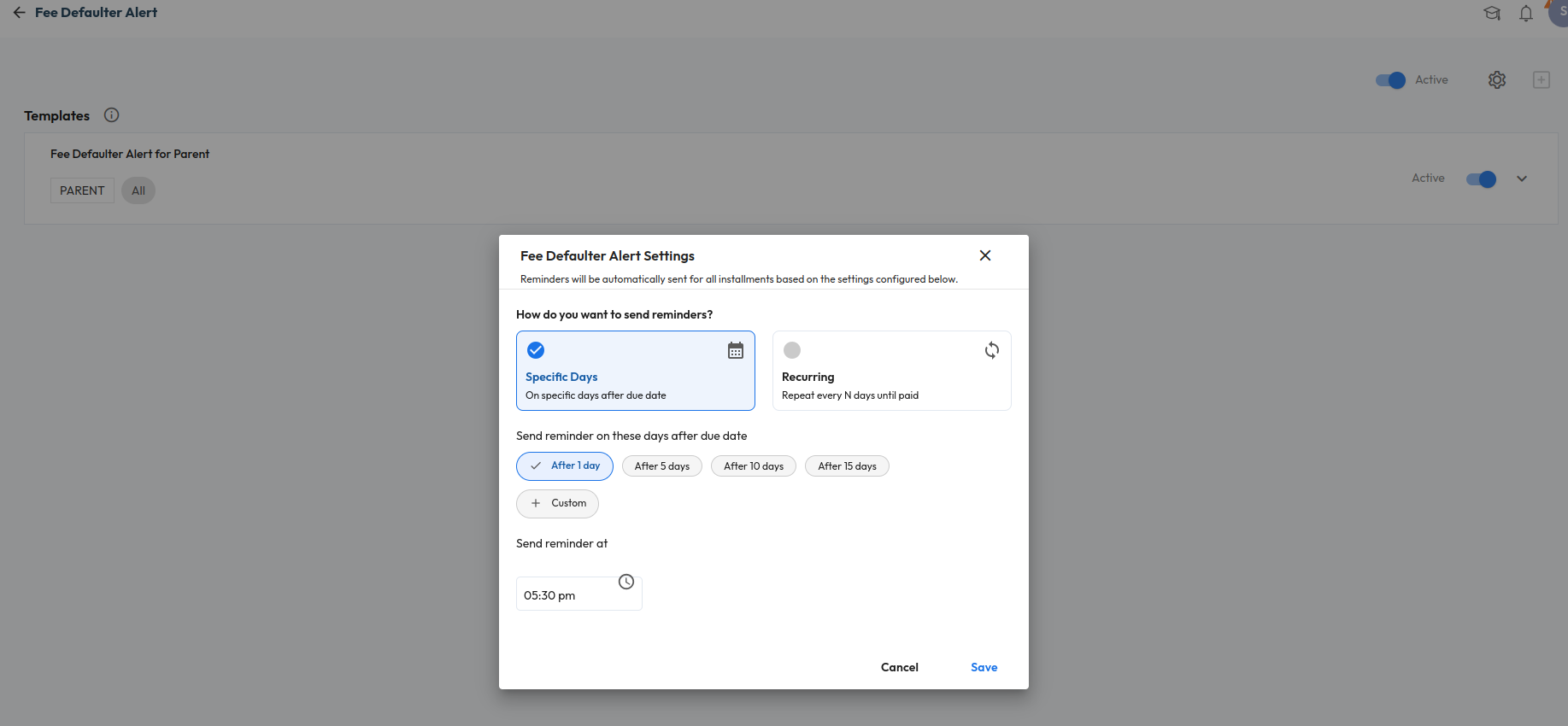
Recurring Alerts for Fee Defaulters
What’s New : Fee Defaulter Alerts can now be configured as recurring reminders based on user-defined intervals. Schools can also configure custom days for sending reminders.
Benefit : Helps schools automate fee follow-ups and improve parent communication through timely reminders and WhatsApp alerts..
Path : Settings > Collaboration > Communication > Alert > Fee Defaulter Alert Settings
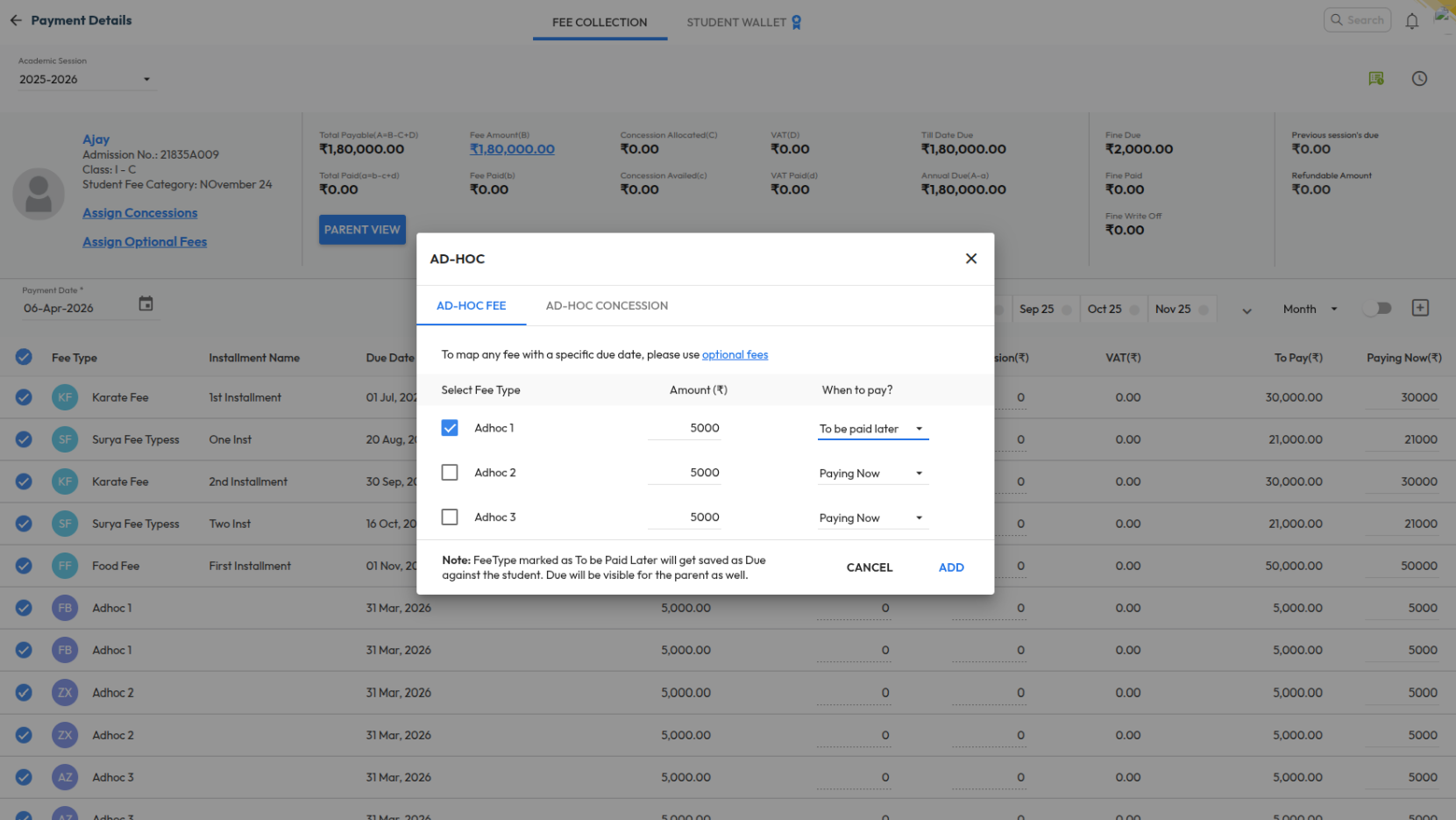
One-Time Fee – Made Easy
What’s New : Schools can now mark Adhoc Fee types as “Pay Later” during fee collection. The amount will be created as a due against the student with the Academic Session end date as the default due date. This functionality is also supported in bulk upload, challan, alerts, certificates, and reports.
Benefit : Helps schools manage one-time charges more flexibly while allowing parents to pay later through regular fee workflows or online payment.
Path : Finance > Fee > Collect Fee > Adhoc Fee Collection
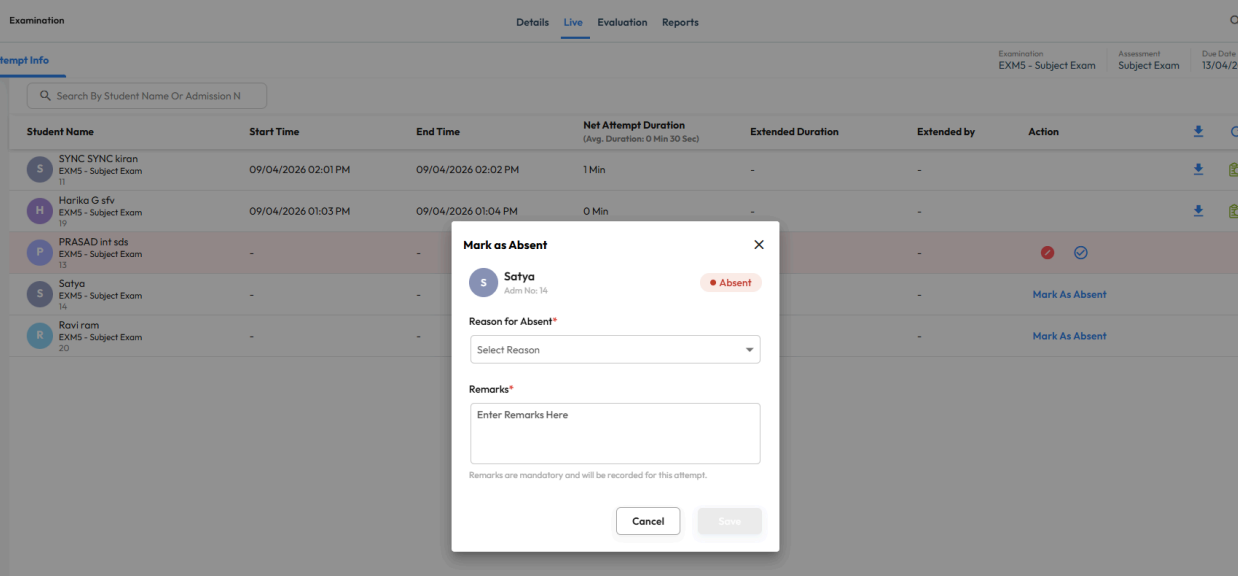
Mark Student Absent for Examination
What’s New : Teachers can now mark students as absent directly from the Live tab of an examination and add absence reasons or remarks. Absence marking is validated based on submission and late submission settings.
Benefit : Helps schools maintain accurate examination records and streamline absence tracking for online assessments.
Path : Academics > Examination > Live Tab
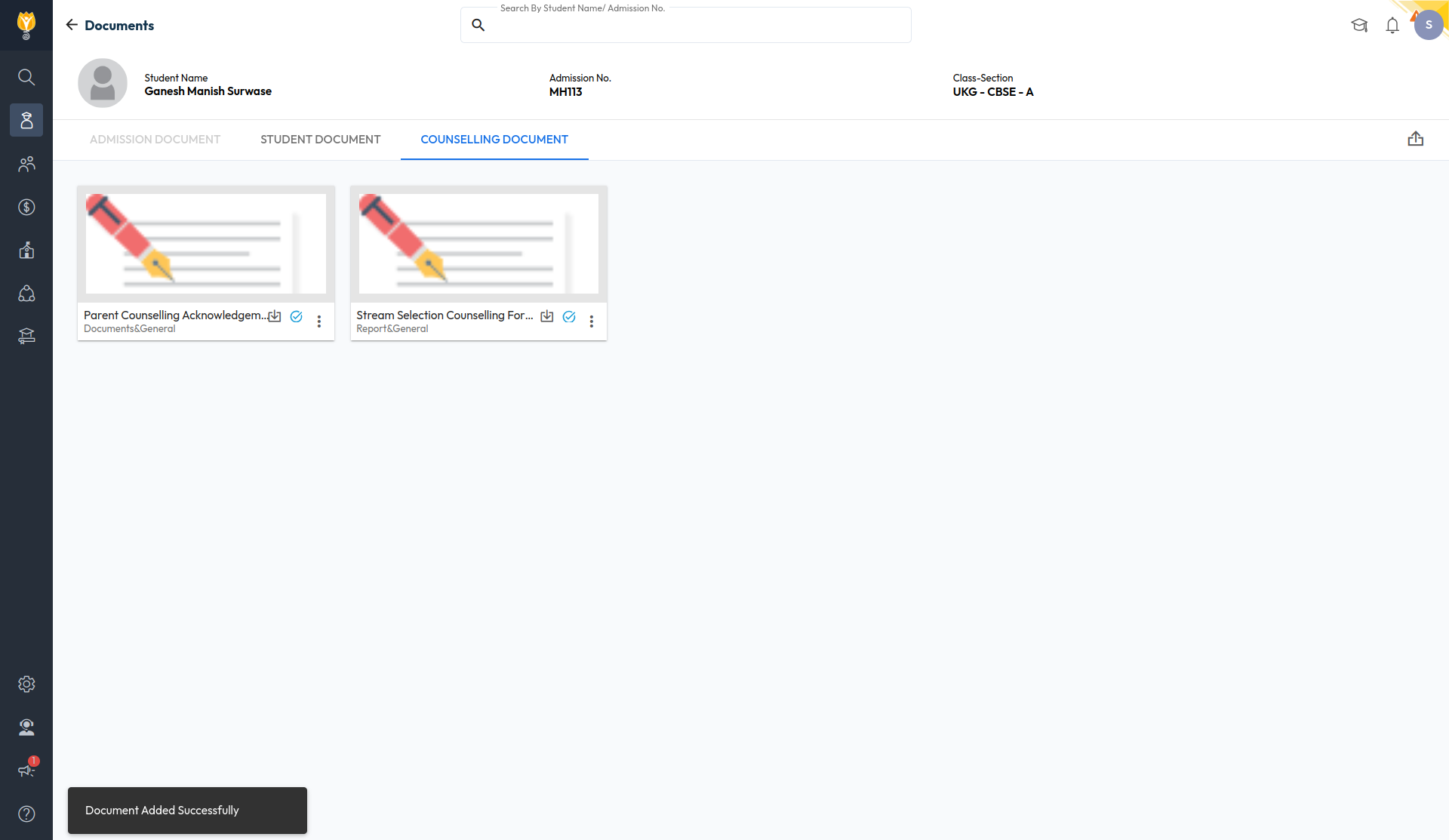
Student – Counselling Documents
What’s New : A new “Counselling Document” tab has been added to the Student Document Upload screen. Visibility of this tab can be controlled through role-based permissions in Manage Roles.
Benefit : Helps schools securely manage counselling-related student documents with controlled access based on user roles.
Path : Student > Student List > Documents
AY 2025-26 Rewind
Rewind 2025 2026
As AY 2025–26 comes to a close, we want to pause for a moment and look back at the journey — the scale at which NextOS operated, and everything we built, improved, and simplified along the way.
Every year, we push to make school operations smoother — automating the tedious, simplifying the complex, and adding capabilities that give your teams more time to focus on what truly matters.
This year was no different. Here's a look at what changed.

March 2026
Release Notes March 2026
Dear Educators,
We’re pleased to share the NextOS March release updates.
We’re continuously working to make NextOS better—so you can accomplish tasks more easily, make smarter decisions, and breeze through your daily work.
These release notes will keep you informed, help you explore new features, and ensure you’re getting the most out of what’s new.
12 Features are added
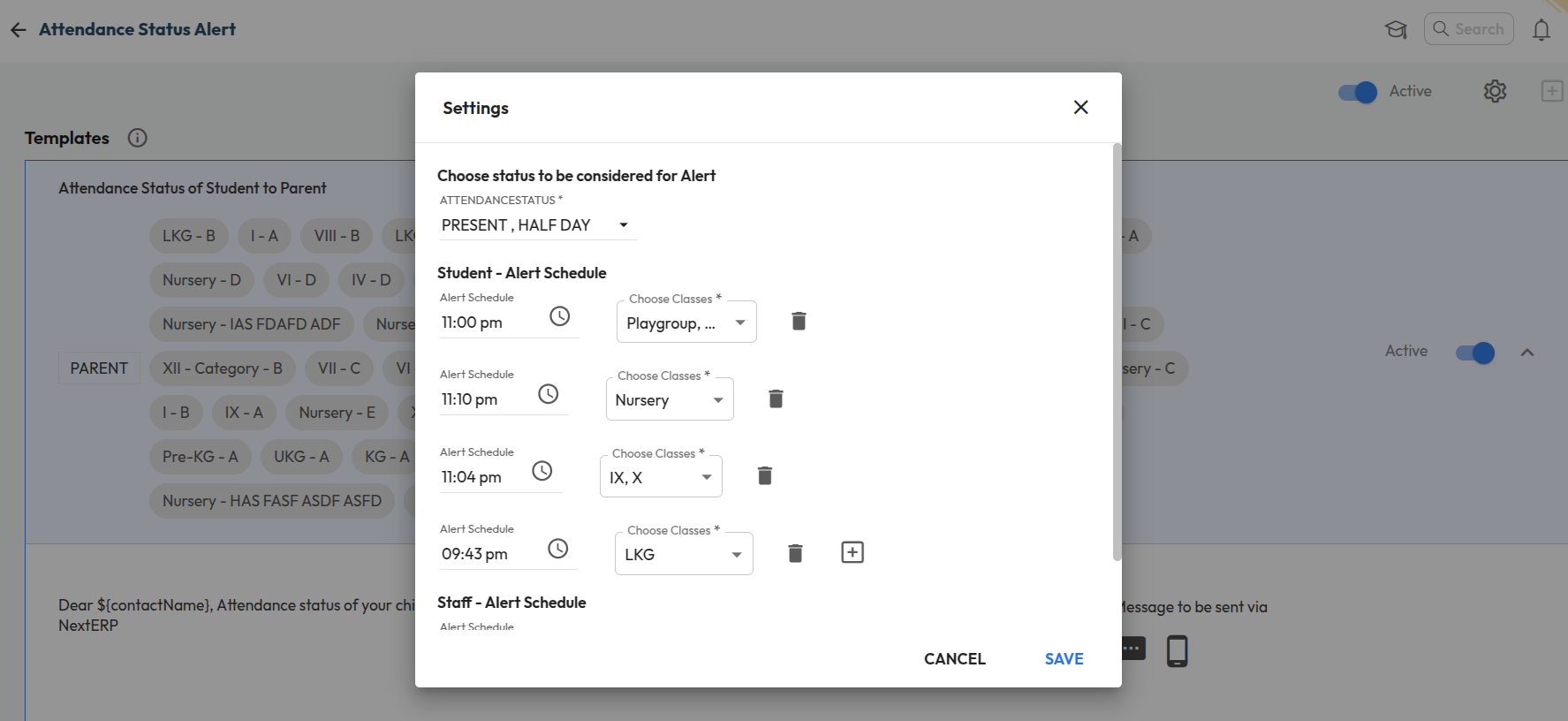
Class-wise Attendance Alert Timing Configuration
What’s New : Schools can now configure different attendance alert timings for different classes. Instead of a single common timing, alerts (such as absent notifications) can be scheduled separately based on class or shift requirements.
Benefit : This allows schools with multiple shifts (Pre-Primary, Secondary, Higher Secondary) to send attendance alerts at the right time for each group. It ensures timely communication with parents and improves the accuracy of attendance notifications.
Path : Settings > Collaboration > Communication > Alert > Attendance status Alert
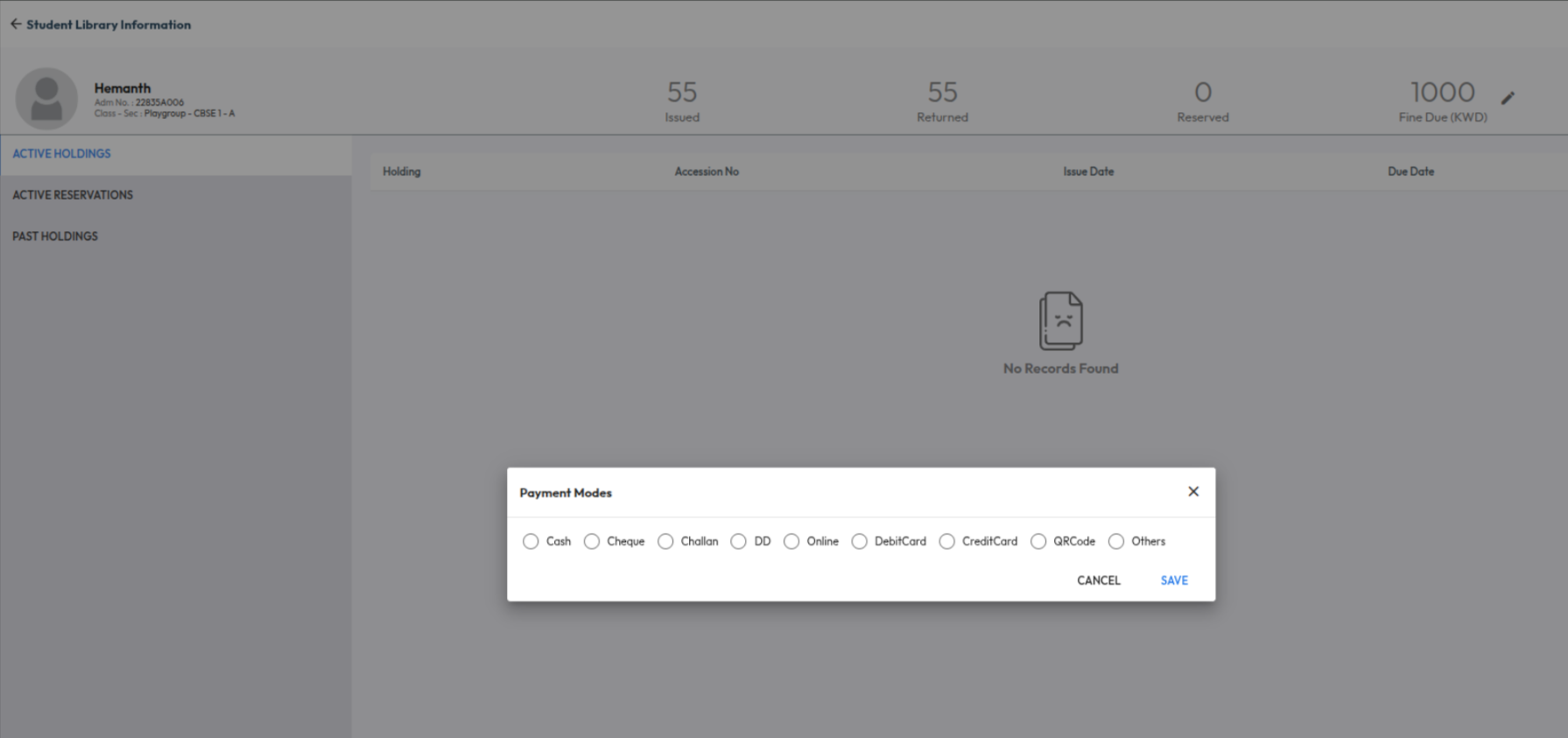
Library Fine Payment Mode Selection
Improvement : Login Usage behavior can now be analysed for Parents as well now. In the usage behavior report, Parent role has been added in the User Role filter
Impact : Allows schools to track and analyze parent login activity and usage behaviour
Locate : Dashboard > Analytics > Explore More > Usage Behaviour > User Role Filter
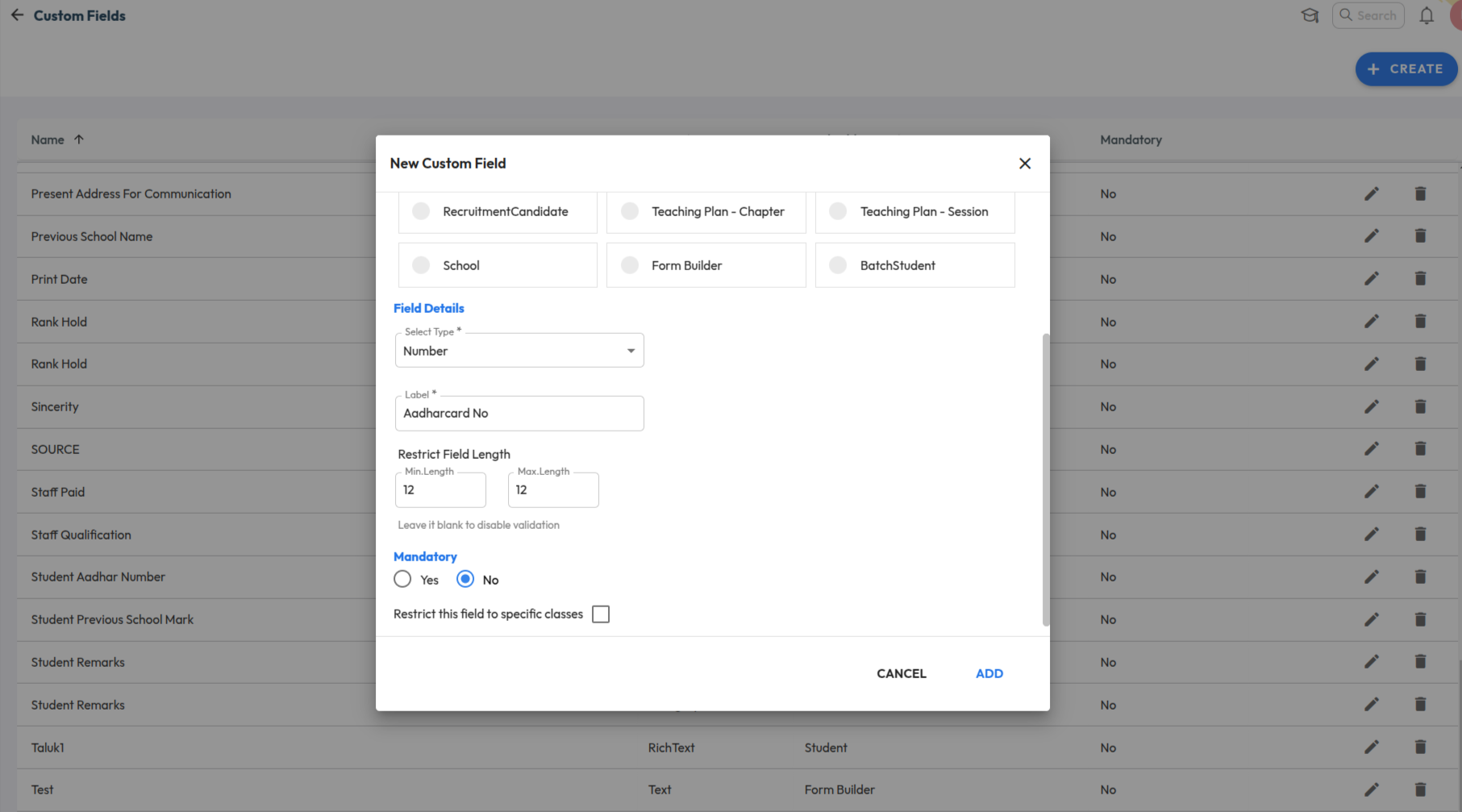
Custom Field Validation (Min/Max Length)
Improvement : Custom fields of type Text now support min and max length validation rules. Forms using these fields will enforce the configured limits during data entry.
Impact : Ensures accurate data entry by restricting inputs within defined character limits.
Locate : Settings > Administration > School Setup > Custom Fields
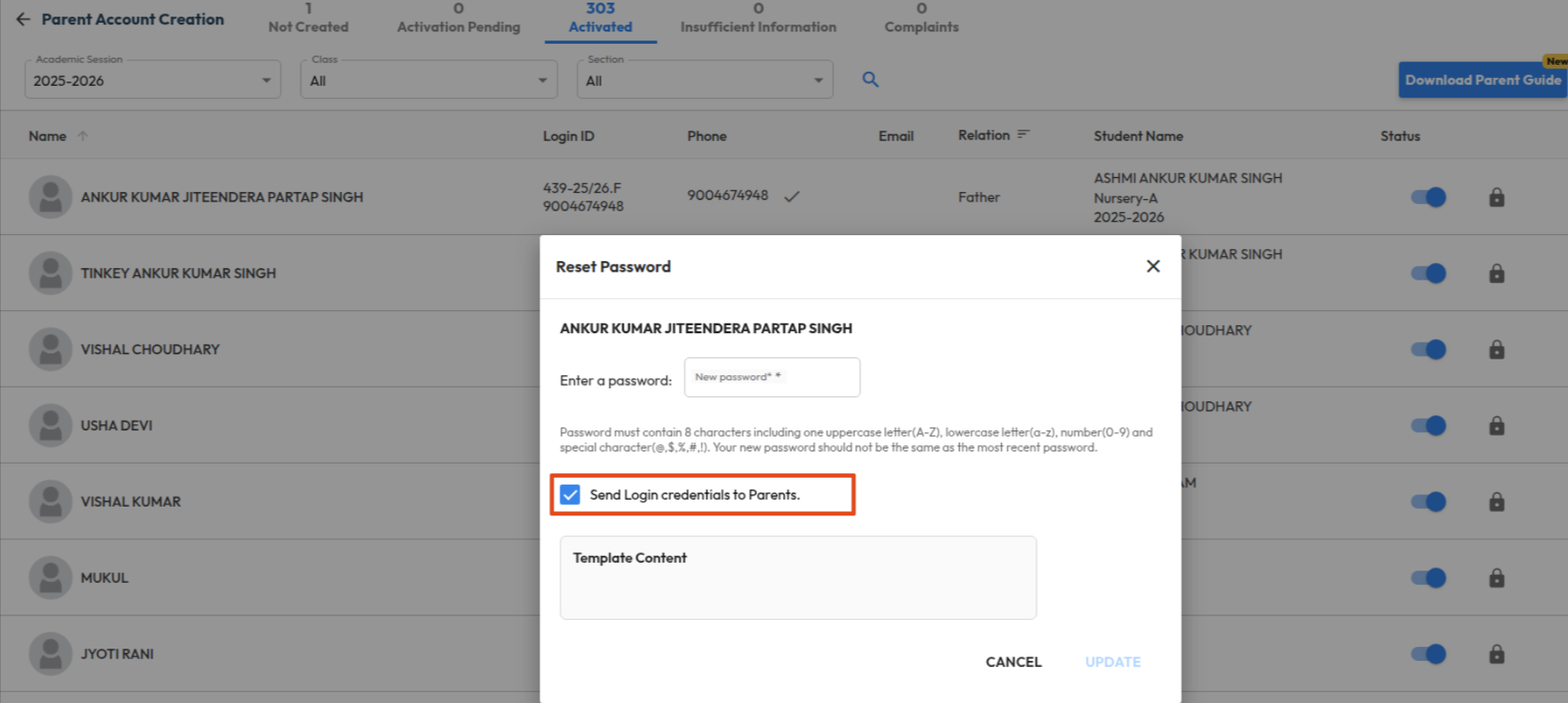
Send Login Details During Bulk Parent Activation
What’s New : Schools can now send login credentials to parents via SMS/Email during bulk account activation. Additionally, this option is also available while performing a password reset, allowing schools to resend login details when required.
Benefit : This enables schools to activate multiple parent accounts at once and instantly share individual login details with each parent. It simplifies the onboarding process, reduces manual effort, and ensures parents can access the system without delays.
Note: Fines already collected will not be reversed.
Path : Settings > Administration > School Setup > User Account Management
February 2026
Release Notes February 2026
Dear Educators,
We’re pleased to share the NextOS February release updates.
We’re continuously working to make NextOS better—so you can accomplish tasks more easily, make smarter decisions, and breeze through your daily work.
These release notes will keep you informed, help you explore new features, and ensure you’re getting the most out of what’s new.
15+ Features are added
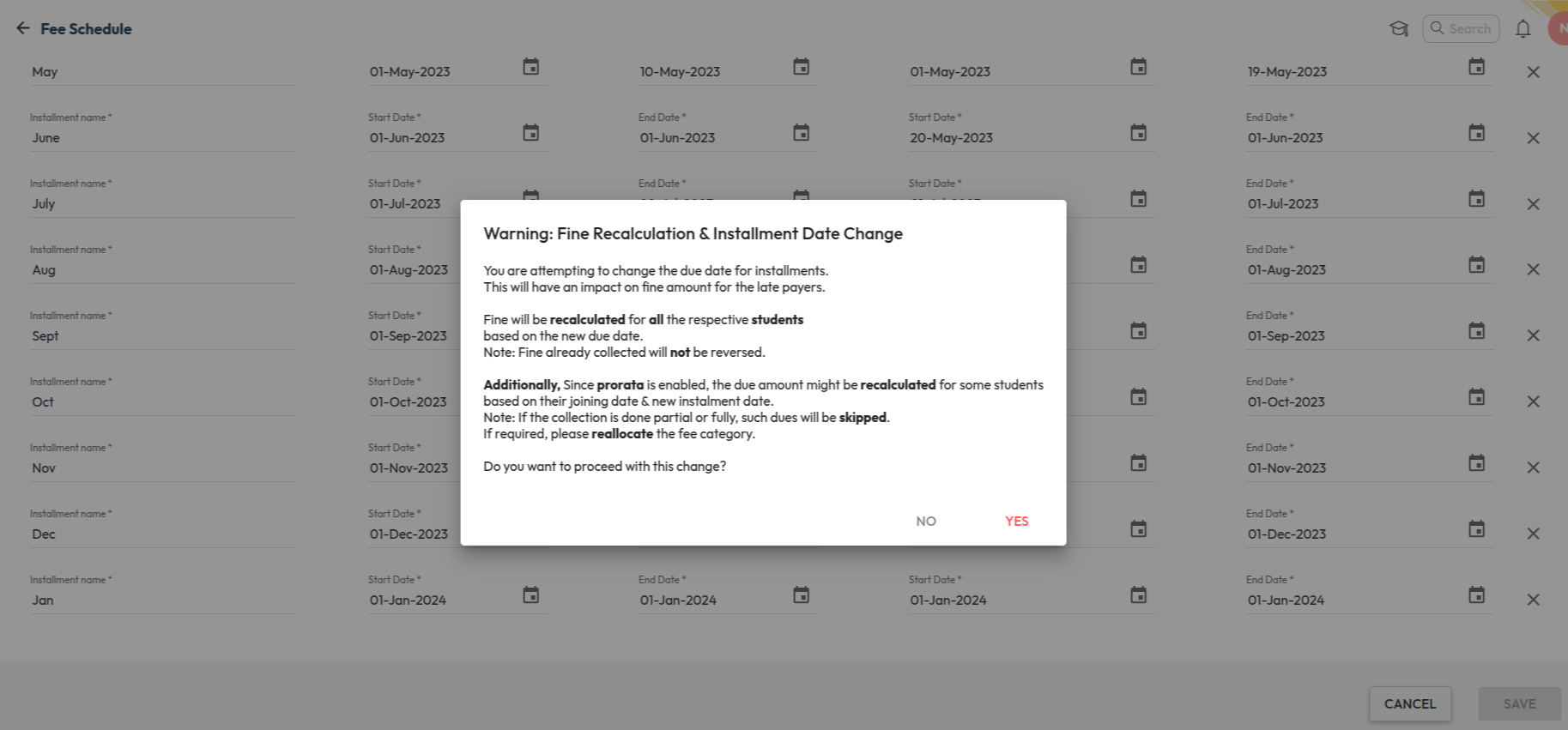
Fee Installment Due Date Update
What’s New : Fee installment due dates can now be changed even after collections are done. Fine or prorata will be recalculated automatically based on the revised due dates. A History icon is available on the Fee Schedule page to track due date changes with user details, date, and time.
Benefit : Provides flexibility to update due dates when required while maintaining a clear audit trail. If fine configuration is enabled, fines will be recalculated based on the updated due date.
Note: Fines already collected will not be reversed.
Path : Finance > Fee Management > Fee Schedule > Update Installment Due Date
Due Date Configuration Outside Academic Year
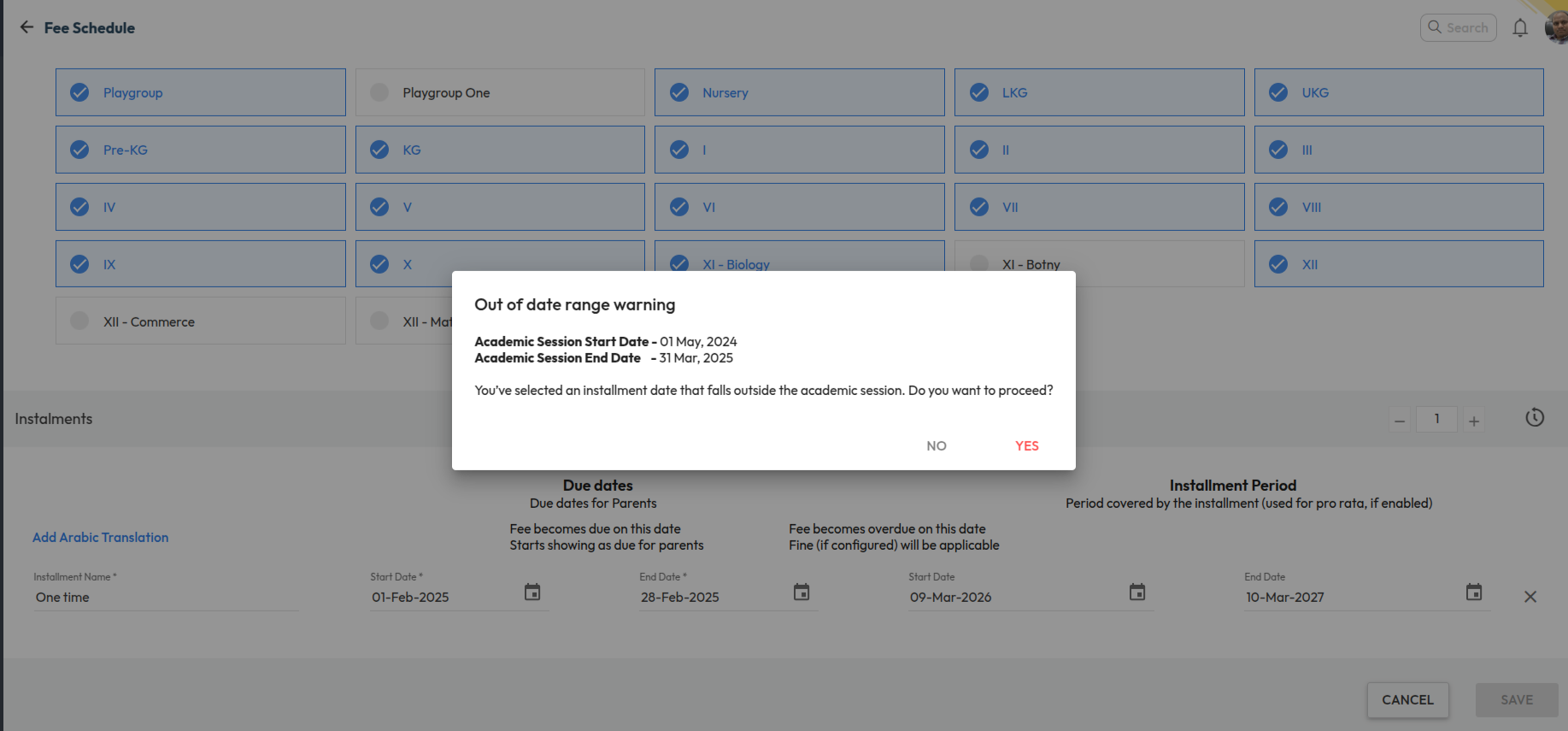
What’s New : Schools can now configure fee due dates outside the Academic Year (AY) date range while setting up fee schedules. When a due date falls outside the configured academic session dates, the system displays a confirmation warning allowing users to proceed if required.
Benefit : This enables schools to collect advance fees for the upcoming academic year while operating within the current session. It provides greater flexibility in fee planning and supports institutions that collect next year’s fees before the new academic session begins.
Path : Finance > Fee > Fee Schedule > Configure Installments > Set Due Date (Outside AY Range) > Confirm Warning > Save
Bulk Update Route Time
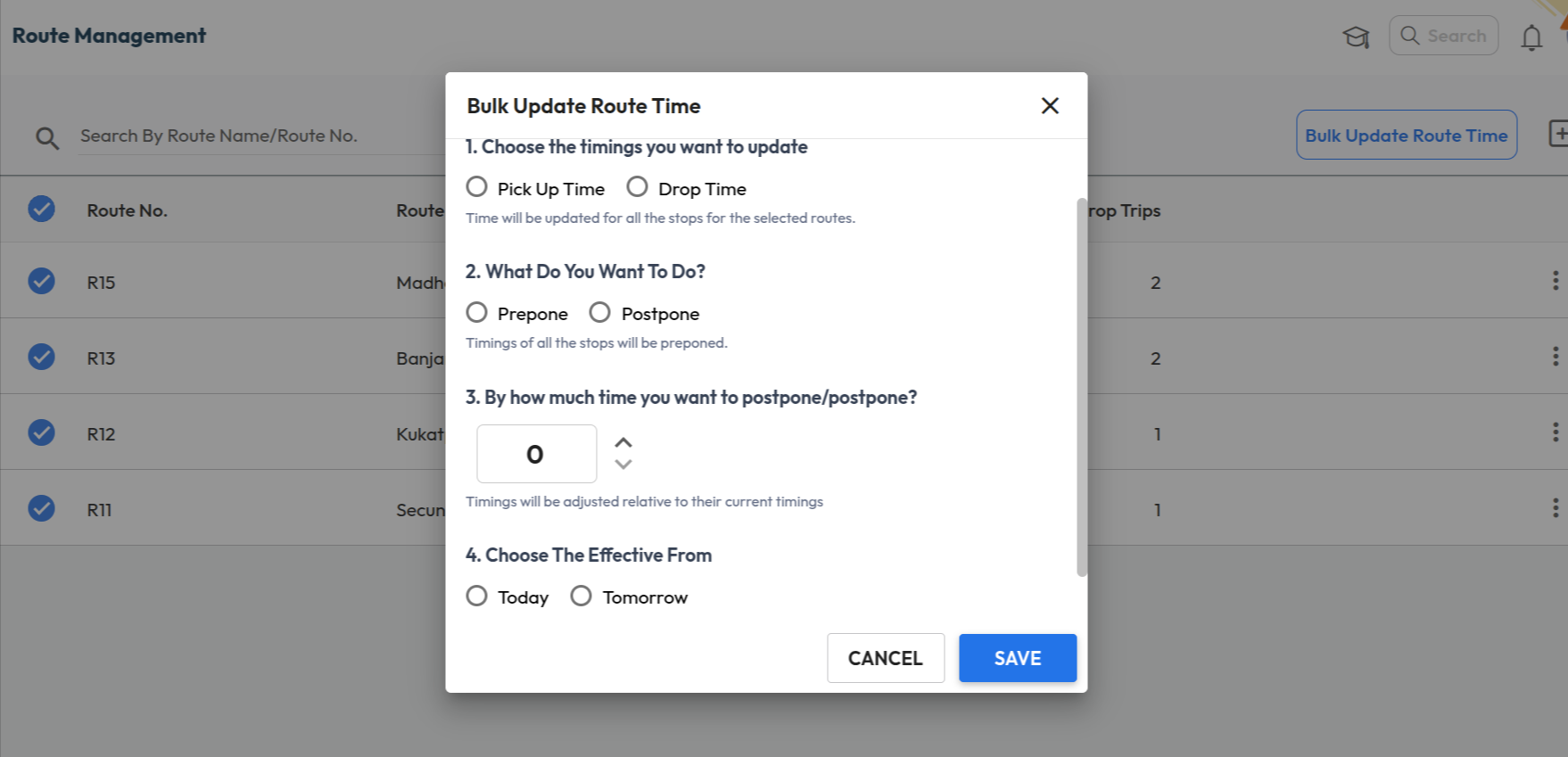
What’s New : A new bulk update option is available in Route Management to adjust transport service timings for multiple routes at once. Users can choose to update Pick Up Time or Drop Time and Prepone or Postpone the timings by a specified number of minutes.
Benefit : Helps administrators quickly update route timings across multiple services, reducing manual effort when schedules change.
Path : Transport > Route Management > Select Routes > Bulk Update Route Time
Students as Recipients in School Feed
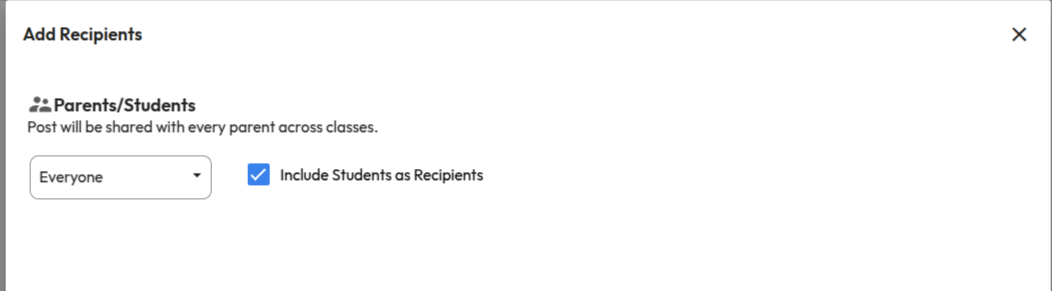
What’s New : School Feed posts can now be shared directly with students. While adding recipients, users can enable the “Include Students as Recipients” option to share posts with students of selected class-sections, in addition to parents.
Benefit : Improves communication reach by allowing schools to share important updates, announcements, and resources directly with students. This ensures messages are delivered to the right audience without depending only on parents.
Path : Communication > School Feed > Create Post > Add Recipients > Select Class-Sections > Enable “Include Students as Recipients”
Marks Entry Checklist Report
What’s New : In the Marks Entry Checklist Report, the incomplete marks count is clickable. When users click the count, they are redirected to the Gradebook page with relevant filters pre-selected, displaying the list of students whose marks entry is incomplete.
Benefit : Enables teachers and administrators to quickly navigate to the Gradebook and identify students with pending marks entry for faster completion.
Path : Student > Examination > Examination Reports > Marks Entry Checklist Report.

January 2026
Release Notes January 2026
Dear Educators,
We’re pleased to share the NextOS January release updates.
We’re continuously working to make NextOS better—so you can accomplish tasks more easily, make smarter decisions, and breeze through your daily work.
These release notes will keep you informed, help you explore new features, and ensure you’re getting the most out of what’s new.
24+ Features are added
Hourly Payroll Support for Salaries
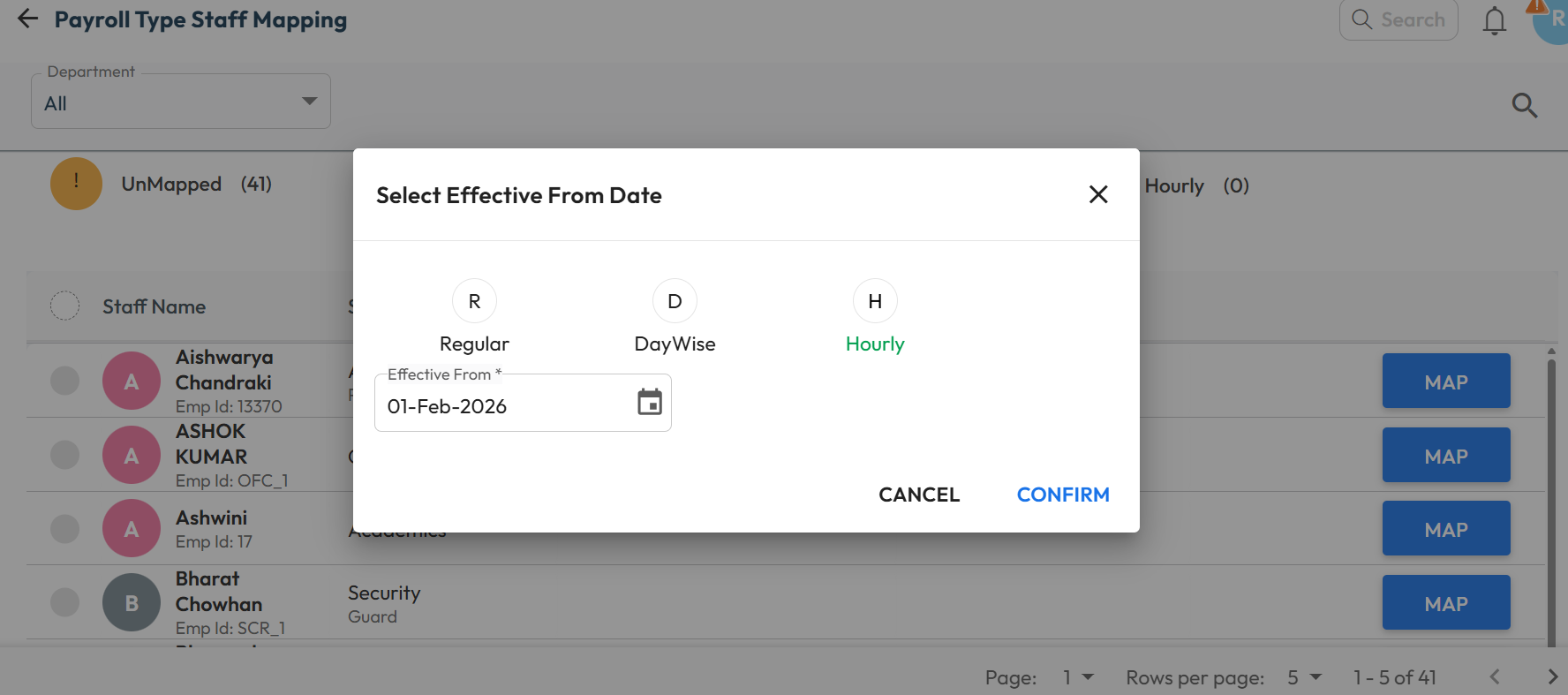
What’s New : The payroll system now supports hourly payouts, enabling schools to pay part-time staff based on their actual working hours and defined wages. When a biometric device is integrated, the system can automatically calculate total working hours from attendance data.
Existing Regular and Day Wise payroll options continue to work as before.
Benefit : Ideal for schools that engage staff on hourly basis, this feature ensures accurate, flexible, and fair salary processing for part-time roles.
Path : Settings > Finance > Payroll > Payroll Type Staff Mapping > Map/Edit > Select Regular / DayWise / Hourly > Enter Effective From Date > Confirm
Exam Hierarchy Revamp
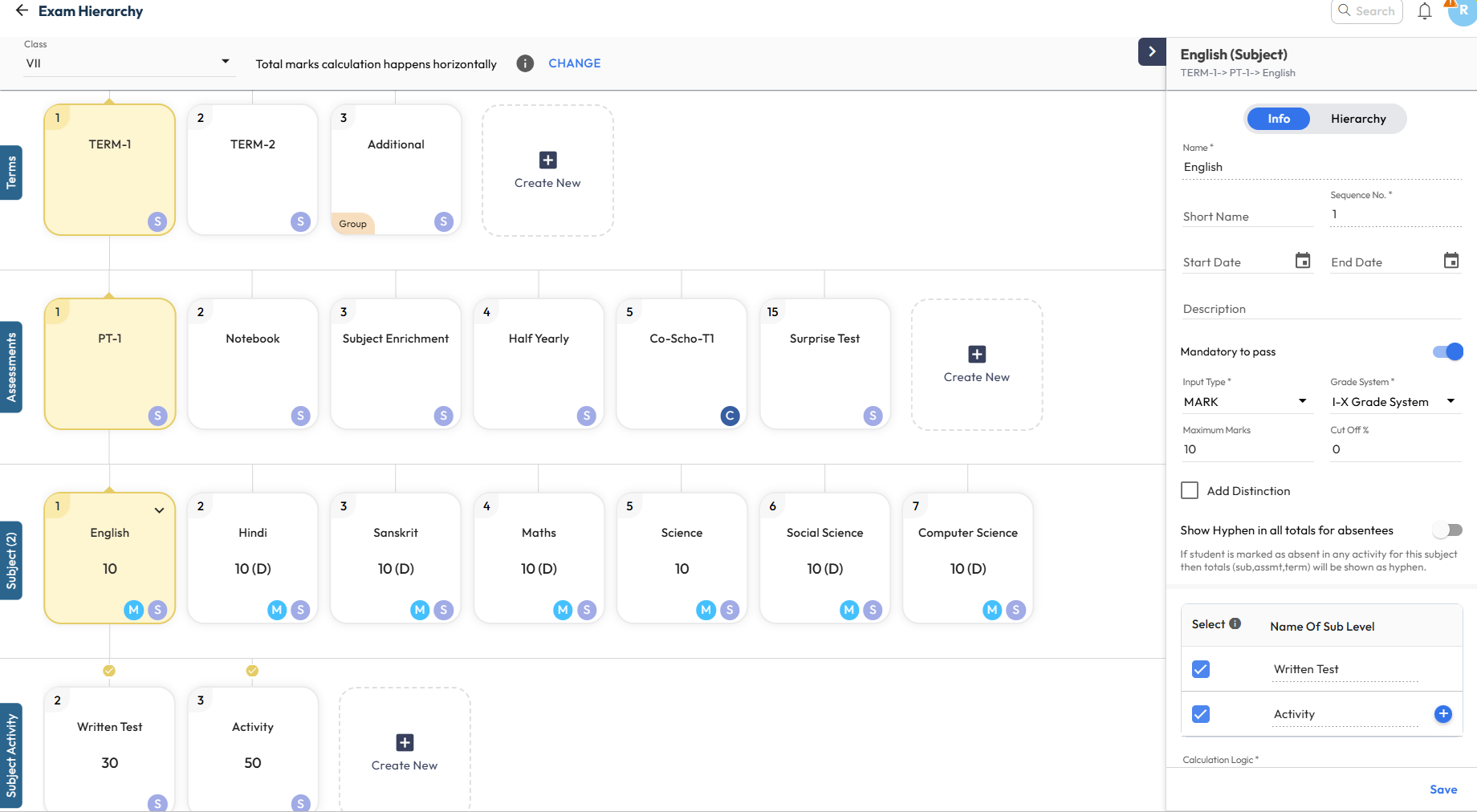
What’s New : The Exam Hierarchy has been completely revamped for a more intuitive experience. When a node is selected, all related properties appear in the right panel, allowing quick add or update of configurations.
Key indicators such as Sequence Number, Derived (D) marks, Group-at-Same-Level, and Calculation Inclusion/Exclusion are now clearly displayed on the cards for better visibility.
Benefit : Makes exam configuration simpler and easier to understand. Visual connections and indicators clearly show how activities and exams are calculated, helping users avoid errors and configure assessments with confidence
Path : Settings > Student > Examination > Exam Hierarchy New > Select Class to View
Report Card Publish Page – Enhancement
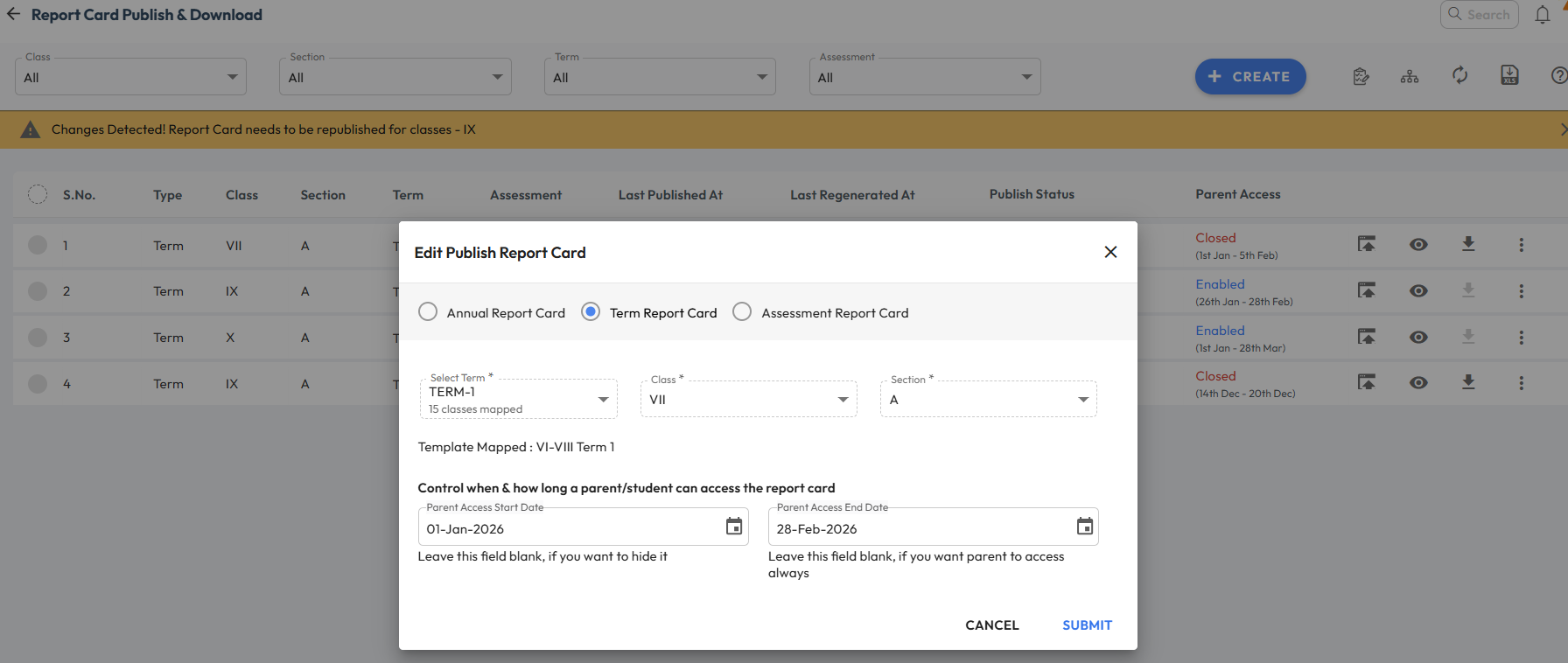
What’s New : Several updates have been made to improve clarity and control on the Report Card Publish page:
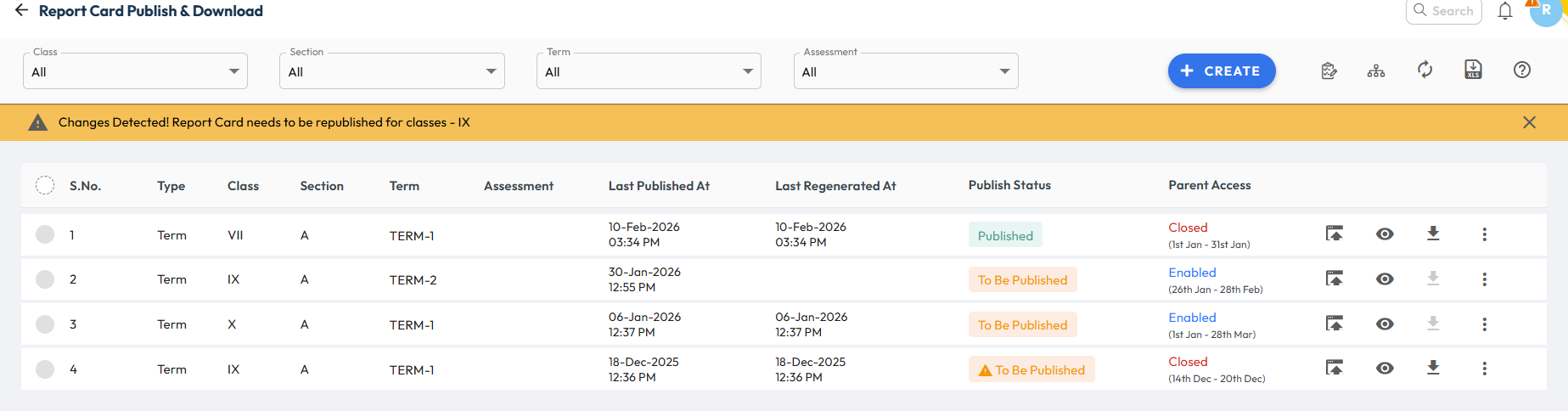
- Clearer Report Card Status: Earlier, Generated and Published statuses were used to differentiate school and parent access. Now, the report card status is shown as Published, while parent access is tracked separately in the new column.
- Parent Access Status Column: A new column now clearly shows Parent Access Status. It displays Enabled (with dates) when the report card is available to parents, and Closed (with dates) when access has ended.
- Instant Parent Access: Report cards no longer need to be republished when configuring parent access. Once access dates are set, the report card becomes instantly visible to parents.
Benefit : Provides better clarity and control while enabling report cards for parents. Clear status indicators help users easily understand the current stage and visibility of each report card.
Path : Student > Examination > Report Card Publish
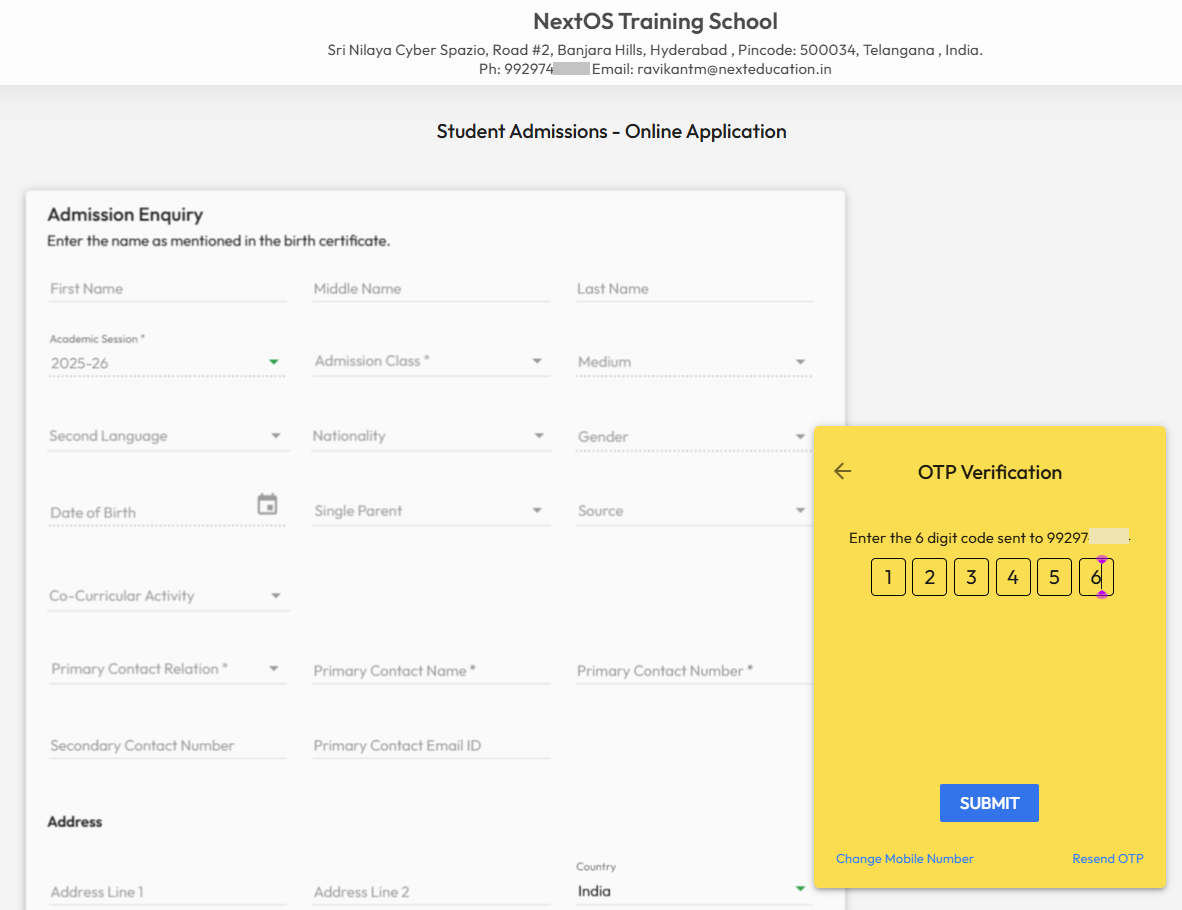
Login with OTP” for New Applicants
What’s New : New applicant’s parent can now Login with OTP from the online enquiry page. In case they have submitted multiple applications using the same mobile number, then system will show up all the applicants profile to choose from.
Benefit : This will make online admission enquiry process more smoother and convenient for non-tech savvy parents. Helps parents to login and check the status of their submitted application form to school.
Path : School’s Online Admission URL > Already Registered > Login with OTP > Enter Registered Mobile Number > Send OTP
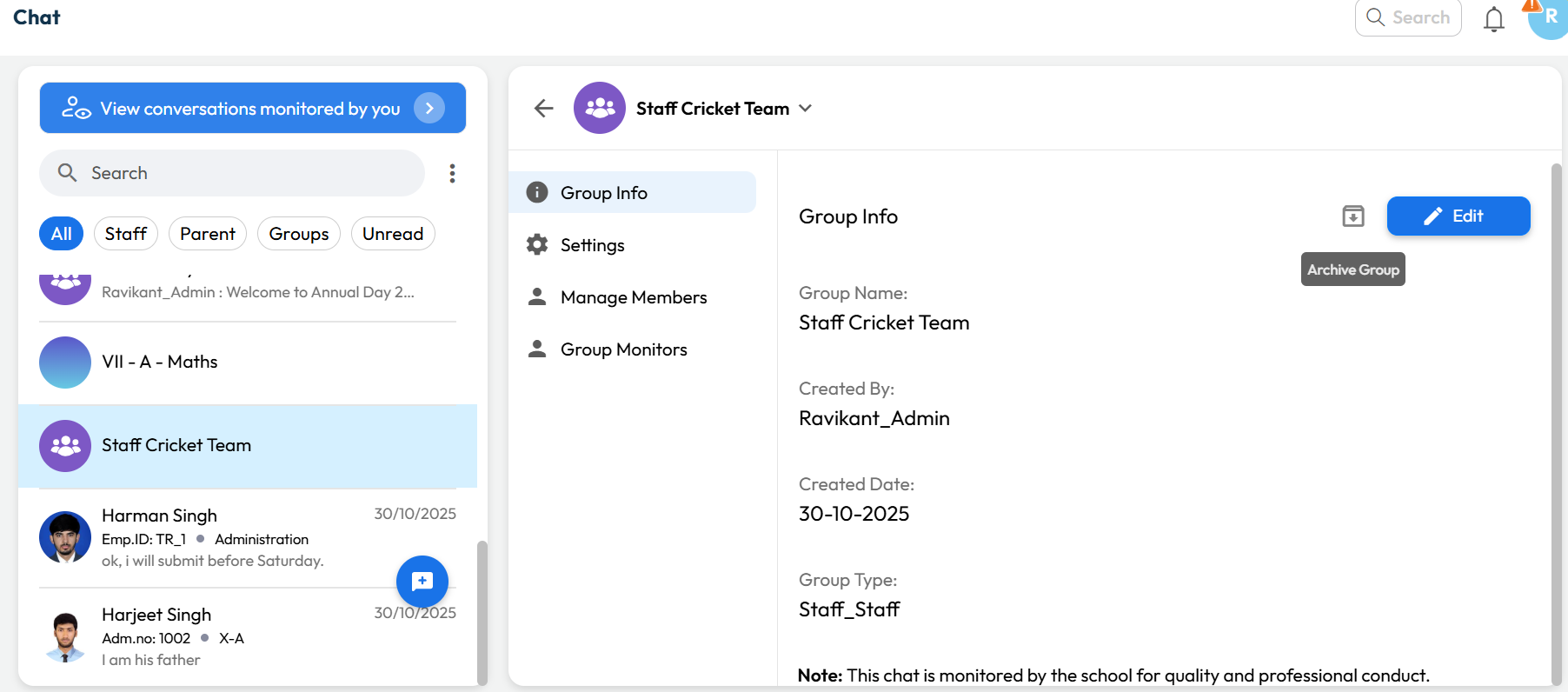
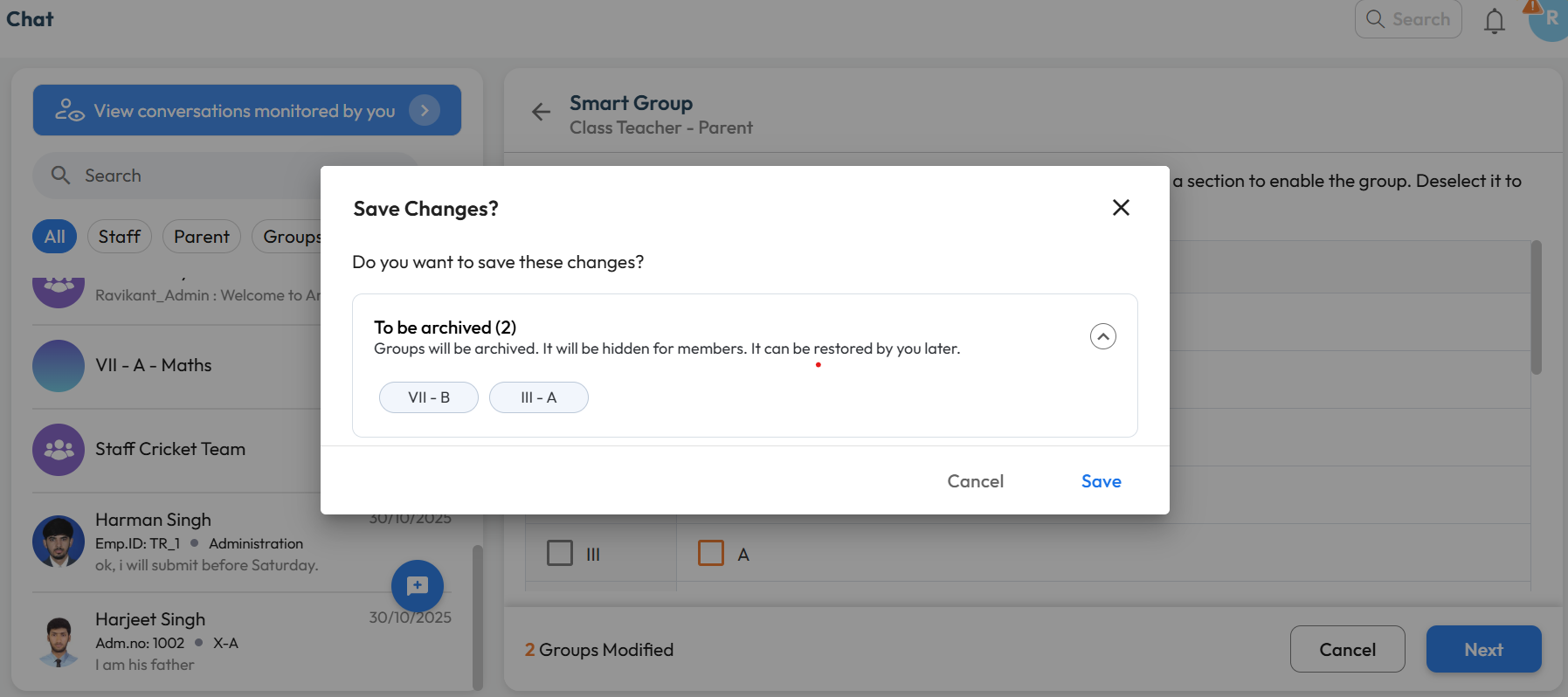
Archive Chat & Groups
What’s New : Chat Groups can now be archived by the Group Manager or Chat Manager. Archived groups remain accessible and can be viewed or restored anytime by authorized users.
Benefit : Helps keep the chat interface clutter-free by hiding inactive or completed groups, so users can focus only on active conversations.
Path :
For Custom Groups:
Communication > Chat > Select Group > Downward Arrow > Group Info > Archive Group
For Smart Groups:
Chat Icon > Smart Group > Class-Teacher or Parent-Teacher > Unselect mapped Class-Section > Next > Save
December 2025
Release Notes December 2025
Dear Educators,
We’re pleased to share the NextOS December release updates.
We’re continuously working to make NextOS better—so you can accomplish tasks more easily, make smarter decisions, and breeze through your daily work.
These release notes will keep you informed, help you explore new features, and ensure you’re getting the most out of what’s new.
16+ Features are added
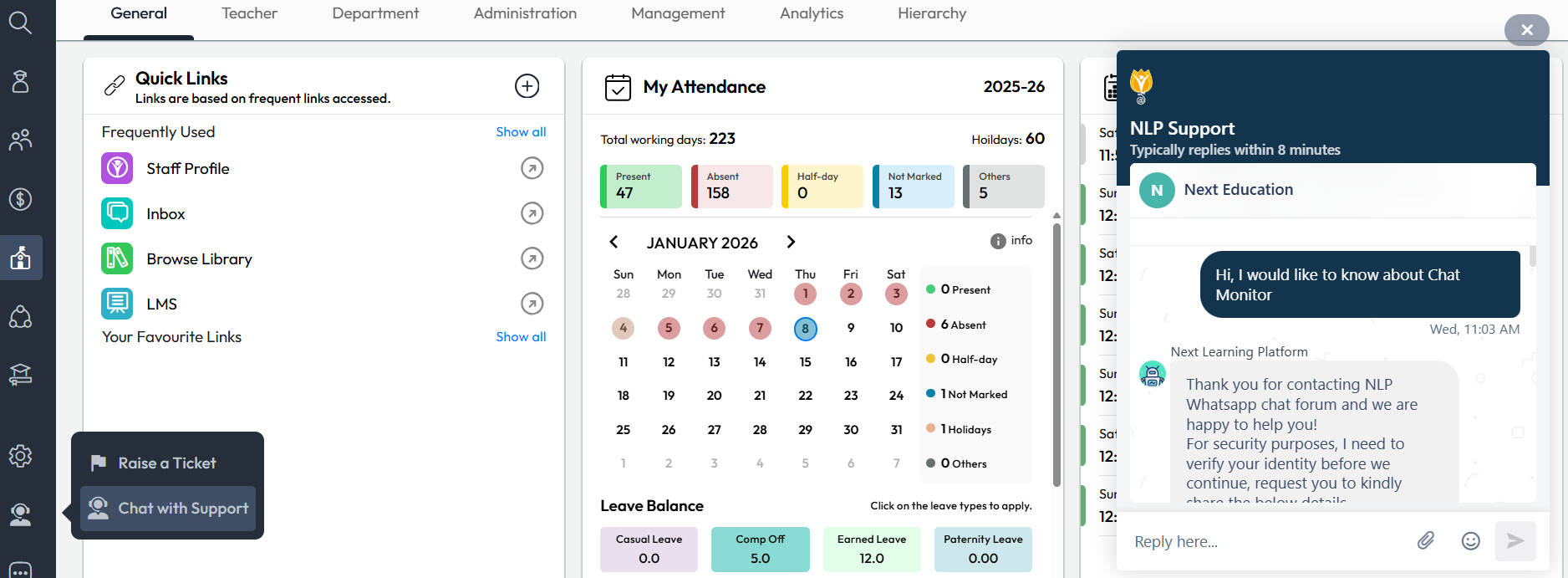
Chat with Support
What’s New : The Chat with Support option is now enabled for school admins on the web interface. Admins can directly engage in a two-way chat for faster resolution of NextOS-related queries.
When a chat is initiated, the system automatically shares the user name, school name, and current page URL with the support team for quicker context.
Chat Support is available Monday to Saturday, 8:00 AM to 6:00 PM
Benefit : Allows admins to raise queries directly to support agents, with most issues being resolved in under 2 minutes.
Path : Communication > Support Icon > Chat with Support
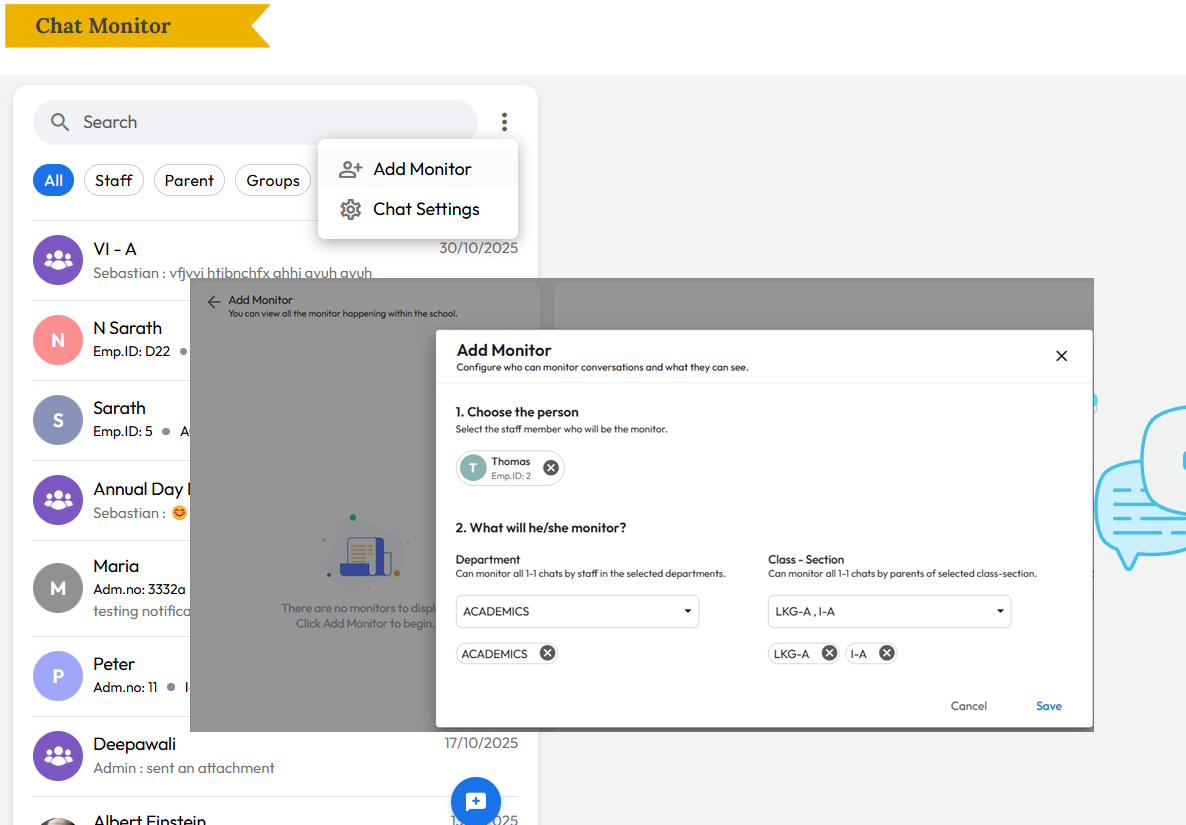
Chat Monitor
What’s New : All chat conversations can now be monitored by Admins, Principals, and assigned Chat Managers. In addition:
- Group Managers or Chat Managers can add specific monitors to a group.
- Admins can assign staff as monitors for all one-to-one conversations within a class or department.
Note: This feature is currently available on the web and will be available on the mobile app soon.
Benefit : Helps schools maintain oversight and quality control by allowing additional staff—beyond admin or principal roles—to monitor assigned conversations and keep a bird’s-eye view where needed.
Path : Communication > Chat > Click Three Dots > Add Monitor > Select Department or Class-Section to monitor
Parent Activation Guide
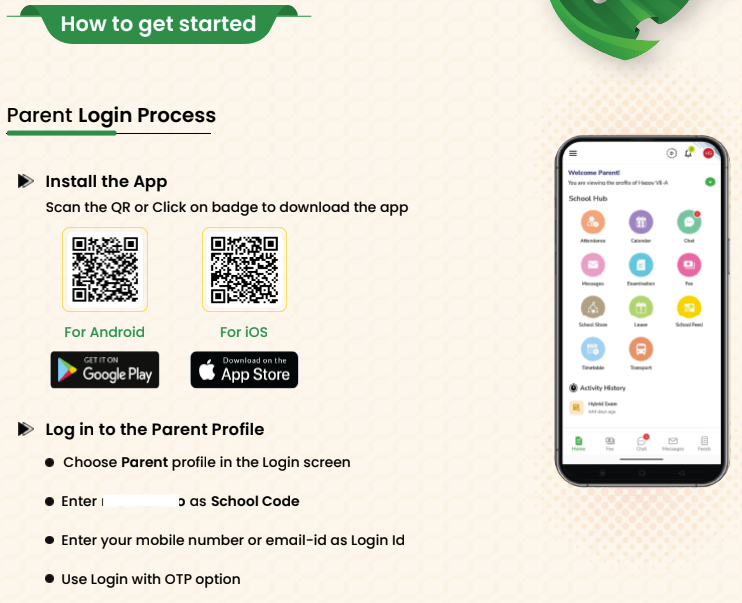
What’s New : Schools can now download a Parent Activation Guide (PDF) from the User Account Management page. This is a dynamic, school-specific document that automatically includes the school’s name, logo, app download QR code, and school code (where applicable).
The guide also features a short introduction from the school and two simple sections: Why get the app and How to get started. Schools can easily share this PDF with parents.
Benefit : Makes parent onboarding simple and effective, helping parents understand the value of the NextOS mobile app and start using it quickly.
Path : Settings > Administration > School Setup > User Account Management > Parents > Download Parent Guide Note
Exam Setup Guide
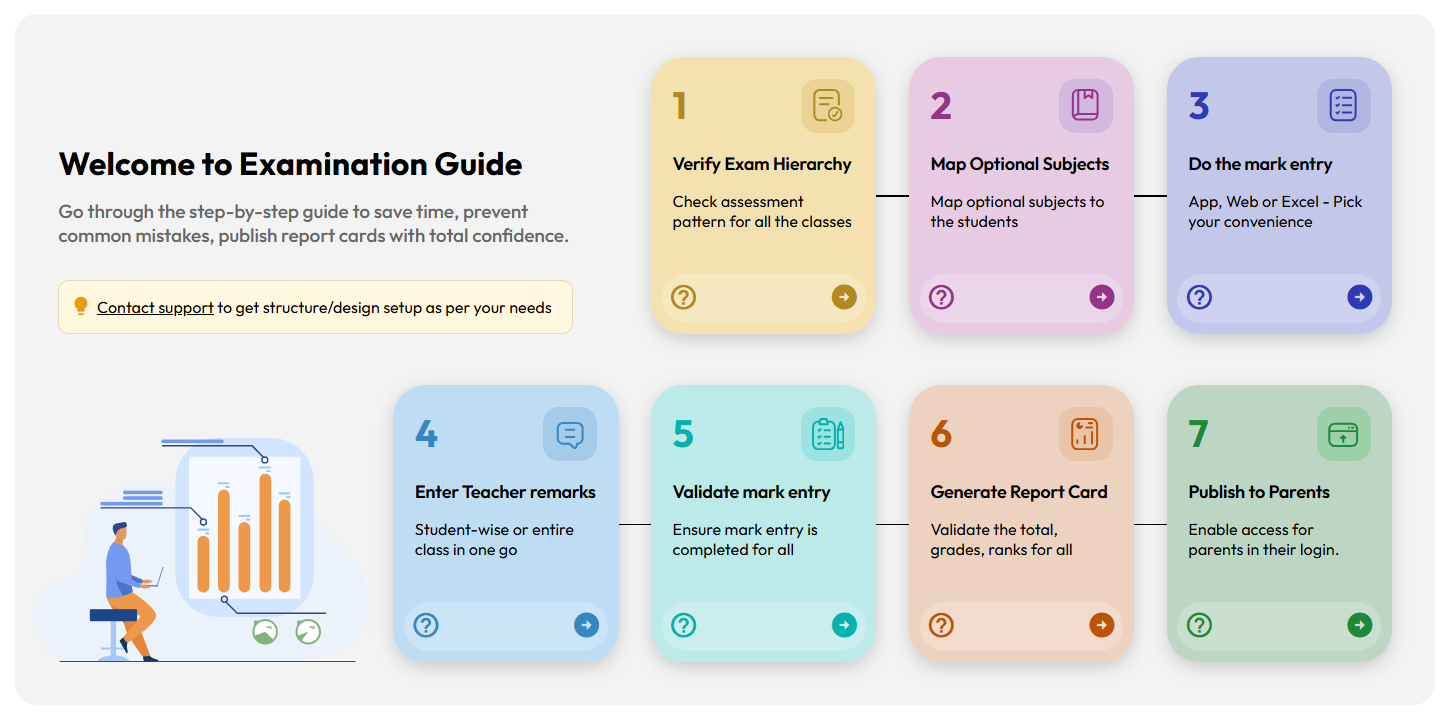
What’s New : A new Exam Setup Guide page has been introduced to help teachers and exam coordinators follow the correct steps for Report Card publishing. Each step includes direct links to the relevant transaction pages along with a help icon that opens the related help-center article.
Benefit : Improves understanding of the examination workflow after exam structure setup and helps exam coordinators publish report cards smoothly and confidently, especially during exam season. Step-wise help articles guide users on how to use each transaction page correctly.
Path : Student > Examination > Exam Setup Guide > Note:
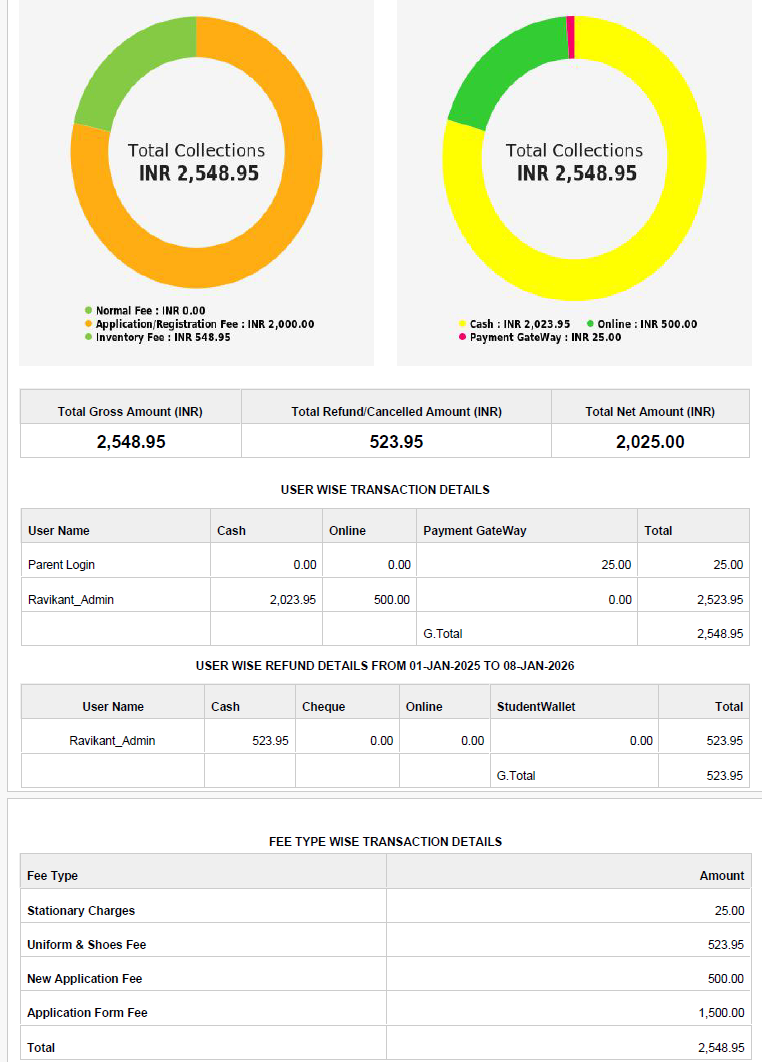
Daily Collection Report – Enhancement
Improvement : The Daily Collection Report now displays Application Fee and Registration Fee separately under the Fee Type–wise transaction details table
Benefit : Makes it easier for accountants to quickly identify and analyze the total amounts collected for application and registration fees.
Locate : Finance > Fee > Fee Reports > 1.7 Daily Collection Report
November 2025
Release Notes November 2025
Dear Educators,
We’re pleased to share the NextOS November release updates.
We’re continuously working to make NextOS better—so you can accomplish tasks more easily, make smarter decisions, and breeze through your daily work.
These release notes will keep you informed, help you explore new features, and ensure you’re getting the most out of what’s new.
19+ Features are added
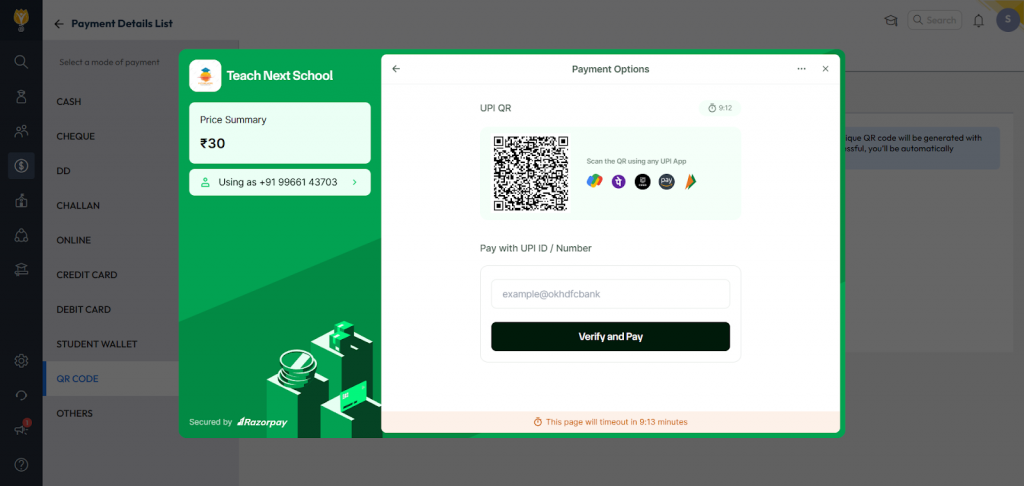
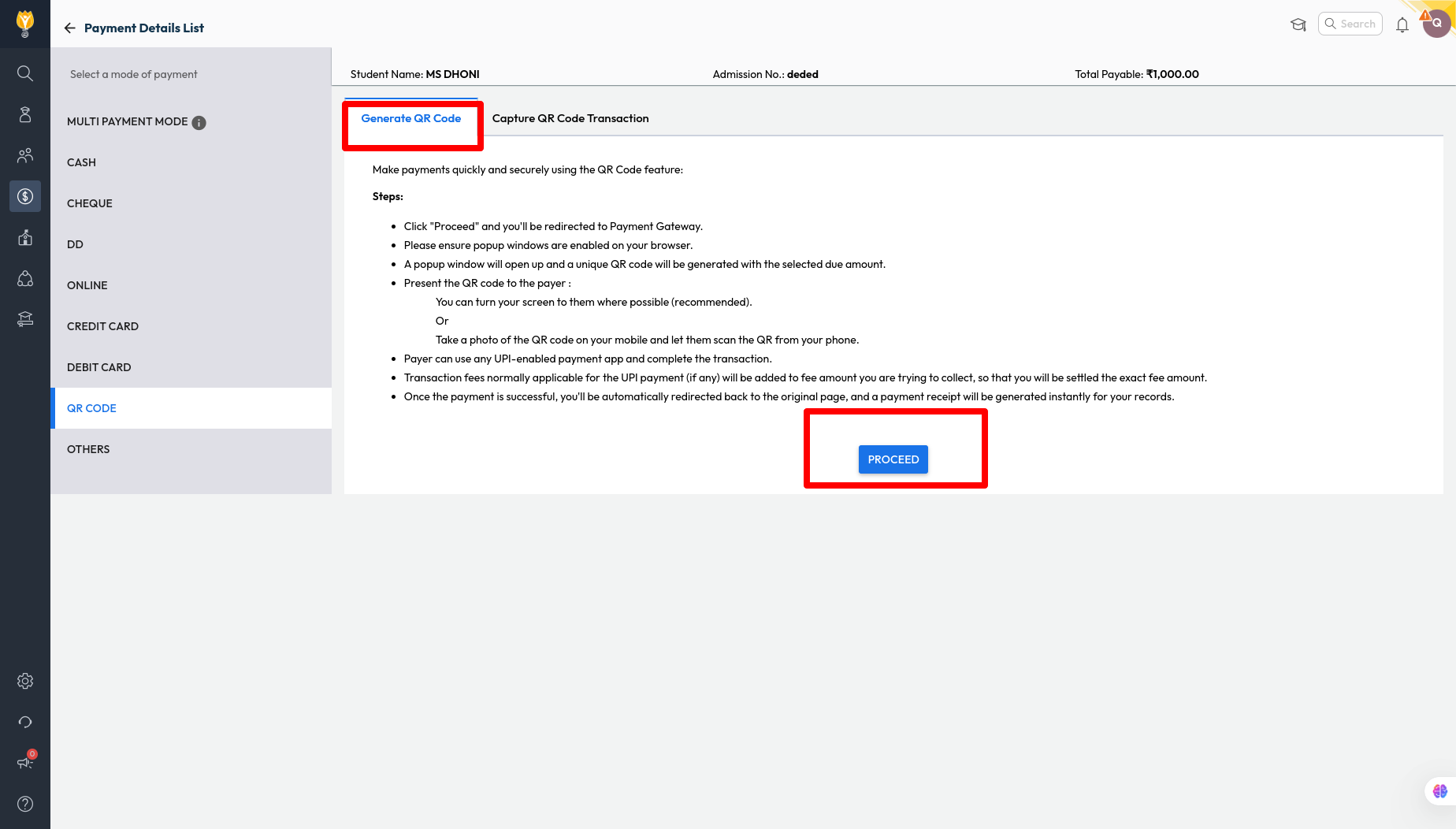
QR Code Payment for Student Wallet
Improvement : Schools can now generate a QR code for student wallet recharge, making it easy to collect payments from parents whenever needed.
Note: This feature works only if the school has an active payment gateway integration.
Impact : Provides a quick and convenient way for parents to recharge their child’s wallet during school visits, helping schools to streamline the payment process
Locate : Finance > Collect Fee > Search Student > Student Wallet > Enter Money > Click Recharge > QR Code > Generate QR Code
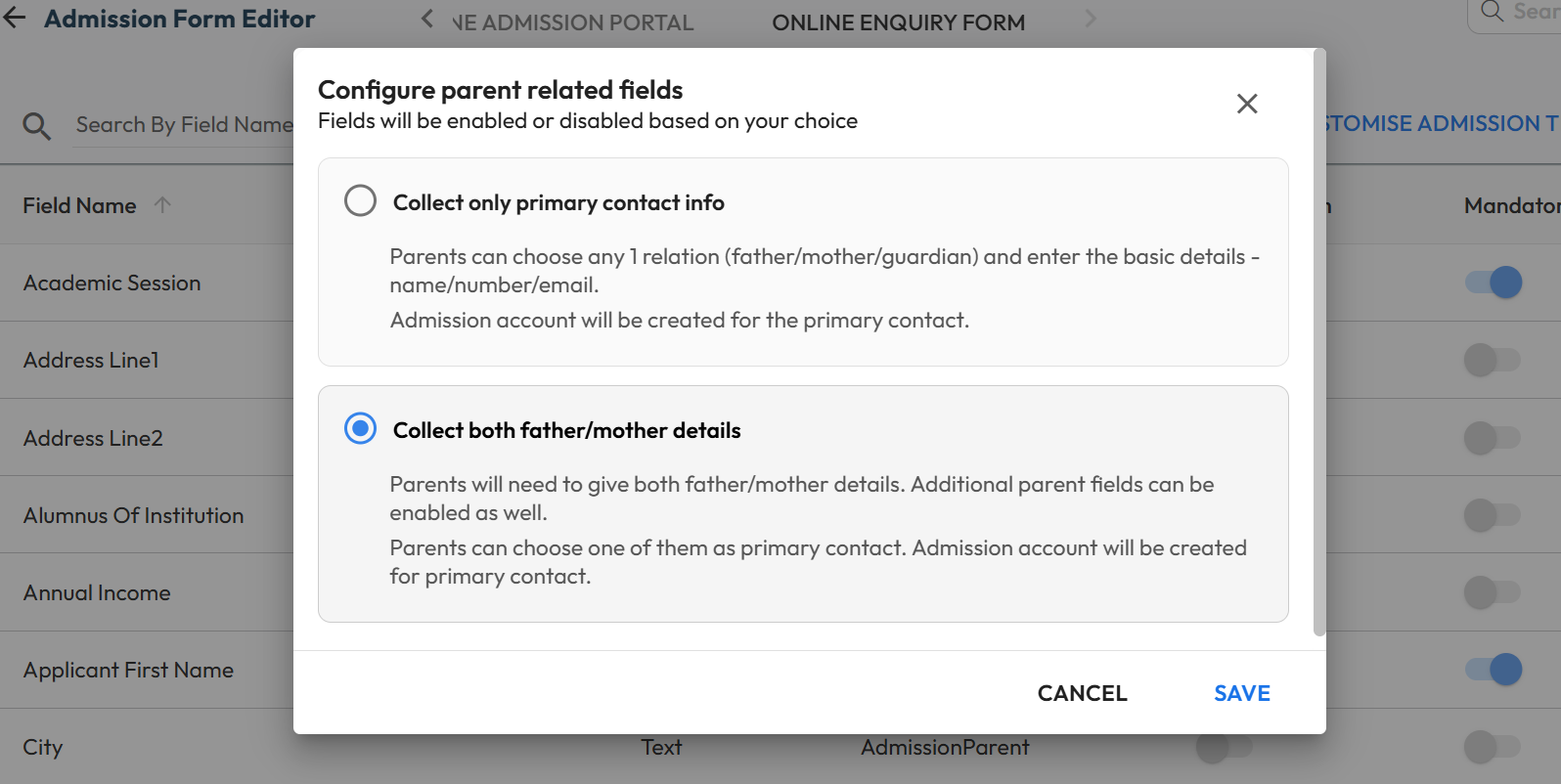
Modify Primary Contact Settings in Enquiry
What’s New : Schools can now control whether the online enquiry form should collect only primary contact information or capture both the parents’ details. Additional all other standard parent fields are also available to include if required.
Benefit : Gives schools flexibility to decide how much parent information to collect, while making the enquiry process more convenient for parents.
Path : Settings > Student > Admission > Admission Form Editor > Online Enquiry Form > Parent Details > Edit (Pen icon) > Choose “Collect only primary contact info” or “Collect both father/mother details” Note: These changes will be only applicable to online enquiry form.
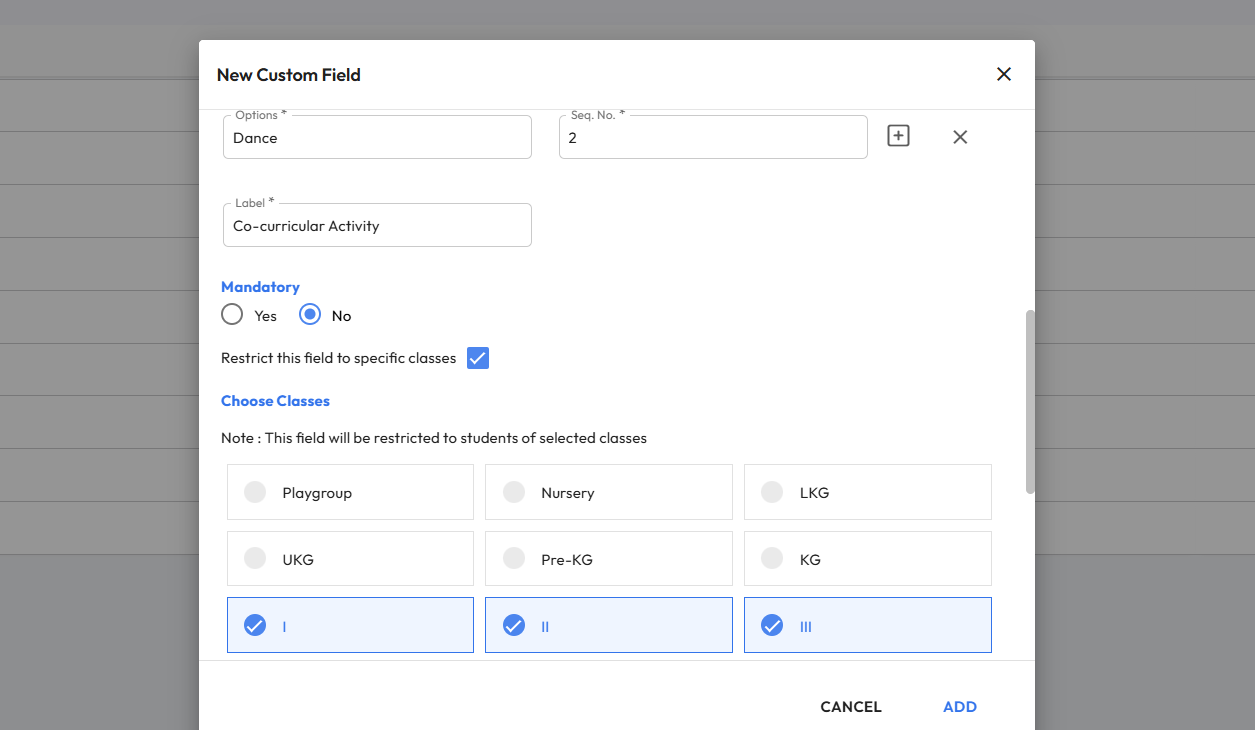
Class-Wise Custom Fields Creation
What’s New : Schools can now create class-specific Custom Fields for Students and Parents across enquiry forms, application forms, and Student 360 pages. These fields will appear only for the selected classes. This is useful for collecting class
Benefit : Gives schools better control by allowing custom fields to be shown only for relevant classes, ensuring cleaner data collection.
Path : Settings > Administration > School Setup > Custom Fields > Add New Field (Admission) > Choose Student/Parent/AdmissionStudent/AdmissionParent > Enable “Restrict this field to specific classes” > Select Classes Note: These fields must be mapped using Admission form editor to display.
Ability to Enable Online Application Selectively
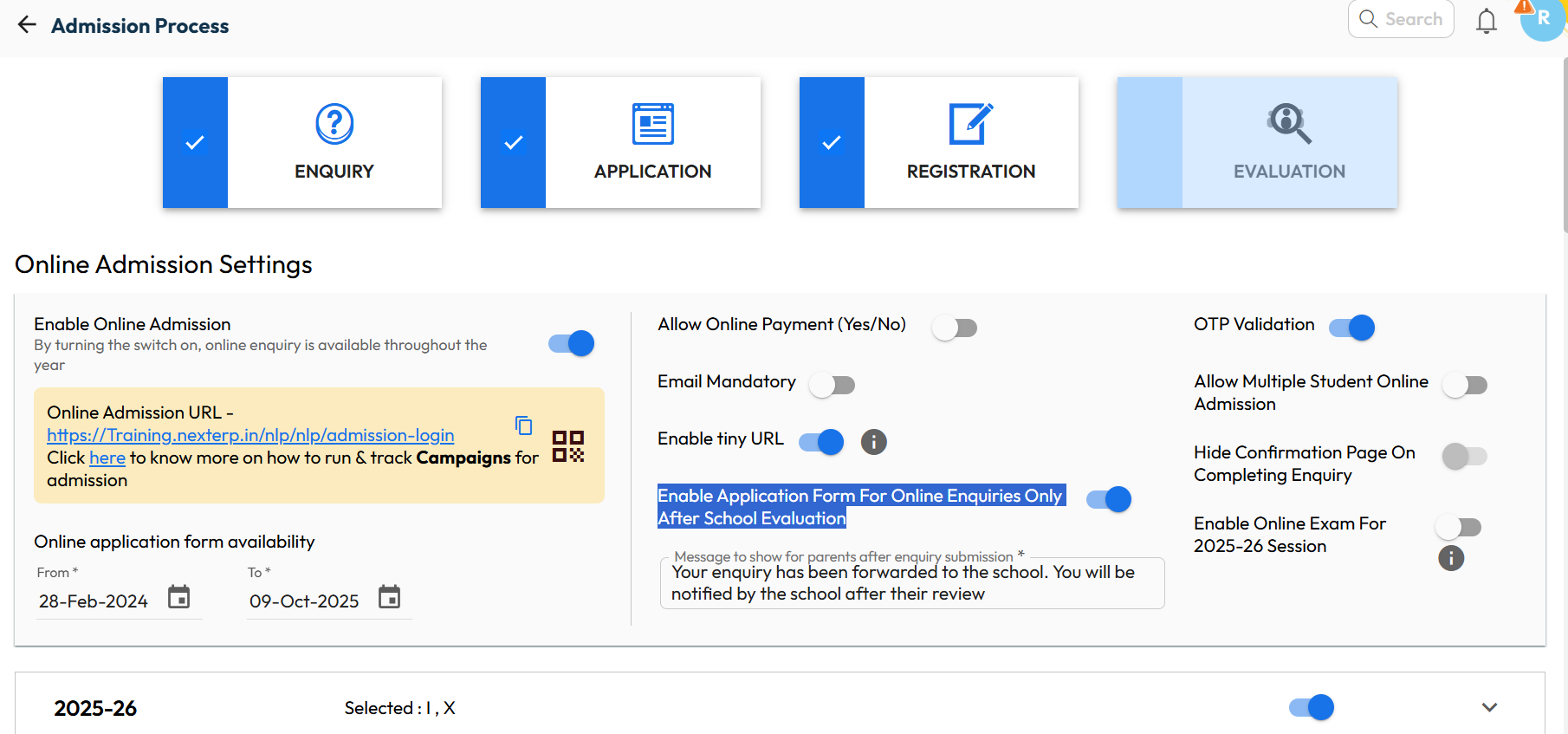
What’s New : Schools now have the flexibility to open the Online Application Form only after validating each enquiry. Earlier, all new enquiries could access the form based on application date settings. Now, schools can review enquiries first and enable the form only for the eligible parents.
Benefit : Ensures that only genuine and qualified enquiries move to the application stage, giving schools better control and a more streamlined admission workflow.
Path : Settings > Admission > Admission Process > Edit > “Enable Application Form For Online Enquiries Only After School Evaluation”
Anomaly Transaction Alert
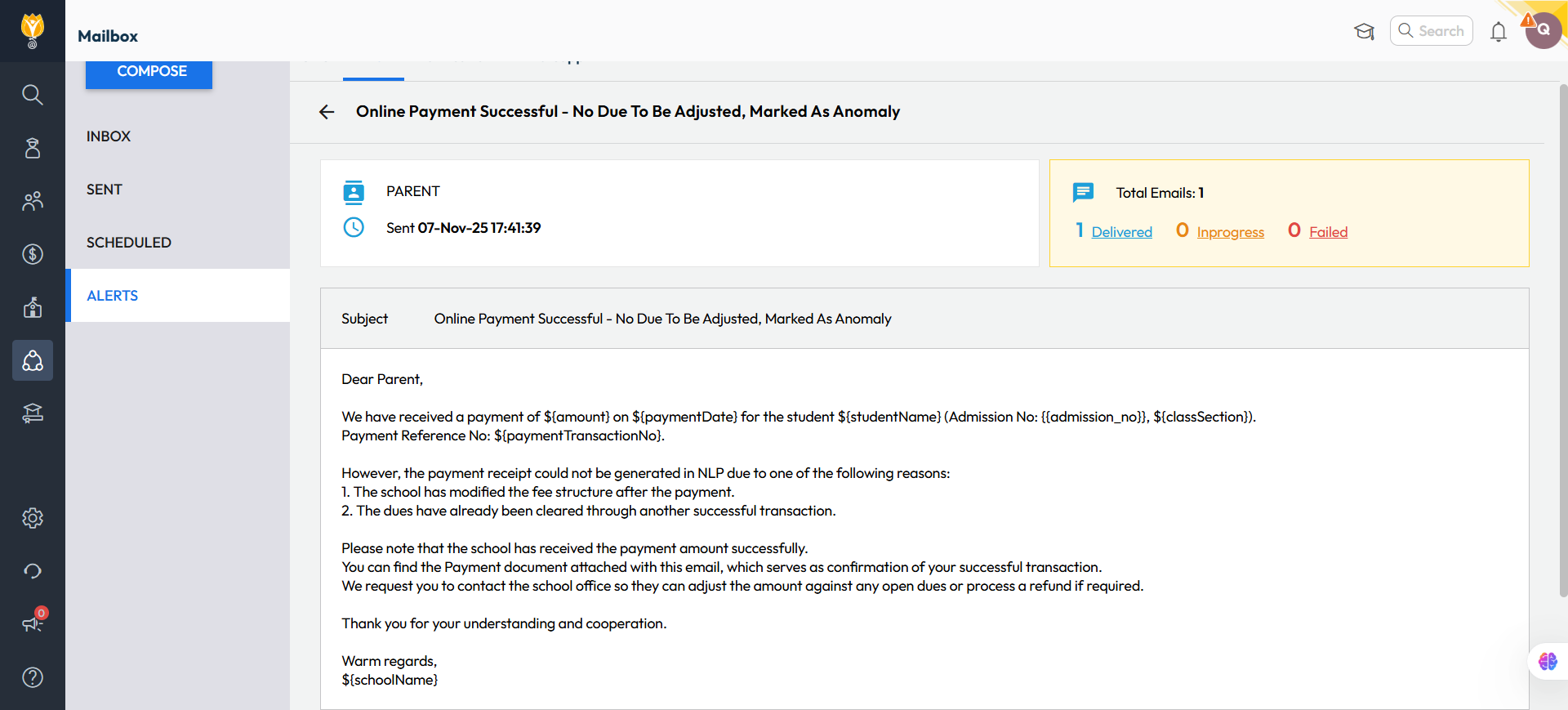
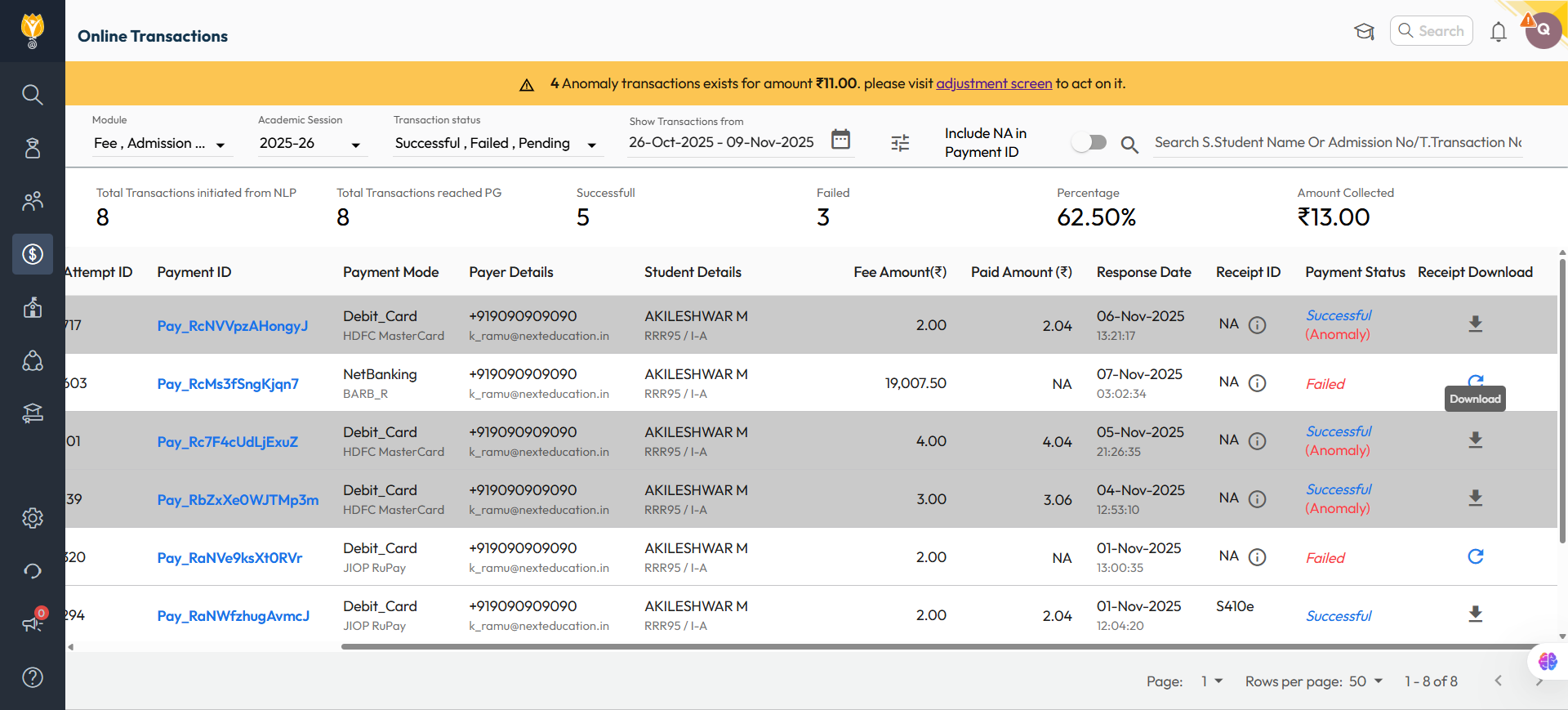
What’s New : If an online payment transaction gets tagged as anomaly, an alert will be sent to both the parent and the admin via email and notification. The communication will include a payment acknowledgement attachment instead of the regular fee receipt.
A banner will also appear at the top of the Online Transaction page, highlighting any outstanding anomaly transactions and providing a direct link for the admin to adjust them.
Benefit : This feature helps school admin/accountant proactively identify, verify, and resolve parents’ payment-related concerns before they raises. It also provides a convenient link to adjustment screen to allocate against pending dues or initiate a refund.
Path :To Track Anomalies:- Finance > Payment Gateway > Online Transactions > Apply Filters Enable/Disable Alert:- Settings > Collaboration > Communication > Alerts > Pg Anomaly Alert
October 2025
Release Notes October 2025
Dear Educators,
We’re pleased to share the NextOS October release updates.
We’re continuously working to make NextOS better—so you can accomplish tasks more easily, make smarter decisions, and breeze through your daily work.
These release notes will keep you informed, help you explore new features, and ensure you’re getting the most out of what’s new.
Smart Pay Concession – Enhancement
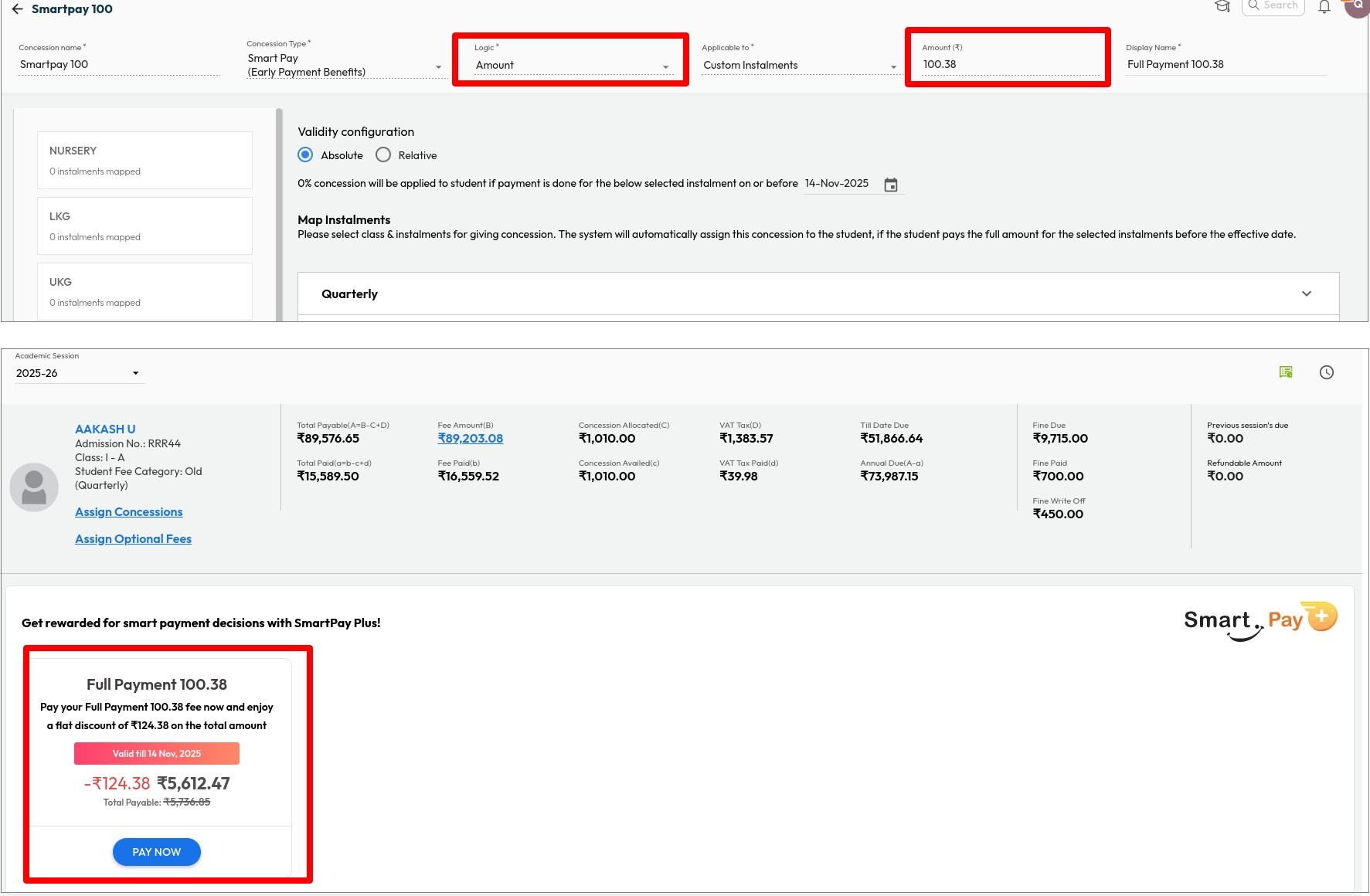
What’s New : Schools can now configure Smart Pay Concession as a fixed amount, in addition to the existing percentage-based option.
Benefit : Provides better control over concession limits, allowing schools to set a fixed total amount as per their policy or student strength.
Path : Settings > Finance > Fee > Fee Concession > Concession Master > Add New > Select Concession Type as Smart Pay Concession > Logic as Amount
New Look & Flow for Assessment Creation
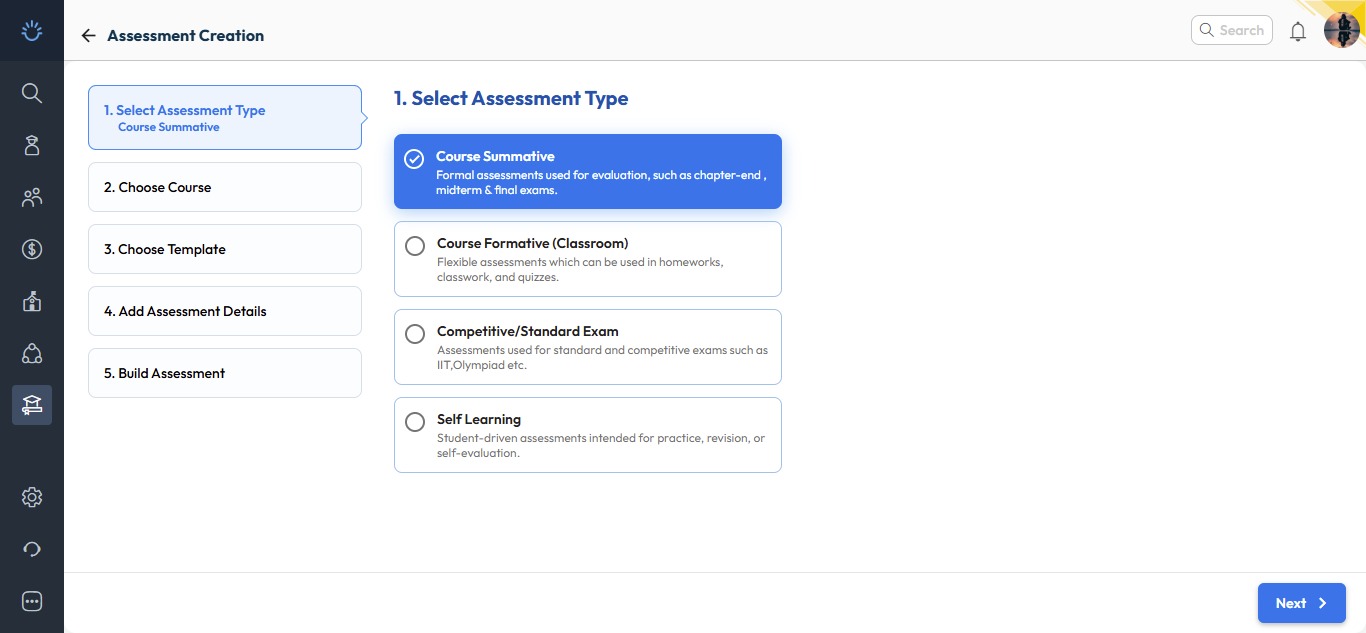
We’ve introduced a more engaging and streamlined experience for one of the most used tools - Assessment Creation. The new interface is now available under Resource Management - Home, while the old flow remains accessible via the Assessment/Exam Corner section.
What’s New :
The revamped assessment creation process now follows a simple five-step guided wizard for ease of use and clarity.
- Select Assessment Type:
Choose the type of assessment you wish to create:- Course summative
- Course formative
- Competitive / Standard Exam
- Self Learning
- Select Course:
Pick the relevant board, class, and subject for which you want to create the exam paper.
- Choose Exam Paper Structure / Template:
Select a predefined structure or template to maintain consistent print formats.
- Add Assessment Details:
Enter essential details such as:- Assessment name
- Duration
- Language of the paper
- Tags for easy tracking
- Build Assessment:
Finally build it as per your choice, e.g.:- Select cognitive frameworks like Bloom’s Taxonomy or Webb’s Depth Levels.
- Define criteria and autofetch questions from the Next Education Question Bank.
- Update header details and save your inputs.
- Download the ready-to-print question paper instantly.
Why it Matters :
These enhancements make assessment creation more intuitive, flexible, and globally adaptable, empowering schools to design question papers that meet diverse academic needs with greater efficiency.
Path : Academics > Teacher Workspace > Resource Management - Home > Resource Creation > Click Assessment
Revamp of Principal Reports UI
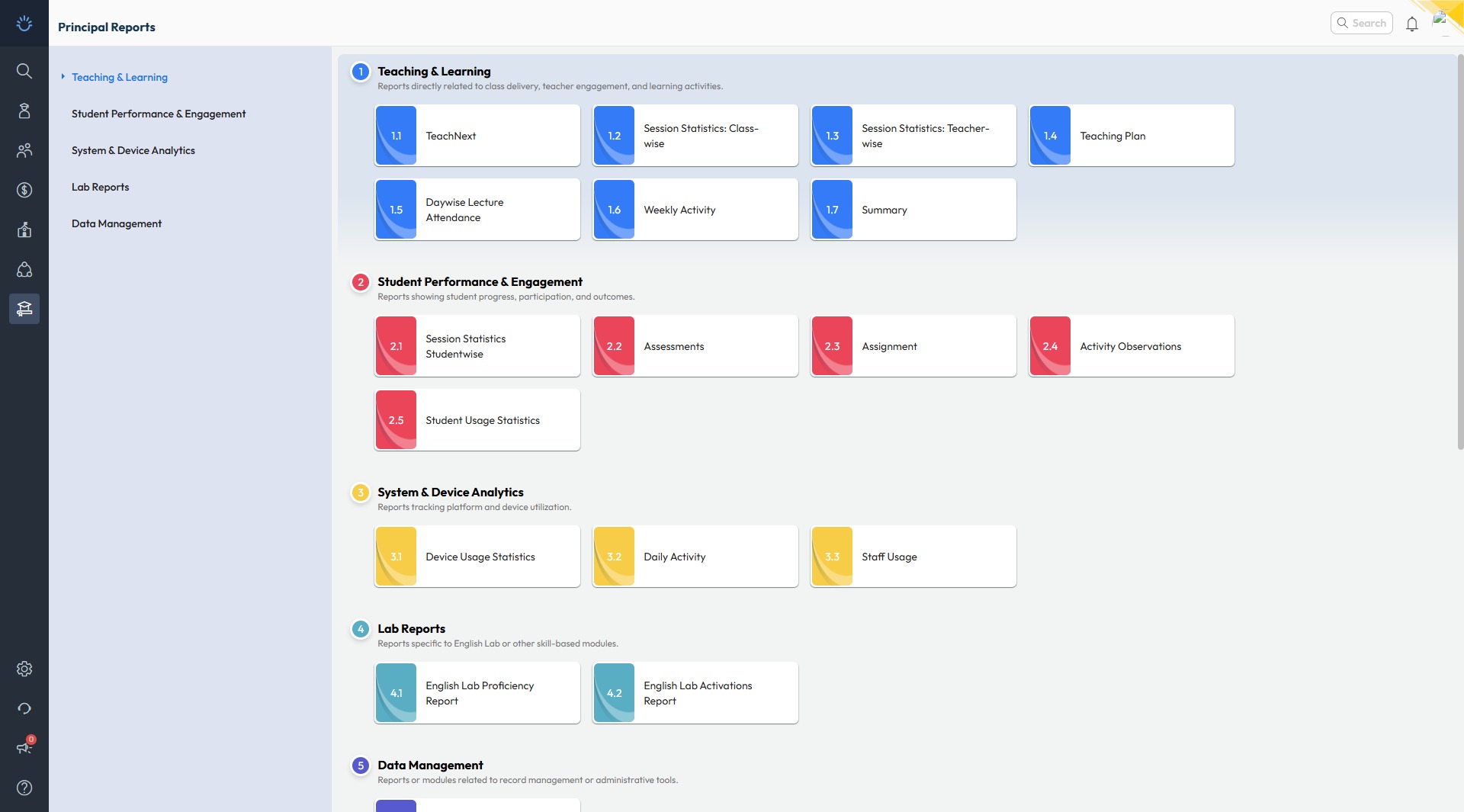
Improvement : The Principal Reports section in the Teacher Workspace has been redesigned with a new, modern look for smoother navigation and improved usability. Reports are now organized with different categories for quicker access.
Impact : Enables Principals and Academic Coordinators to access key reports easily, saving time and effort in daily academic review.
Locate : Academics > Teacher Workspace > Principal Reports
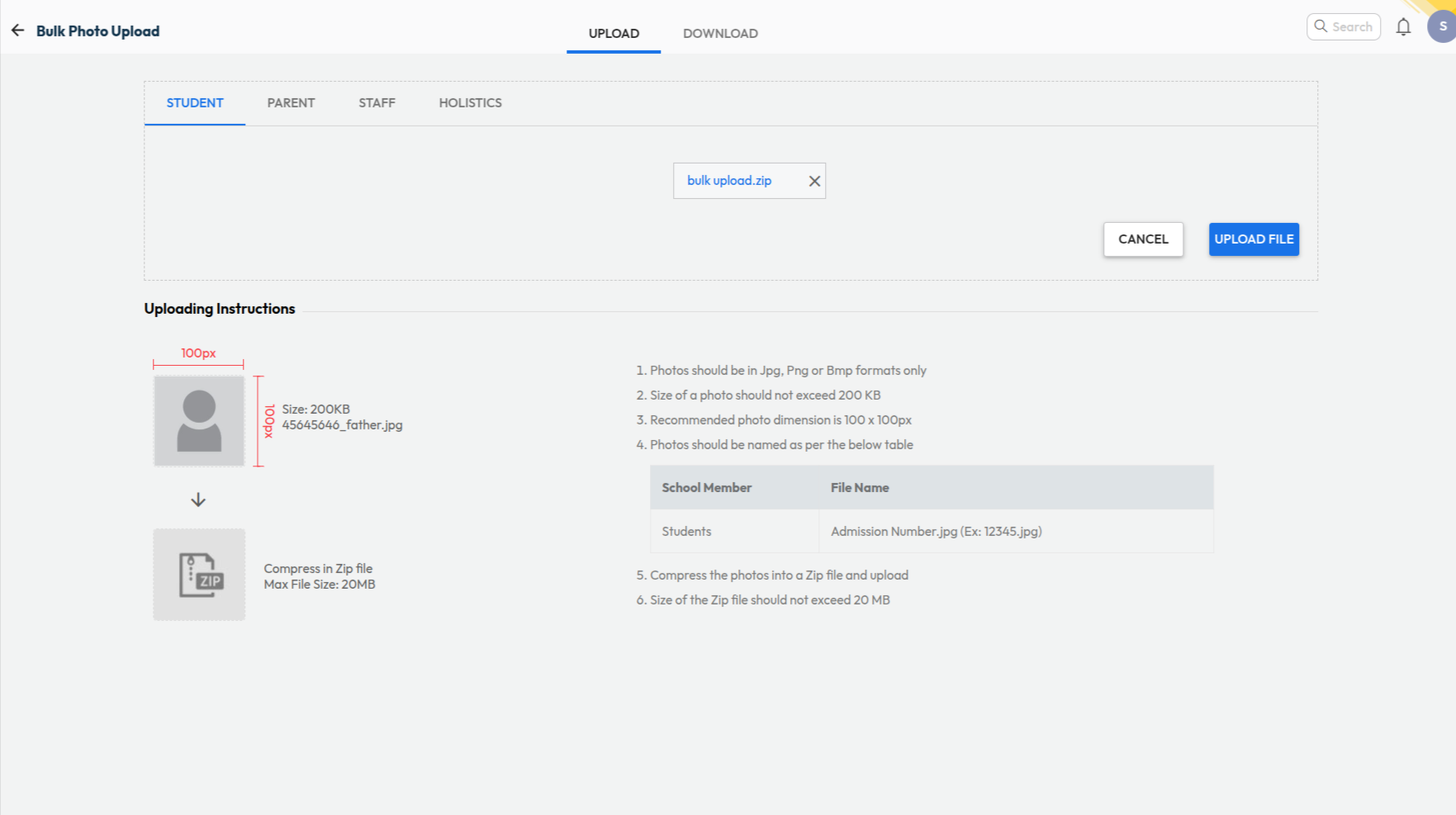
Auto Resize of Student Photos in Bulk Upload
What’s New : Student photos uploaded in bulk are now automatically resized to meet system requirements. Earlier, photos had to be manually compressed to below 200KB before upload.
Benefit : Allows admins to upload bulk photo files of varying sizes easily — the system automatically compresses and uploads them successfully, saving time and effort.
Path : Settings > Administration > School Setup > Student Bulk Photo Upload
NextOS Chat – New Avtar
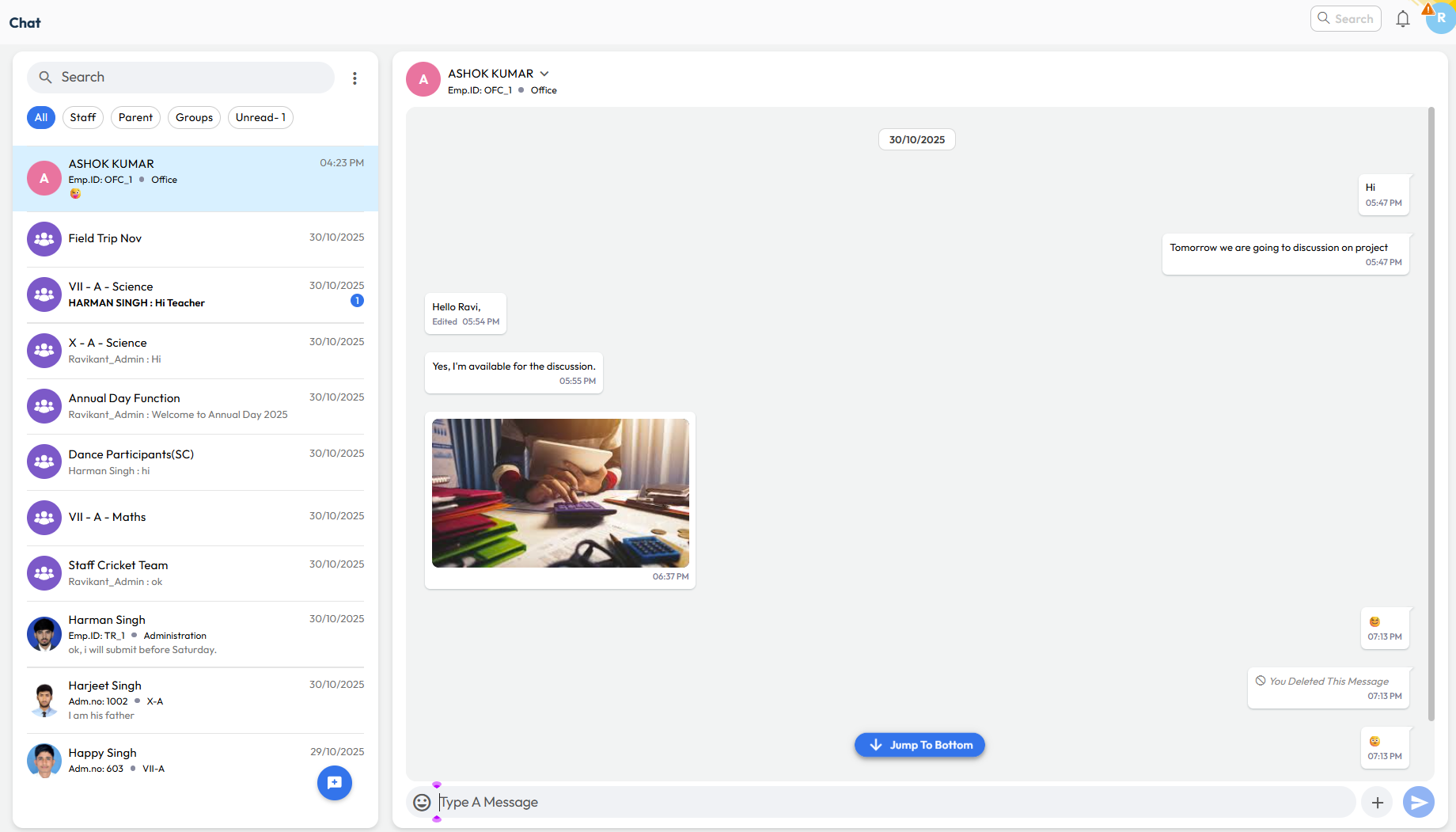
What’s New : The all-new NextOS Chat is smarter, faster, and designed exclusively for schools — enabling secure and seamless communication among all stakeholders.
Direct 1-to-1 Chats: Instantly start conversations between:
- Staff - Staff
- Parent - Staff
Regular Groups : Create custom groups for specific purposes with choice of participants like :
- Event based - Annual Day, Field Trips etc.
- Staff only groups
- Announcements for parents(View only)
Smart Groups : System manages the participants automatically based on school records
- Class Teacher - Parents
- Subject Teacher - Parents
Central Control : Exhaustive settings to control chat for staff/parents
Benefit : A new-age communication platform built for schools — fostering collaboration and engagement between teachers, parents, and administrators without sharing personal contact details.
Path : Communication > Chat > New Chat > New Group > Smart Group
How is NextOS Chat better for School-Parent Communication?
NextOS Chat is purpose-built for schools, designed to support the day-to-day communication needs of teachers, parents, and administrators.
If you’ve been using WhatsApp for school communication, here’s how NextOS Chat can offer much smarter, safer, and more organized alternative for all your parent and staff interactions.
| Feature | NextOS Chat | |
|---|---|---|
| Access | Anyone with a number | Role-based and secure |
| Privacy | Contact Info is public Conversations are private |
Contact Info is private Conversation can be monitored |
| Group Management | Manual, Tedious | Automatic, Smart Groups |
| User Context | ❌ - Guess the parent | ✅ Clear Info about student/parent |
| Central Control | ❌ - No way to manage | ✅ Easily manage all conversations |
| Monitoring | ❌ - Get added to all groups | ✅ Monitor without getting added |
| Built for | Personal use | School & School only |
September 2025
Release Notes September 2025
We’re pleased to share the NextOS September release updates.
We’re continuously working to make NextOS better—so you can accomplish tasks more easily, make smarter decisions, and breeze through your daily work.
These release notes will keep you informed, help you explore new features, and ensure you’re getting the most out of what’s new.
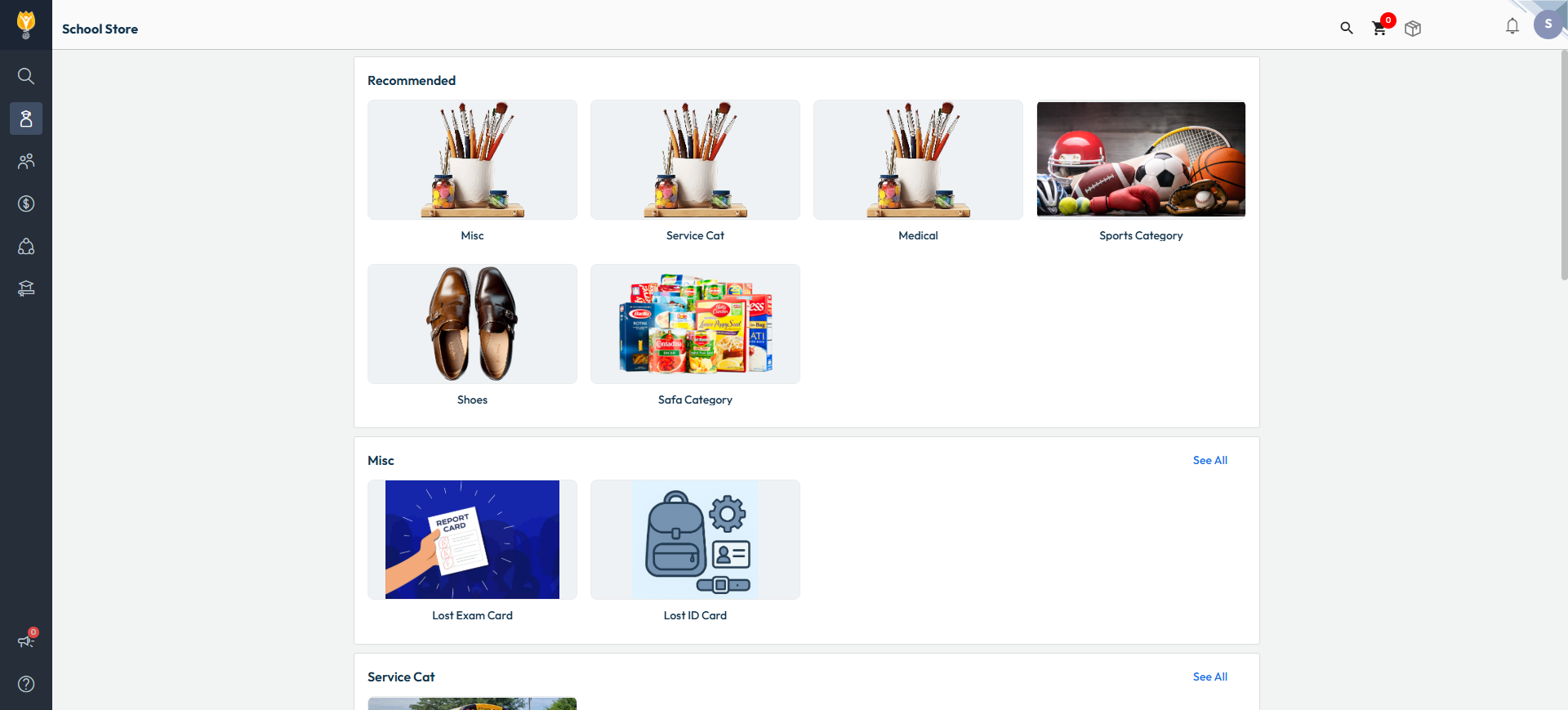
Optional Event Participation Fee Collection
What’s New : Schools can now collect participation fees for optional events and welfare activities such as field trips, science park visits, picnics, Olympiad exams, and more — directly through the Inventory module. This can also be enabled in the online inventory, and receipts can be generated for both online & walk-in payments. Schools can easily track participation and payment details using the Item Sales Report.
Benefit : Makes fee collection for optional activities convenient, secure, and transparent for both schools and parents.
Path : Settings > Administration > Inventory > Item Configuration > Add Item > Services
Sibling Concession – Enhancement
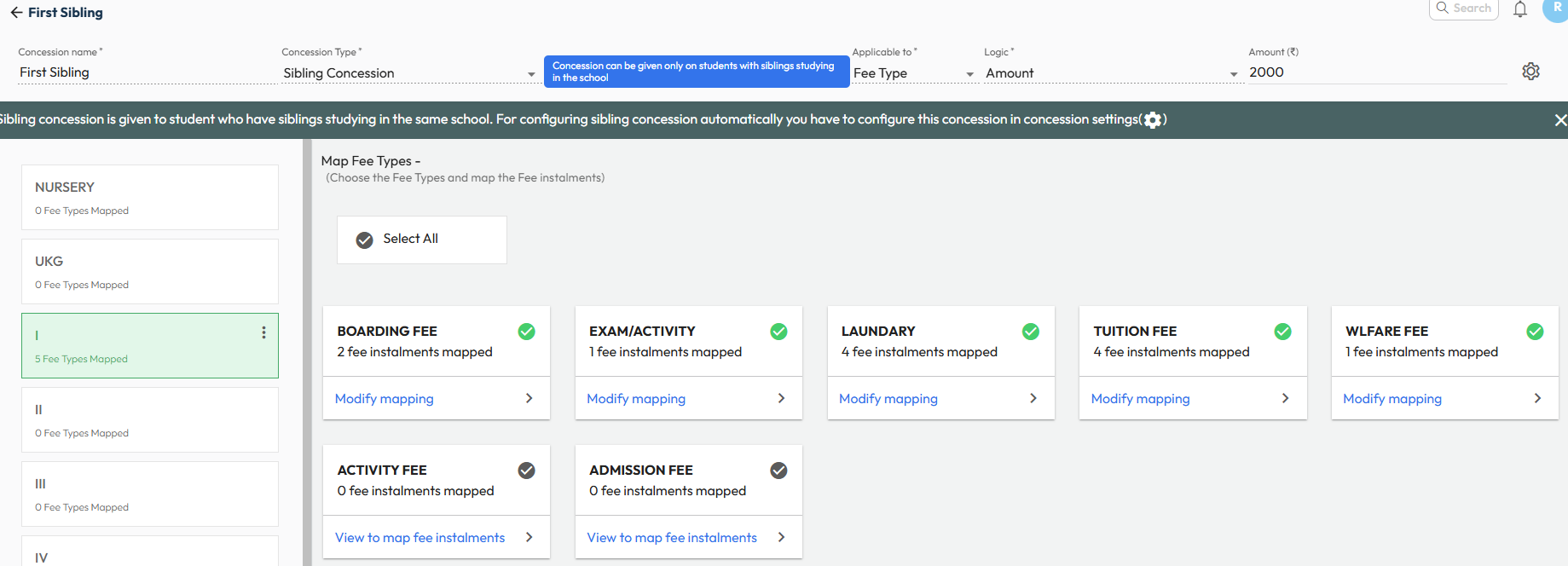
What’s New : Sibling discounts will now auto-recalculate when any sibling leaves the school. Earlier, the discount remained unchanged even if a sibling left mid-year. Now, the system will automatically adjust the concession based on the leaving date.
Examples:
- If A & B are siblings and B leaves on 17 Sep, A’s concession will apply only till 17 Sep for the consumed installment.
- If A, B & C are siblings and B leaves, C will automatically get the 2nd sibling concession for upcoming installments.
Note: Concessions already consumed will not be reversed. Only future installments after the sibling’s leaving date will be re-calculated.
Benefit : Ensures sibling concessions remain accurate, fair, and automatic, reducing manual intervention and preventing fee mismatches.
Path : This works automatically if sibling concessions are set. You can manage it from:
Settings > Finance > Fee > Fee Type > Fee Concession > Concession Master & Concession Settings
Online TC Download URL
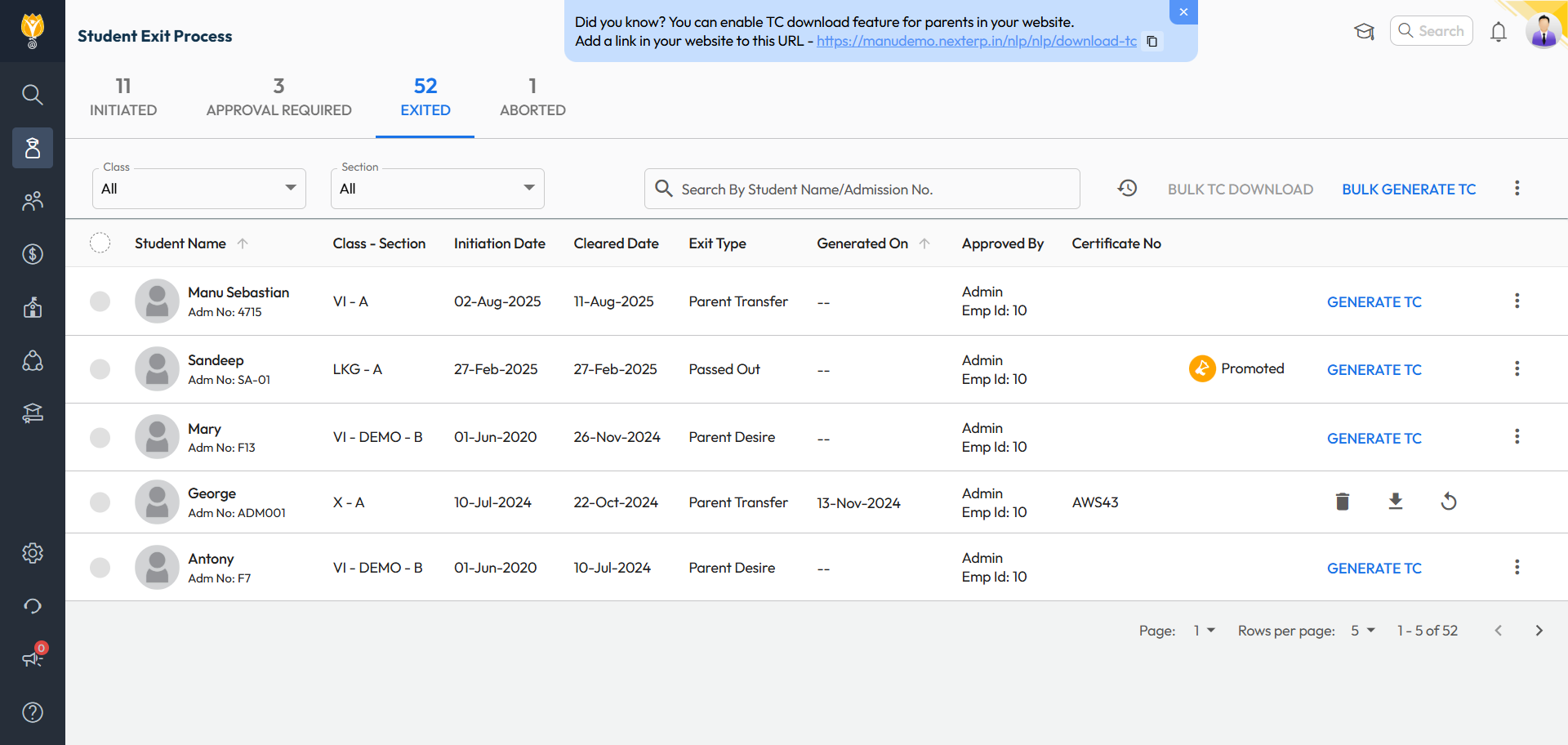
What’s New : A direct download URL for Transfer Certificates (TC) is now available under the Exited tab. Schools can easily copy and publish this link on their website as a TC verification link for reference by other institutions. This helps the school to be compliant with mandatory CBSE guidelines requiring schools to maintain a digital copy of issued TCs on their websites.
Benefit : Allows other schools to quickly and securely verify a student’s digital TC, ensuring authenticity and speeding up the admission process for students moving to higher classes.
Path : Student > Student Exit Process > Exited Tab > Banner on Top with Link (Copy, Paste, or Share)
Online Admission URL & Campaigns Process
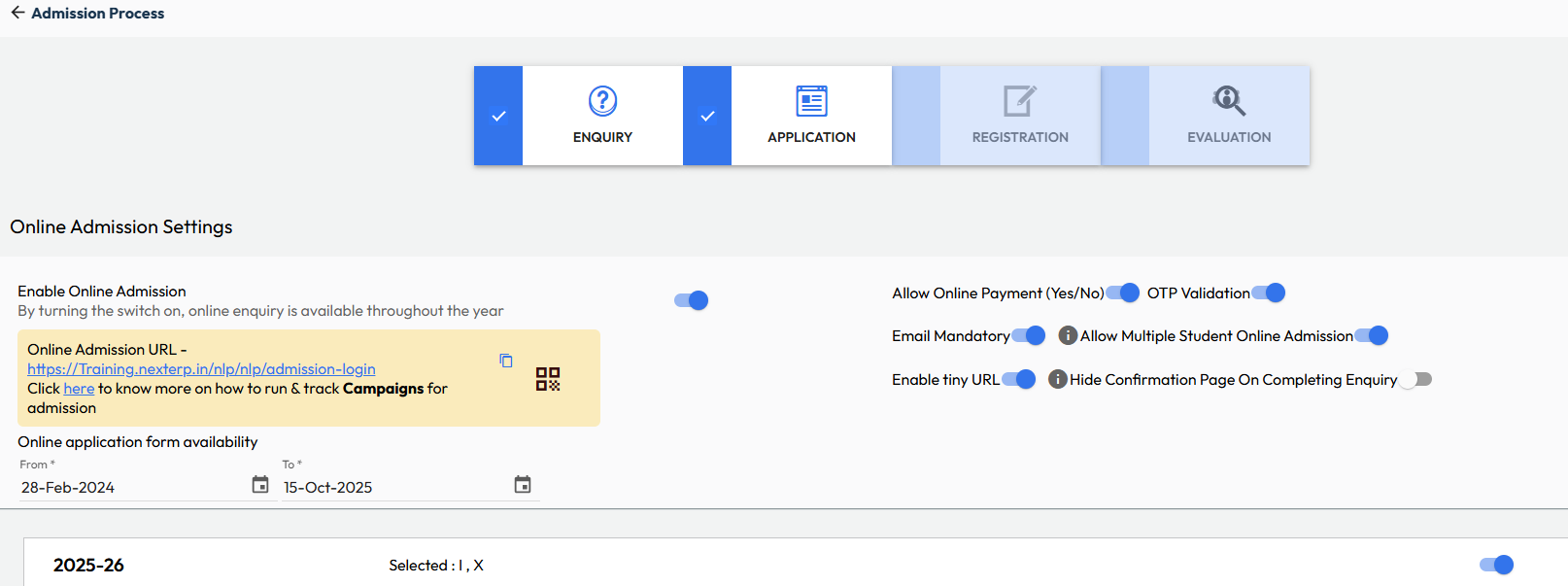
What’s New : Schools can now easily copy the full Online Admission URL or generate a QR code with just one click. A link to help article is also provided to guide schools on how to create and run social media campaigns using NextOS and free-to-use tools.
Benefit : Makes it easier for schools to access and share their admission link, run online campaigns, and track leads and conversions effectively.
Path : Settings > Student > Admission > Admission Process > Enable Online Admission
Fee Due Widget for Parent App
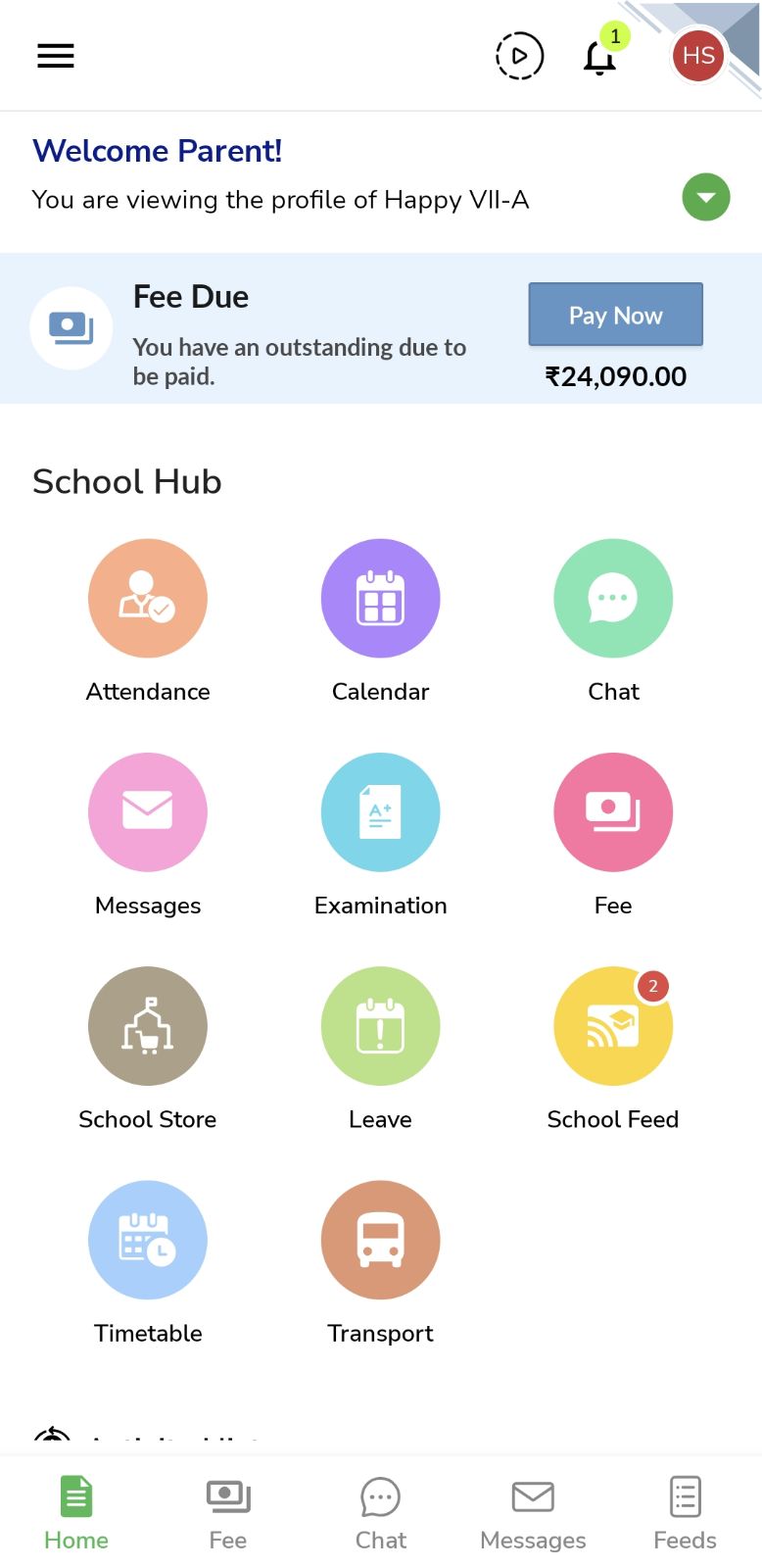
What’s New : The Fee Due widget is now added in the Mobile App for parents. It acts as a simple reminder on the homepage and in a single-click they can directly get into payment flow.
If a payment gateway is not configured, the widget will now show a ‘View Details’ button instead of ‘Pay Now’. If a payment gateway is configured but temporarily disabled, parents will see a message prompting them to contact the administrator or try again later.
Benefit : Keeps parents notified of pending dues and offers a quick access to view or pay fees. Schools now have greater control to manage widget visibility as needed. This improvement also reduces parent confusion by clearly indicating whether online payment is available or not.
Path : To View - NextOS Mobile App > Parent Login > Top Banner
To Enable - Settings > Finance > Fee > Fee Collection > Global

August 2025
Release Notes – August 2025
We're pleased to share the NextOS August release updates.
We're continuously working to make NextOS better—so you can accomplish tasks more easily, make smarter decisions, and breeze through your daily work.
These release notes will keep you informed, help you explore new features, and ensure you’re getting the most out of what's new.
Effortless RFID Management
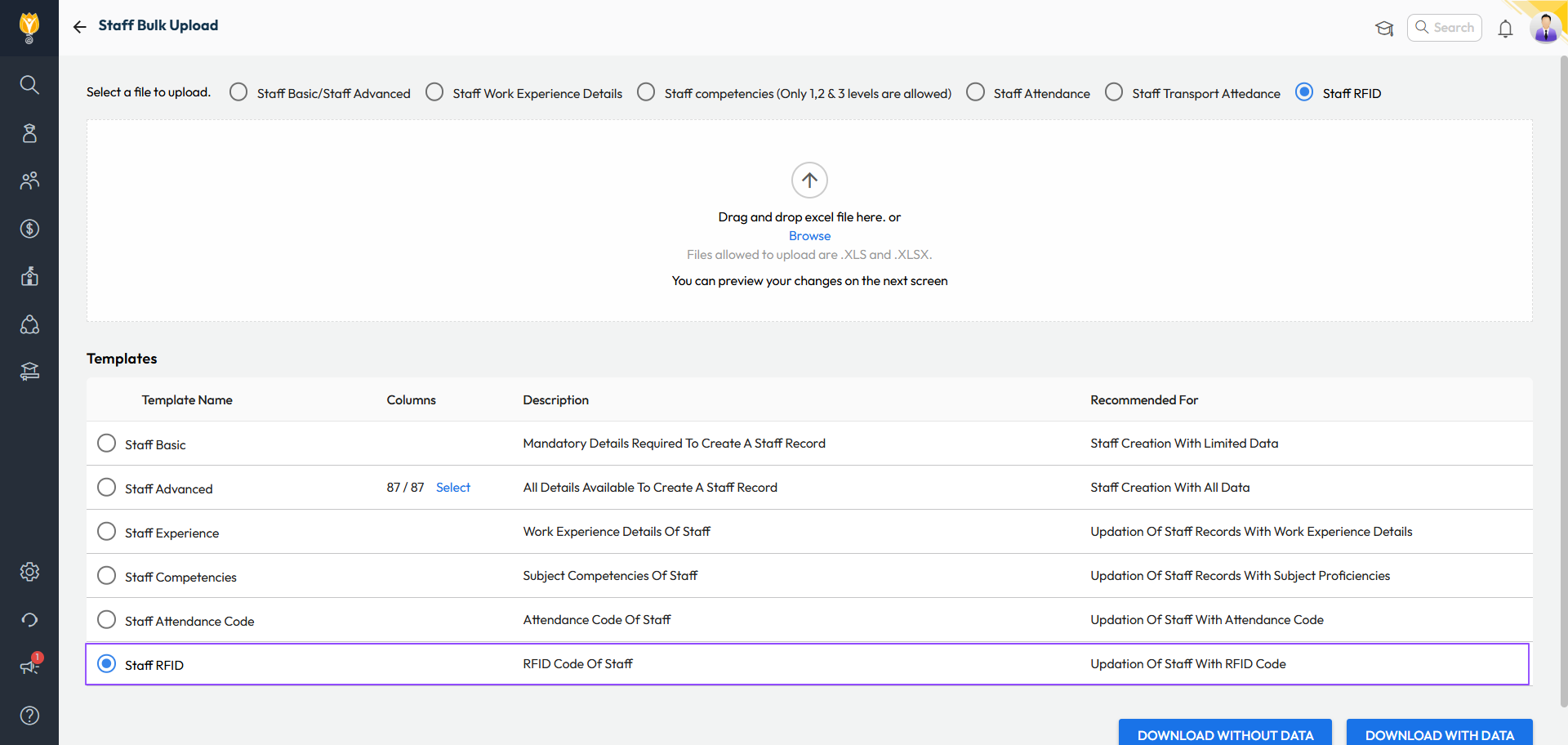
What’s New : RFID numbers for students and staff can now be managed more easily:
- View or update RFID directly from Student 360 or Staff 360 pages.
- Bulk update RFID numbers using a new Excel template.
- Add or correct RFID numbers
Changes will auto-sync once the device is online.
Benefit : No longer need to visit the device physically to map the ID cards. Saves time and effort for administrators.
Path :
Student 360: Student > Student List > Search Student > Academic Details > RFID Number
Staff 360: Staff > Staff List > Search Staff > Employment > RFID Number
Bulk: Settings > Administration > School Setup > Bulk Student/Staff Upload > Select Template as Student/Staff RFID
Limit Backdated Fee Collection Entries
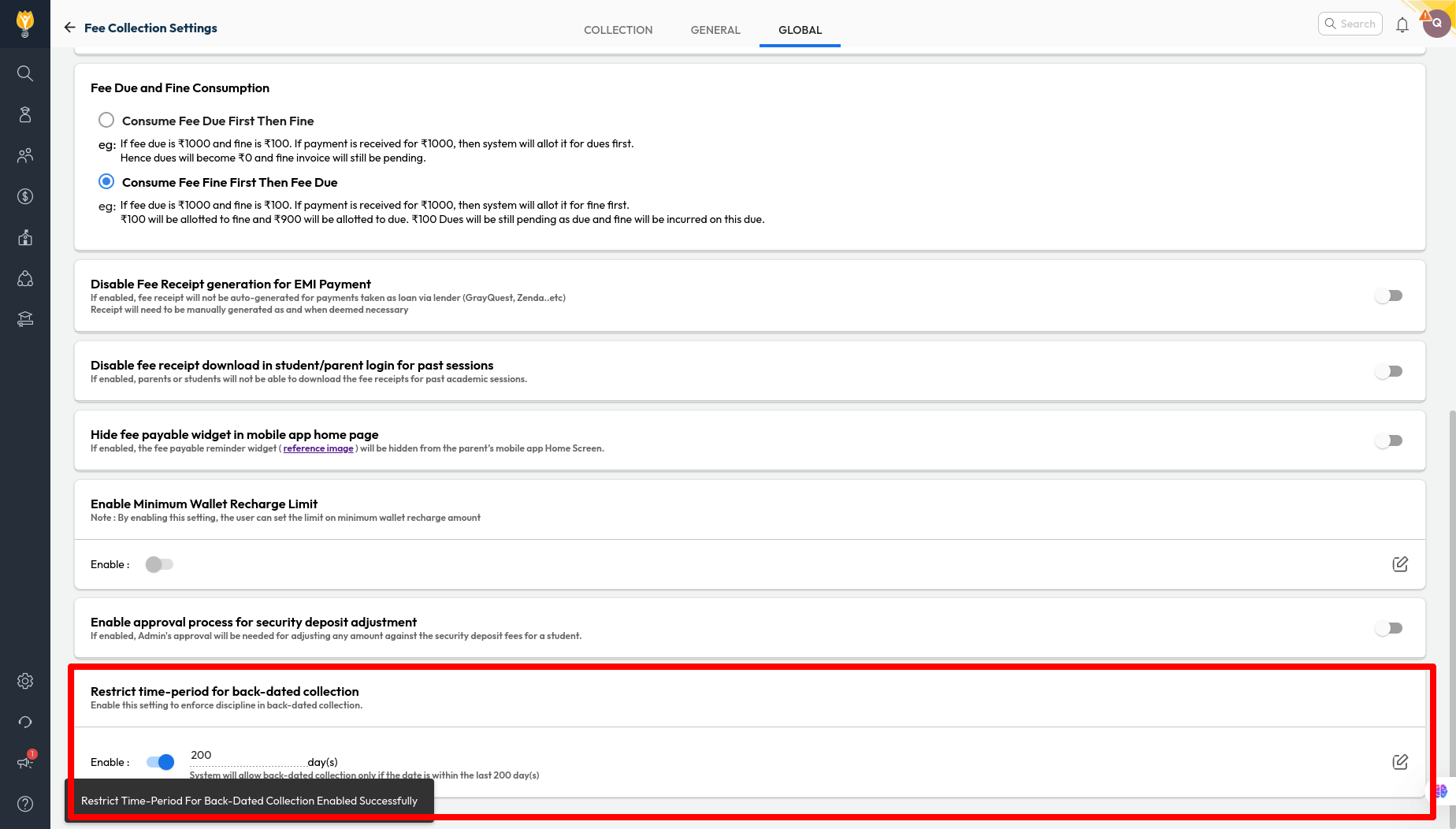
Improvement : A new setting allows schools to restrict how many days backdated fee collections can be recorded (e.g., 15 days). Collection entries cannot be recorded in the system if they are older than the set limit.
Impact : This can help accountants bring self-discipline in fee collection, ensuring accurate and up-to-date financial records.
Locate : Settings > Finance > Fee > Fee Collection > Global > Restrict time-period for back-dated collection
Fuel Efficiency Report
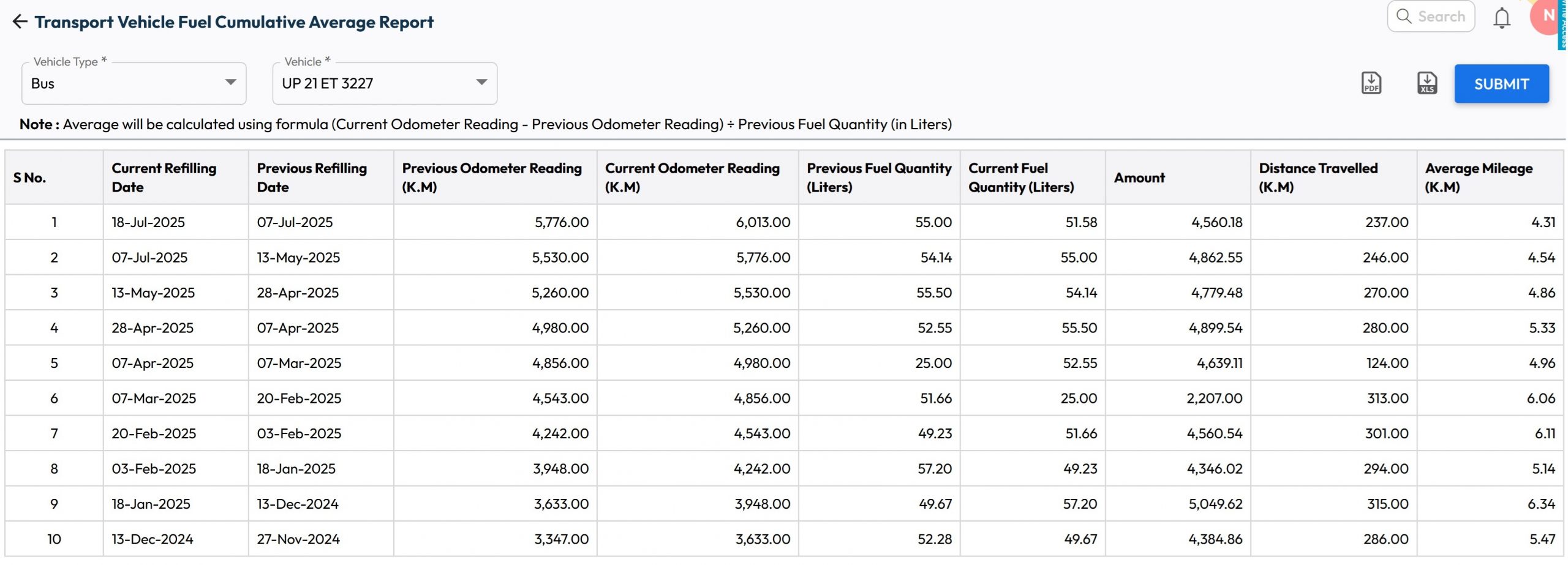
What’s New : New report has been added to display vehicle's fuel log along with its historic mileage for each refill along with cumulative average mileage.
Benefit : School can use this to track the fuel efficiency for each vehicle.
Path : Student > Student Transport > Transport Reports > Transport Vehicle Fuel Cumulative Average Report
Parent Account Creation – Conflicts Sorted
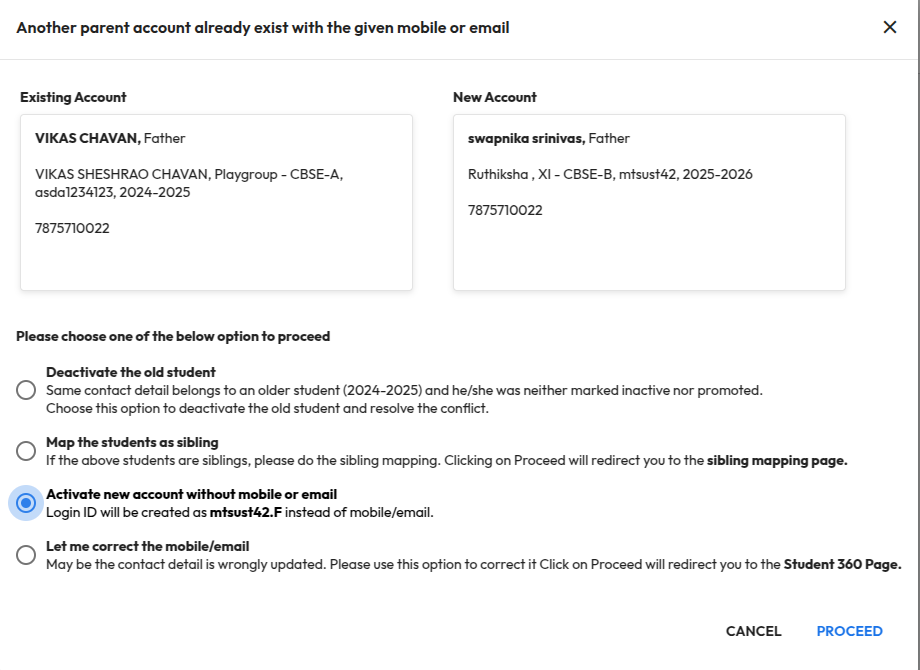
Improvement : Earlier, creating a parent account with duplicate contact details showed the error “Account already exists with this contact”. Now, the system guides you with clear options to resolve such conflicts:
- Deactivate the old student : This will deactivate the old student record and the respective accounts. The new account will be activated automatically.
- Map the student as sibling : This option will redirect to the sibling mapping page to merge students with the same contact information.
- Activate new account without mobile or email : This option will create accounts based on the admission number without using mobile/email. For example, AdmissionNo.F can be used for Father and AdmissionNo.M for Mother.
- Let me correct the mobile/email : This option redirects to the Student 360 page, where you can update the contact details if they were entered incorrectly.
Impact : Makes it easier for an administrator to handle parent account conflicts, fix contact issues quickly, ensuring accurate records and a smoother onboarding experience.
Locate : School Setup > User Account Management > Parent
July 2025
Release Notes – July 2025
We’re pleased to share the NextOS July release updates.
We’re continuously working to make NextOS better—so you can accomplish tasks more easily, make smarter decisions, and breeze through your daily work.
These release notes will keep you informed, help you explore new features, and ensure you’re getting the most out of what’s new.
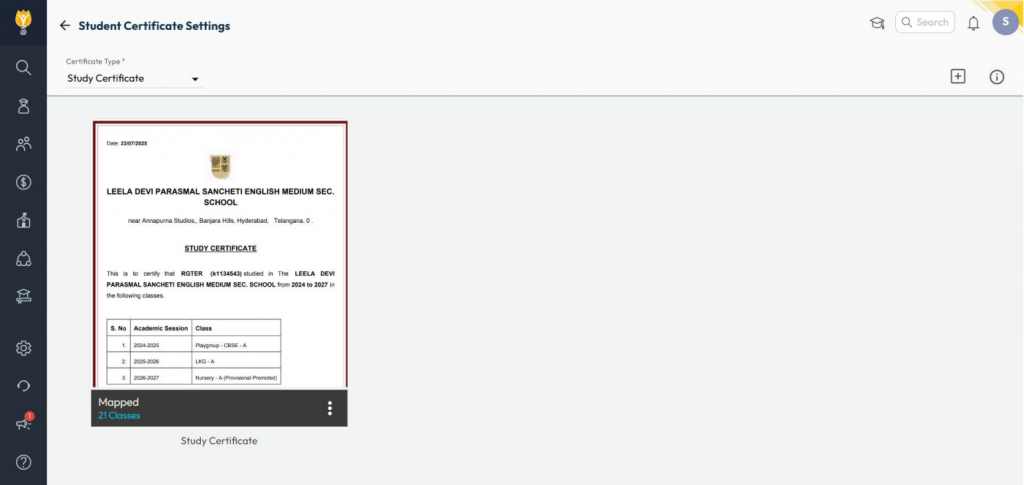
Study Certificate for Student
What’s New : A new letter type - Study Certificate has been added. It shows details of all classes in which a student has studied at the school.
Benefit : Useful for competitive exam preparations like NEET, JEE, or any other situation requiring a complete academic history from the school.
Path : Student > Letter Generation Settings > Select Study Certificate > Add a Template
Transport Biometric Passenger Sync
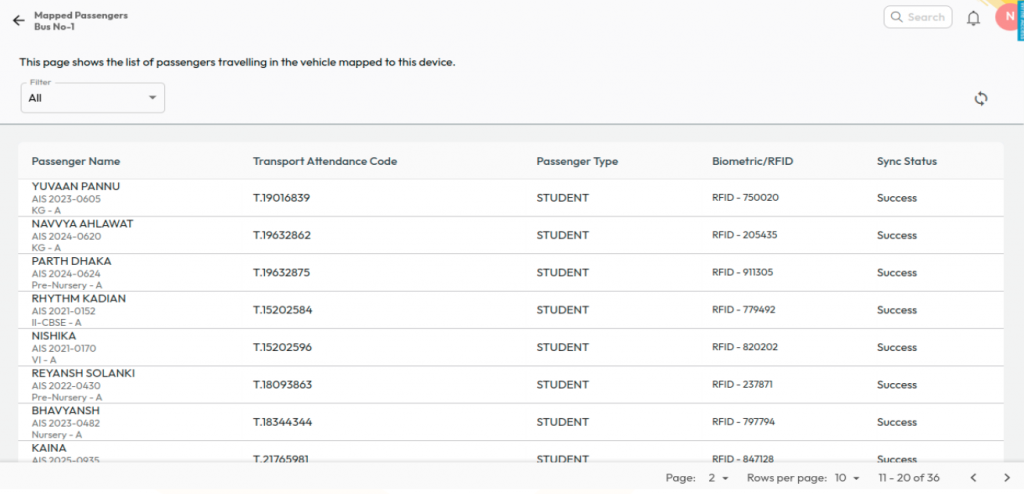
What’s New : Transport Incharges and Admins can now view the sync status of passengers with biometric devices in vehicles and instantly sync any unsynced passengers. A Global Sync option is also available to sync all users at once.
Benefit : Ensures accurate transport assignments with biometric devices and automatically removes users from devices when a student is unassigned from transport services.
Path : Student > Student Transport > Transport Biometric Device
School Feed Enhancement for Mobile
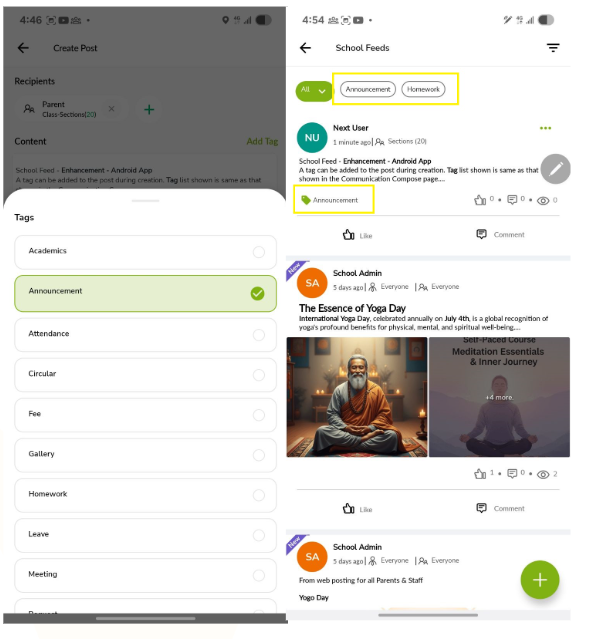
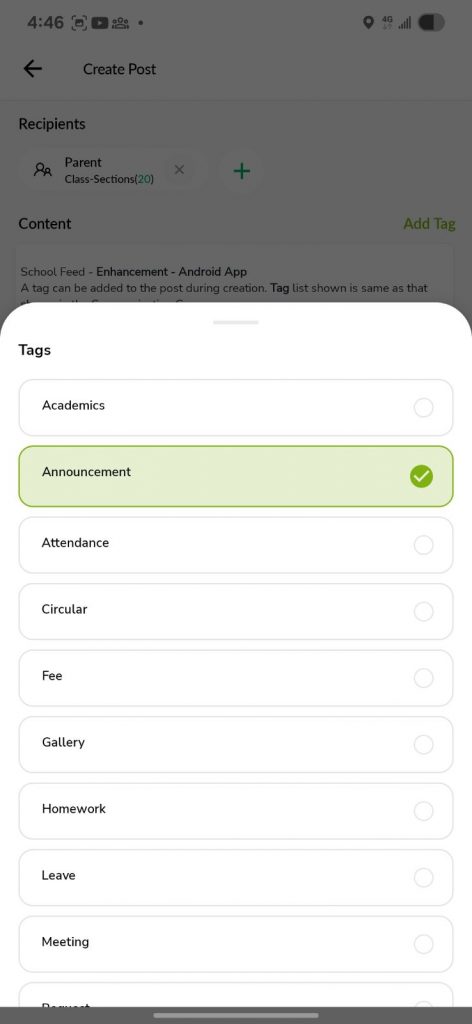
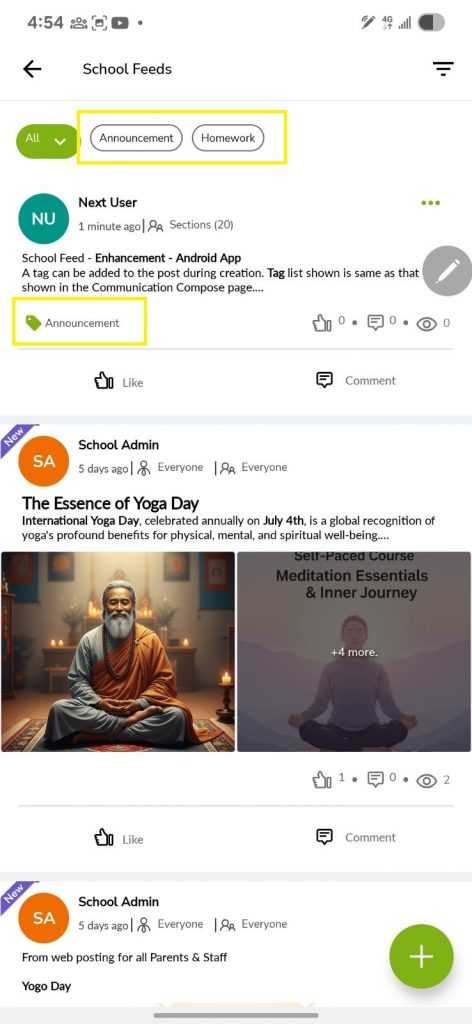
What’s New : You can now add tags to every post you publish in the School Feed.
Benefit : Tags make it easy for users to filter and track posts — common examples include Announcement, Homework, and Fee.
Path : NextOS Mobile App > Staff Login > School Hub > School Feed
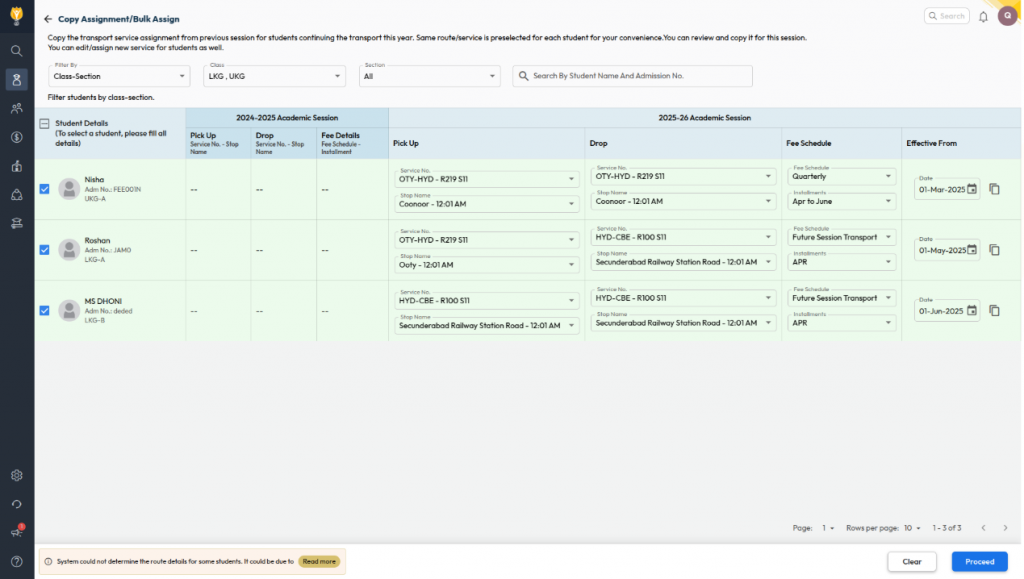
Assign Transport Service – Copier/Bulk Assign
What’s New :Transport service assignments can now be copied from the previous academic year and managed in bulk for the new assignment.
Filters are available to view student lists in two modes:
Class–Section:
- Displays all unassigned students based on class–section.
- For students who opted for transport last year, route information is auto-populated.
- For new students, users can manually select route details.
Route & Class Wise:
- Fetches students based on last year’s transport details.
- Route info is auto-filled if the service/route/stop names remain the same.
- Users can select an effective date per student or copy the same date across all rows.
Benefit : Simplifies transport allocation on a single screen by reducing manual work, ensuring
accurate assignments, and saving time for Admins and Transport Incharges.
Path : Student > Student Transport > Assign Transport Service > Copy Assignment/Bulk Assign
April - June 2025
Release Notes – April to June 2025
We're pleased to share the latest release updates for Next OS, covering new features and enhancements introduced during the months of April, May, and June.
Our focus and hard work go into building features that help you work more efficiently, make better decisions, and simplify your day-to-day tasks. Every update reflects our commitment to delivering meaningful improvements that truly support your success. This release notes is part of our continued effort to keep you informed, help in feature discovery, and ensure you're equipped to make the most of what's new.
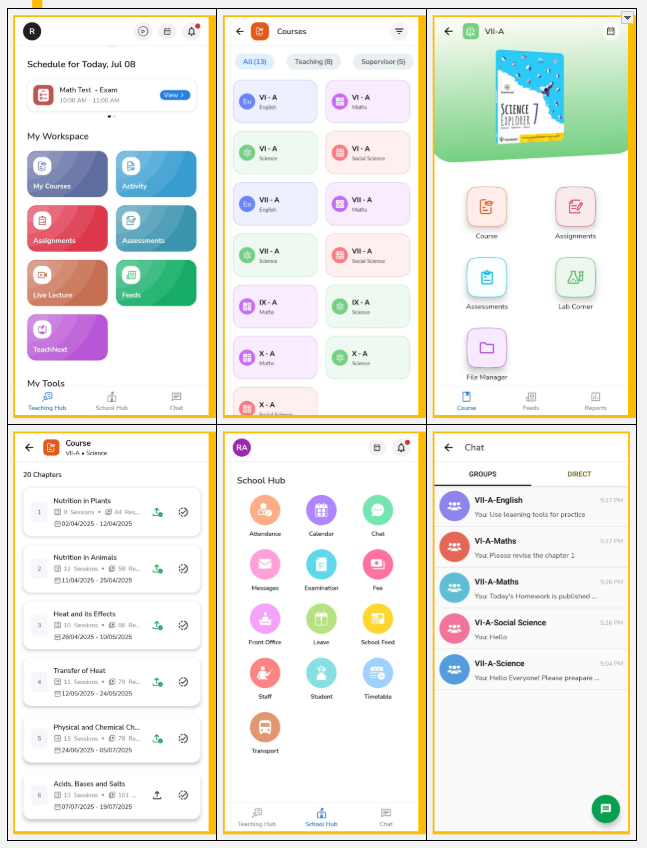
Mobile app – LMS UI Revamp – Staff Login
We’ve introduced a fresh, engaging interface and a native My Courses build for faster loading and smoother navigation in the staff account.
What’s new:
-
- Teaching hub
Your new homepage is now the Teaching Hub - a central space for all teaching essentials like daily schedules, My Courses, Activities, Assignments, Assessments, Live Lectures, Feeds, TeachNext, and more.
- Teaching hub
- New UI for My Courses
We’ve redesigned My Courses on the NextOS mobile app to help teachers work faster and smarter. Key highlights :
- Faster Access with native mobile build
- Teaching & Supervising courses sho wn as per role
- Easy access to Course Plan, Assignments, Assessments, Lab Corner, and File Manager
- Feeds & Reports now at the bottom for quick access
- New tab view with Chapters, Sessions & Resources
- Publish and mark chapters complete from the same screen
- School hub
The former school corner is now the School Hub - Navigate here to quickly access attendance, calendar, chat, messages, school feed, timetable and more - all in one place. - Chat
Chat is now easily accessible - start group or direct conversations with parents without sharing your phone number.
Why it Matters::
The new experience is designed to be more intuitive, faster, and staff-friendly, enabling teachers to navigate seamlessly and focus more on teaching with ease.
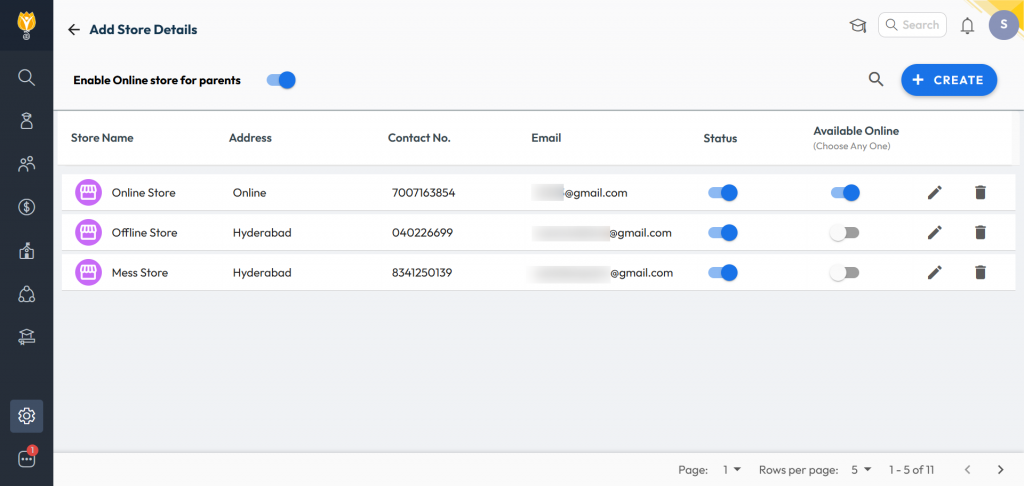
Online Inventory Store for Parents
What’s New : Schools can now make their inventory store available online for parents to purchase listed items with an online payment option. Purchased items can be collected by parents or handed over to students at school.
Benefit : Helps schools boost inventory sales by offering trusted, school-approved items directly to parents in a convenient and efficient manner.
Path: Administration > Inventory > Transactions > Sale > Online
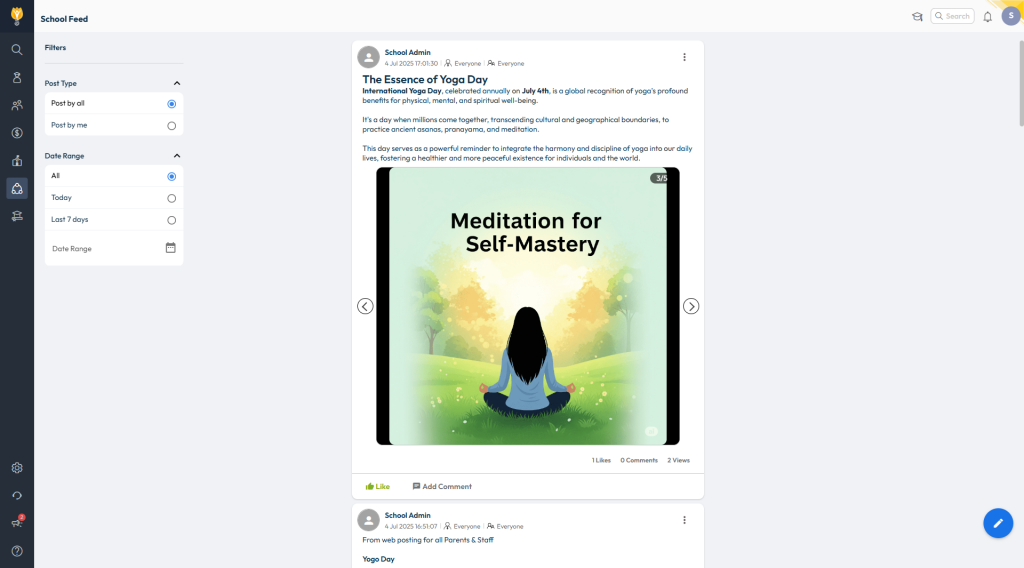
School Feed Enhancements
What’s New: The following updates have been made to improve usability and communication:
- School Feed is now available on the web version.
- Staff can post videos and updates with selected colleagues (within their department or class group).
- Posts can be tagged with categories like Academics, Homework, Circulars, and more.
- Admins can broadcast to all or manage staff posting access via Web Settings.
Benefit: These enhancements make the School Feed more user-friendly and versatile, allowing for targeted sharing, better tracking, and a more engaging communication experience.
Path: Web - Staff Login > Communication > School Feed
App - Staff Login > School Hub > School Feed
Mobile app – LMS UI Revamp – Student Login
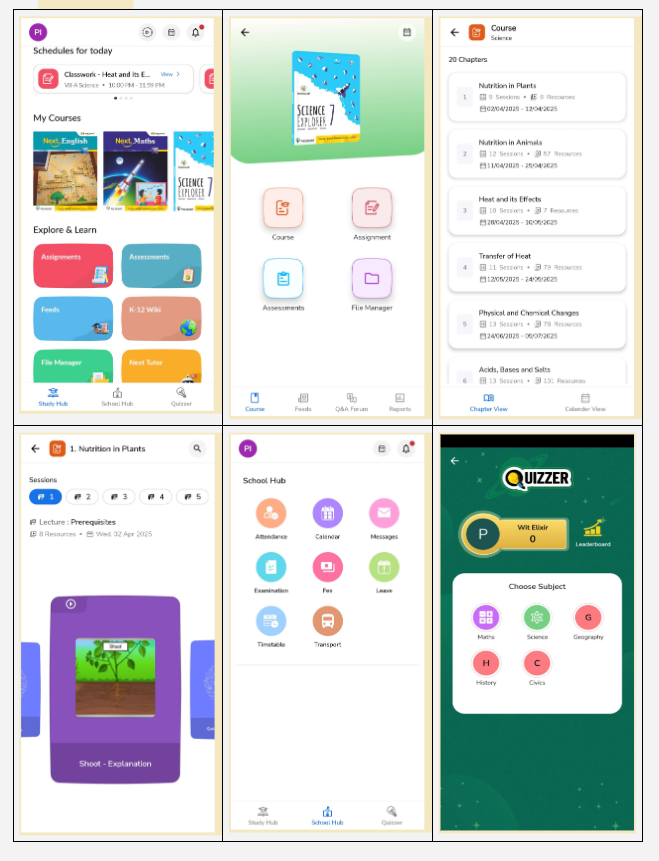
We’ve rolled out a fresh, engaging experience for students with a new design and smoother navigation.
What’s new :
-
- Study hub
Your homepage is now the Study Hub - a central space for all your learning needs, including daily schedules, courses, assignments, assessments, feeds, eBooks, and more.
- Study hub
- New UI for My Courses
We’ve redesigned My Courses to make learning more engaging and easier to navigate. Key highlights:
-
- Visual subject thumbnails for quick identification
- Easy access to course plan, assignments, assessments, and file manager
- New view of course tab with chapters, sessions & resources aligned to subject
- Calendar view is now available for students to view planned sessions.
- Feeds, Q&A forum, and reports are now conveniently placed in the bottom panel for smoother navigation
- School hub
The former school corner is now the School Hub - Navigate here to quickly access your attendance, calendar, messages, exam records, fees, and more - all in one place. - Quizzer
Love a challenge? Join Quizzer to compete with classmates or students around the world. Earn unique badges and show off your skills!
Why it Matters :
We’ve made these changes to create a more colourful, intuitive, and student-friendly environment, helping every champ learn, grow, and enjoy their digital learning journey more than ever!
CBSE Board – Exam Result Analysis
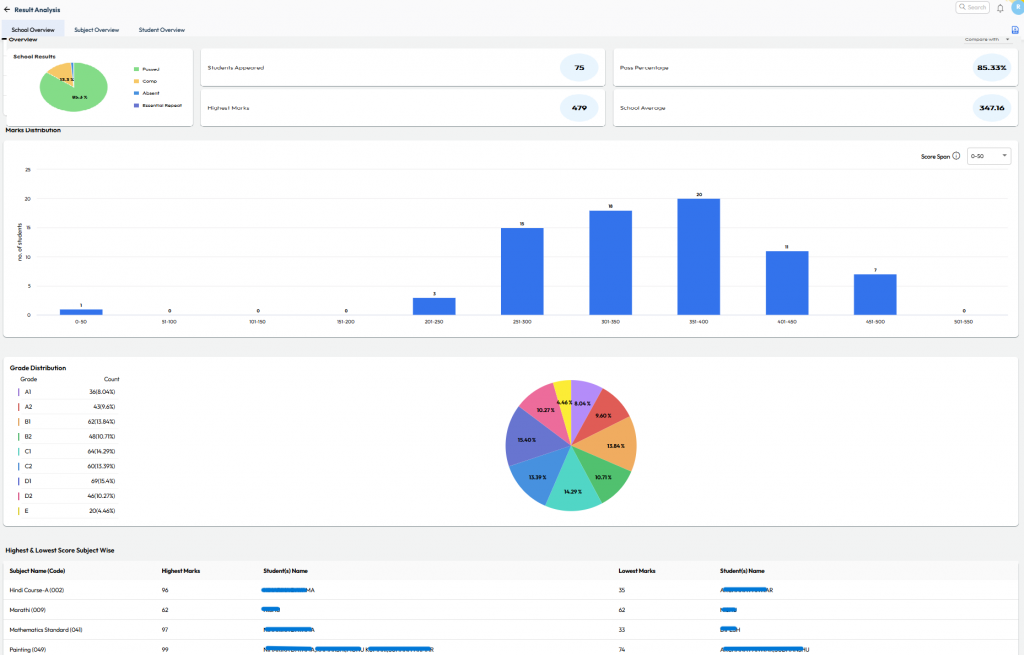
What’s New : Provision to upload the CBSE Board Exam result text file for Current or Previous AY onto NextOS to generate detailed insights of school performance.
Benefit : View detailed insights like subject-wise toppers, grades, marks, ranks, and class comparisons - all with graphs and color-coded visuals on a single screen.
Path : Student > Examination > Board Exam - Result Analysis
QR Code for Walk-in Payments
What’s New: Collect fees faster with QR Code support during walk-in payments.
Benefit: Parents can scan and pay instantly at the counter, ensuring quick and secure settlements to school accounts.
Path : Finance > Fee > Collect Fee > Search Student > Proceed for Payment > Choose QR Code > Go to “Generate QR Code