Release Notes November 2025

Dear Educators,


We’re pleased to share the NextOS November release updates.

We’re continuously working to make NextOS better—so you can accomplish tasks more easily, make smarter decisions, and breeze through your daily work.

These release notes will keep you informed, help you explore new features, and ensure you’re getting the most out of what’s new.

19+ Features are added

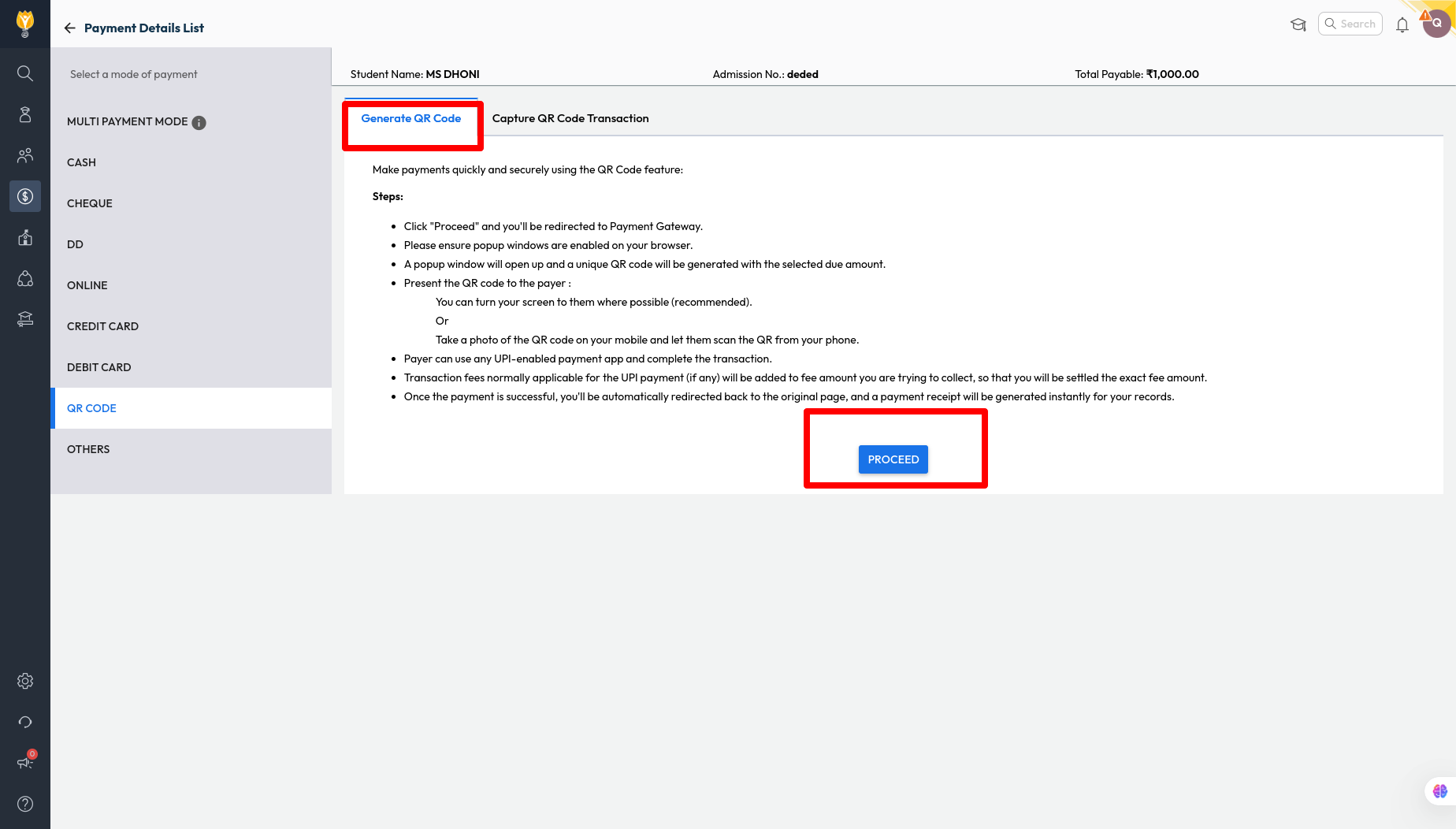
QR Code Payment for Student Wallet

Improvement : Schools can now generate a QR code for student wallet recharge, making it easy to collect payments from parents whenever needed.
Note: This feature works only if the school has an active payment gateway integration.

Impact : Provides a quick and convenient way for parents to recharge their child’s wallet during school visits, helping schools to streamline the payment process

Locate : Finance > Collect Fee > Search Student > Student Wallet > Enter Money > Click Recharge > QR Code > Generate QR Code

Modify Primary Contact Settings in Enquiry

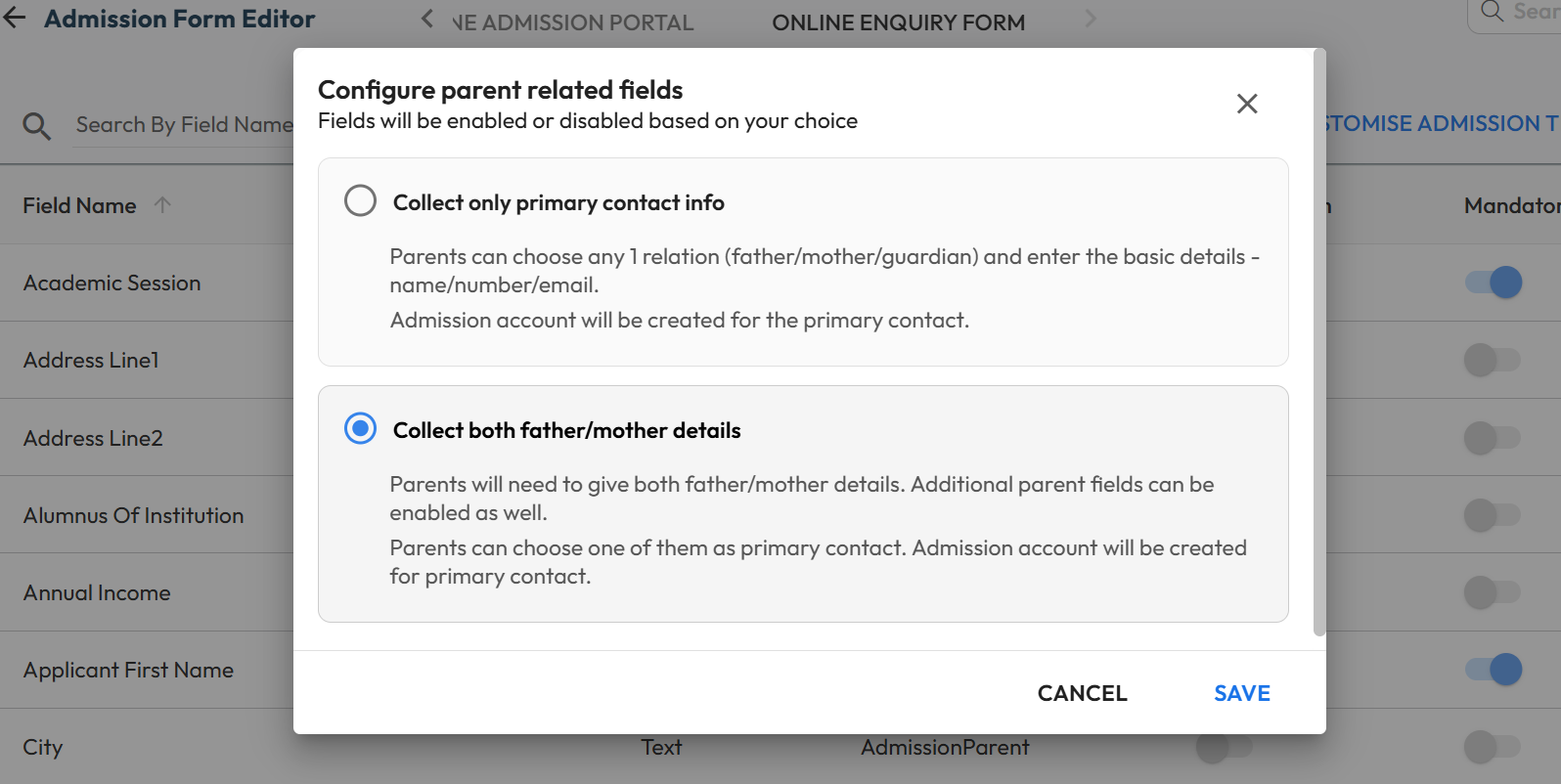
What’s New : Schools can now control whether the online enquiry form should collect only primary contact information or capture both the parents’ details. Additional all other standard parent fields are also available to include if required.

Benefit : Gives schools flexibility to decide how much parent information to collect, while making the enquiry process more convenient for parents.

Path : Settings > Student > Admission > Admission Form Editor > Online Enquiry Form > Parent Details > Edit (Pen icon) > Choose “Collect only primary contact info” or “Collect both father/mother details” Note: These changes will be only applicable to online enquiry form.

Class-Wise Custom Fields Creation

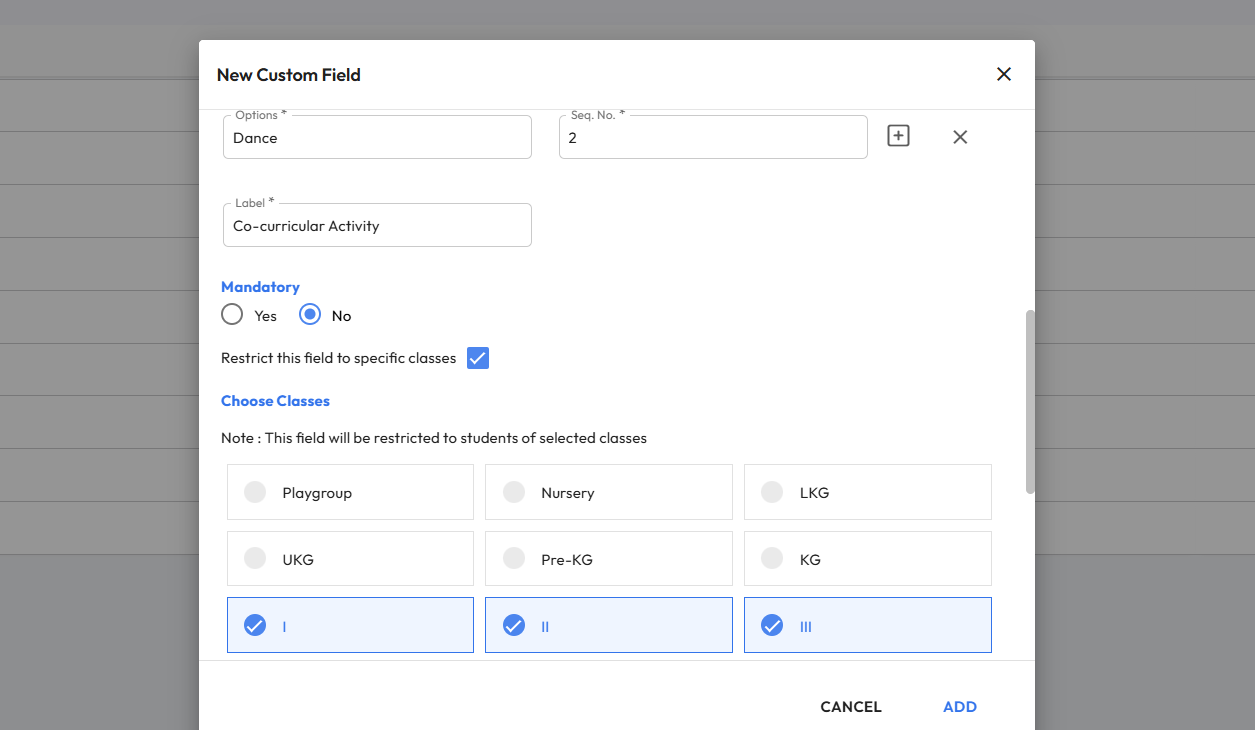
What’s New : Schools can now create class-specific Custom Fields for Students and Parents across enquiry forms, application forms, and Student 360 pages. These fields will appear only for the selected classes. This is useful for collecting class

Benefit : Gives schools better control by allowing custom fields to be shown only for relevant classes, ensuring cleaner data collection.

Path : Settings > Administration > School Setup > Custom Fields > Add New Field (Admission) > Choose Student/Parent/AdmissionStudent/AdmissionParent > Enable “Restrict this field to specific classes” > Select Classes Note: These fields must be mapped using Admission form editor to display.

Ability to Enable Online Application Selectively

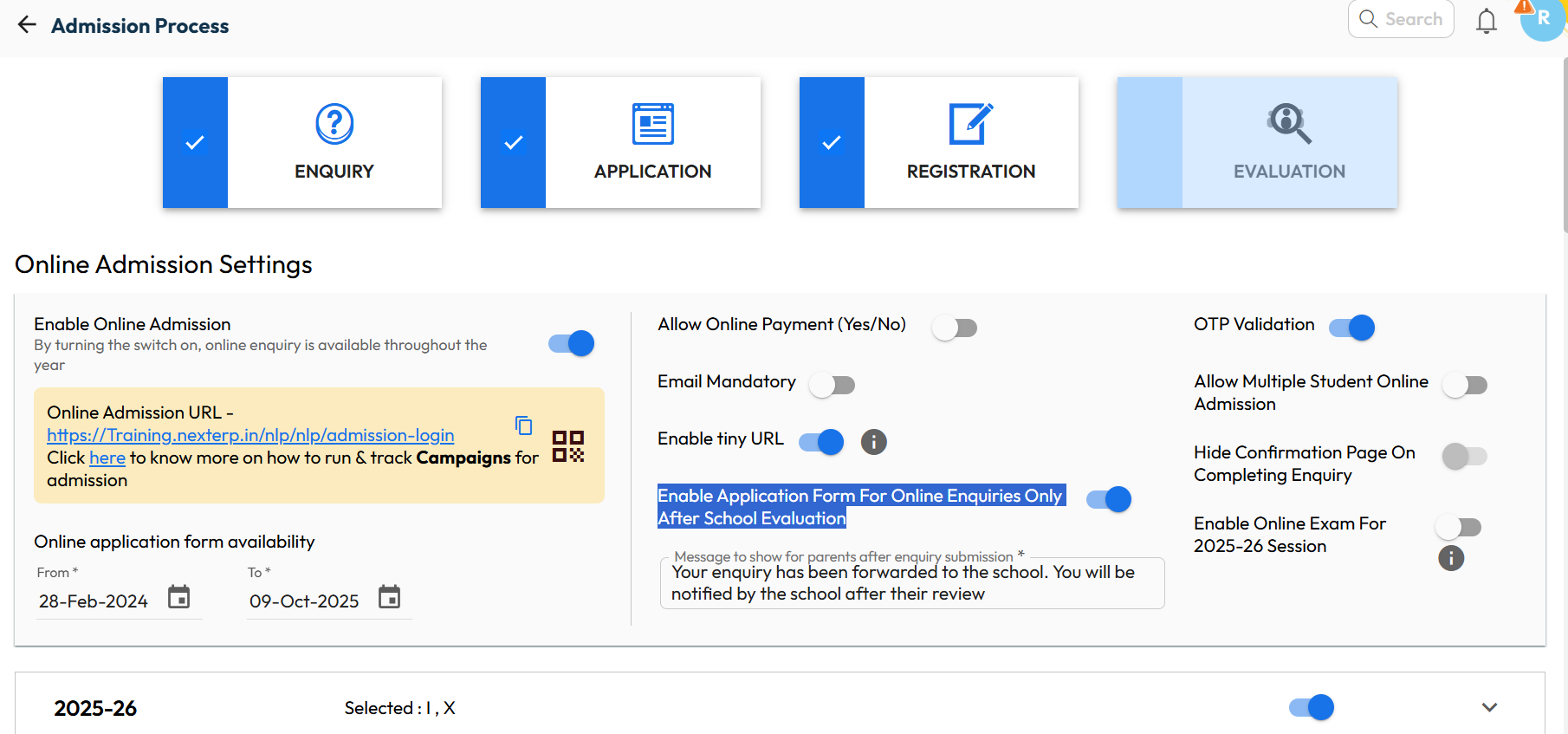
What’s New : Schools now have the flexibility to open the Online Application Form only after validating each enquiry. Earlier, all new enquiries could access the form based on application date settings. Now, schools can review enquiries first and enable the form only for the eligible parents.

Benefit : Ensures that only genuine and qualified enquiries move to the application stage, giving schools better control and a more streamlined admission workflow.

Path : Settings > Admission > Admission Process > Edit > “Enable Application Form For Online Enquiries Only After School Evaluation”

Anomaly Transaction Alert

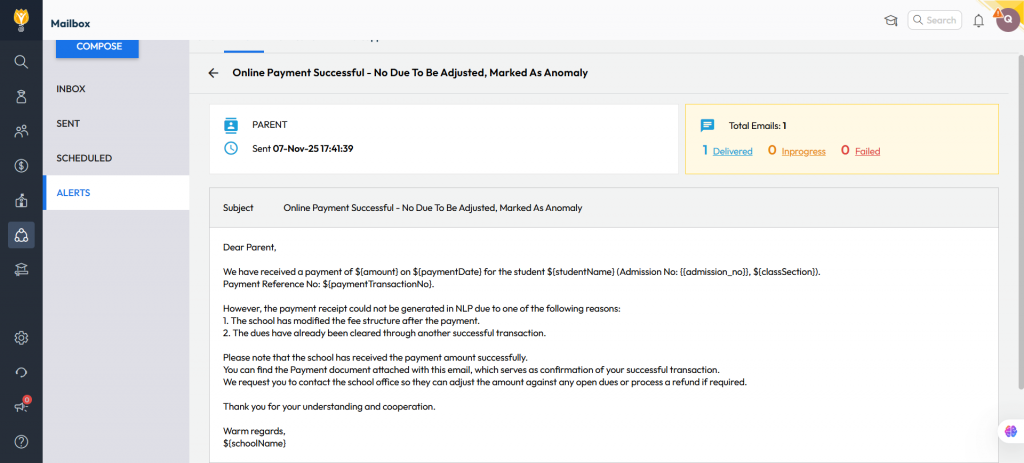
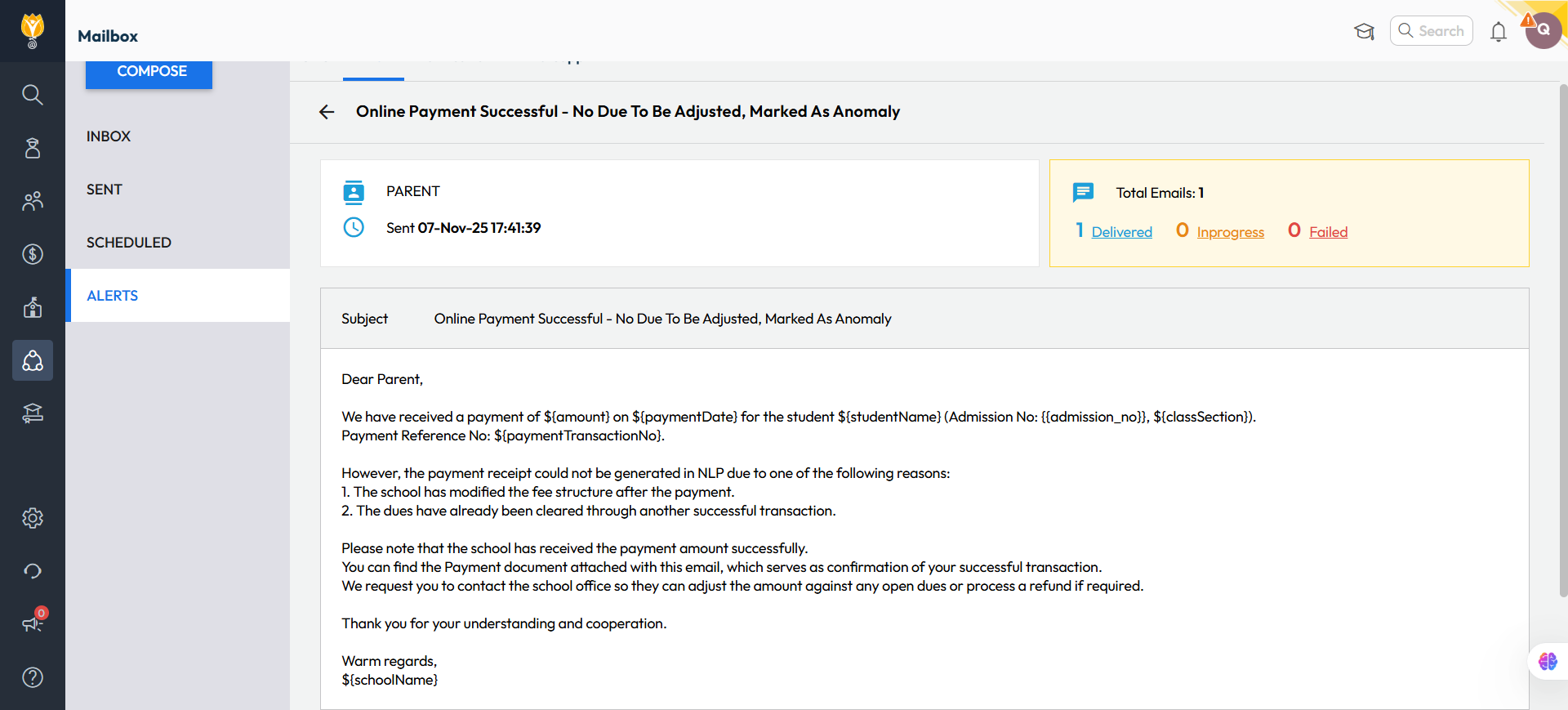
What’s New : If an online payment transaction gets tagged as anomaly, an alert will be sent to both the parent and the admin via email and notification. The communication will include a payment acknowledgement attachment instead of the regular fee receipt.

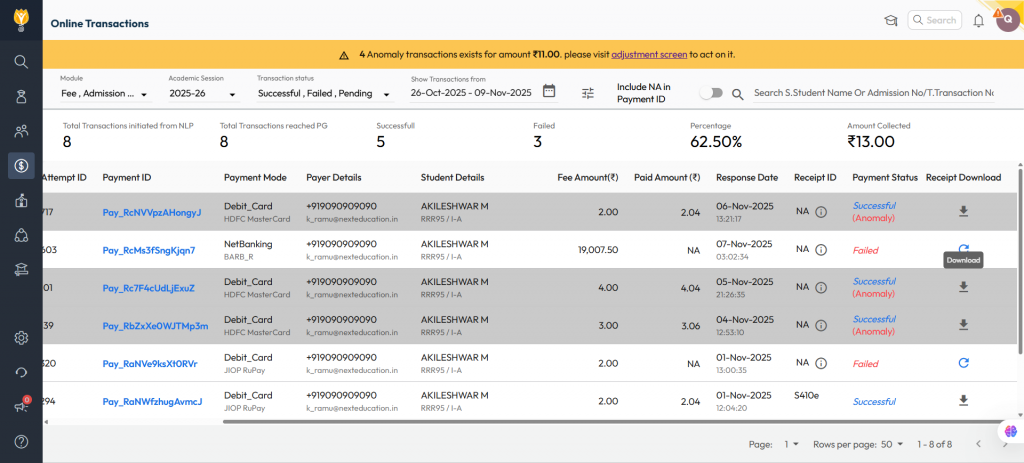
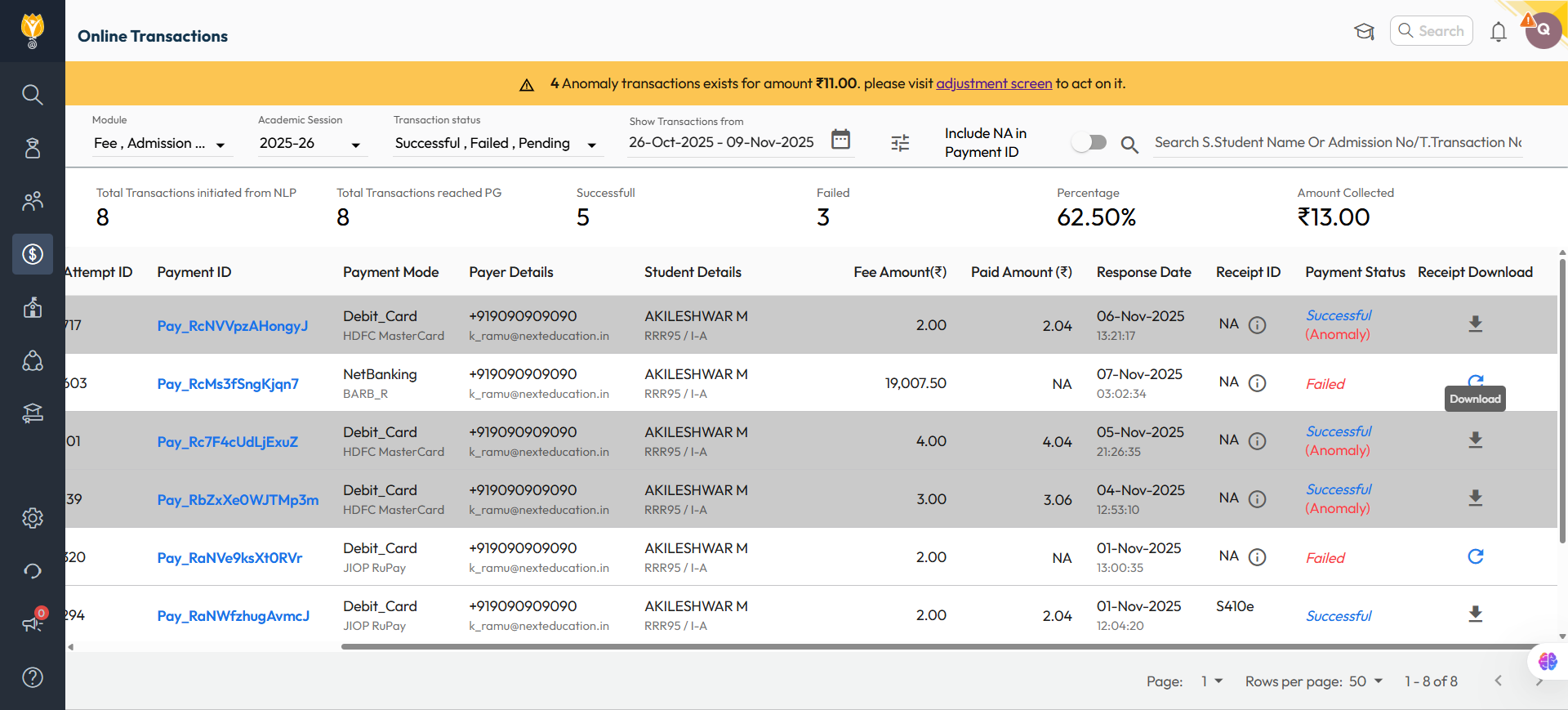
A banner will also appear at the top of the Online Transaction page, highlighting any outstanding anomaly transactions and providing a direct link for the admin to adjust them.

Benefit : This feature helps school admin/accountant proactively identify, verify, and resolve parents’ payment-related concerns before they raises. It also provides a convenient link to adjustment screen to allocate against pending dues or initiate a refund.

Path :To Track Anomalies:- Finance > Payment Gateway > Online Transactions > Apply Filters Enable/Disable Alert:- Settings > Collaboration > Communication > Alerts > Pg Anomaly Alert