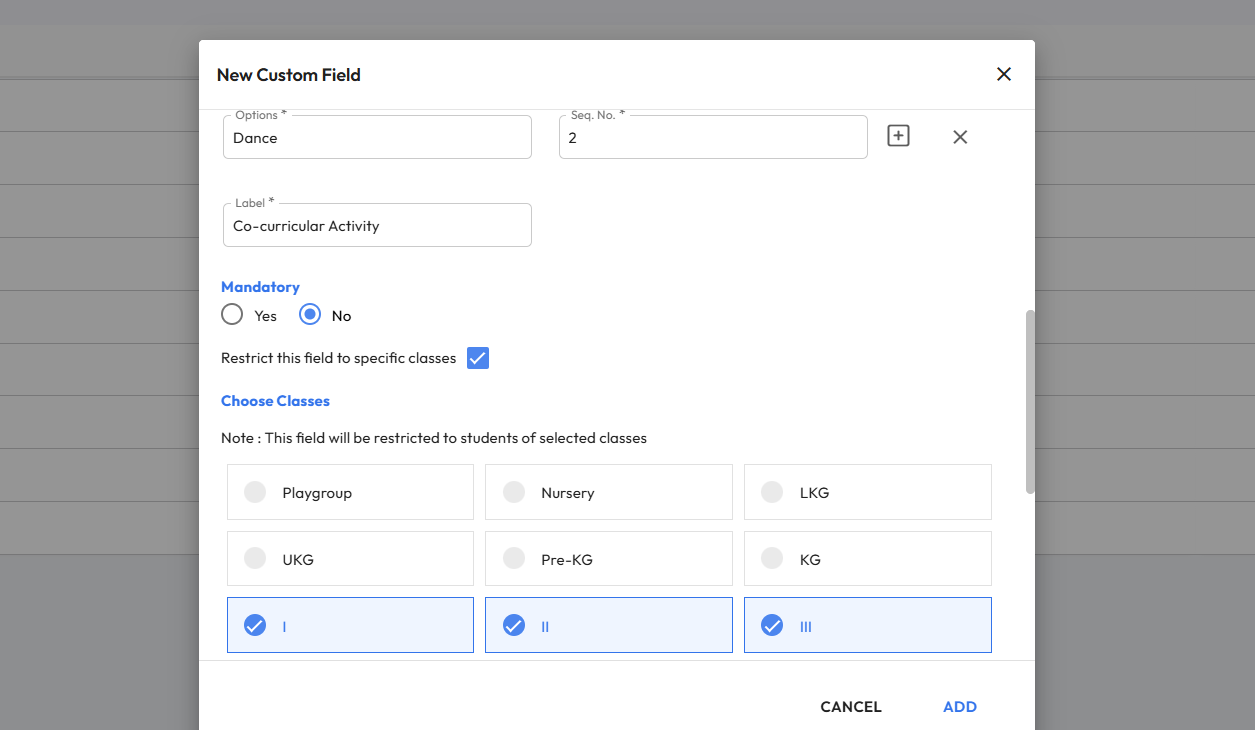
What’s New : Schools can now create class-specific Custom Fields for Students and Parents across enquiry forms, application forms, and Student 360 pages. These fields will appear only for the selected classes. This is useful for collecting class
Benefit : Gives schools better control by allowing custom fields to be shown only for relevant classes, ensuring cleaner data collection.
Path : Settings > Administration > School Setup > Custom Fields > Add New Field (Admission) > Choose Student/Parent/AdmissionStudent/AdmissionParent > Enable “Restrict this field to specific classes” > Select Classes Note: These fields must be mapped using Admission form editor to display.