Release Notes – July 2025

We’re pleased to share the NextOS July release updates.

We’re continuously working to make NextOS better—so you can accomplish tasks more easily, make smarter decisions, and breeze through your daily work.

These release notes will keep you informed, help you explore new features, and ensure you’re  getting the most out of what’s new.

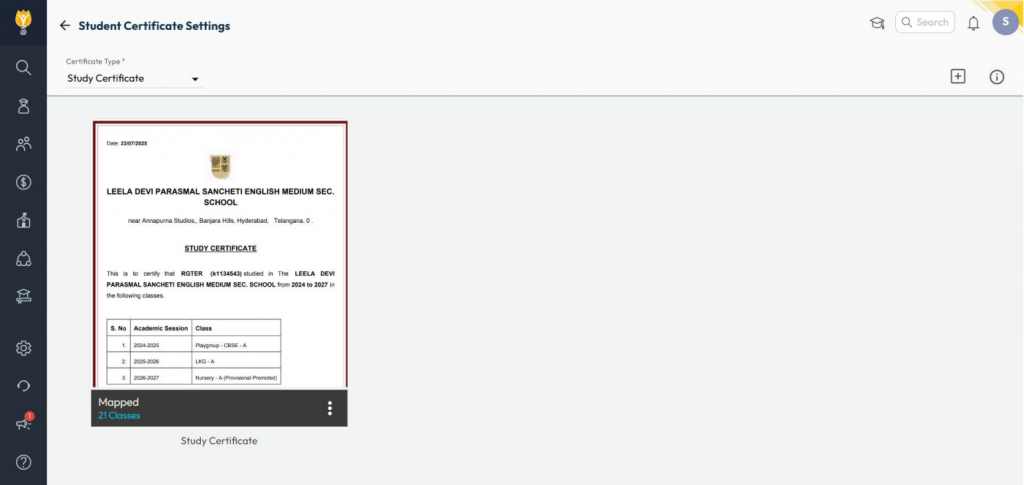
Study Certificate for Student

What’s New : A new letter type – Study Certificate has been added. It shows details of all classes in which a student has studied at the school.

Benefit : Useful for competitive exam preparations like NEET, JEE, or any other situation requiring a complete academic history from the school.

Path : Student > Letter Generation Settings > Select Study Certificate > Add a Template

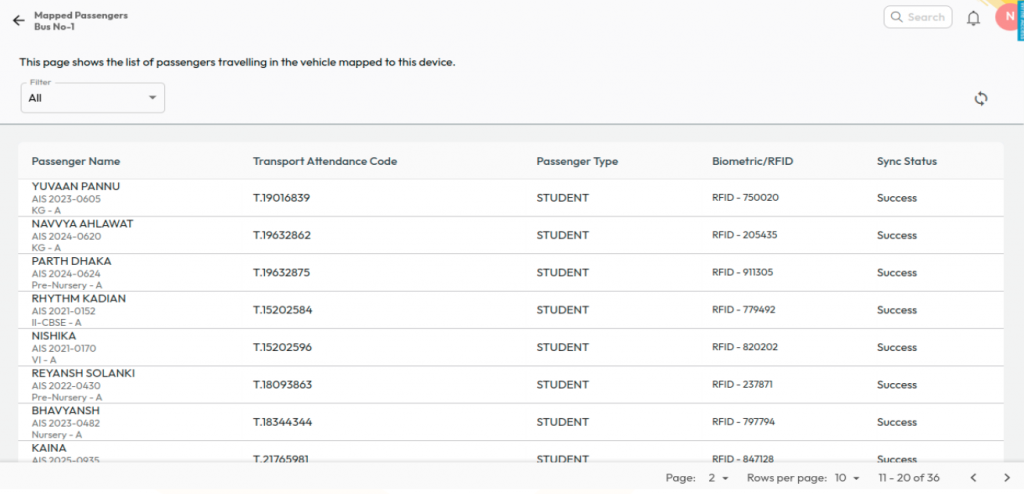
Transport Biometric Passenger Sync

What’s New :
Transport Incharges and Admins can now view the sync status of passengers with biometric devices in vehicles and instantly sync any unsynced passengers. A Global Sync option is also available to sync all users at once.

Benefit : Ensures accurate transport assignments with biometric devices and automatically removes users from devices when a student is unassigned from transport services.

Path : Student > Student Transport > Transport Biometric Device

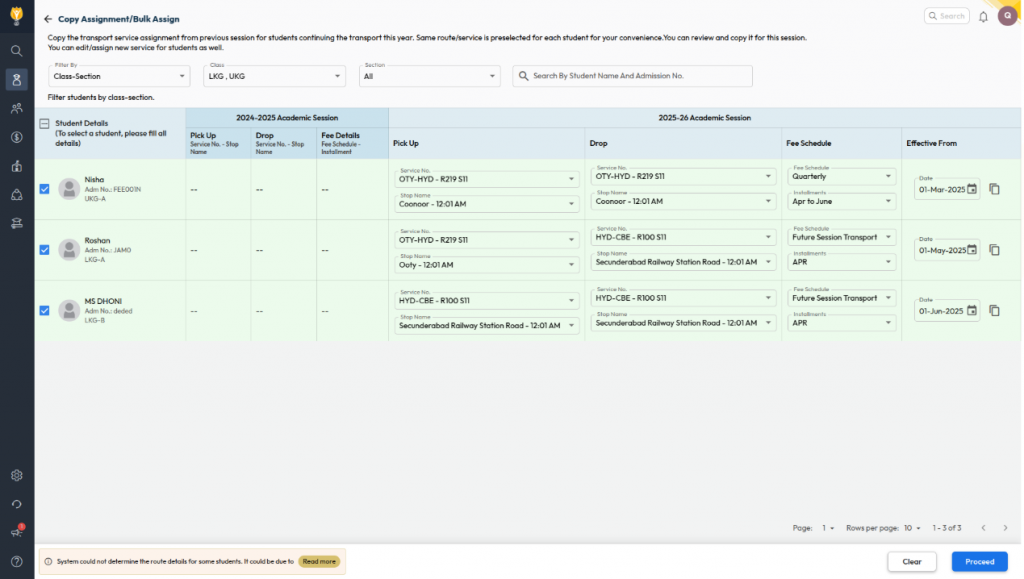
Assign Transport Service – Copier/Bulk Assign

What’s New :Transport service assignments can now be copied from the previous academic year and managed in bulk for the new assignment.

Filters are available to view student lists in two modes:
Class–Section:

  • Displays all unassigned students based on class–section.
  • For students who opted for transport last year, route information is auto-populated.
  • For new students, users can manually select route details.

Route & Class Wise:

  • Fetches students based on last year’s transport details.
  • Route info is auto-filled if the service/route/stop names remain the same.
  • Users can select an effective date per student or copy the same date across all rows.

Benefit : Simplifies transport allocation on a single screen by reducing manual work, ensuring 

accurate assignments, and saving time for Admins and Transport Incharges.

Path : Student > Student Transport > Assign Transport Service > Copy Assignment/Bulk Assign