Release Notes February 2026

Dear Educators,


We’re pleased to share the NextOS February release updates.

We’re continuously working to make NextOS better—so you can accomplish tasks more easily, make smarter decisions, and breeze through your daily work.

These release notes will keep you informed, help you explore new features, and ensure you’re getting the most out of what’s new.

15+ Features are added

Fee Installment Due Date Update

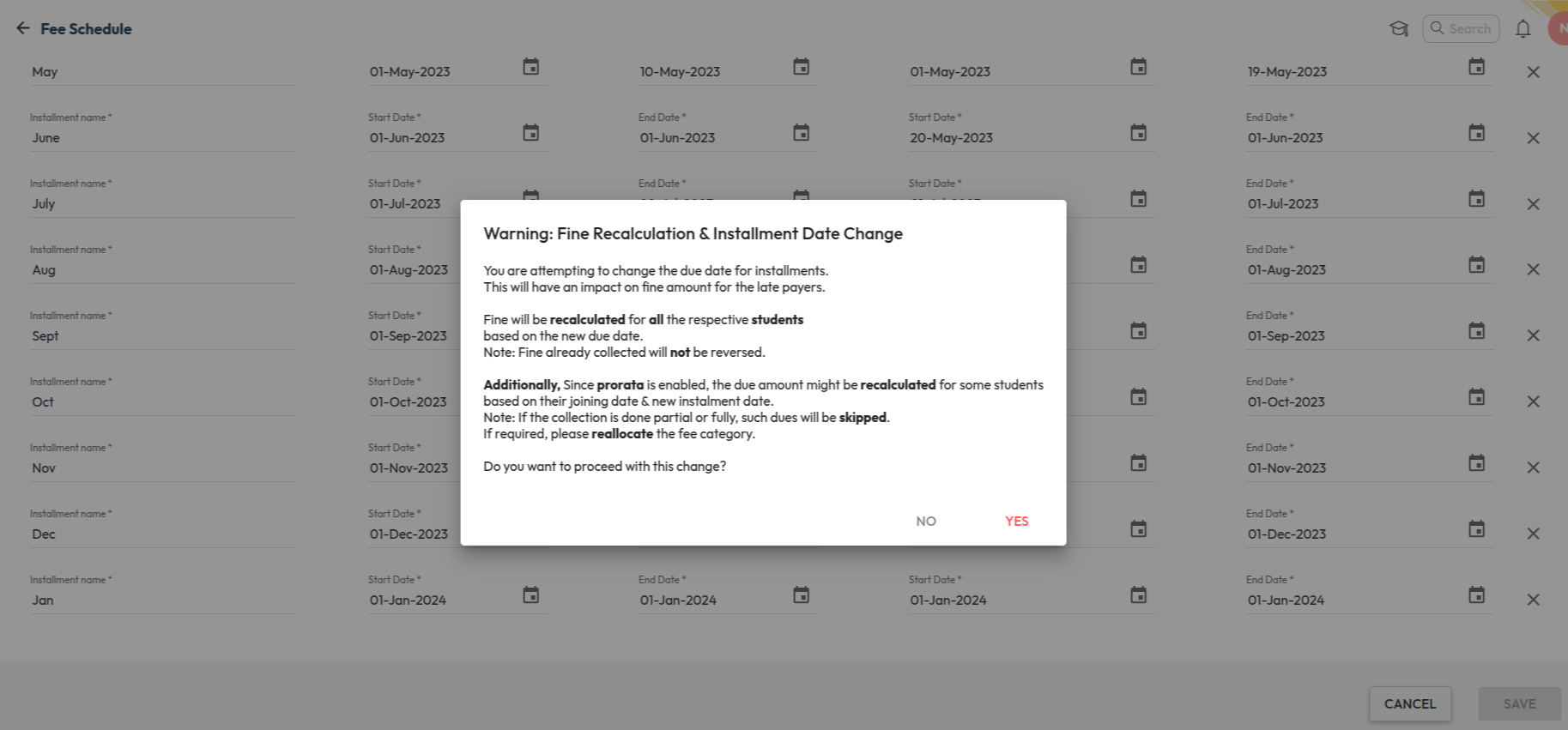
What’s New : Fee installment due dates can now be changed even after collections are done. Fine or prorata will be recalculated automatically based on the revised due dates. A History icon is available on the Fee Schedule page to track due date changes with user details, date, and time.

Benefit : Provides flexibility to update due dates when required while maintaining a clear audit trail. If fine configuration is enabled, fines will be recalculated based on the updated due date.

Note: Fines already collected will not be reversed.

Path : Finance > Fee Management > Fee Schedule > Update Installment Due Date

Due Date Configuration Outside Academic Year

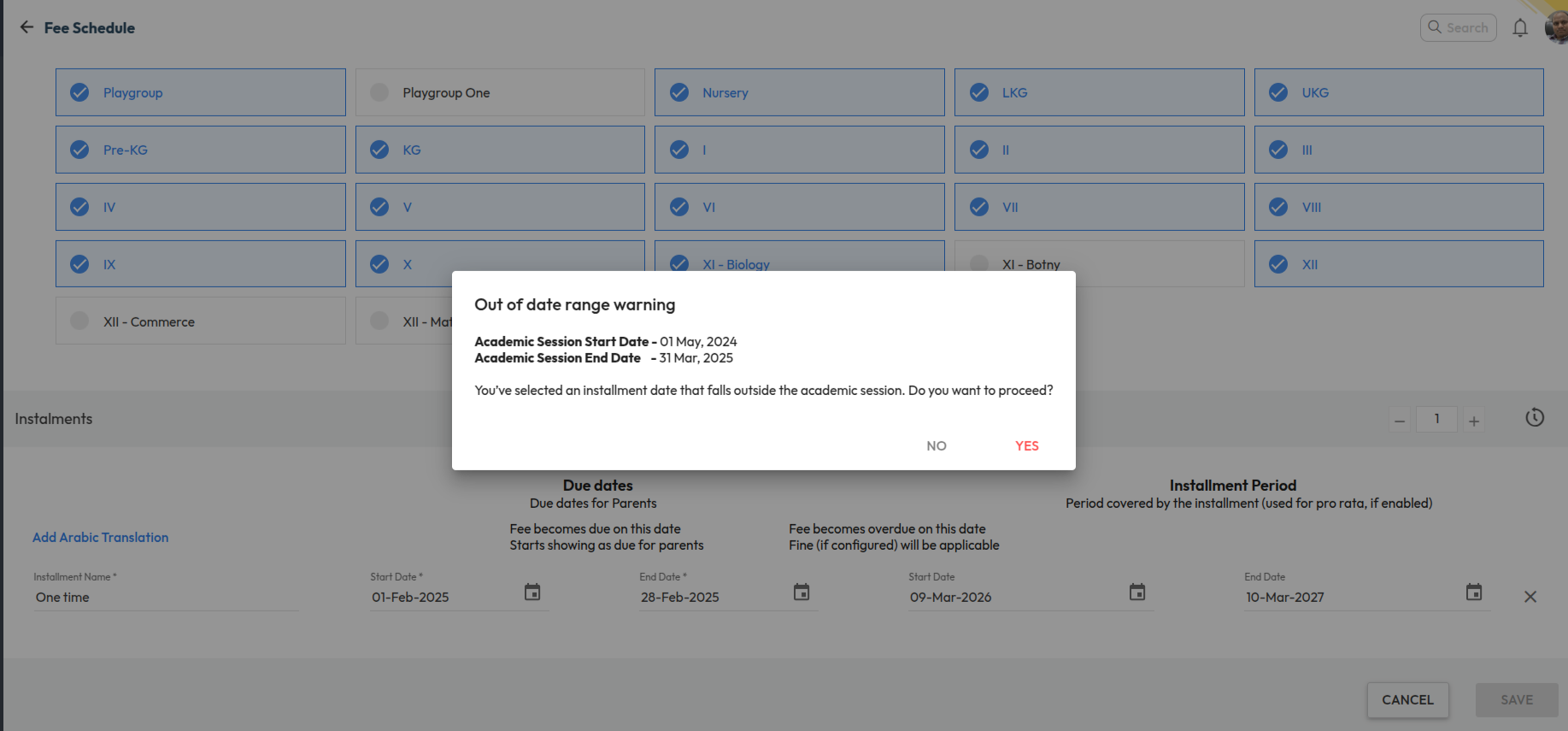
What’s New : Schools can now configure fee due dates outside the Academic Year (AY) date range while setting up fee schedules. When a due date falls outside the configured academic session dates, the system displays a confirmation warning allowing users to proceed if required.

Benefit : This enables schools to collect advance fees for the upcoming academic year while operating within the current session. It provides greater flexibility in fee planning and supports institutions that collect next year’s fees before the new academic session begins.

Path : Finance > Fee > Fee Schedule > Configure Installments > Set Due Date (Outside AY Range) > Confirm Warning > Save 

Bulk Update Route Time

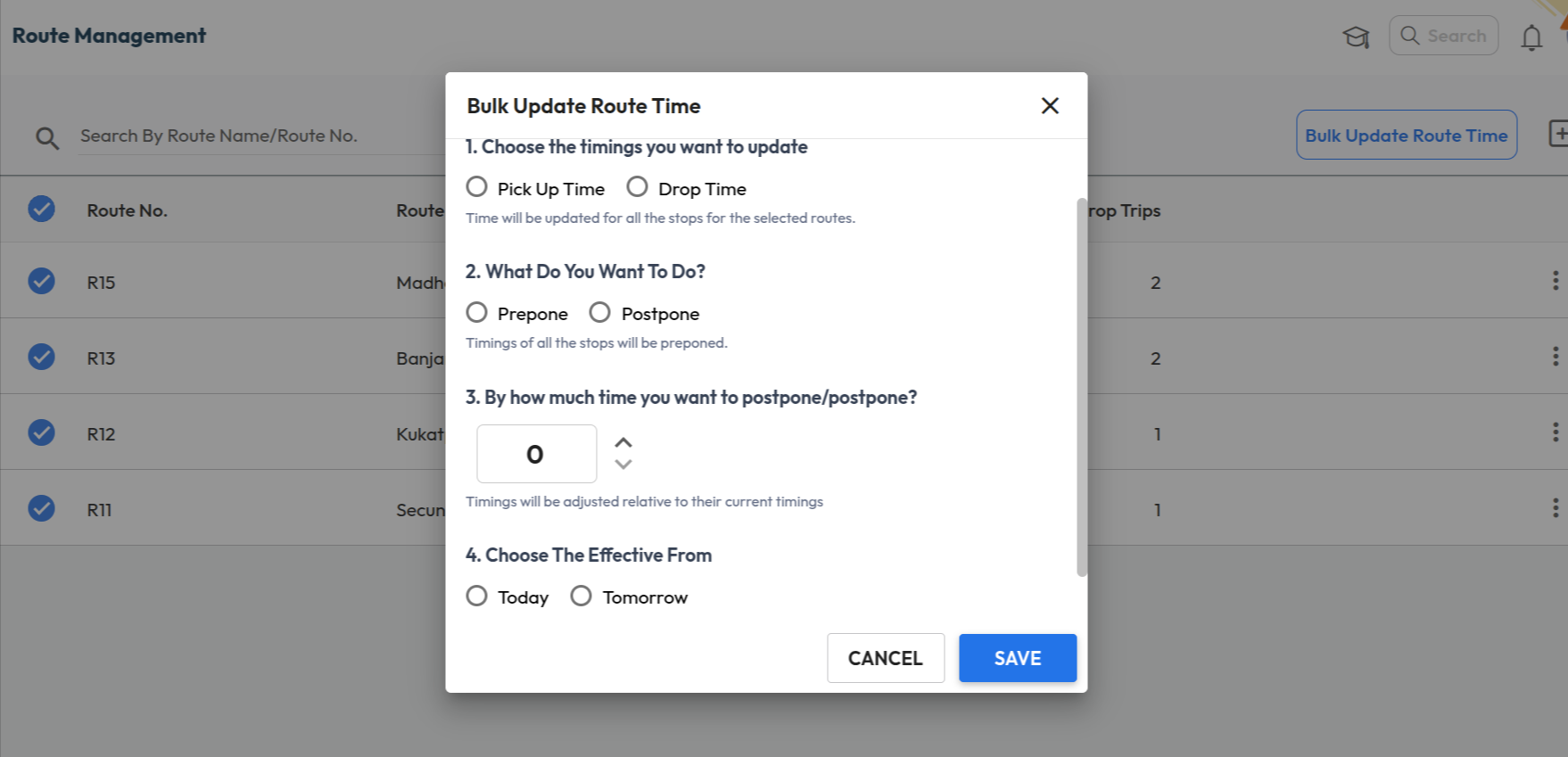
What’s New : A new bulk update option is available in Route Management to adjust transport service timings for multiple routes at once. Users can choose to update Pick Up Time or Drop Time and Prepone or Postpone the timings by a specified number of minutes.

Benefit : Helps administrators quickly update route timings across multiple services, reducing manual effort when schedules change.

Path : Transport > Route Management > Select Routes > Bulk Update Route Time 

Students as Recipients in School Feed

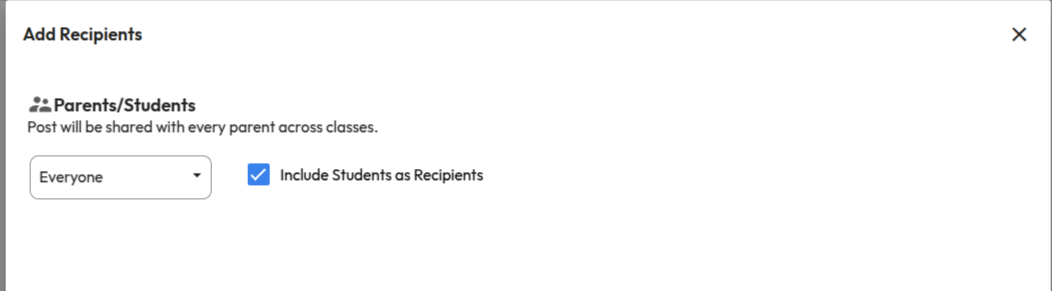
What’s New : School Feed posts can now be shared directly with students. While adding recipients, users can enable the “Include Students as Recipients” option to share posts with students of selected class-sections, in addition to parents.

Benefit : Improves communication reach by allowing schools to share important updates, announcements, and resources directly with students. This ensures messages are delivered to the right audience without depending only on parents.

Path : Communication > School Feed > Create Post > Add Recipients > Select Class-Sections > Enable “Include Students as Recipients” 

Marks Entry Checklist Report

What’s New : In the Marks Entry Checklist Report, the incomplete marks count is clickable. When users click the count, they are redirected to the Gradebook page with relevant filters pre-selected, displaying the list of students whose marks entry is incomplete.

Benefit : Enables teachers and administrators to quickly navigate to the Gradebook and identify students with pending marks entry for faster completion.

Path : Student > Examination > Examination Reports > Marks Entry Checklist Report.