Release Notes – August 2025

We’re pleased to share the NextOS August release updates.

We’re continuously working to make NextOS better—so you can accomplish tasks more easily, make smarter decisions, and breeze through your daily work.

These release notes will keep you informed, help you explore new features, and ensure you’re getting the most out of what’s new.

 

Effortless RFID Management

What’s New :   RFID numbers for students and staff can now be managed more  easily:

  • View or update RFID directly from Student 360 or Staff 360 pages.
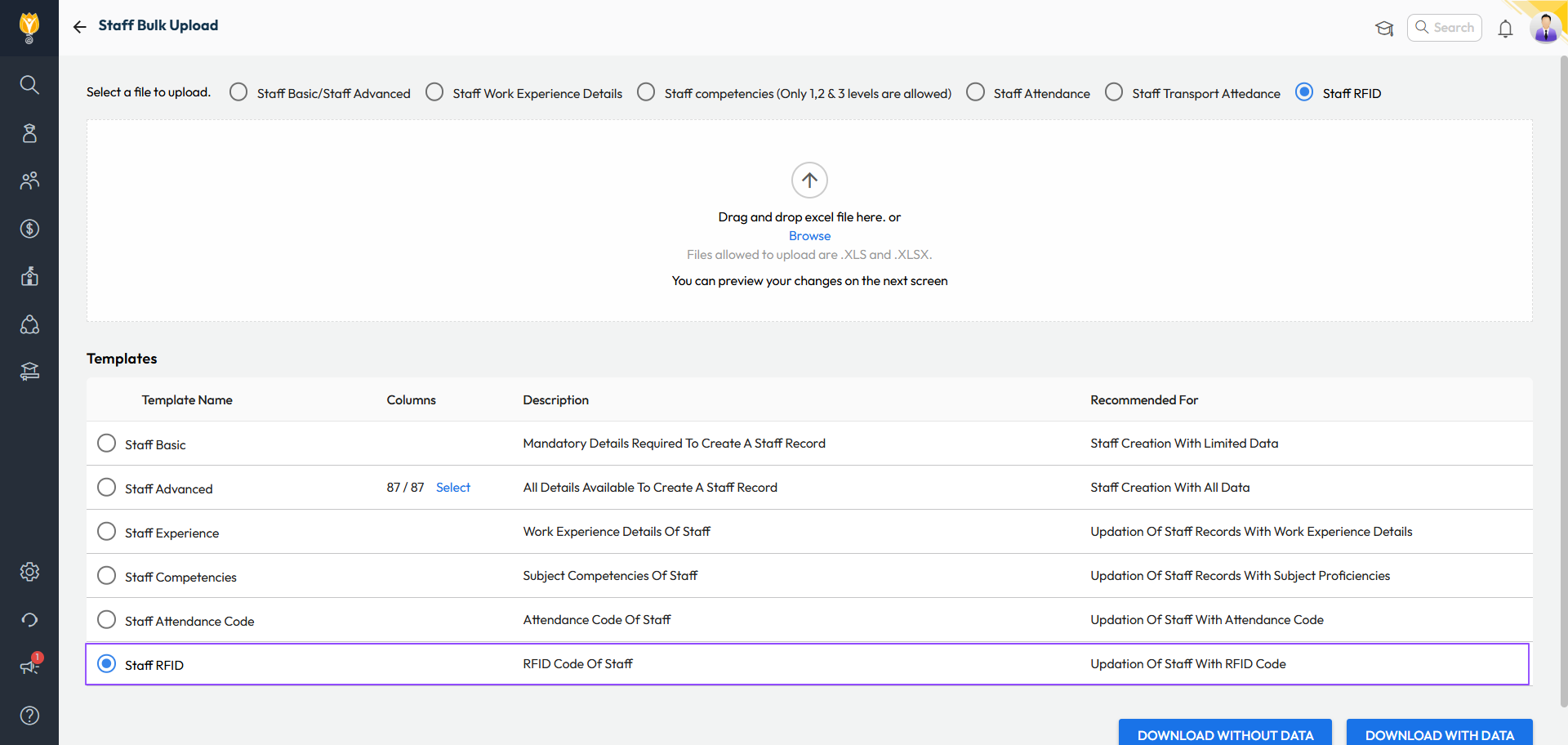
  • Bulk update RFID numbers using a new Excel template.
  • Add or correct RFID numbers

     Changes will auto-sync once the device is online.

Benefit :   No longer need to visit the device physically to map the ID cards. Saves time and effort for administrators.

Path :
Student 360:  Student > Student List > Search Student > Academic Details > RFID Number

Staff 360:  Staff > Staff List > Search Staff > Employment > RFID Number

Bulk:  Settings > Administration > School Setup > Bulk Student/Staff Upload > Select Template as Student/Staff RFID

Limit Backdated Fee Collection Entries

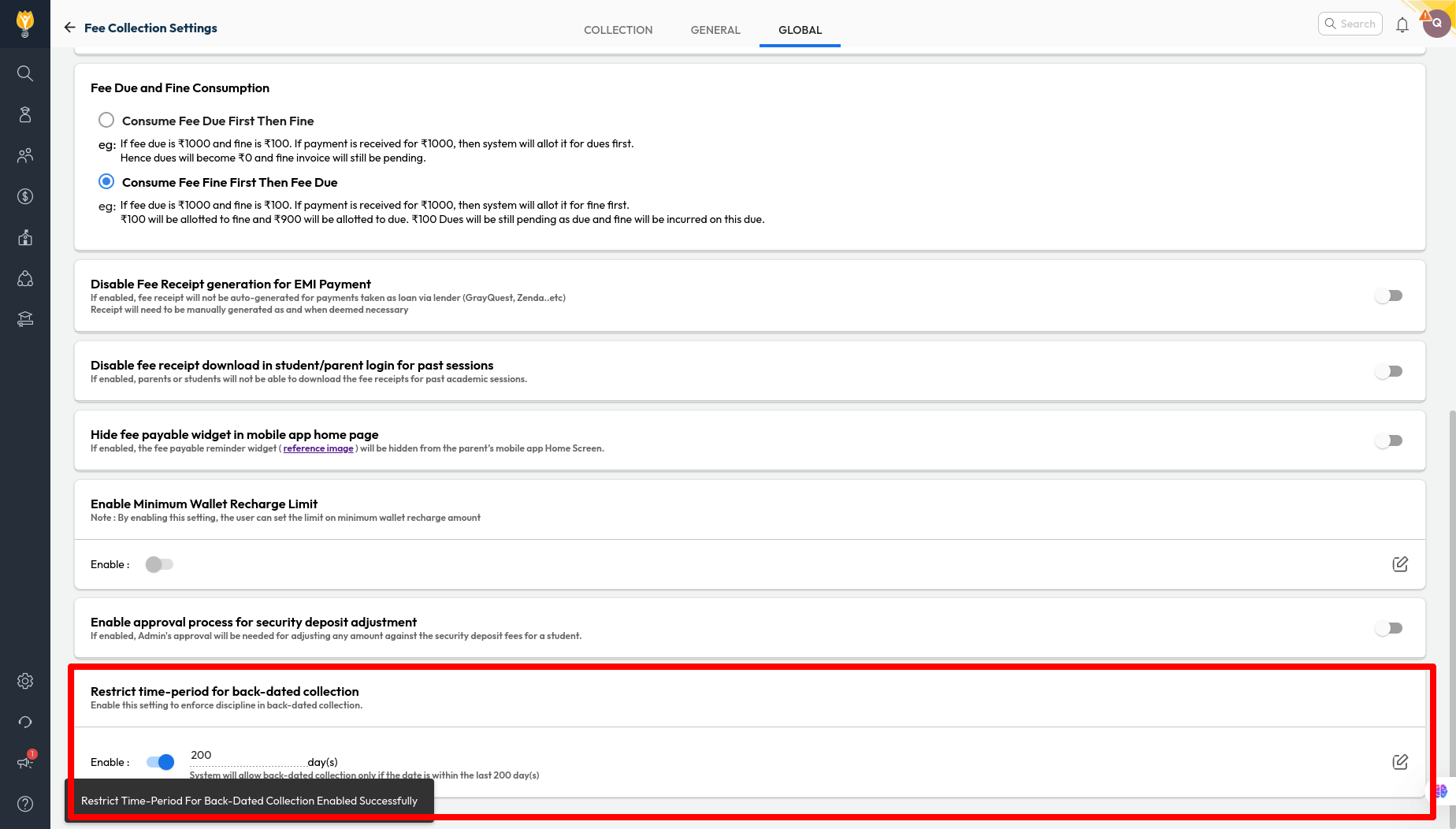
Improvement : A new setting allows schools to restrict how many days backdated fee collections can be recorded (e.g., 15 days). Collection entries cannot be recorded in the system if they are older than the set limit.

Impact :  This can help accountants bring self-discipline in fee collection, ensuring accurate and up-to-date financial records.

Locate : Settings > Finance > Fee > Fee Collection > Global > Restrict time-period for back-dated collection

Fuel Efficiency Report

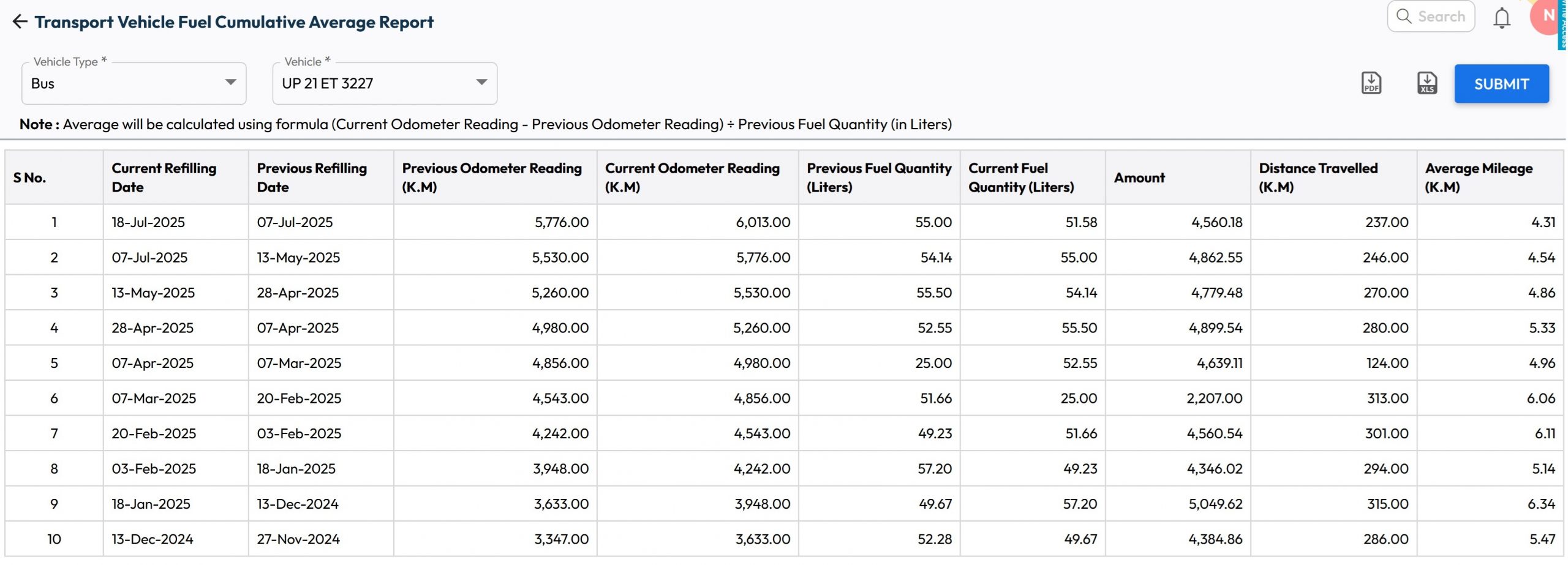
What’s New :  New report has been added to display vehicle’s fuel log along with its historic mileage for each refill along with cumulative average mileage.

Benefit :   School can use this to track the fuel efficiency for each vehicle.

Path :   Student > Student Transport  > Transport Reports > Transport Vehicle Fuel Cumulative Average Report

Parent Account Creation – Conflicts Sorted

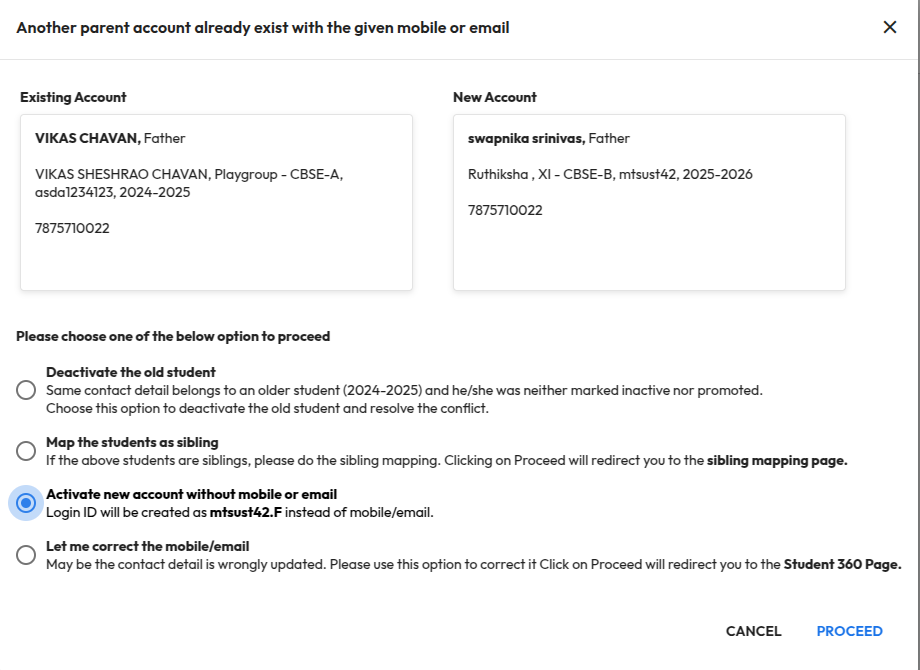
Improvement : Earlier, creating a parent account with duplicate contact details showed the error “Account already exists with this contact”. Now, the system guides you with clear options to resolve such conflicts:

  • Deactivate the old student : This will deactivate the old student record and the respective accounts. The new account will be activated automatically.
  • Map the student as sibling : This option will redirect to the sibling mapping page to merge students with the same contact information.
  • Activate new account without mobile or email : This option will create accounts based on the admission number without using mobile/email. For example, AdmissionNo.F can be used for Father and AdmissionNo.M for Mother.
  • Let me correct the mobile/email : This option redirects to the Student 360 page, where you can update the contact details if they were entered incorrectly.

Impact : Makes it easier for an administrator to handle parent account conflicts, fix contact issues quickly, ensuring accurate records and a smoother onboarding experience.

Locate : School Setup > User Account Management > Parent