Release Notes – April to June 2025

We’re pleased to share the latest release updates for Next OS, covering new features and enhancements introduced during the months of April, May, and June.

Our focus and hard work go into building features that help you work more efficiently, make better decisions, and simplify your day-to-day tasks. Every update reflects our commitment to delivering meaningful improvements that truly support your success. This release notes is part of our continued effort to keep you informed, help in feature discovery, and ensure you’re equipped to make the most of what’s new.

Mobile app – LMS UI Revamp – Staff Login

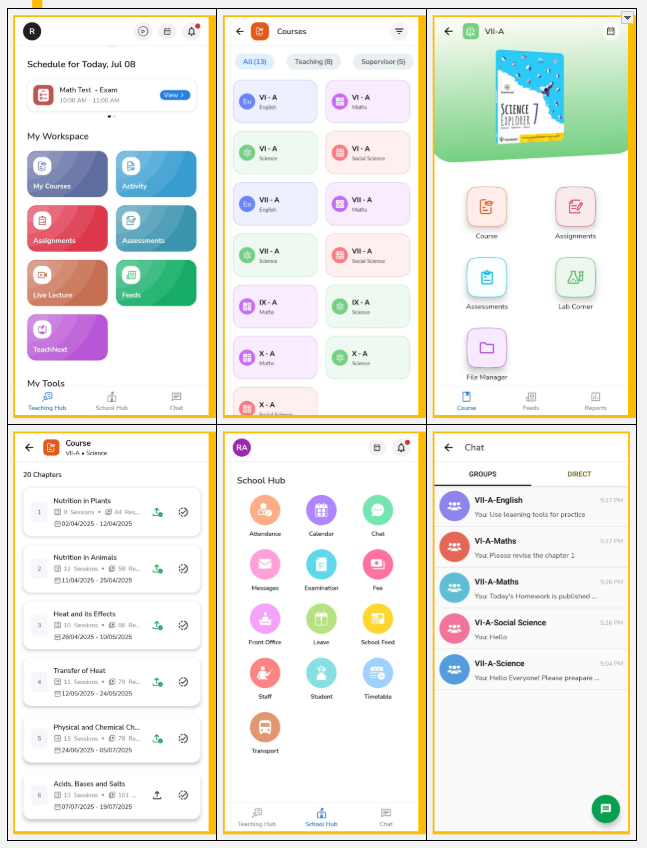
We’ve introduced a fresh, engaging interface and a native My Courses build for faster loading and smoother navigation in the staff account.

 What’s new:

    • Teaching hub
      Your new homepage is now the Teaching Hub – a central space for all teaching essentials like daily schedules, My Courses, Activities, Assignments, Assessments, Live Lectures, Feeds, TeachNext, and more.
  • New UI for My Courses

We’ve redesigned My Courses on the NextOS mobile app to help teachers work faster and smarter. Key highlights :

  • Faster Access with native mobile build
  • Teaching & Supervising courses sho wn as per role
  • Easy access to Course Plan, Assignments, Assessments, Lab Corner, and File Manager
  • Feeds & Reports now at the bottom for quick access
  • New tab view with Chapters, Sessions & Resources
  • Publish and mark chapters complete from the same screen
  • School hub
    The former school corner is now the School Hub – Navigate here to quickly access attendance, calendar, chat, messages, school feed, timetable and more – all in one place.
  •  Chat
    Chat is now easily accessible – start group or direct conversations with parents without sharing your phone number.

Why it Matters:: 

The new experience is designed to be more intuitive, faster, and staff-friendly, enabling teachers to navigate seamlessly and focus more on teaching with ease.

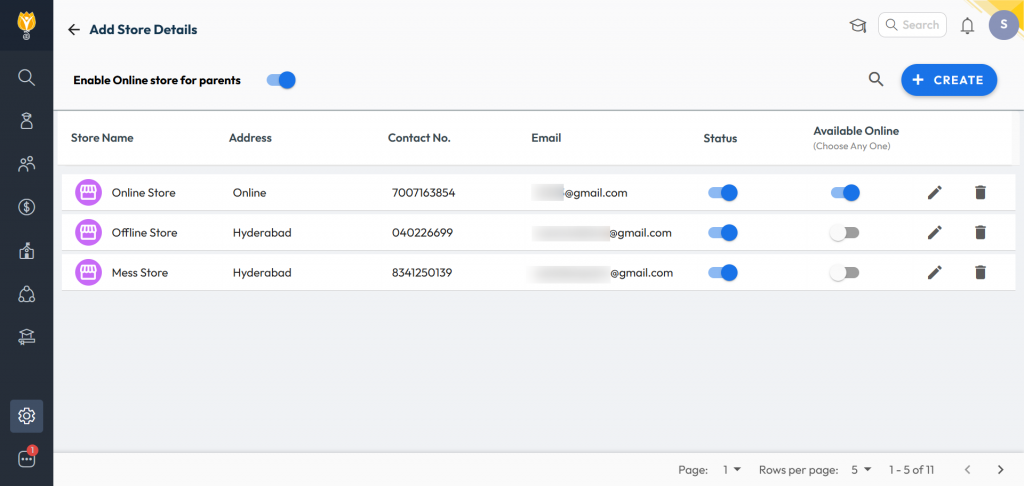
Online Inventory Store for Parents

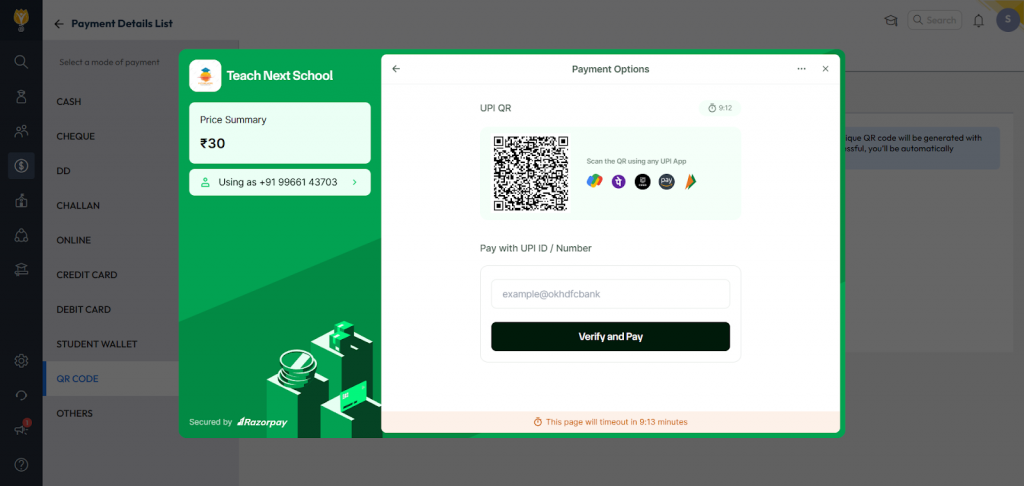
What’s New : Schools can now make their inventory store available online for parents to purchase listed items with an online payment option. Purchased items can be collected by parents or handed over to students at school.

Benefit : Helps schools boost inventory sales by offering trusted, school-approved items directly to parents in a convenient and efficient manner.

Path: Administration > Inventory > Transactions > Sale > Online

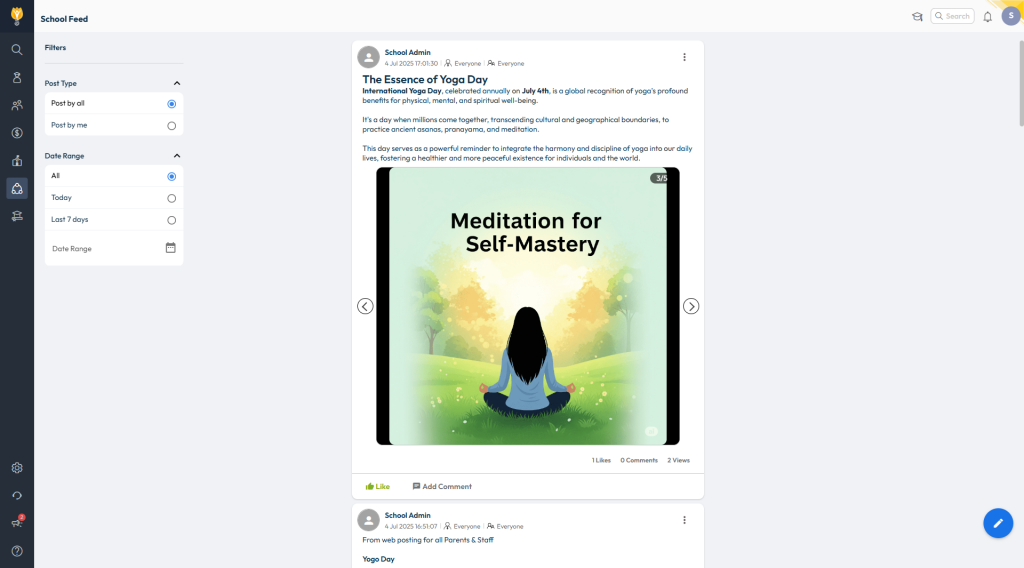
School Feed Enhancements

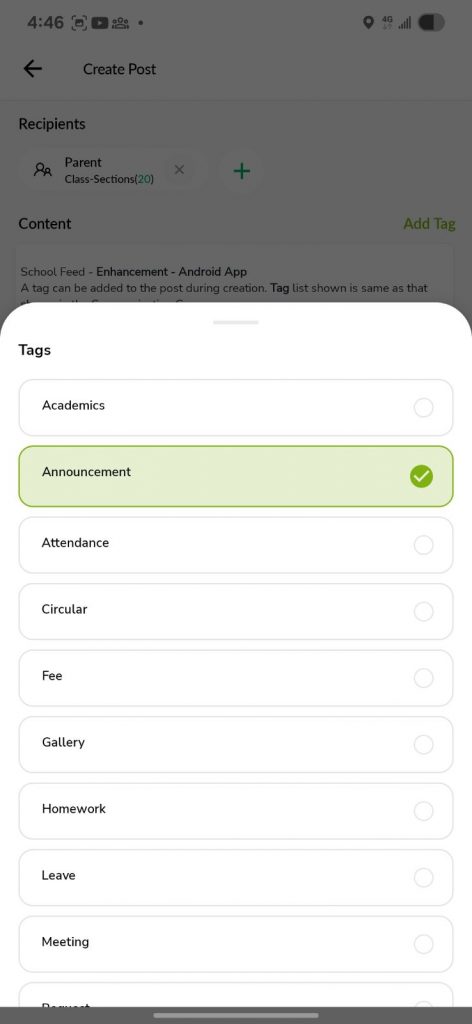
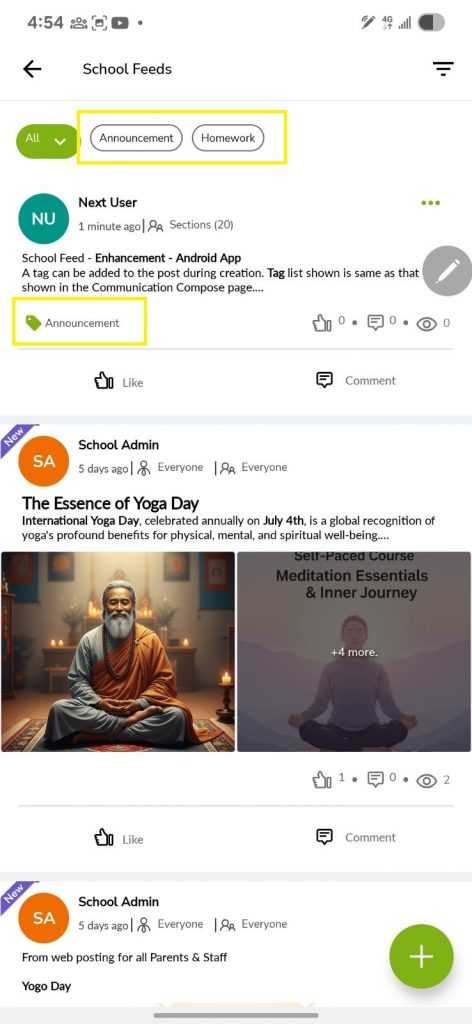
What’s New: The following updates have been made to improve usability and communication:

  • School Feed is now available on the web version.
  • Staff can post videos and updates with selected colleagues (within their department or class group).
  • Posts can be tagged with categories like Academics, Homework, Circulars, and more.
  • Admins can broadcast to all or manage staff posting access via Web Settings.

Benefit: These enhancements make the School Feed more user-friendly and versatile, allowing for targeted sharing, better tracking, and a more engaging communication experience.

Path: Web – Staff Login > Communication > School Feed

App – Staff Login > School Hub > School Feed

Mobile app – LMS UI Revamp – Student Login

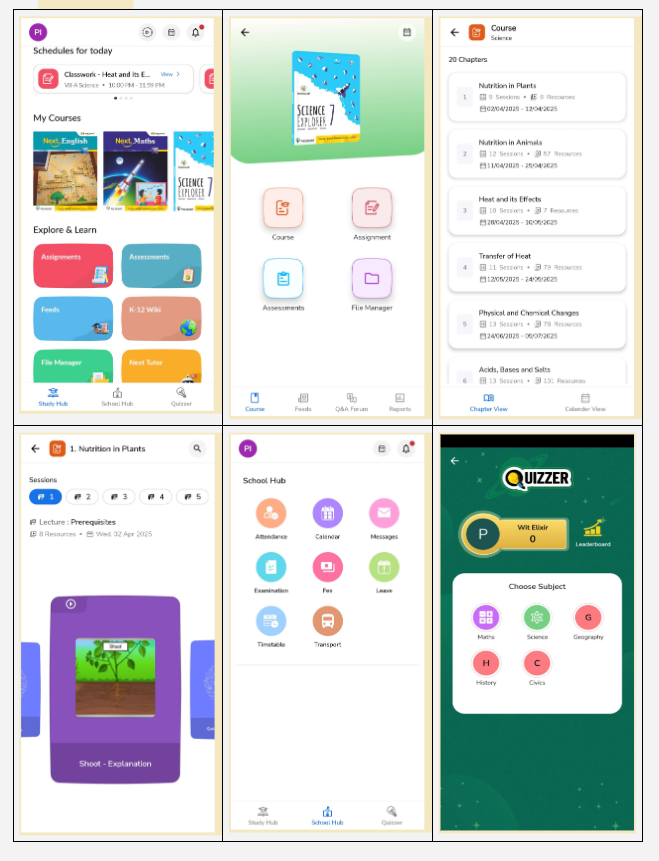
We’ve rolled out a fresh, engaging experience for students with a new design and smoother navigation.

 What’s new :

    • Study hub
      Your homepage is now the Study Hub – a central space for all your learning needs, including daily schedules, courses, assignments, assessments, feeds, eBooks, and more.
  • New UI for My Courses
    We’ve redesigned My Courses to make learning more engaging and easier to navigate. Key highlights:
    • Visual subject thumbnails for quick identification
    • Easy access to course plan, assignments, assessments, and file manager
    • New view of course tab with chapters, sessions & resources aligned to subject
    • Calendar view is now available for students to view planned sessions.
    • Feeds, Q&A forum, and reports are now conveniently placed in the bottom panel for smoother navigation
  • School hub
    The former school corner is now the School Hub – Navigate here to quickly access your attendance, calendar, messages, exam records, fees, and more – all in one place.
  •  Quizzer
    Love a challenge? Join Quizzer to compete with classmates or students around the world. Earn unique badges and show off your skills!

Why it Matters : 

We’ve made these changes to create a more colourful, intuitive, and student-friendly environment, helping every champ learn, grow, and enjoy their digital learning journey more than ever!

CBSE Board – Exam Result Analysis 

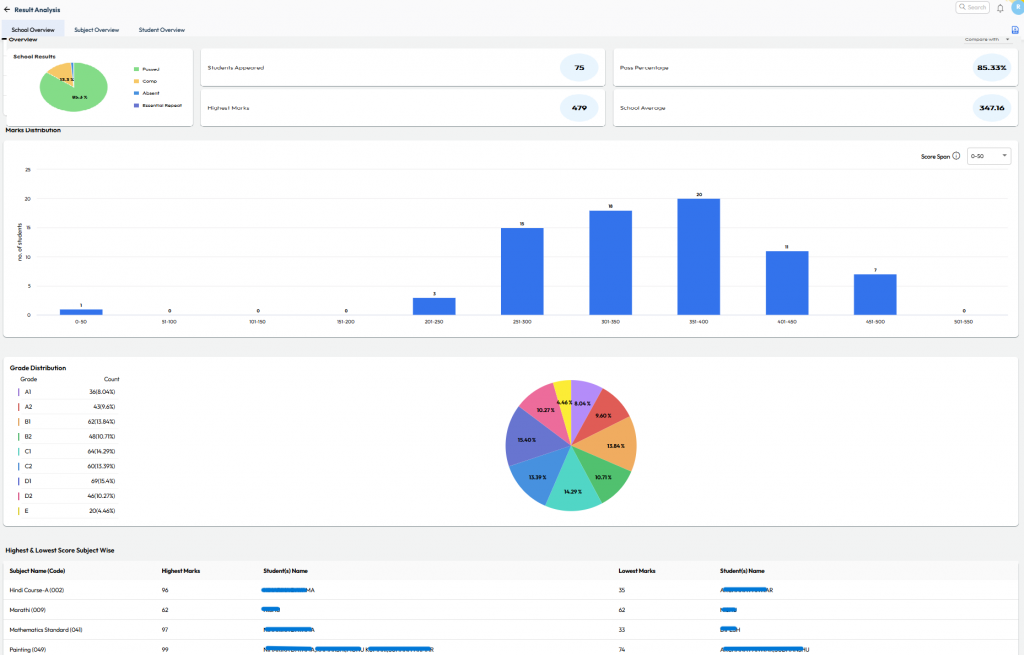
What’s New : Provision to upload the CBSE Board Exam result text file for Current or Previous AY onto NextOS to generate detailed insights of school performance.

Benefit : View detailed insights like subject-wise toppers, grades, marks, ranks, and class comparisons – all with graphs and color-coded visuals on a single screen.

Path : Student > Examination > Board Exam – Result Analysis