Release Notes March 2026

Dear Educators,


We’re pleased to share the NextOS March release updates.

We’re continuously working to make NextOS better—so you can accomplish tasks more easily, make smarter decisions, and breeze through your daily work.

These release notes will keep you informed, help you explore new features, and ensure you’re getting the most out of what’s new.

12 Features are added

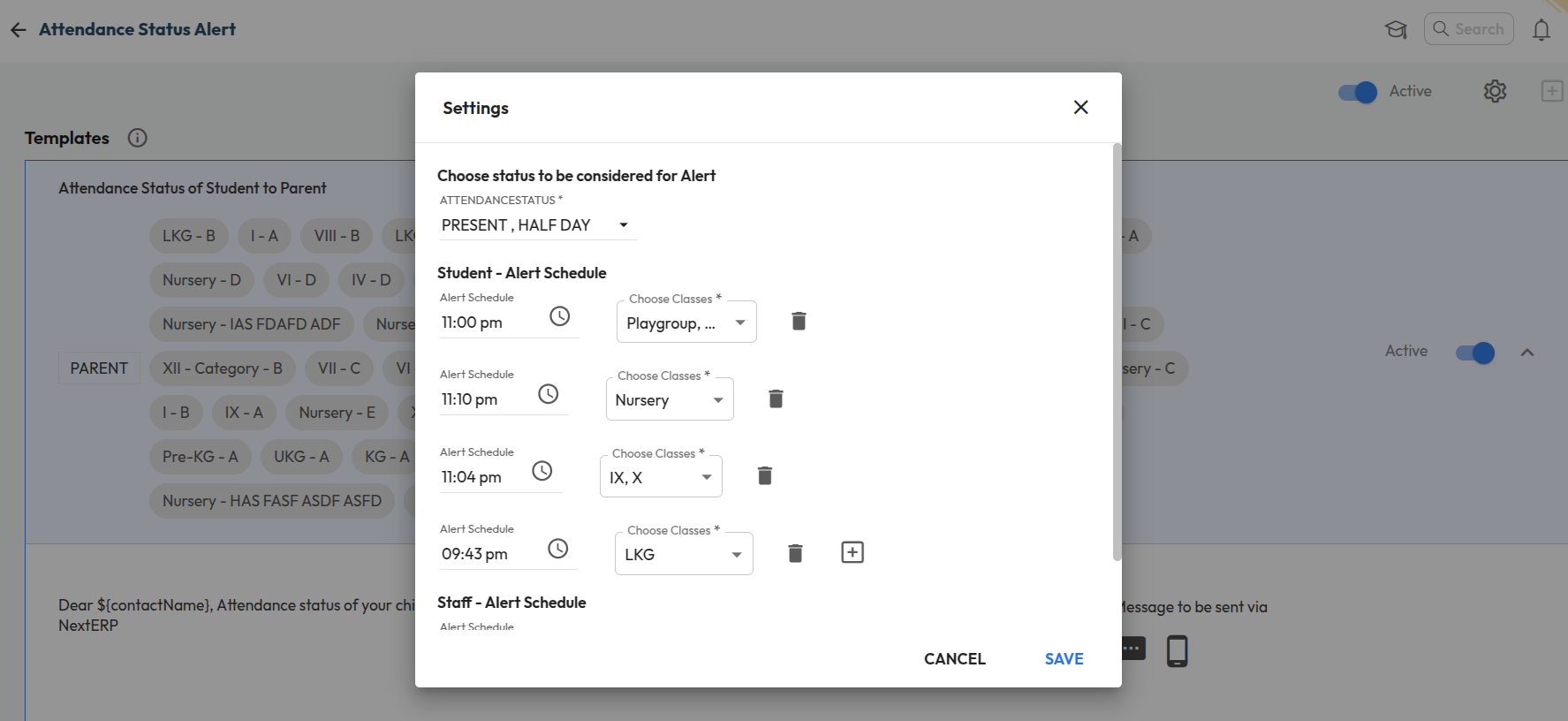
Class-wise Attendance Alert Timing Configuration

What’s New : Schools can now configure different attendance alert timings for different classes. Instead of a single common timing, alerts (such as absent notifications) can be scheduled separately based on class or shift requirements.

Benefit : This allows schools with multiple shifts (Pre-Primary, Secondary, Higher Secondary) to send attendance alerts at the right time for each group. It ensures timely communication with parents and improves the accuracy of attendance notifications.

Path : Settings > Collaboration > Communication > Alert > Attendance status Alert

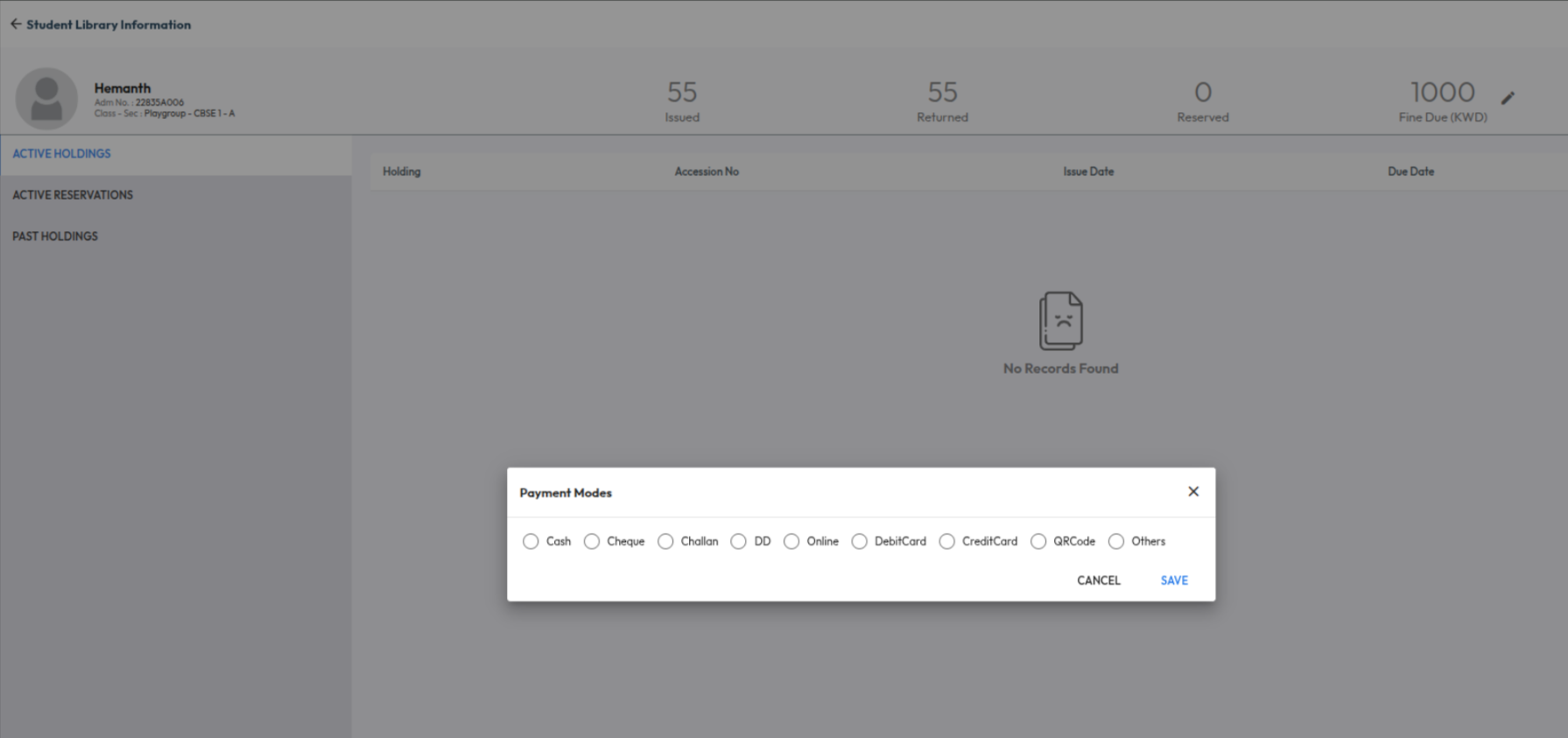
Library Fine Payment Mode Selection

Improvement : Login Usage behavior can now be analysed for Parents as well now. In the usage behavior report, Parent role has been added in the User Role filter

Impact : Allows schools to track and analyze parent login activity and usage behaviour

Locate : Dashboard > Analytics > Explore More > Usage Behaviour > User Role Filter

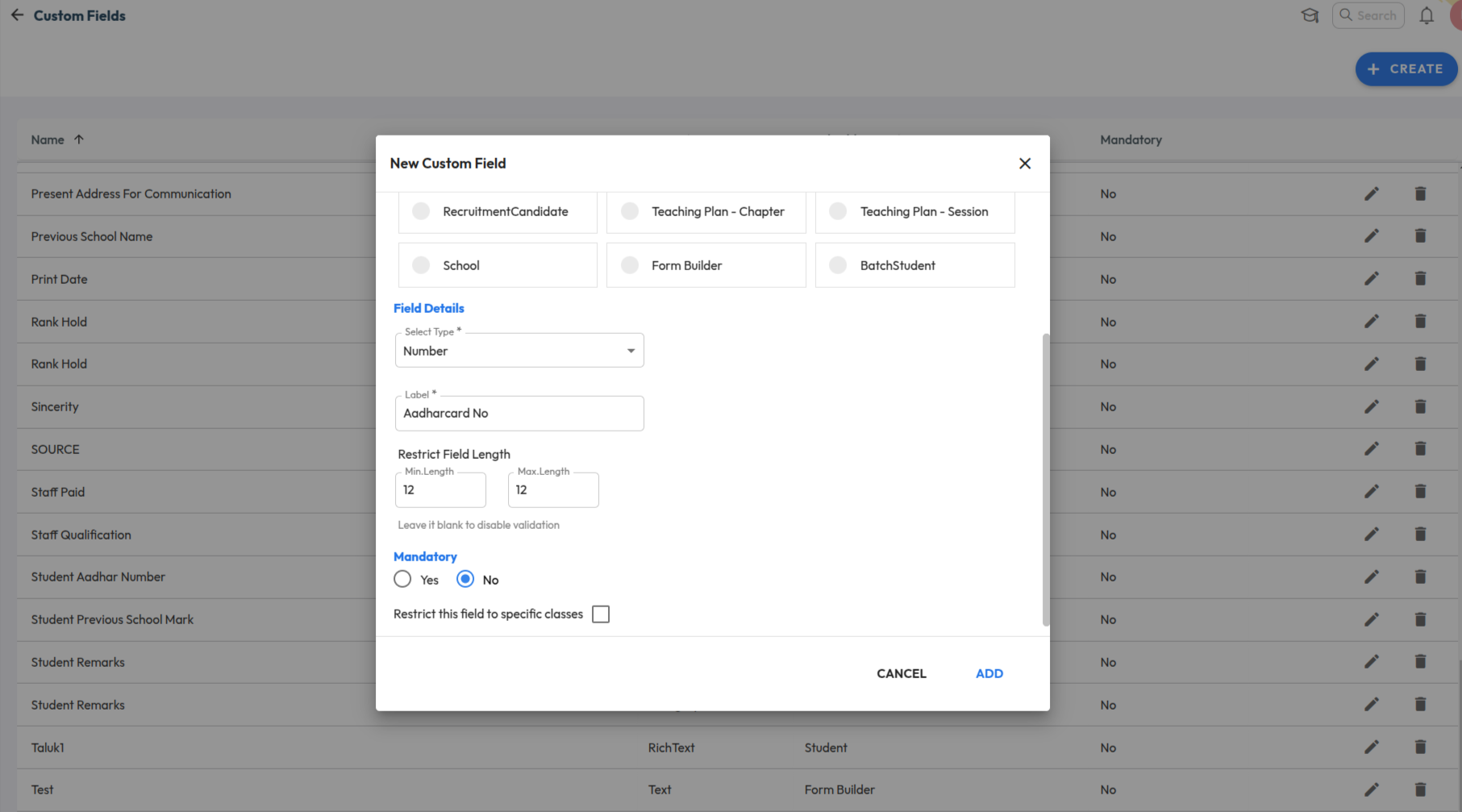
Custom Field Validation (Min/Max Length)

Improvement : Custom fields of type Text now support min and max length validation rules. Forms using these fields will enforce the configured limits during data entry.

Impact : Ensures accurate data entry by restricting inputs within defined character limits.

Locate : Settings > Administration > School Setup > Custom Fields

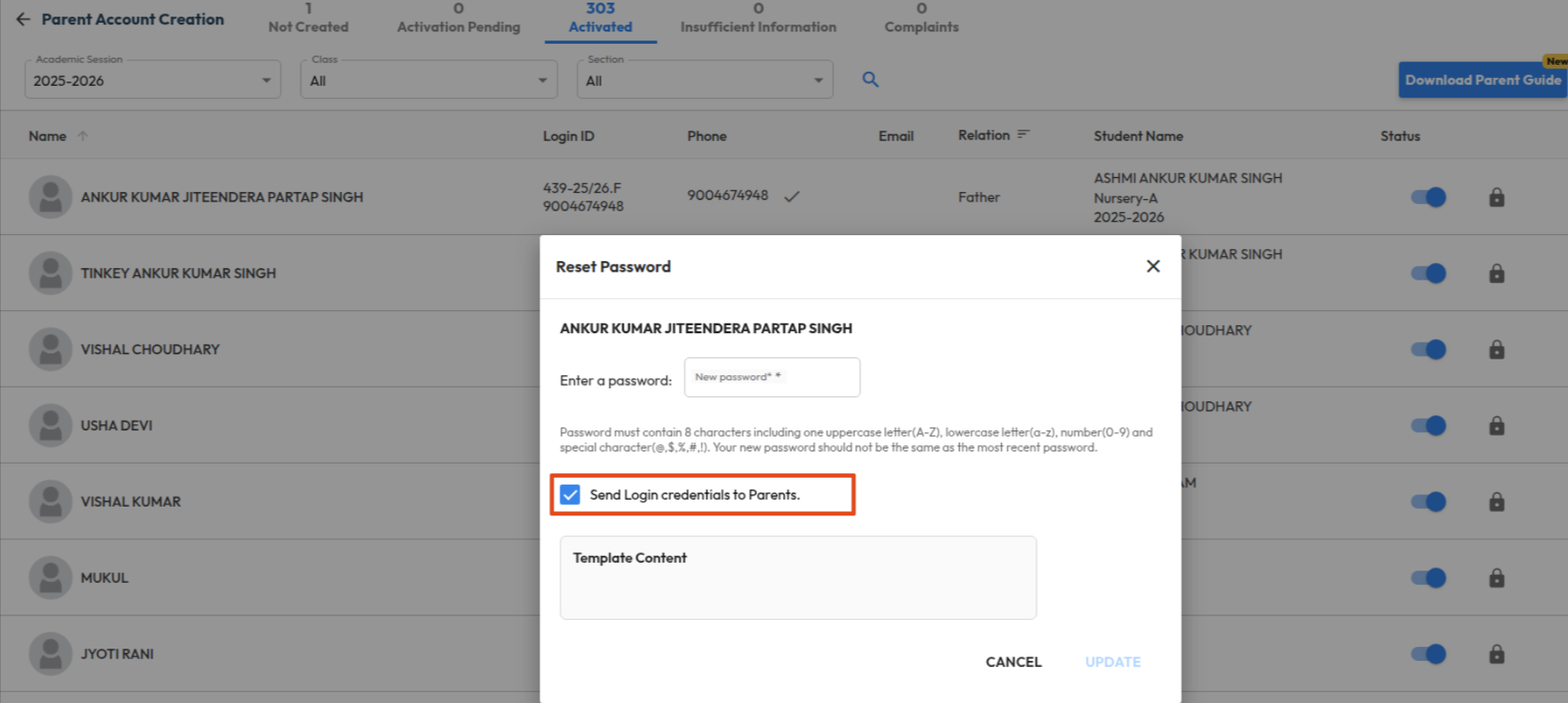
Send Login Details During Bulk Parent Activation

What’s New : Schools can now send login credentials to parents via SMS/Email during bulk account activation. Additionally, this option is also available while performing a password reset, allowing schools to resend login details when required.

Benefit : This enables schools to activate multiple parent accounts at once and instantly share individual login details with each parent. It simplifies the onboarding process, reduces manual effort, and ensures parents can access the system without delays.

Note: Fines already collected will not be reversed.

Path : Settings > Administration > School Setup > User Account Management