Release Notes July 2026

Dear Educators,


We’re pleased to share the NextOS July release updates.

We’re continuously working to make NextOS better—so you can accomplish tasks more easily, make smarter decisions, and breeze through your daily work.

These release notes will keep you informed, help you explore new features, and ensure you’re getting the most out of what’s new.

17+ Features are added

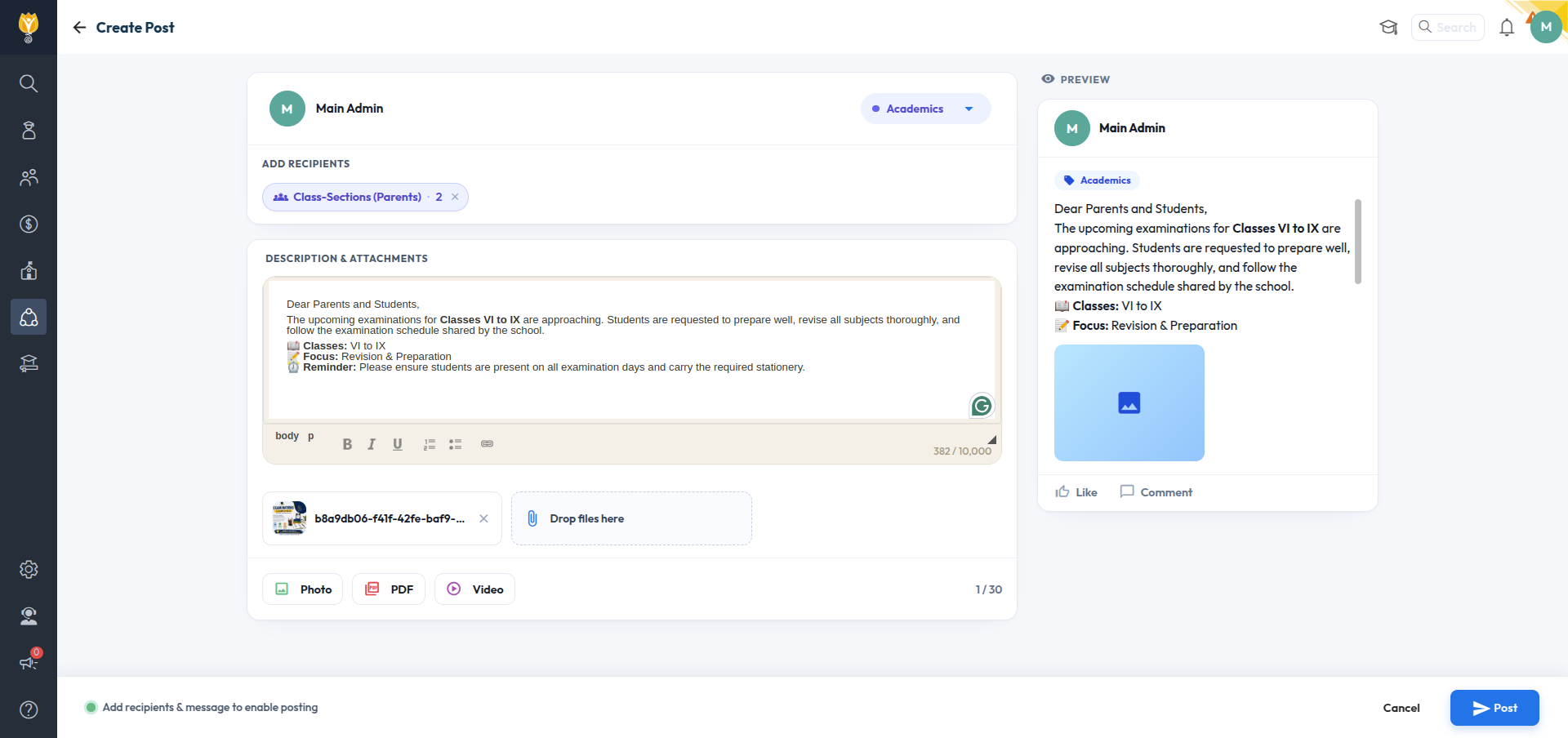
SchoolFeed — New “Add Recipients” UI

A new Add Recipients screen replaces the old post targeting. Choose Parents/Students by All, ClassSections, or Specific Students — or Staff by All, Departments, Roles, or Selected Staff — with live recipient counts before you send.

Path : Collaboration > SchoolFeed > Create Post > Add Recipients

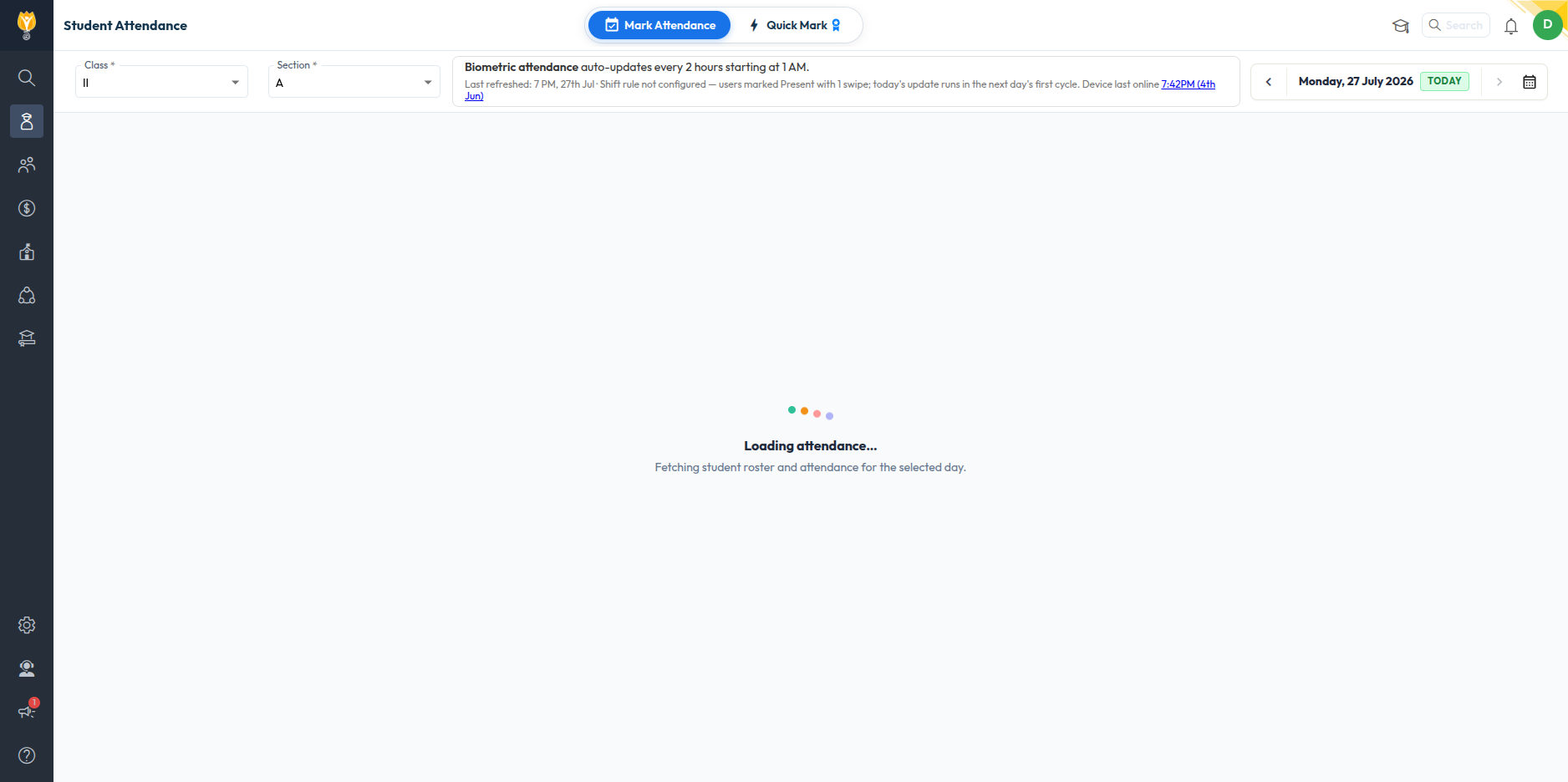
Student Biometric Attendance — Shift-Aware Auto-Update & Manual Sync

Improvement : Yesterday’s student attendance now updates automatically. For today or any older date, teachers can tap “Sync now” to update it manually.

Impact : Attendance stays accurate with no extra work for yesterday, and just one tap to refresh today or any older date.

Path : Student > Attendance > (day view, when branch has biometric devices registered)

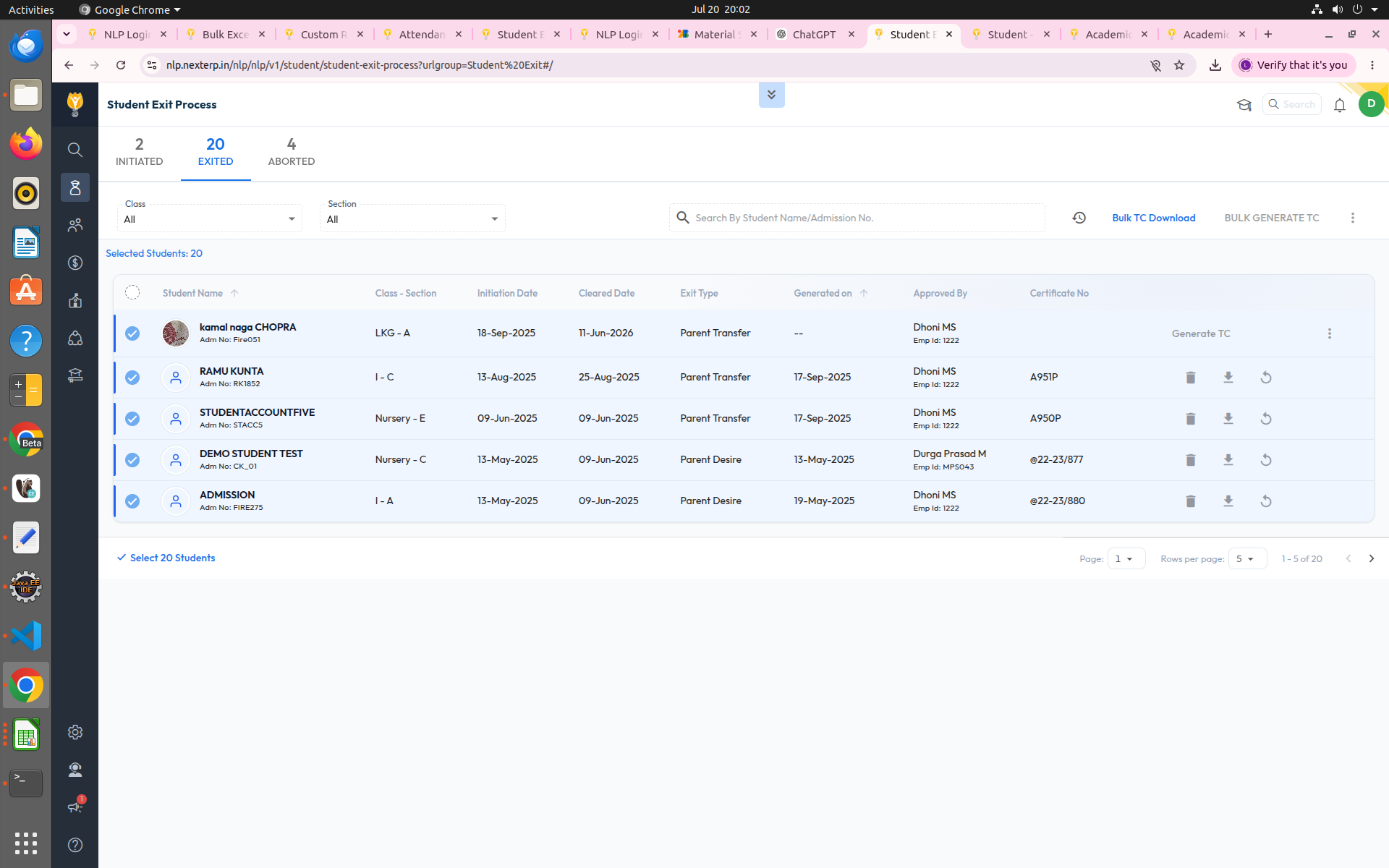
Bulk TC Download from Student Exit

Improvement : A “Select [X] Students” option below the exited-students list lets admins select all students at once, enabling a “Bulk TC Download” button to download all generated Transfer Certificates together — removing the earlier per-batch download limit.

Impact : Download all Transfer Certificates in one click instead of downloading them one batch at a time.

Path : Student > Student Exit > Exited tab > Select All Students > Bulk TC Download

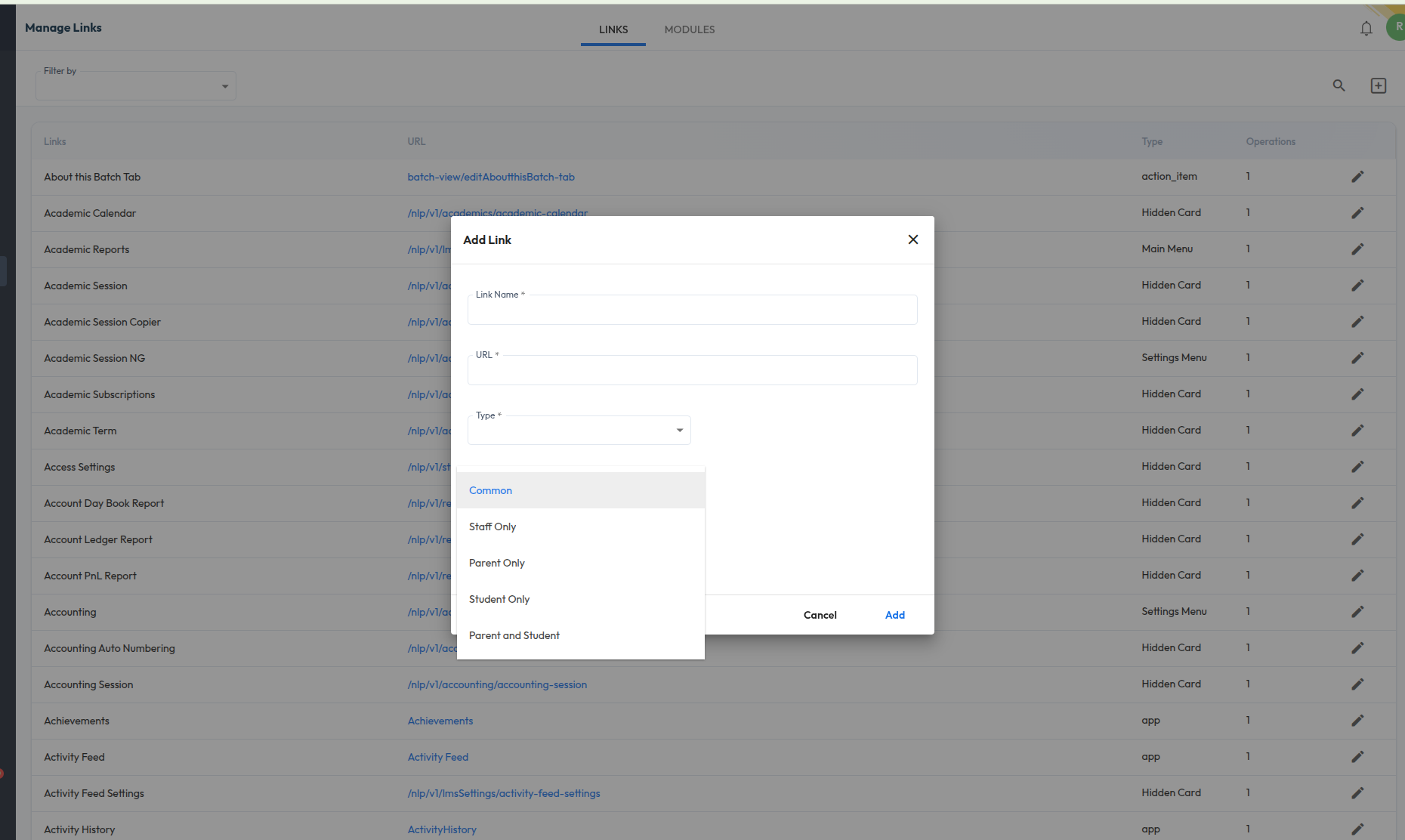
Roles & Permissions — Granular Screen& Access-Level Control

Improvement : Roles & Permissions has been overhauled for more precise control: (1) every screen is now marked as Common, Staff Only, Parent Only, Student Only, or Parent & Student, so role-specific screens (Fee Collection, Bank Reconciliation, Exam Mark Entry, Accounting Settings, etc.) don’t appear where they don’t apply; and (2) Readonly access is now supported for Student List, Staff List, and Student Behaviour, so a role can be granted view-only access to these.

Impact : Cleaner, role-appropriate permission lists with no clutter from irrelevant screens, plus the ability to give a role visibility into records without allowing edits.

Path : Settings > Roles & Permissions

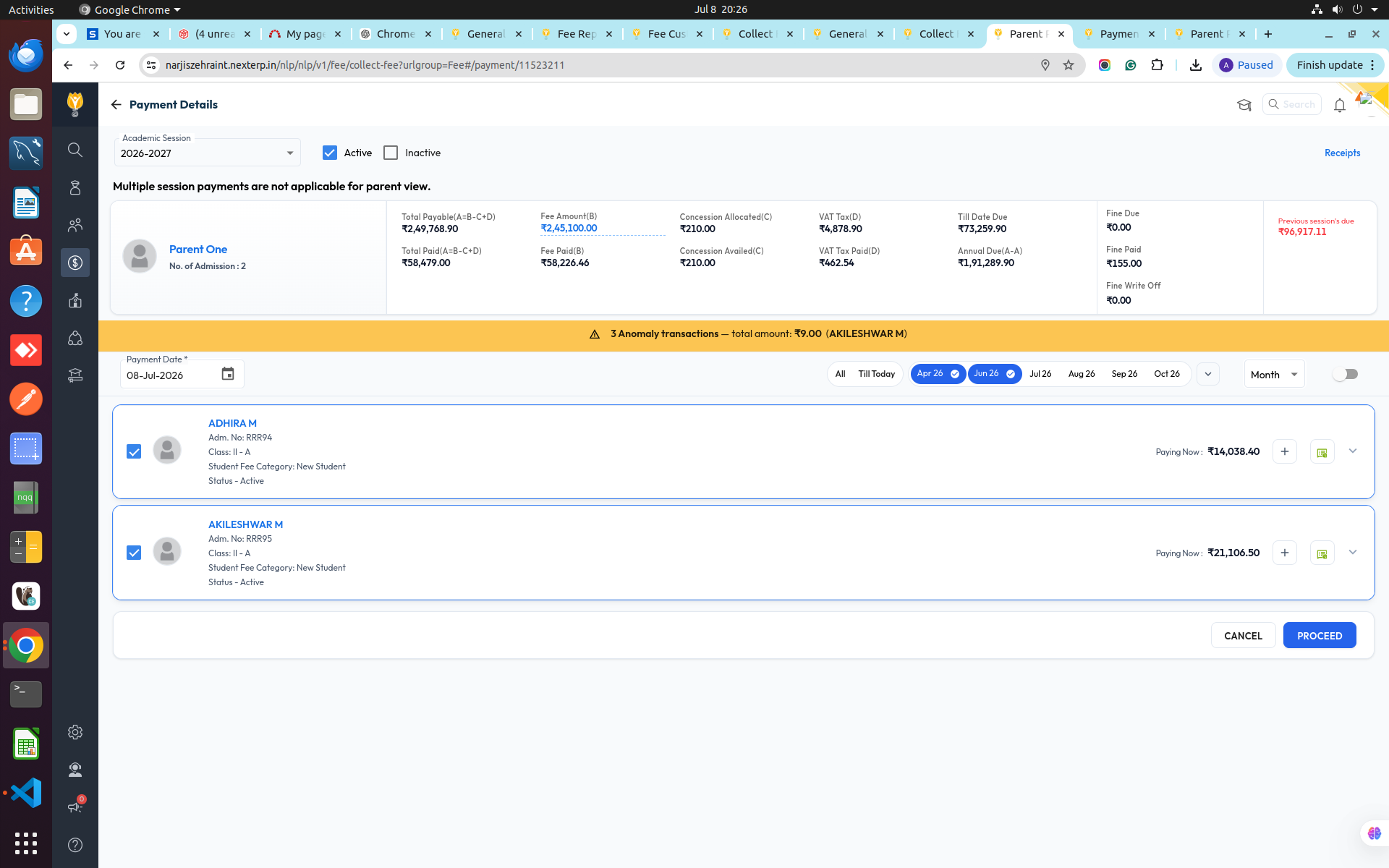
Multi-Month Installment Selection— Parent PaymentView

Improvement : The Parent payment view now shows month toggle chips (e.g. Apr 26, Jun 26, Jul 26…) so parents can select or deselect installment months in any order, not just sequentially — across multiple children in one screen.

Impact : Pay for multiple months — and multiple siblings — in a single transaction, in whatever order suits the parent, instead of paying one installment at a time.

Path : Fee > Collect Fee > Payment Details (Parent View)