Release Notes January 2026

Dear Educators,


We’re pleased to share the NextOS January release updates.

We’re continuously working to make NextOS better—so you can accomplish tasks more easily, make smarter decisions, and breeze through your daily work.

These release notes will keep you informed, help you explore new features, and ensure you’re getting the most out of what’s new.

24+ Features are added

Hourly Payroll Support for Salaries

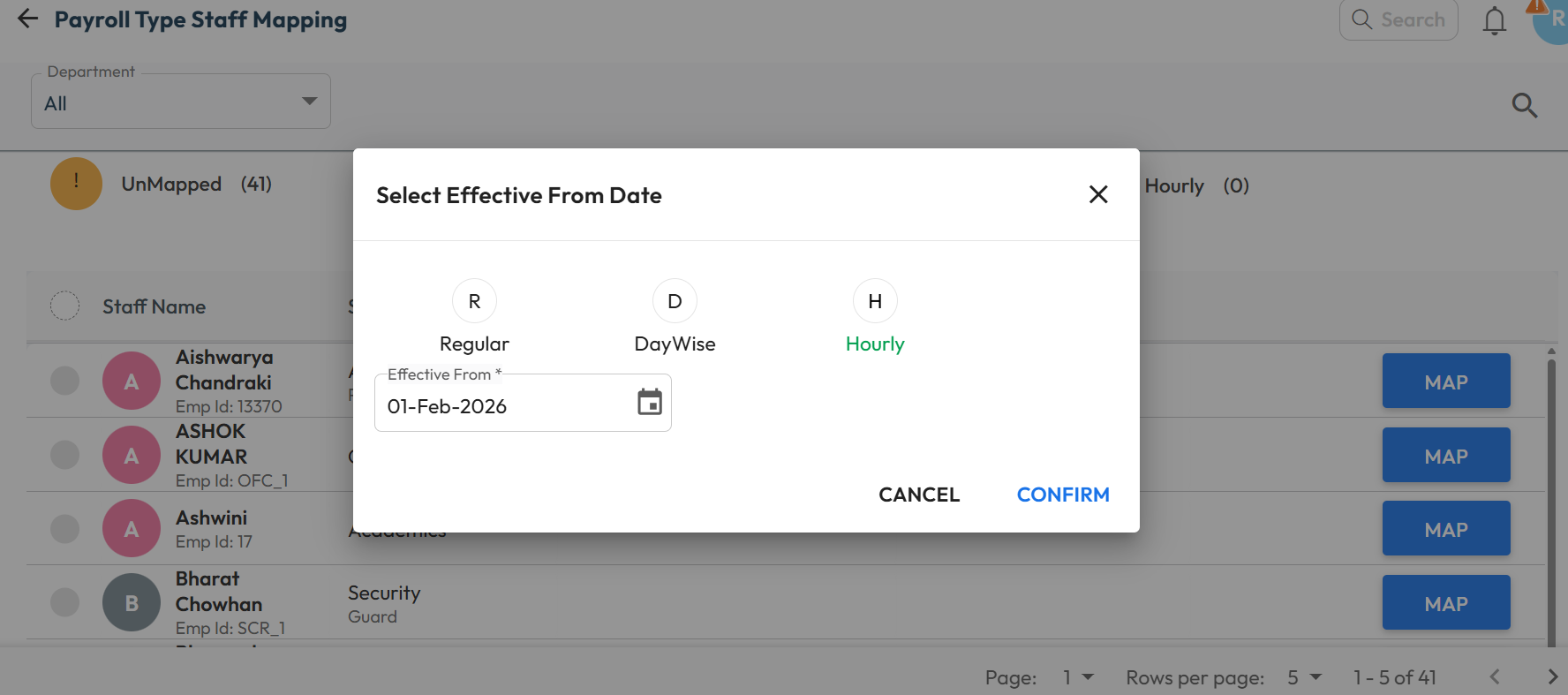
What’s New : The payroll system now supports hourly payouts, enabling schools to pay part-time staff based on their actual working hours and defined wages. When a biometric device is integrated, the system can automatically calculate total working hours from attendance data.

Existing Regular and Day Wise payroll options continue to work as before.

Benefit : Ideal for schools that engage staff on hourly basis, this feature ensures accurate, flexible, and fair salary processing for part-time roles.

Path : Settings > Finance > Payroll > Payroll Type Staff Mapping > Map/Edit > Select Regular / DayWise / Hourly > Enter Effective From Date > Confirm 

Exam Hierarchy Revamp

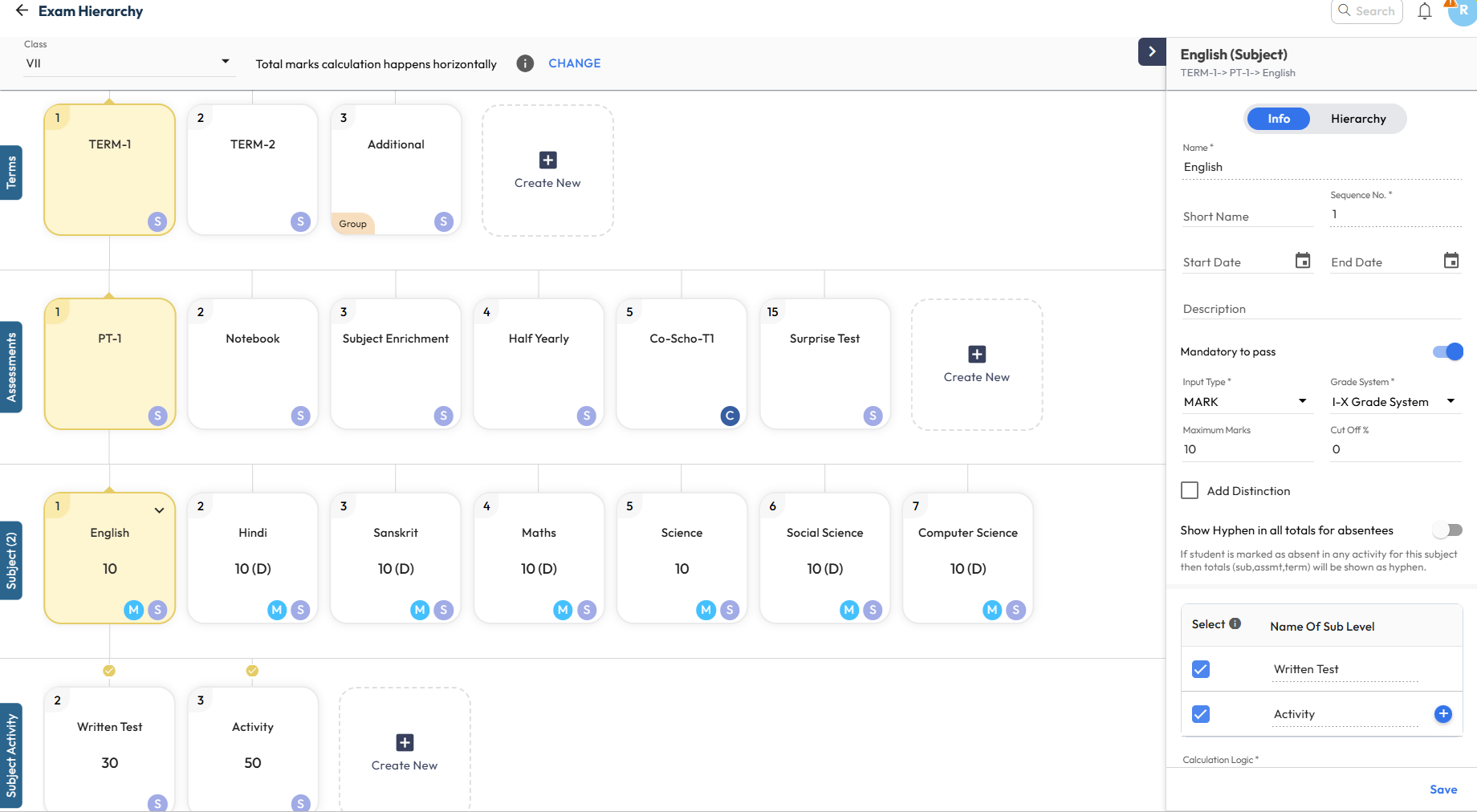
What’s New : The Exam Hierarchy has been completely revamped for a more intuitive experience. When a node is selected, all related properties appear in the right panel, allowing quick add or update of configurations.

Key indicators such as Sequence Number, Derived (D) marks, Group-at-Same-Level, and Calculation Inclusion/Exclusion are now clearly displayed on the cards for better visibility.

Benefit : Makes exam configuration simpler and easier to understand. Visual connections and indicators clearly show how activities and exams are calculated, helping users avoid errors and configure assessments with confidence

Path : Settings > Student > Examination > Exam Hierarchy New > Select Class to View 

Report Card Publish Page – Enhancement

What’s New : Several updates have been made to improve clarity and control on the Report Card Publish page:

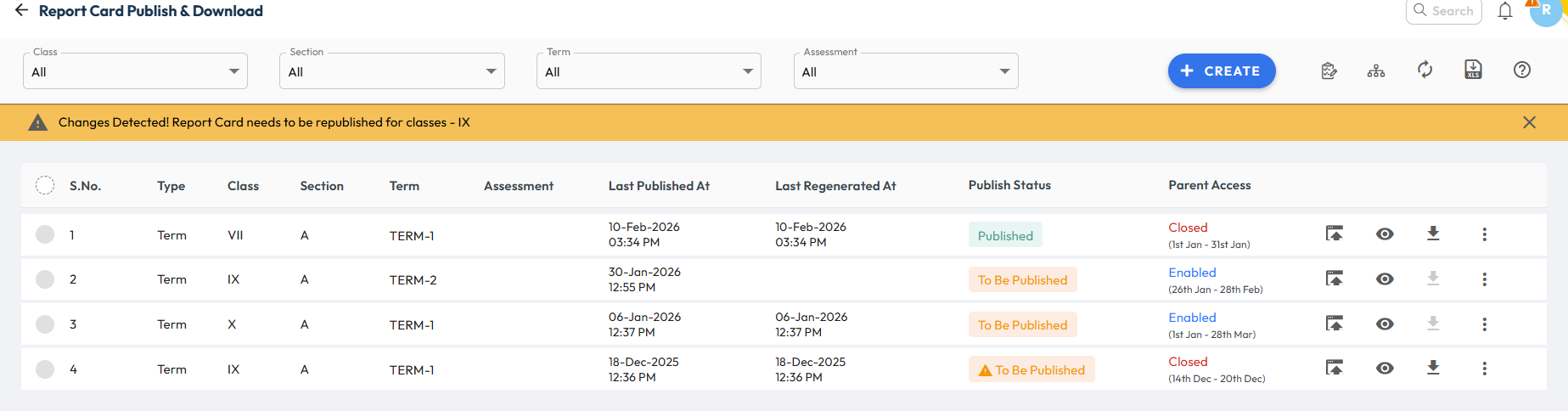
  • Clearer Report Card Status: Earlier, Generated and Published statuses were used to differentiate school and parent access. Now, the report card status is shown as Published, while parent access is tracked separately in the new column.
  • Parent Access Status Column: A new column now clearly shows Parent Access Status. It displays Enabled (with dates) when the report card is available to parents, and Closed (with dates) when access has ended.
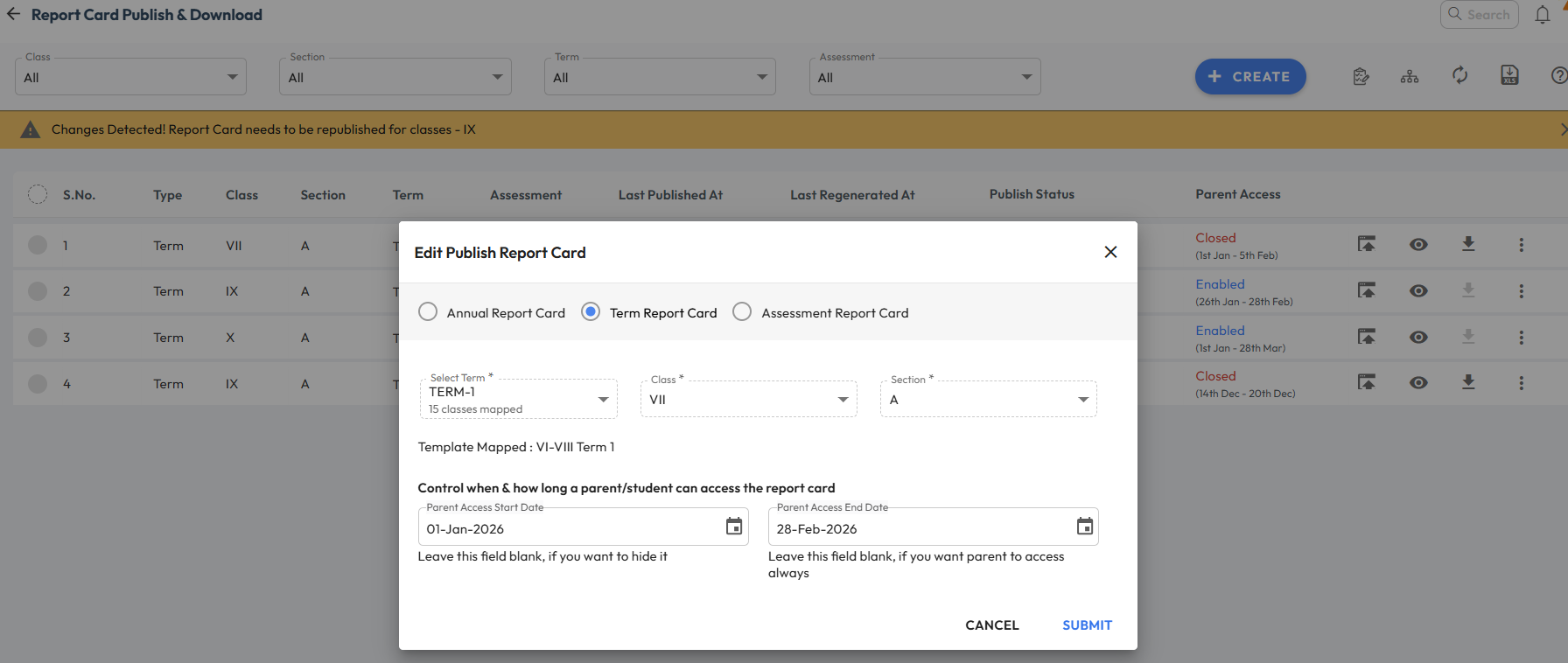
  • Instant Parent Access: Report cards no longer need to be republished when configuring parent access. Once access dates are set, the report card becomes instantly visible to parents.

Benefit : Provides better clarity and control while enabling report cards for parents. Clear status indicators help users easily understand the current stage and visibility of each report card.

Path : Student > Examination > Report Card Publish  

Login with OTP” for New Applicants

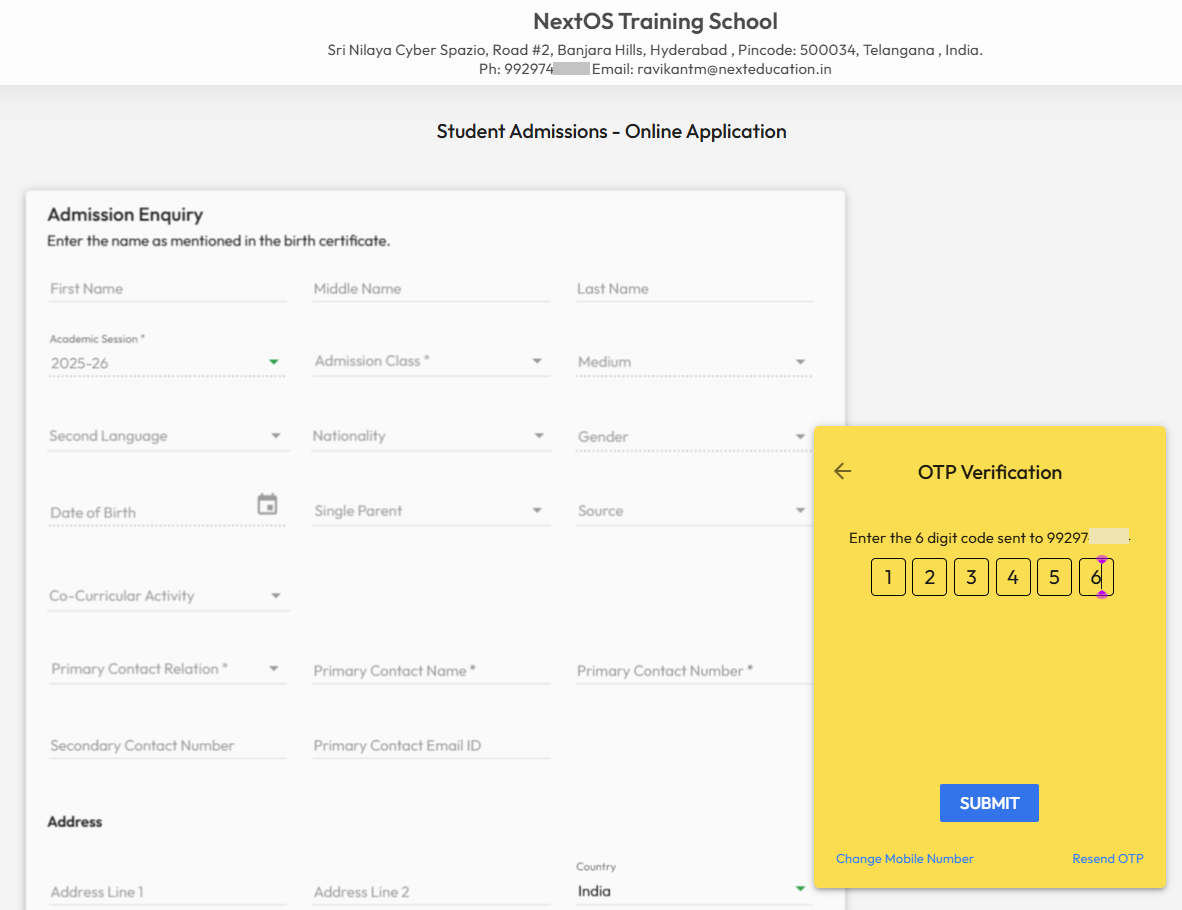
What’s New : New applicant’s parent can now Login with OTP from the online enquiry page. In case they have submitted multiple applications using the same mobile number, then system will show up all the applicants profile to choose from.

Benefit : This will make online admission enquiry process more smoother and convenient for non-tech savvy parents. Helps parents to login and check the status of their submitted application form to school.

Path : School’s Online Admission URL > Already Registered > Login with OTP > Enter Registered Mobile Number > Send OTP 

Archive Chat & Groups

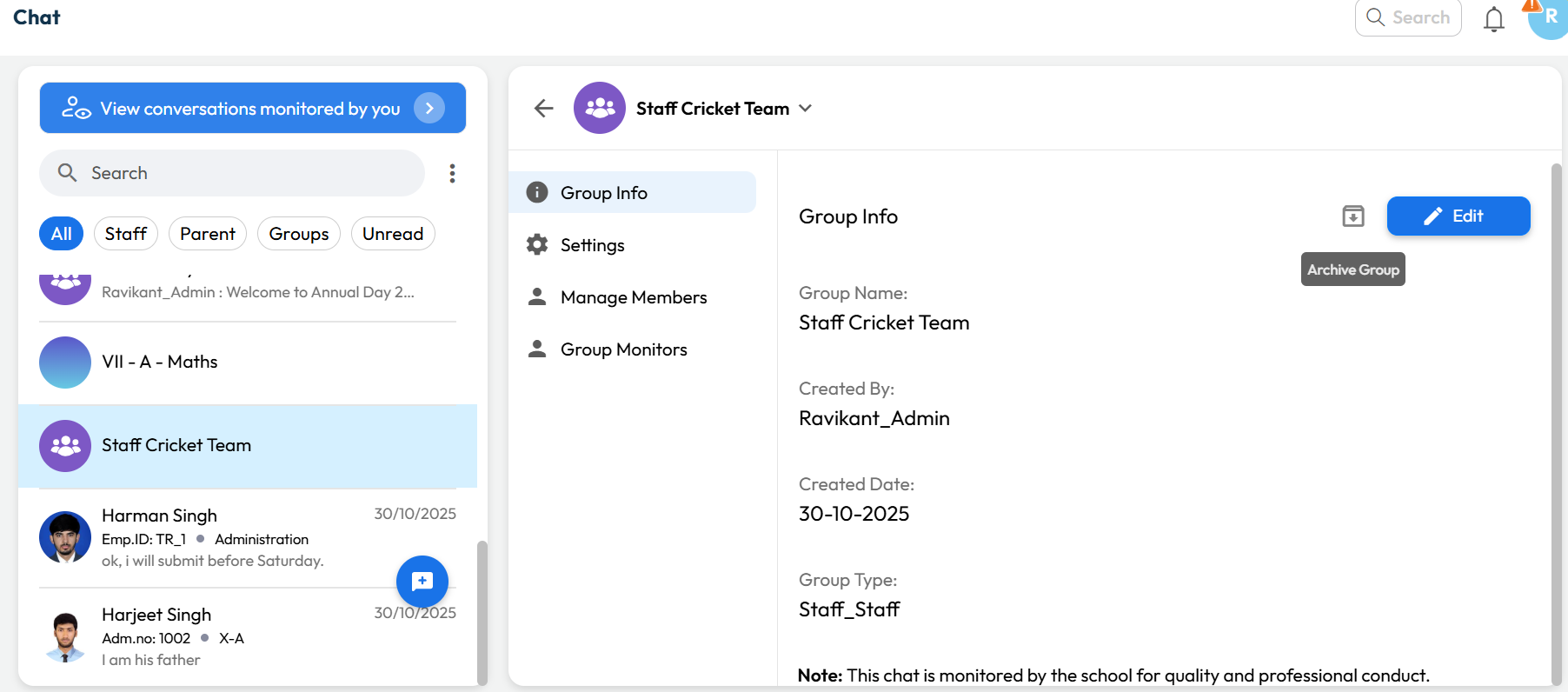
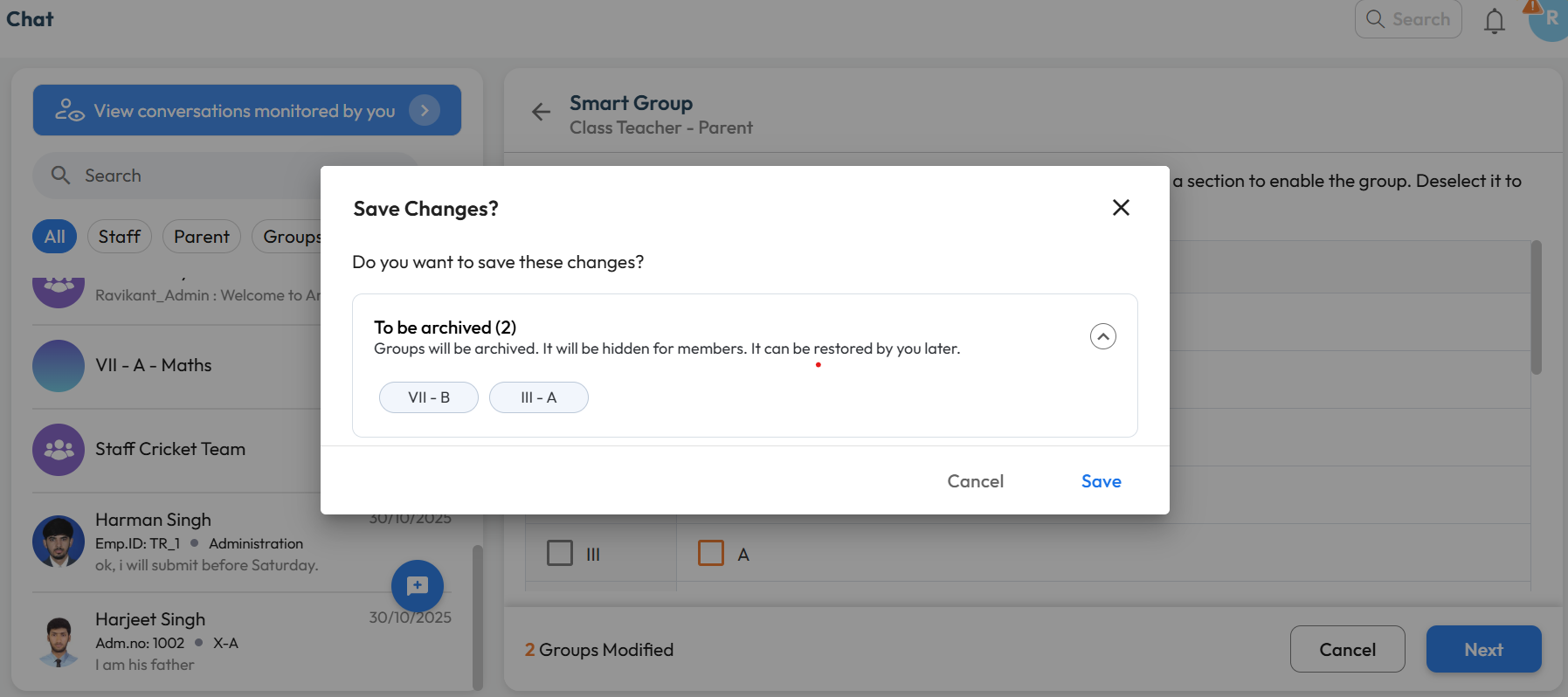
What’s New : Chat Groups can now be archived by the Group Manager or Chat Manager. Archived groups remain accessible and can be viewed or restored anytime by authorized users.

Benefit : Helps keep the chat interface clutter-free by hiding inactive or completed groups, so users can focus only on active conversations.

Path :

For Custom Groups:
Communication > Chat > Select Group > Downward Arrow > Group Info > Archive Group 

For Smart Groups:
Chat Icon > Smart Group > Class-Teacher or Parent-Teacher > Unselect mapped Class-Section > Next > Save