Release Notes August 2026

Dear Educators,


We’re pleased to share the NextOS August release updates.

We’re continuously working to make NextOS better—so you can accomplish tasks more easily, make smarter decisions, and breeze through your daily work.

These release notes will keep you informed, help you explore new features, and ensure you’re getting the most out of what’s new.

18+ Features are added

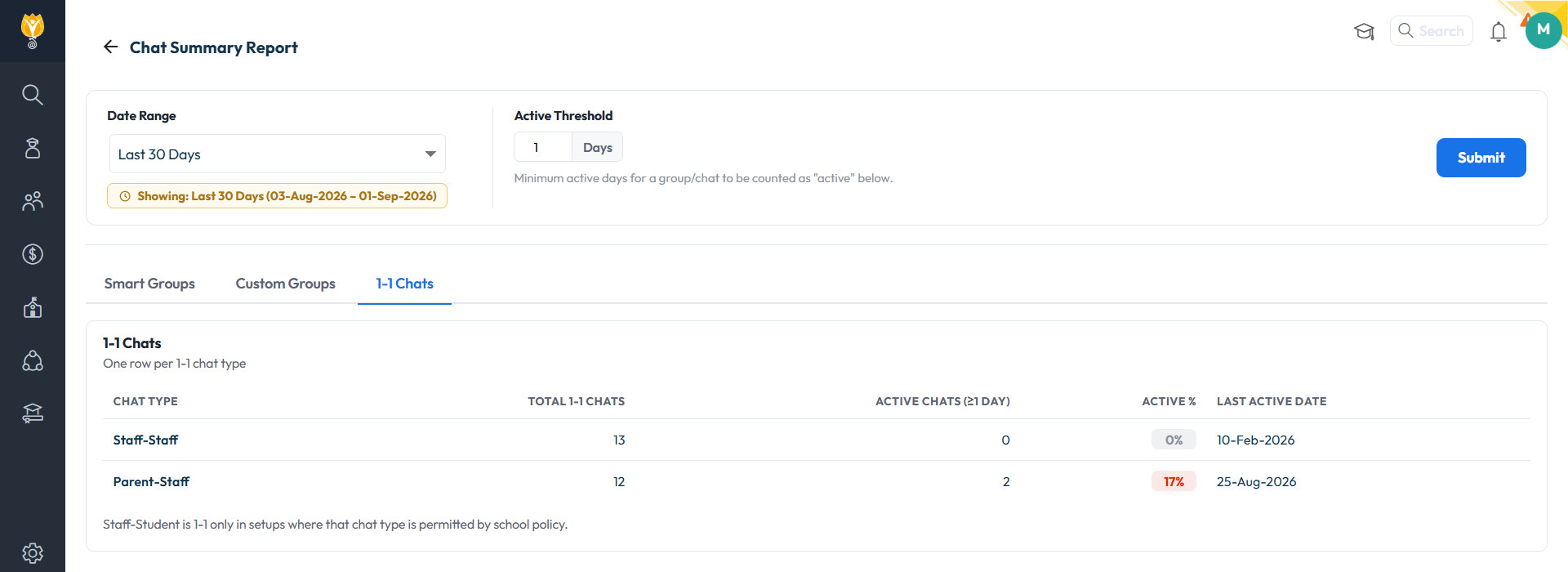
Chat Summary Report

What’s New : A new Chat Summary Report covering Smart Groups, Custom Groups and 1-to-1 chats, with Date Range and Active-Threshold filters. Shows Active Count, Active Status, Active % and Last Active Date per group, class-wise or teacher-wise.

Benefit : Measure whether Chat is being used, by class and by teacher, instead of assuming it.

Path : Communication > Reports > Chat Summary Report

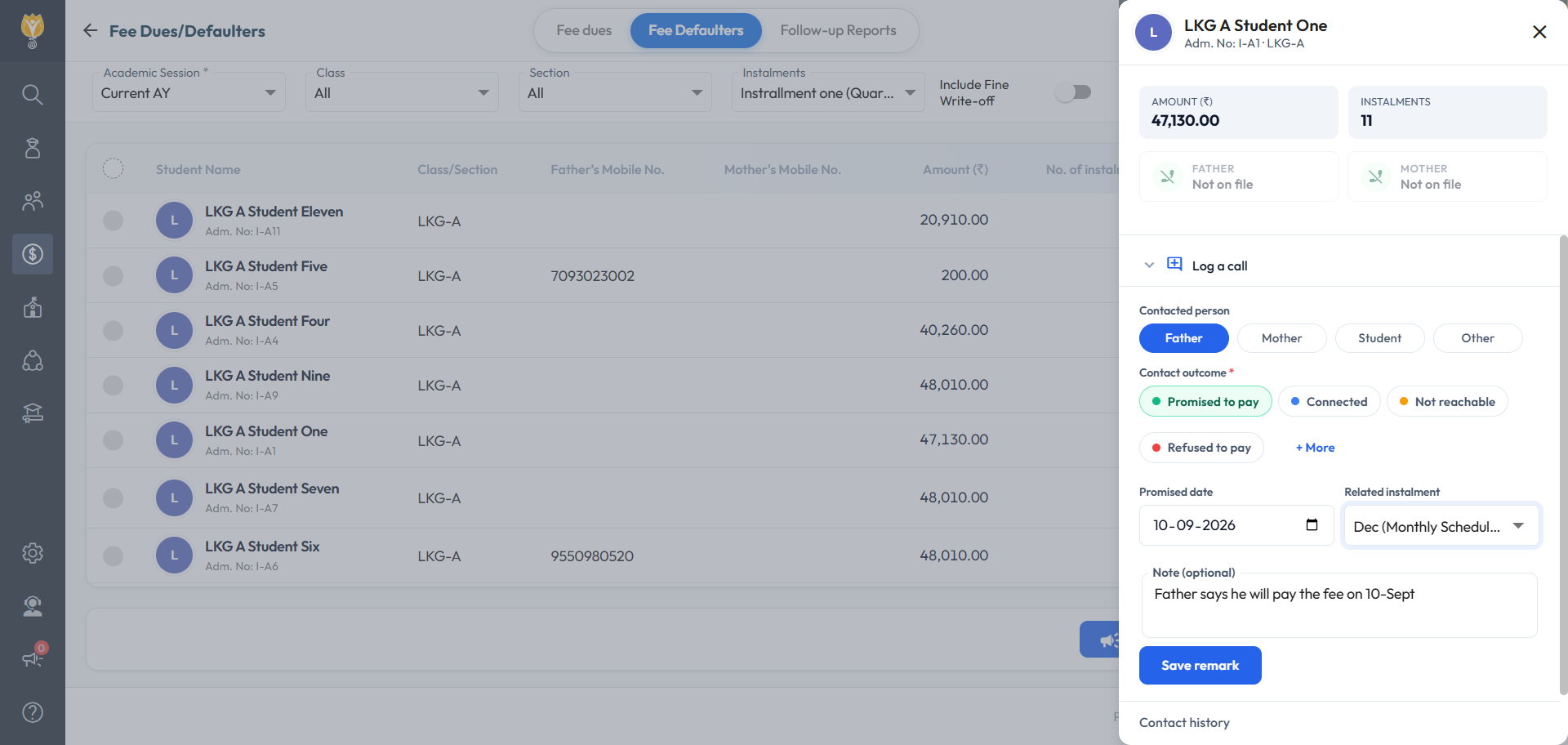
Fee Dues & Defaulter — Call Logging & Follow-Up Remarks

What’s New : Log a call against a student from the Fee Dues and Fee Defaulter screens: who was contacted, the outcome, the promised date, the instalment and a note. A “Promised to pay” outcome feeds the Promise-to-Pay Tracker.

Benefit : Every collection call recorded against the student it belongs to, with promised dates tracked for you.

Path : Fee > Fee Dues / Fee Defaulters – Tracker: Fee > Follow Up Reports

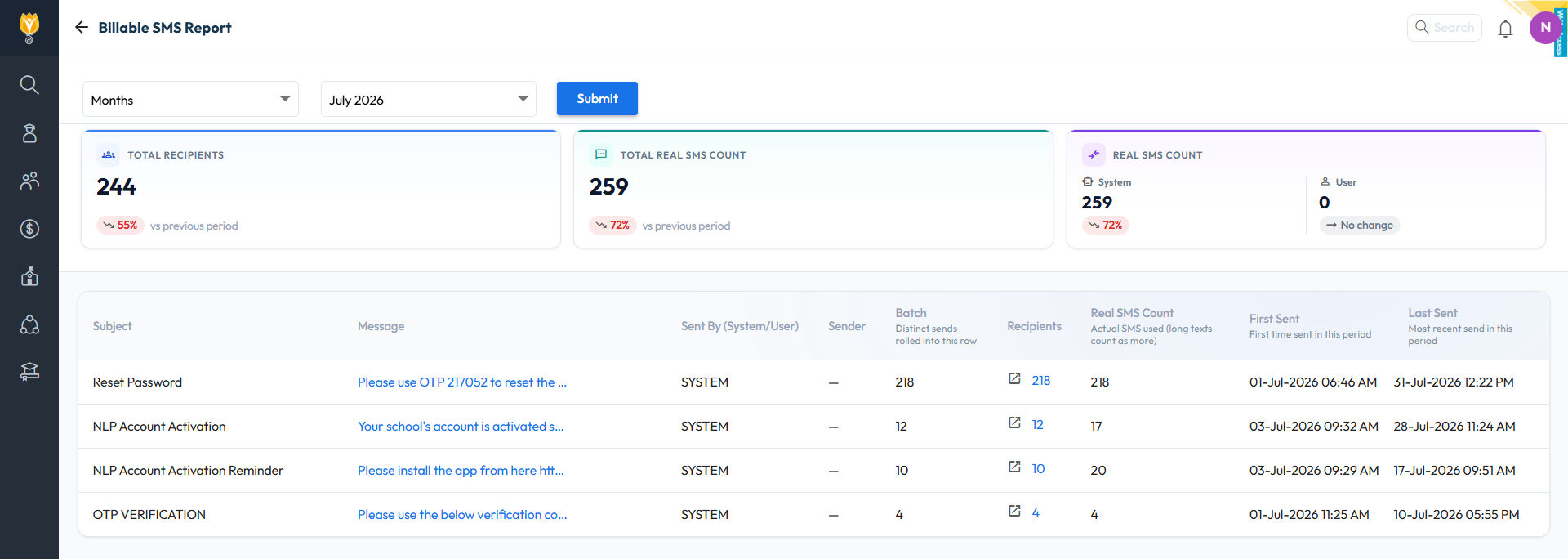
Billable SMS Report

What’s New : A new Billable SMS Report under Communication Reports shows the actual SMS count for a month or a custom date range — templates used with their counts, total batches, and drill-down to each send.

Benefit : Reconcile the SMS bill inside NextOS and see which templates consume the quota.

Path : Communication > Reports > Billable SMS Report

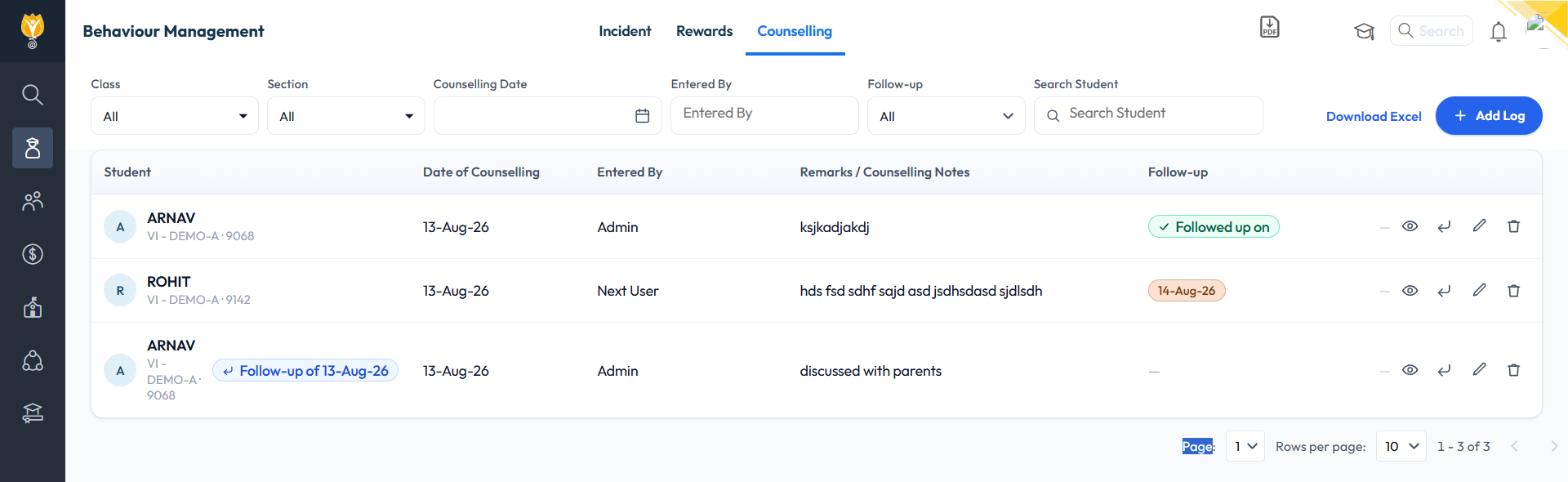
Student Counselling Module

What’s New : A new Counselling tab on the Student Behaviour page, along with a newly added Counsellor role — only the designated counsellor can add a counselling record. Each entry records the date, remarks, action required, an optional follow-up date and attachments. View access and parent visibility are configurable per role.

Benefit : A complete counselling record inside the student’s file, with follow-up reminders and access limited to the roles the school chooses.

Path : Student > Student Behaviour > Counselling

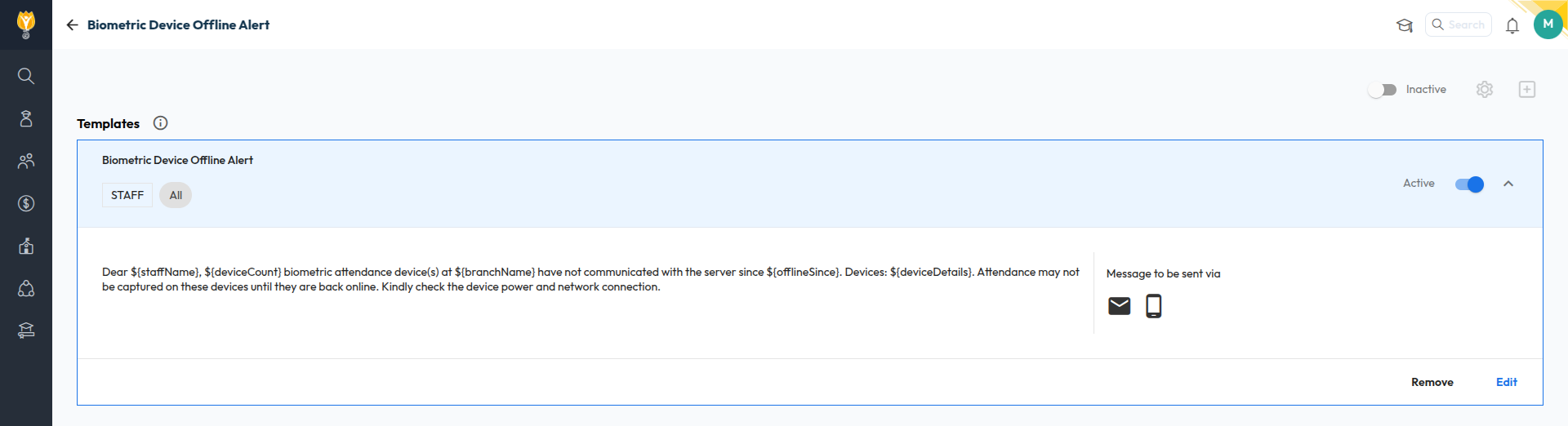
Biometric Device Offline Alert

What’s New : Alerts the school when a biometric device goes offline — only after 48 hours, when the last two days were working days for the mapped department and the device was in use in the last 7–10 days. Sent by email or SMS.

Benefit : Catch a dead device before attendance gaps appear, without false alarms over holidays.

Path : Settings > Alerts > Biometric Device Offline