Release Notes April 2026

Dear Educators,


We’re pleased to share the NextOS April release updates.

We’re continuously working to make NextOS better—so you can accomplish tasks more easily, make smarter decisions, and breeze through your daily work.

These release notes will keep you informed, help you explore new features, and ensure you’re getting the most out of what’s new.

15+ Features are added

Staff Sequence Number

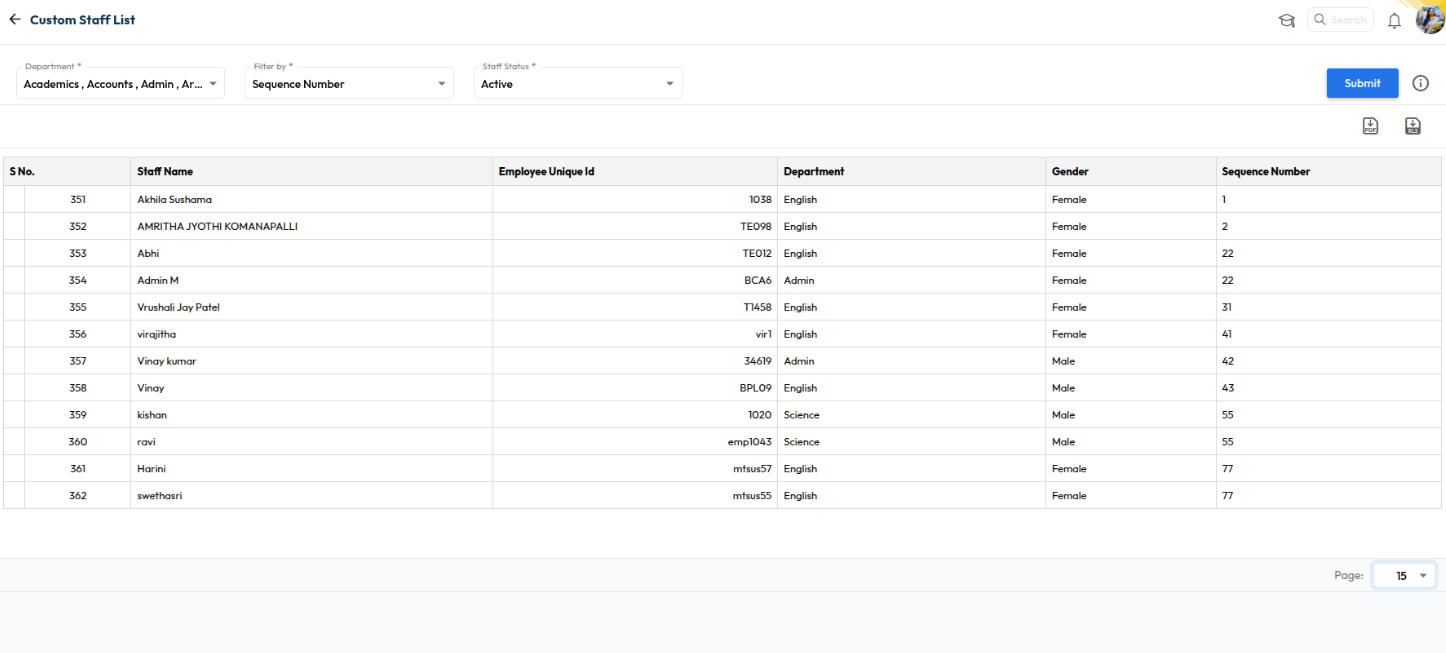
What’s New : Schools can now assign Sequence Numbers to staff members and view the Staff List and Staff Reports sorted by it. The new “Sequence Number” column is also supported in PDF and XLSX downloads.

Benefit : This helps schools organize staff records more efficiently, maintain structured staff ordering, and simplify report management. It also improves administrative convenience while exporting and reviewing staff-related reports.

Path : Staff > Staff List > staff 360

Recurring Alerts for Fee Defaulters

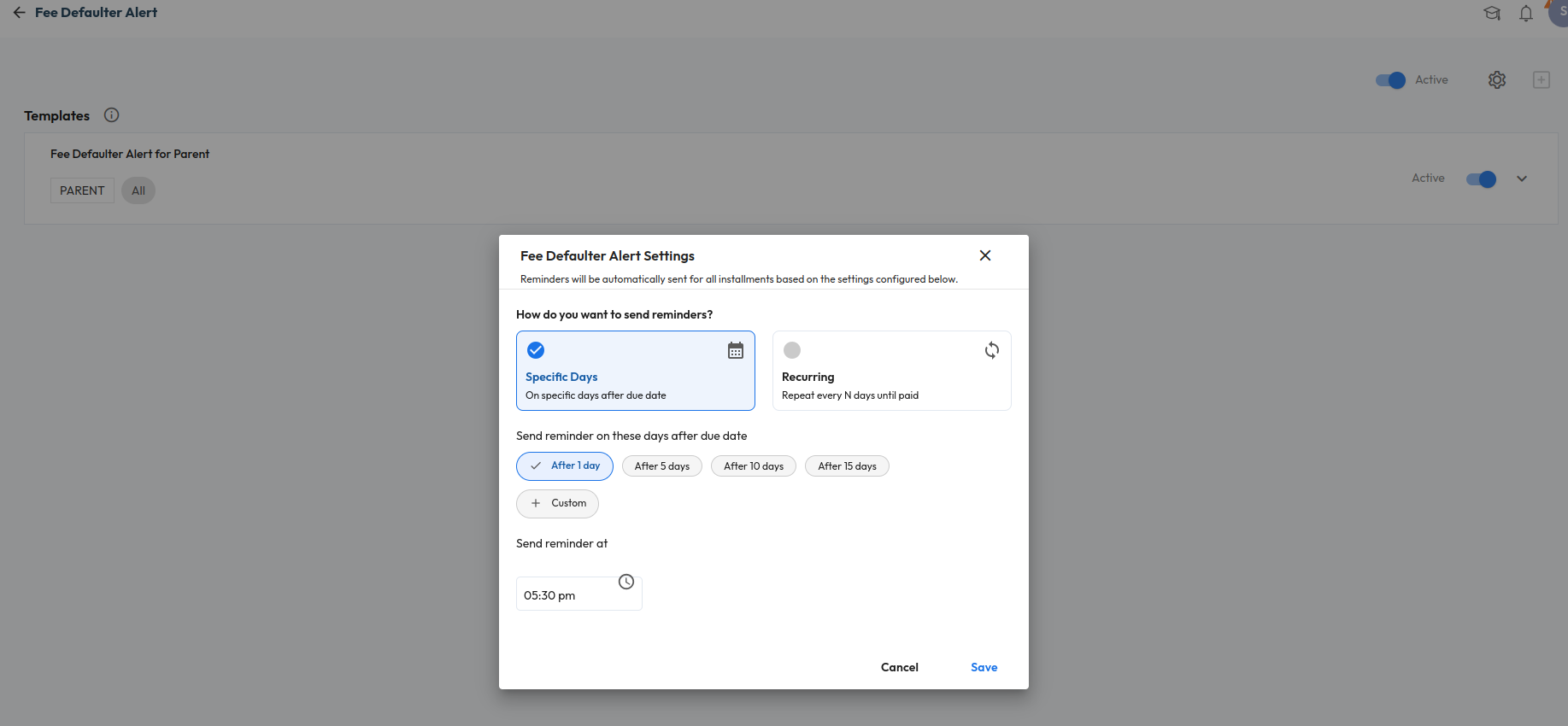
What’s New : Fee Defaulter Alerts can now be configured as recurring reminders based on user-defined intervals. Schools can also configure custom days for sending reminders.

Benefit : Helps schools automate fee follow-ups and improve parent communication through timely reminders and WhatsApp alerts..

Path : Settings > Collaboration > Communication > Alert > Fee Defaulter Alert Settings

One-Time Fee – Made Easy

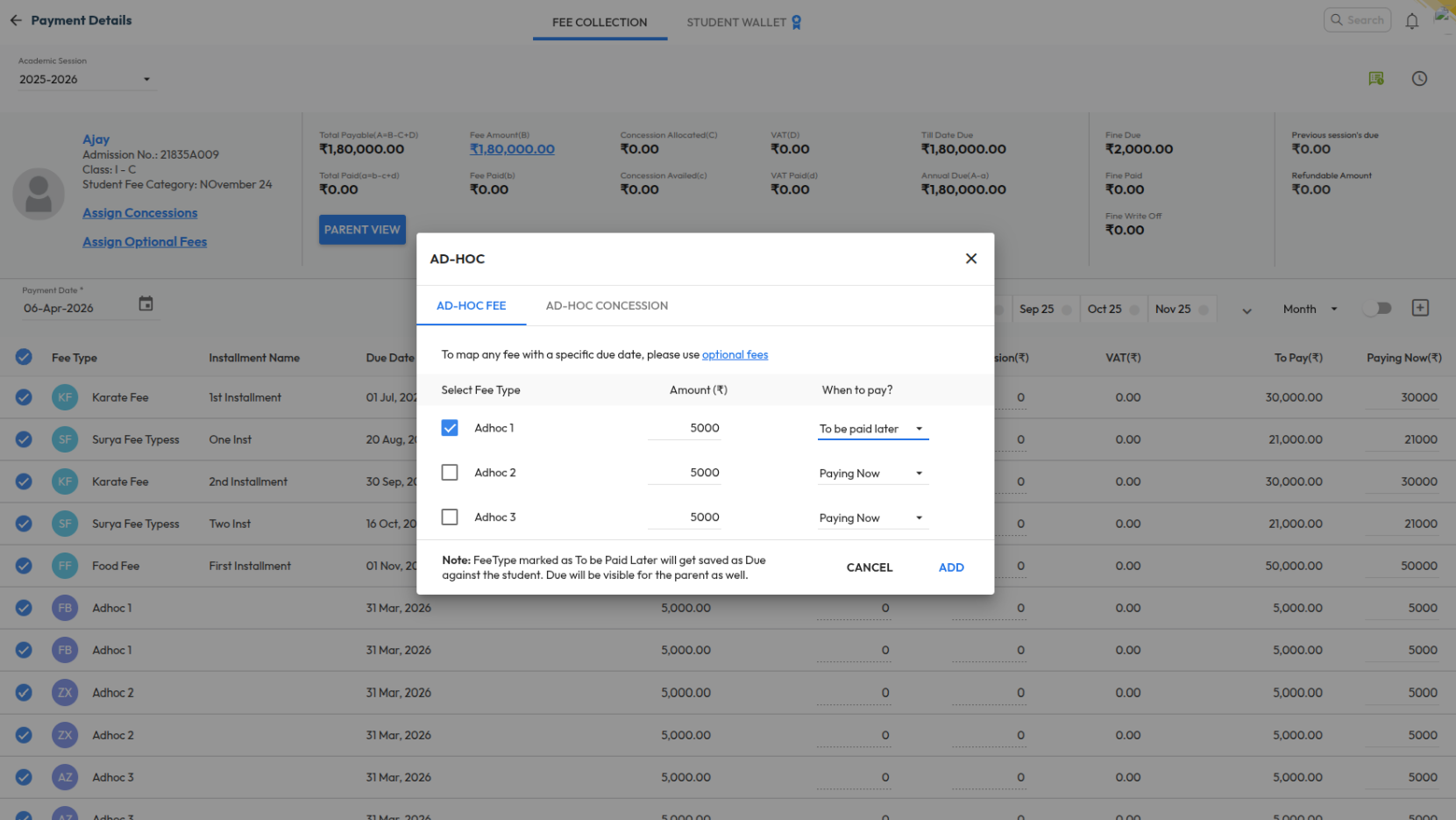
What’s New : Schools can now mark Adhoc Fee types as “Pay Later” during fee collection. The amount will be created as a due against the student with the Academic Session end date as the default due date. This functionality is also supported in bulk upload, challan, alerts, certificates, and reports.

Benefit : Helps schools manage one-time charges more flexibly while allowing parents to pay later through regular fee workflows or online payment.

Path : Finance > Fee > Collect Fee > Adhoc Fee Collection

Mark Student Absent for Examination

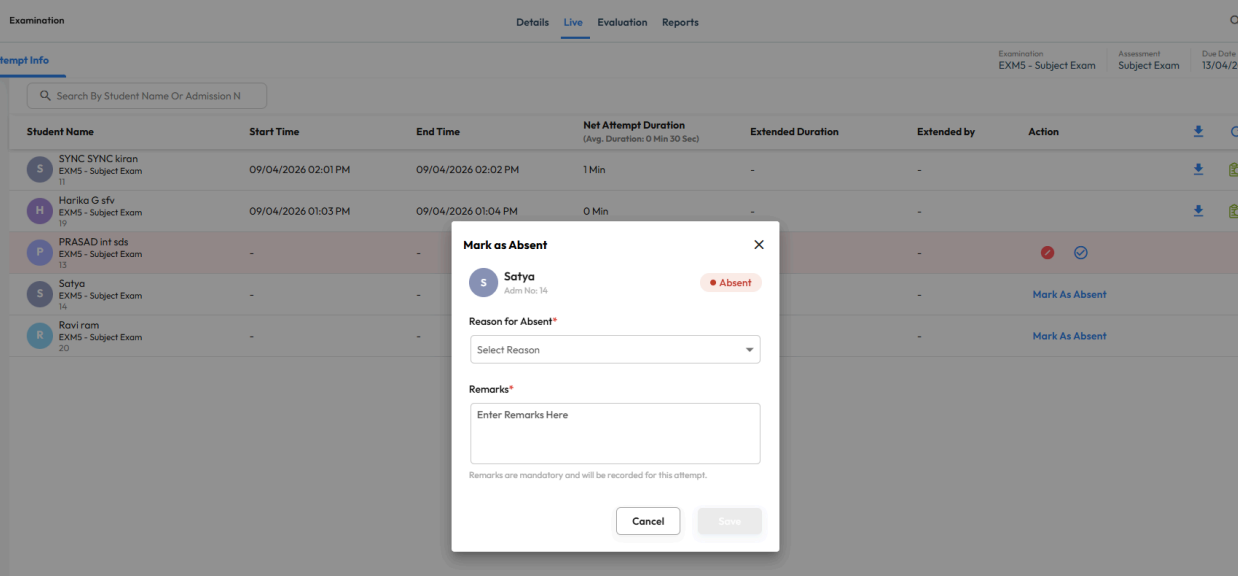
What’s New : Teachers can now mark students as absent directly from the Live tab of an examination and add absence reasons or remarks. Absence marking is validated based on submission and late submission settings.

Benefit : Helps schools maintain accurate examination records and streamline absence tracking for online assessments.

Path : Academics > Examination > Live Tab

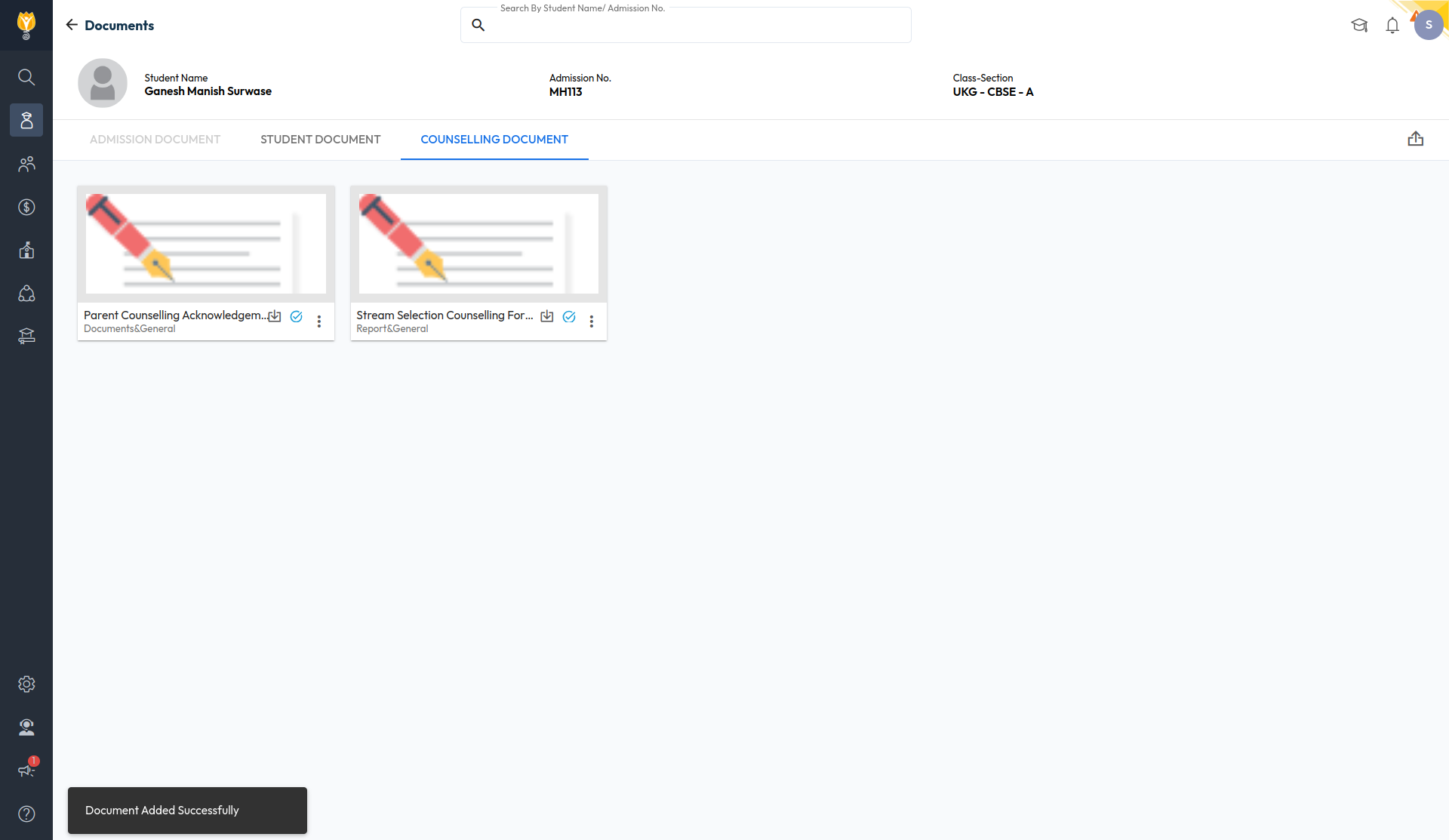
Student – Counselling Documents

What’s New : A new “Counselling Document” tab has been added to the Student Document Upload screen. Visibility of this tab can be controlled through role-based permissions in Manage Roles.

Benefit : Helps schools securely manage counselling-related student documents with controlled access based on user roles.

Path : Student > Student List > Documents