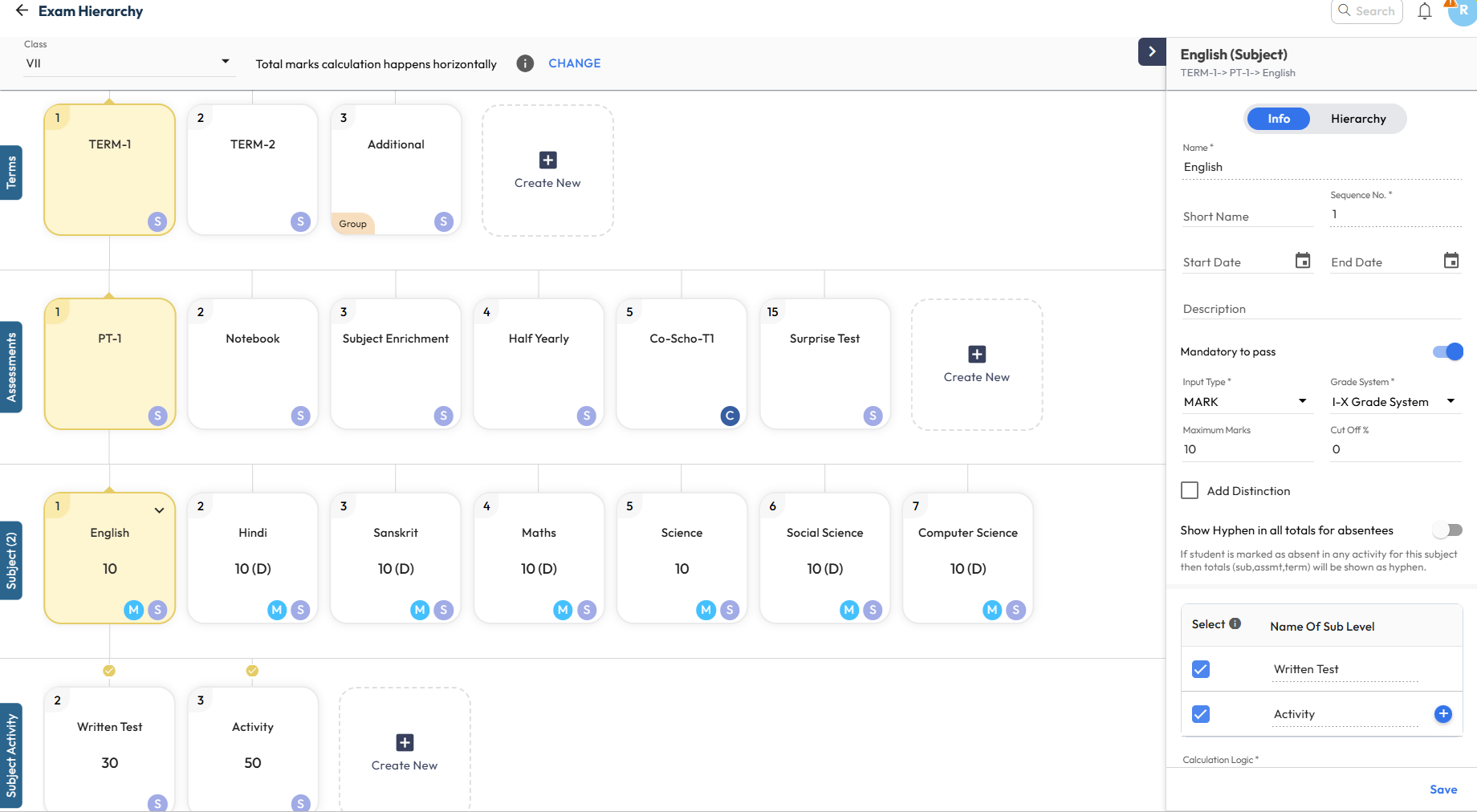
What’s New : The Exam Hierarchy has been completely revamped for a more intuitive experience. When a node is selected, all related properties appear in the right panel, allowing quick add or update of configurations.
Key indicators such as Sequence Number, Derived (D) marks, Group-at-Same-Level, and Calculation Inclusion/Exclusion are now clearly displayed on the cards for better visibility.
Benefit : Makes exam configuration simpler and easier to understand. Visual connections and indicators clearly show how activities and exams are calculated, helping users avoid errors and configure assessments with confidence
Path : Settings > Student > Examination > Exam Hierarchy New > Select Class to View