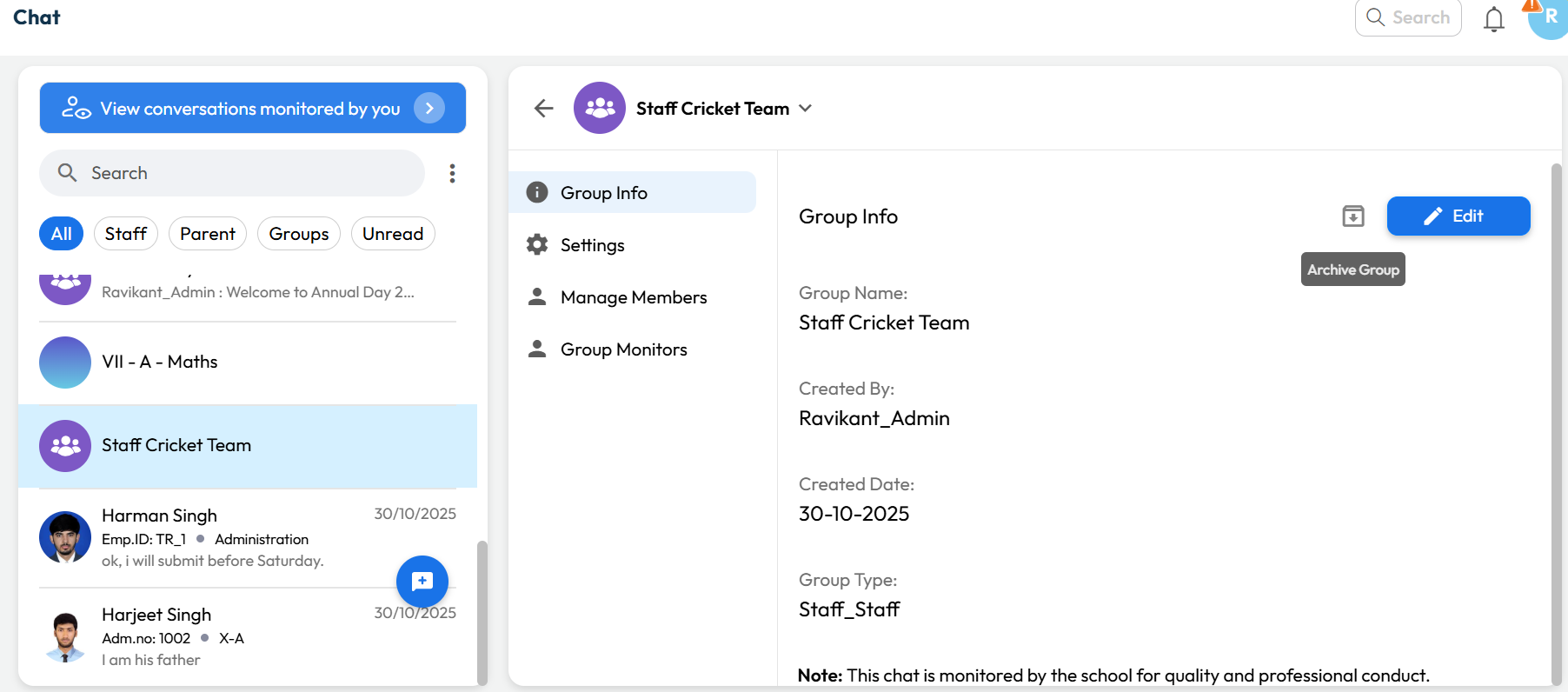
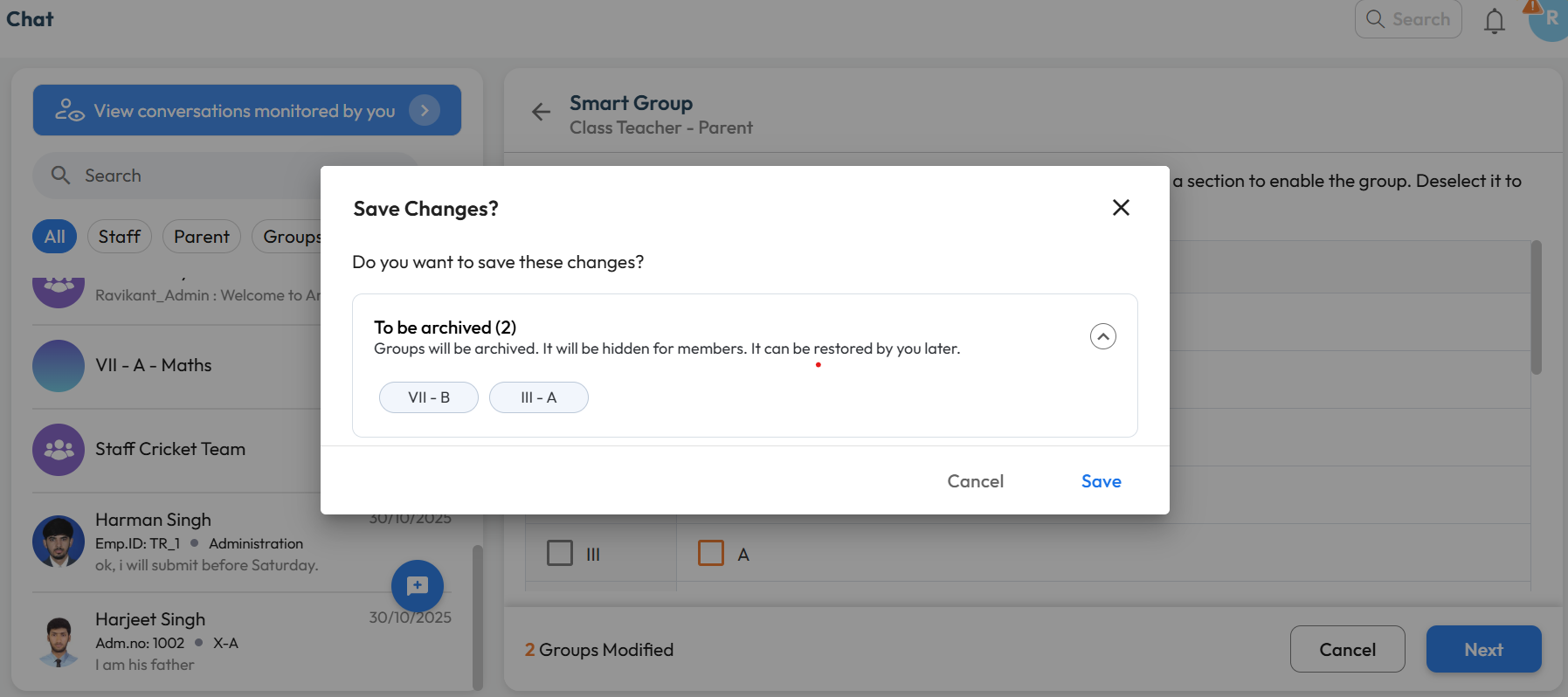
What’s New : Chat Groups can now be archived by the Group Manager or Chat Manager. Archived groups remain accessible and can be viewed or restored anytime by authorized users.
Benefit : Helps keep the chat interface clutter-free by hiding inactive or completed groups, so users can focus only on active conversations.
Path :
For Custom Groups:
Communication > Chat > Select Group > Downward Arrow > Group Info > Archive Group
For Smart Groups:
Chat Icon > Smart Group > Class-Teacher or Parent-Teacher > Unselect mapped Class-Section > Next > Save